Your Ultimate Product Launch Checklist Template: 12 Options for 2026
Discover the best product launch checklist template for your team. We review 12 options from Notion, Asana, and HubSpot to streamline your next launch.
Launching a new product, especially in the competitive SaaS market, is a high-stakes endeavor with countless moving parts.Launching a new product, especially in the competitive SaaS market, is a high-stakes endeavor with countless moving parts. A simple to-do list just won't cut it. You need a structured, repeatable process to ensure nothing falls through the cracks, from pre-launch market validation and beta testing to post-launch analytics and user feedback collection. This is precisely where a dedicated product launch checklist template becomes your most valuable asset. It transforms potential chaos into a clear, actionable plan, aligning marketing, product, and sales teams toward a single, unified goal.
A well-designed template does more than just list tasks; it provides a strategic framework. It helps you assign roles, set realistic timelines, and integrate critical SaaS-specific steps like submitting to marketplaces, executing a PR outreach plan, and configuring analytics. For a truly successful launch, you need a robust framework like this comprehensive B2B Product Launch Checklist Template for SaaS Success that covers every phase in detail.
In this comprehensive guide, we've curated and analyzed 12 of the best templates available, sourced from leading platforms like HubSpot, Asana, Notion, and Airtable. We move beyond generic feature lists to provide real-world context for each resource. You will find screenshots, direct links, and practical implementation tips to help you select the perfect framework for your next launch. Whether you're a solo developer or part of a growing startup team, our goal is to help you find the right tool to orchestrate a successful and stress-free product debut.
1. HubSpot
HubSpot offers a free, downloadable product launch plan template that serves as an excellent foundational document for teams new to the launch process. It focuses heavily on the strategic planning phase, providing structured sections for defining your product's positioning, conducting market and competitive analysis, and outlining your go-to-market strategy. This makes it a great starting point for aligning stakeholders before diving into a more granular, task-based checklist.
Unlike live project management platforms, this resource is a static file available in Excel, Google Sheets, and PDF formats. Its strength lies in its simplicity and accessibility; once downloaded, your team can work on it offline or adapt it into a more dynamic checklist within your preferred spreadsheet software. The clear prompts are particularly helpful for non-product managers, ensuring key strategic elements aren't overlooked.
Key Details & How to Use It
This template is less of a day-by-day task list and more of a strategic blueprint. It helps you solidify the "why" behind your launch, which is a critical first step.
- Best Use Case: Ideal for early-stage planning and for teams who need to create a formal launch plan document for leadership or investors. It forces you to think through high-level strategy before getting lost in execution details.
- Implementation Tip: After filling out the strategic sections in the HubSpot template, use that information to populate a more detailed, task-oriented product launch checklist template from another source. This two-step process connects high-level strategy to daily execution.
- Access: The template is free but requires you to submit your name and email address via a form on their website to receive the download link.
- Limitations: Its primary weakness is the lack of built-in collaboration features. While you can use Google Sheets for real-time editing, it doesn't offer the robust task management, assignments, or progress tracking found in dedicated project management tools. This strategic focus also means you will need a separate, more tactical checklist for the pre-launch, launch day, and post-launch phases. A comprehensive SaaS product marketing strategy requires both this high-level planning and detailed tactical execution.
Website: HubSpot Product Launch Plan Template
2. Asana
Asana transitions from a static planning document to a dynamic, collaborative workspace with its official Product Launch and Product Marketing Launch templates. It’s designed for teams who need to manage the entire launch process, from initial strategy to post-launch analysis, within a single platform. The template provides a comprehensive, task-based structure covering everything from engineering handoffs to sales enablement and PR outreach, making it a robust central hub for cross-functional teams.
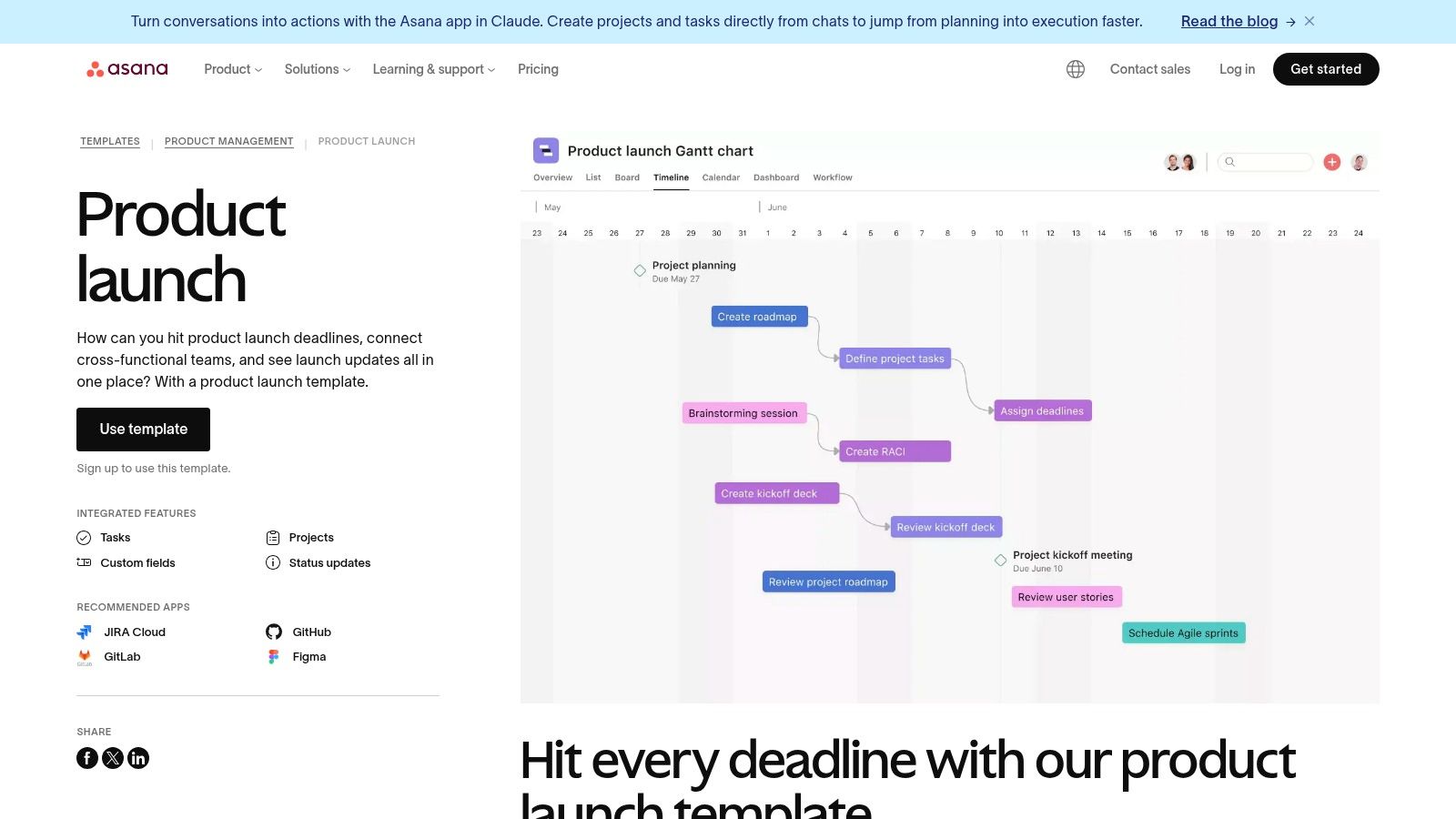
Unlike downloadable files, Asana’s templates live within its project management ecosystem, offering powerful features like multiple project views (List, Board, Timeline, Calendar), task assignments, and real-time progress tracking. This active management approach ensures accountability and visibility across marketing, product, and leadership stakeholders, helping to prevent critical tasks from falling through the cracks during a high-pressure launch period.
Key Details & How to Use It
This product launch checklist template is built for active execution and team collaboration, serving as a live dashboard for the entire launch program.
- Best Use Case: Perfect for teams already using Asana or those looking for an all-in-one tool to manage complex launches with multiple dependencies and stakeholders. Its different views, especially the Timeline (Gantt chart), are excellent for visualizing the critical path.
- Implementation Tip: Start by using the pre-built sections to map out your major launch phases (pre-launch, launch day, post-launch). Then, customize the template by adding team-specific tasks and integrating it with other tools like Slack, Google Drive, and Jira to centralize communication and documentation.
- Access: The basic templates are free to use with any Asana account, including the free tier. However, unlocking advanced features like custom fields, portfolios, and workload management requires a paid subscription.
- Limitations: The primary drawback is its dependency on the Asana ecosystem; it's not a portable checklist. For teams unfamiliar with Asana, the number of features and customization options can be overwhelming initially, requiring a learning curve to use effectively.
Website: Asana Product Launch Templates
3. ClickUp
ClickUp provides a dynamic, all-in-one product launch checklist template that goes far beyond static documents. Built within its project management ecosystem, this template is designed for active, collaborative execution. It combines granular task management with high-level project views, offering custom statuses, fields, and automations to streamline the entire launch process from pre-launch to post-mortem. This makes it a powerful central hub for teams that need to connect their strategic plan directly to daily tasks.
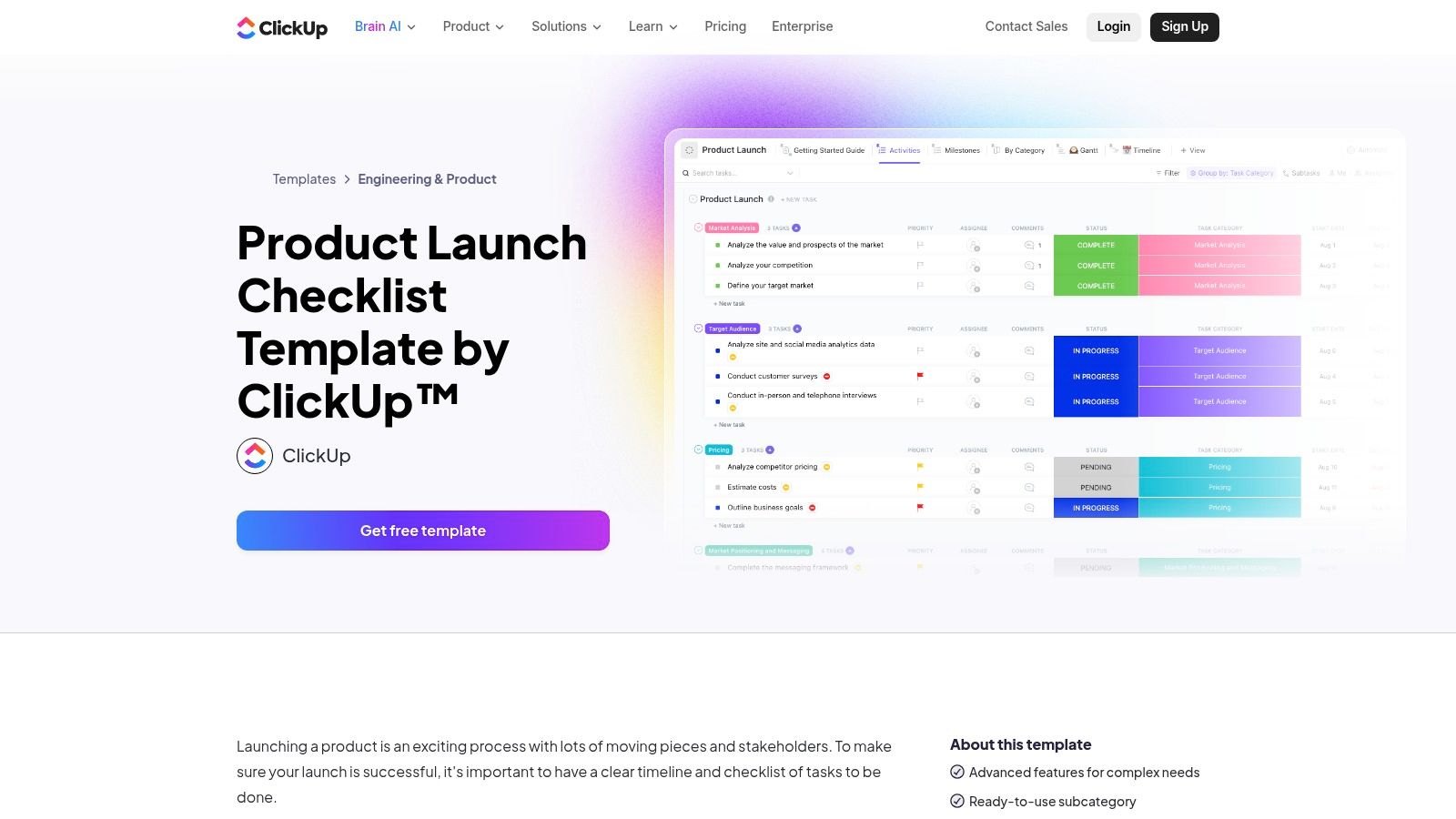
Unlike a simple spreadsheet, ClickUp’s template offers multiple perspectives on your project, including List, Board, Timeline, and Gantt views. This flexibility allows different stakeholders, from marketing to engineering, to visualize progress in a way that suits their workflow. The ability to assign tasks, set dependencies, and automate status updates makes it a living document that adapts to your team's real-time progress.
Key Details & How to Use It
This template is a comprehensive project management solution tailored specifically for product launches. It excels at keeping cross-functional teams aligned and accountable throughout the complex launch lifecycle.
- Best Use Case: Perfect for established teams that need a single source of truth for all launch-related activities, including tasks, documentation, and communication. Its robust feature set is ideal for managing complex launches with multiple dependencies and stakeholders.
- Implementation Tip: Take advantage of the custom fields to track key metrics directly within tasks, such as budget, priority, or target personas. Use automations to reduce manual work, like automatically moving a task to "For Review" when a subtask is completed.
- Access: The template is available for free for all ClickUp users, including those on the Free Forever plan. Simply add it to your workspace from the ClickUp template library.
- Limitations: The platform's extensive features can create a steep learning curve for new users or small teams accustomed to simpler tools. For those who just need a basic checklist without project management overhead, ClickUp might feel overly complex.
Website: ClickUp Product Launch Checklist Template
4. monday.com
For teams seeking a comprehensive, interactive platform rather than a static document, monday.com offers a robust product marketing launch template. It transforms the checklist from a simple to-do list into a dynamic project management board, allowing for real-time tracking, assignments, and cross-functional collaboration. This template is designed for end-to-end launch management, covering everything from pre-launch planning and content creation to launch day execution and post-launch analysis.
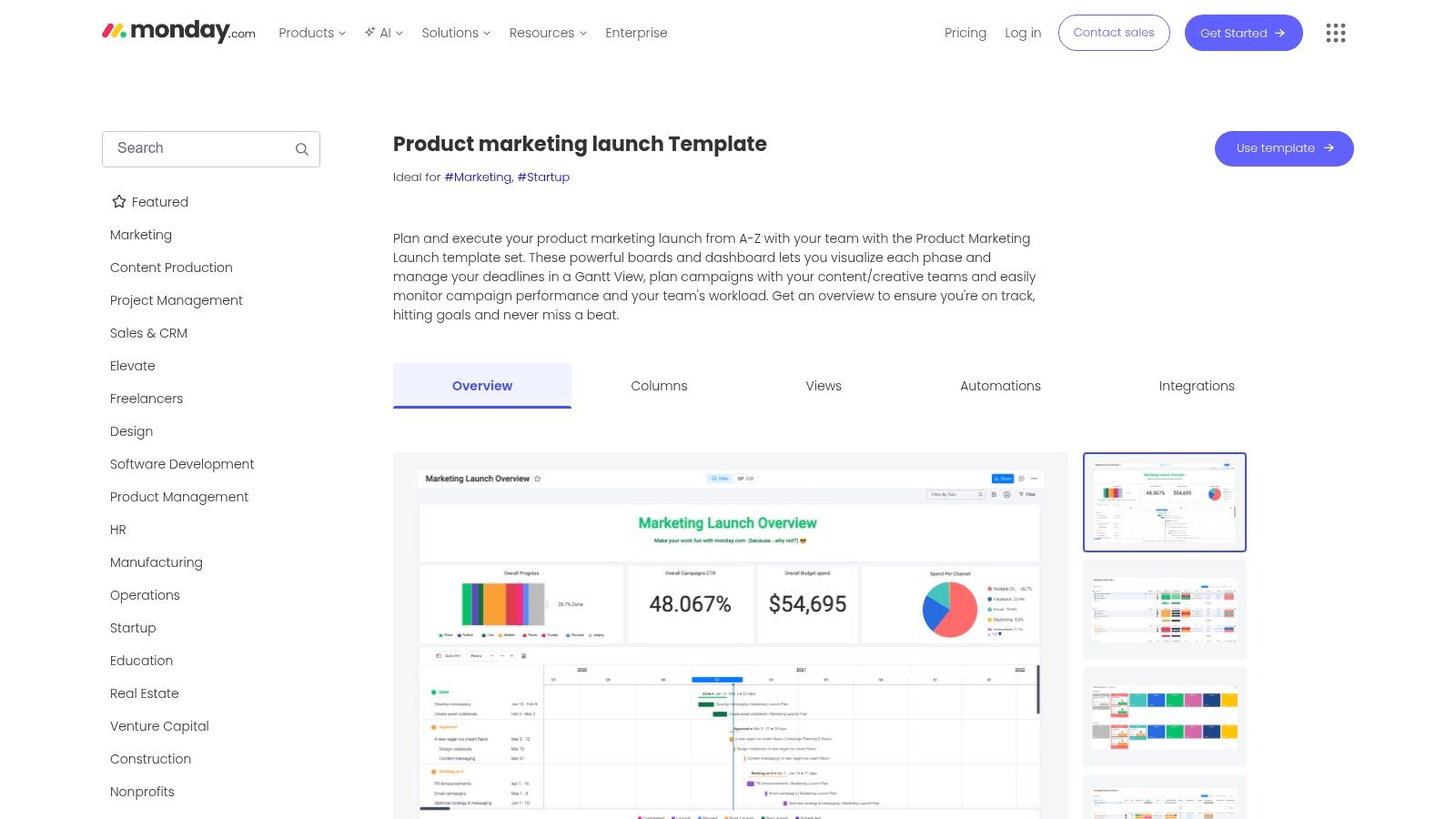
Unlike downloadable files, monday.com's strength lies in its visualization and automation capabilities. You can view your product launch checklist template as a Kanban board, a Gantt chart, or a calendar, providing different stakeholders with the perspective they need. Automations can handle repetitive tasks like status updates and notifications, keeping the entire launch team aligned with minimal manual effort. The platform is especially powerful for managing complex launches with many moving parts and dependencies.
Key Details & How to Use It
This template serves as a centralized hub for your entire launch, connecting strategy, tasks, and communication in one place. It excels at providing visibility into progress and potential bottlenecks.
- Best Use Case: Perfect for cross-functional marketing and product teams managing complex launches with multiple dependencies. Its strong visualization of deadlines, statuses, and workloads makes it ideal for project managers who need a clear overview of the entire process.
- Implementation Tip: Customize the board by adding specific columns for your team's needs, such as budget, key metrics, or links to creative assets. Use the integrations to connect with tools like Slack, Jira, and Google Drive to create a seamless workflow and centralize all launch-related information.
- Access: The template is available to all monday.com users. You will need to sign up for an account (free and paid plans are available) to access and use the template within your workspace.
- Limitations: The platform's extensive features can feel overwhelming for small teams or simple, one-person launches where a basic spreadsheet might suffice. Sharing the template with external stakeholders who are not part of your monday.com account can also be restrictive, making it less ideal for purely external collaboration.
Website: monday.com Product Marketing Launch Template
5. Airtable
Airtable combines a helpful article detailing a step-by-step launch process with a powerful, customizable Airtable base template. This approach bridges the gap between a static document and a dynamic project management tool, offering a solution that feels like a spreadsheet but functions like a relational database. The provided base is pre-populated with phases, from research and development to post-launch analysis, complete with example tasks, owners, and timelines.
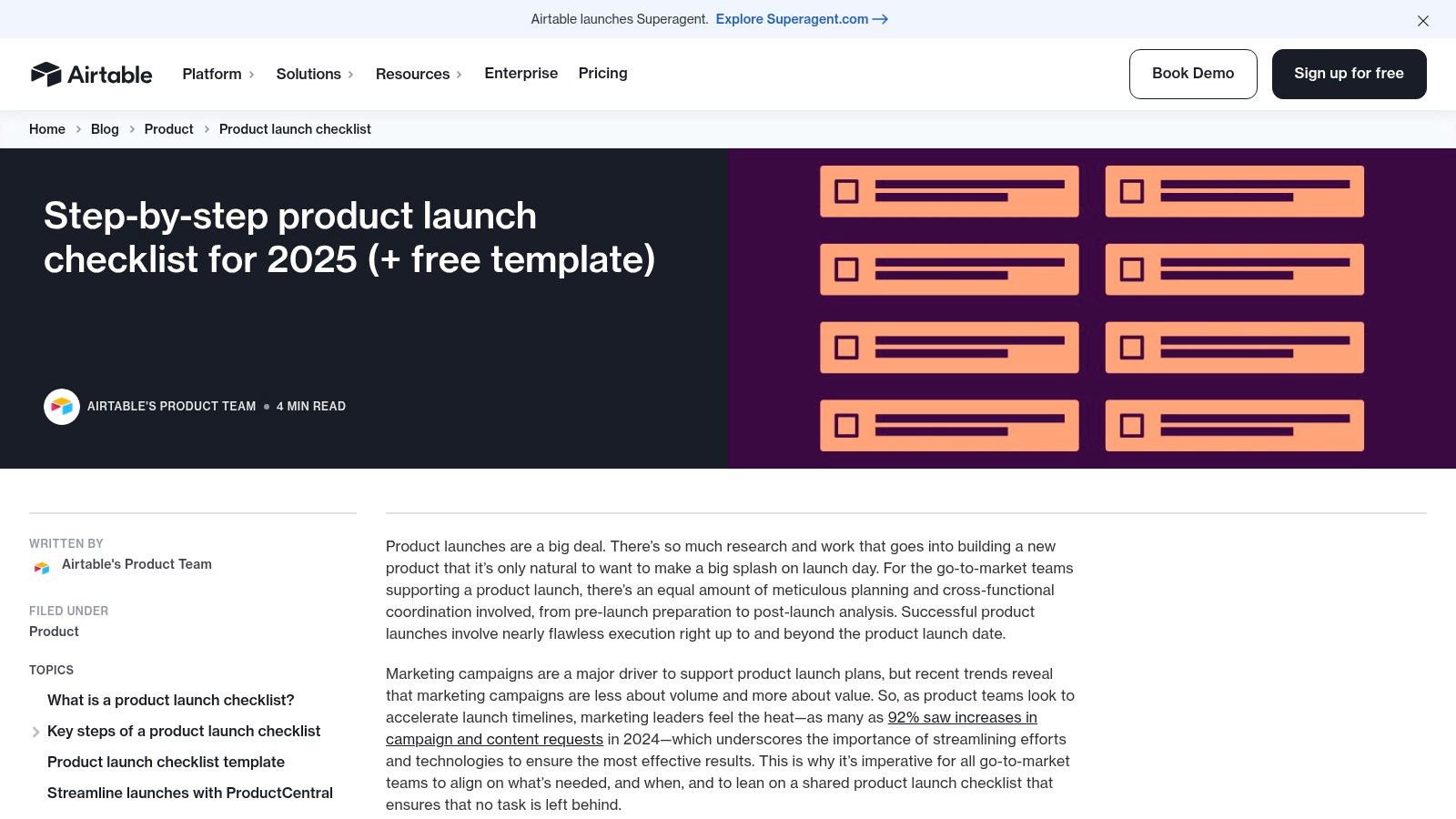
This platform's unique strength is its flexibility. Unlike a rigid checklist, Airtable allows you to create different views of your data, such as a calendar view for deadlines, a Kanban board for task status, or a timeline (Gantt) view to visualize dependencies. This makes it a highly scalable product launch checklist template that can grow with your team's complexity and needs, moving far beyond a simple to-do list.
Key Details & How to Use It
Airtable is best for teams that want more power and customization than a spreadsheet offers but aren't ready for a heavy, dedicated project management software. It provides a perfect middle ground for managing a complex launch.
- Best Use Case: Excellent for agile teams managing a SaaS or tech product launch who need to track multiple workstreams, dependencies, and stakeholders in one place. Its visual and customizable nature makes it great for reporting progress to leadership.
- Implementation Tip: Start by using the provided template as-is. As your launch progresses, customize the fields to better suit your needs. For example, add a "Budget" field for marketing tasks or a "Linked Asset" field to attach final creative files directly to tasks.
- Access: The template is free to copy and use, but it requires signing up for a free Airtable account to access its full interactive features.
- Limitations: While the free tier is very generous, more advanced features like automations, integrations, and the timeline view have usage limits or require a paid plan. Getting the most out of Airtable also involves a slight learning curve compared to a basic Google Sheet, especially when setting up custom views and relational links.
Website: Airtable Product Launch Checklist
6. Notion
Notion provides a dynamic and highly flexible product launch checklist template that functions as an all-in-one project hub rather than a static document. Its strength lies in its database-driven core, allowing teams to create, assign, and track tasks across multiple views like Kanban boards, calendars, and timelines. This approach transforms the checklist from a simple list into a living workspace where documents, research, and action items coexist.
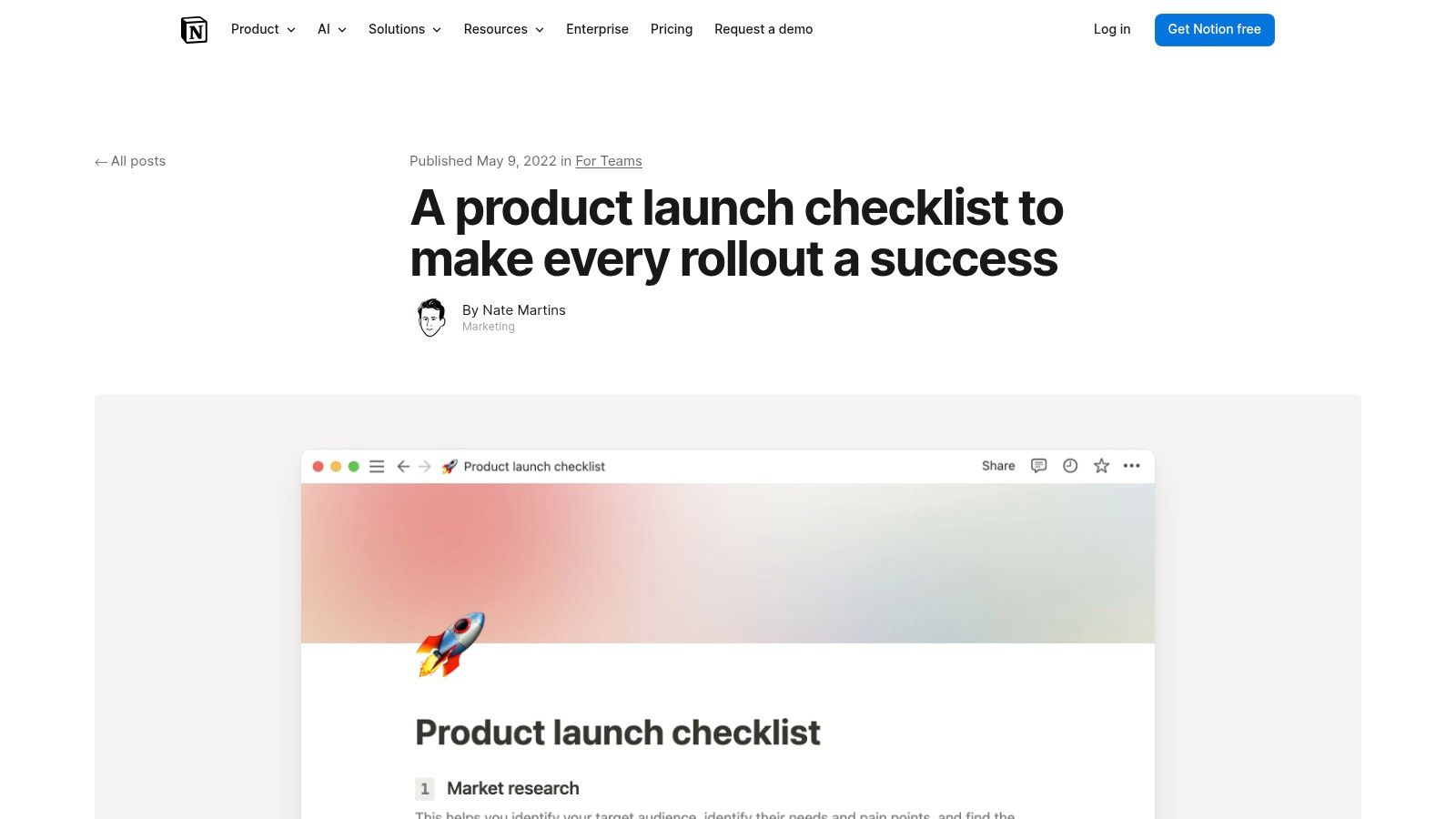
Unlike downloadable spreadsheets, Notion’s template is designed for real-time collaboration and information consolidation. You can easily embed design mockups from Figma, cross-link to product requirement documents, or attach launch assets directly to their corresponding tasks. This creates a single source of truth that is invaluable for keeping marketing, product, and engineering teams aligned throughout the entire launch process, from pre-launch planning to post-launch analysis. The platform also features a vast community marketplace with additional specialized launch templates.
Key Details & How to Use It
This template excels as a central command center for your entire launch, connecting strategic documents with granular, day-to-day tasks in one seamless interface.
- Best Use Case: Perfect for agile teams, from solo founders to large organizations, that want a single, collaborative workspace to manage all launch-related activities, documents, and assets.
- Implementation Tip: Use Notion's database relations feature to link your launch tasks directly to other databases, such as a content calendar, a user feedback repository, or a marketing assets library. This creates a powerful, interconnected system for launch management.
- Access: The template is free to duplicate into your own Notion workspace. A Notion account is required, with advanced features like enhanced permissions and version history available on paid plans.
- Limitations: While powerful, Notion can have a steeper learning curve than a simple spreadsheet. Heavily populated databases can also experience performance slowdowns if they are not structured and filtered efficiently, requiring some initial setup and maintenance discipline.
Website: Notion Product Launch Checklist
7. Smartsheet
Smartsheet provides a valuable collection of free, downloadable product launch checklist templates designed for various needs and platforms. Unlike a single, one-size-fits-all solution, Smartsheet offers specialized versions, including marketing-focused, software-specific, and even a Gantt-enabled checklist. This variety makes it a strong contender for teams who want a downloadable template but need something more tailored than a generic document.
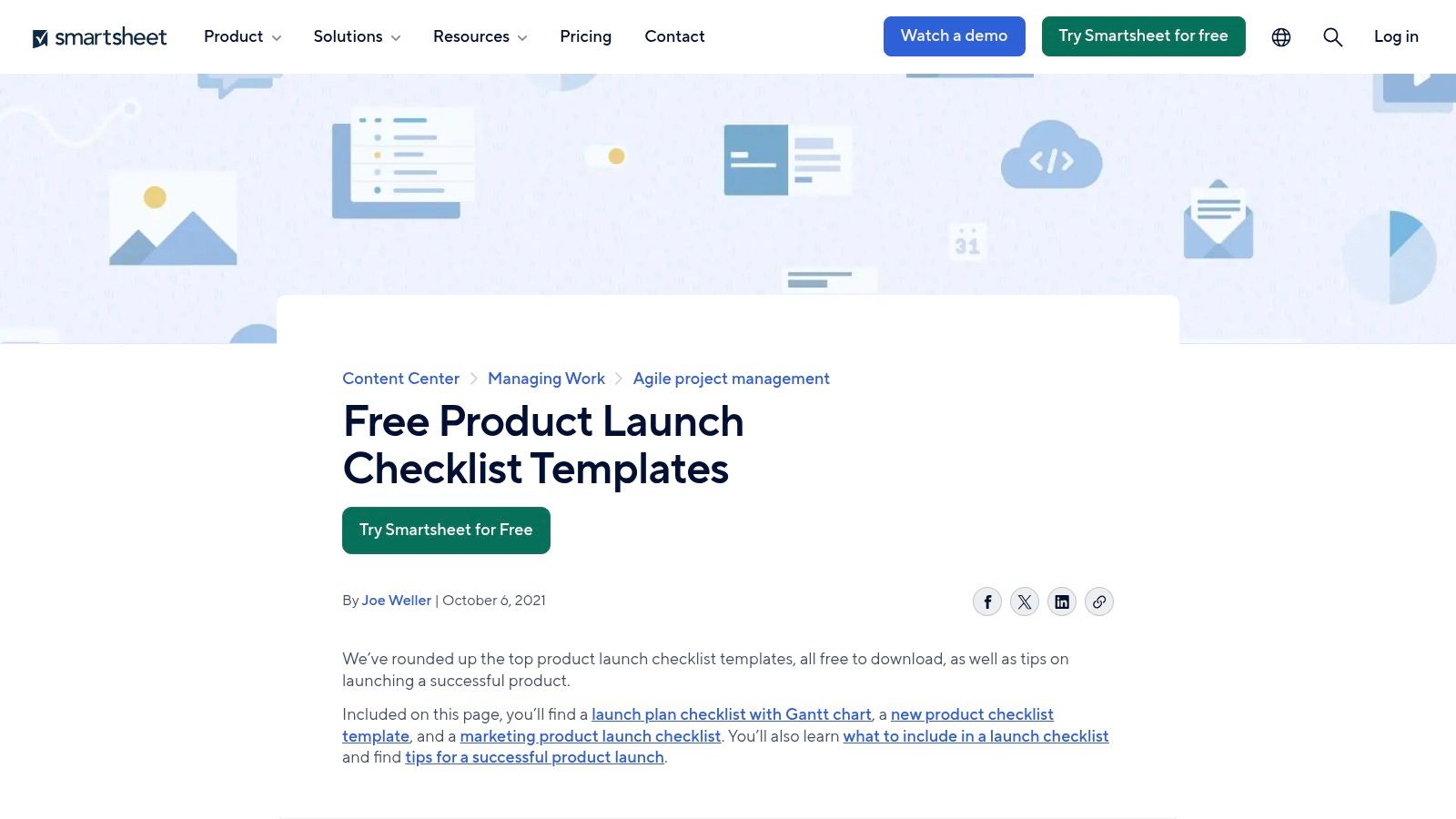
The platform's key advantage is format flexibility, offering templates in Excel, Google Sheets, Word, PDF, and its native Smartsheet format. This allows teams to grab a ready-made structure and immediately use it within their existing workflow without needing to sign up for a Smartsheet account. The pre-built categories covering status, owners, and priorities give teams a running start on organizing their launch activities.
Key Details & How to Use It
These templates serve as excellent, structured starting points that can be adapted for simple or complex launches, especially with the inclusion of visual planning tools like Gantt charts.
- Best Use Case: Excellent for teams who prefer traditional spreadsheet formats (Excel, Google Sheets) but want more than a basic list. The Gantt-enabled template is particularly useful for visualizing timelines and dependencies without committing to a full project management software.
- Implementation Tip: Download the software product launch checklist template in Google Sheets. From there, customize the phases and tasks to fit your SaaS product, adding specific action items for beta testing, marketplace submissions, and post-launch analytics monitoring.
- Access: All templates are completely free to download directly from their website, with no email signup or registration required.
- Limitations: As static files, these templates lack the real-time collaboration and automation features of a dedicated platform like Smartsheet itself. Unless you use the Google Sheets version, you won't have live editing capabilities. Additionally, some of the more basic templates are generic and require significant customization to be truly effective for a specific SaaS product launch.
Website: Smartsheet Product Launch Checklists
8. Miro
Miro offers a highly visual and collaborative product launch plan template that combines the infinite canvas of a whiteboard with the structured format of a document. It’s designed for cross-functional teams who need a shared space to brainstorm, plan, and track launch activities. This template excels at centralizing diverse launch artifacts, from mind maps and user flows to task lists, keeping everything in one visually cohesive workspace.
Unlike static spreadsheets, Miro’s template is a dynamic environment built for real-time collaboration. Its strength is turning planning sessions into actionable outputs. Teams can run workshops, leave comments, and update statuses directly on the board, making it an excellent single source of truth for all launch-related discussions and decisions. This visual approach is especially useful for aligning marketing, sales, and product teams on complex go-to-market strategies.
Key Details & How to Use It
This template is a flexible hybrid, acting as both a strategic planning canvas and a tactical checklist. It helps connect high-level goals with the specific tasks required to achieve them, all within a single view.
- Best Use Case: Perfect for teams that embrace visual collaboration and need to align multiple departments. It is ideal for running launch kickoff workshops, mapping out dependencies, and maintaining a live dashboard of launch progress.
- Implementation Tip: Use the infinite canvas to create swimlanes for different teams (e.g., Marketing, Engineering, Sales). This helps clarify ownership and allows each department to manage their specific part of the product launch checklist template while seeing how their work fits into the bigger picture.
- Access: The template is available for free through the Miroverse community library, but using it requires a Miro account. The free plan has limitations, such as a cap on the number of editable boards.
- Limitations: While highly flexible, Miro lacks the rigid structure and automated reporting of dedicated project management tools like Asana or Jira. Teams must be disciplined in maintaining the board’s organization to prevent it from becoming cluttered. Its power is in visual alignment rather than granular task management and notifications.
Website: Miro Product Launch Plan Template
9. Atlassian Confluence
For teams already embedded in the Atlassian ecosystem, the official Confluence product launch template is a natural fit. It transforms the launch plan from a simple checklist into a rich, living document. This template is designed to centralize everything from high-level strategy and market research to a detailed launch checklist, all within the collaborative environment of Confluence pages. Its primary strength is its seamless integration with Jira, allowing for direct alignment between marketing launch tasks and engineering workflows.
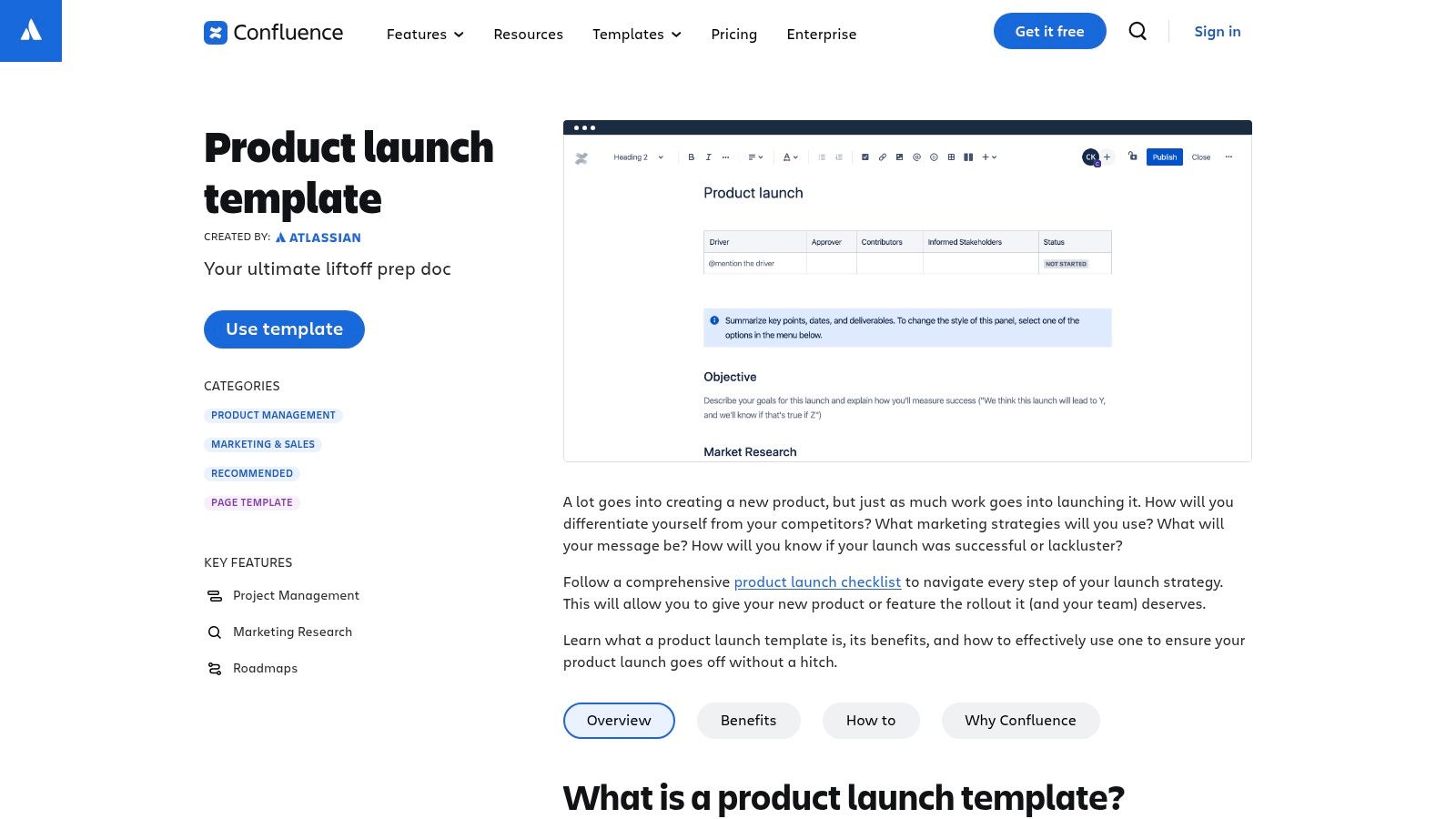
Unlike standalone spreadsheets or documents, Confluence provides a version-controlled, permission-gated home for your launch plan. This makes it an enterprise-ready solution for documenting decisions, tracking progress on initiatives, and ensuring the entire organization has a single source of truth. The template encourages a more narrative approach, combining strategic documentation with actionable tasks.
Key Details & How to Use It
Confluence’s template acts as a comprehensive hub, linking strategy, documentation, and tasks together rather than just listing action items. It’s built for depth and context.
- Best Use Case: Excellent for organizations that already use Jira and Confluence for product development. It’s perfect for complex launches where detailed documentation, version history, and alignment with engineering are critical.
- Implementation Tip: Use the Confluence page to house the master plan and strategy. Embed Jira issues or create task lists directly within the page to track the execution phase. This keeps the strategic "why" connected to the tactical "how."
- Access: The template is available for free within any Confluence instance. Users will need a Confluence subscription to access and use it.
- Limitations: The primary drawback is its dependency on the Atlassian ecosystem; its value diminishes significantly if your team doesn't use Jira. The page-based format can feel less dynamic and task-oriented than dedicated project management boards like Trello or Asana, making it better for documentation than for rapid, real-time task management.
Website: Atlassian Confluence Product Launch Template
10. Aha!
Aha! offers a highly structured product launch plan template designed for established product teams that need tight collaboration between product management and go-to-market (GTM) functions. Unlike simple spreadsheets, this template is integrated directly into the Aha! ecosystem, either in Whiteboards or Roadmaps. It organizes tasks by opinionated workstreams like product, GTM, systems, sales/support, and feedback, ensuring a comprehensive approach.
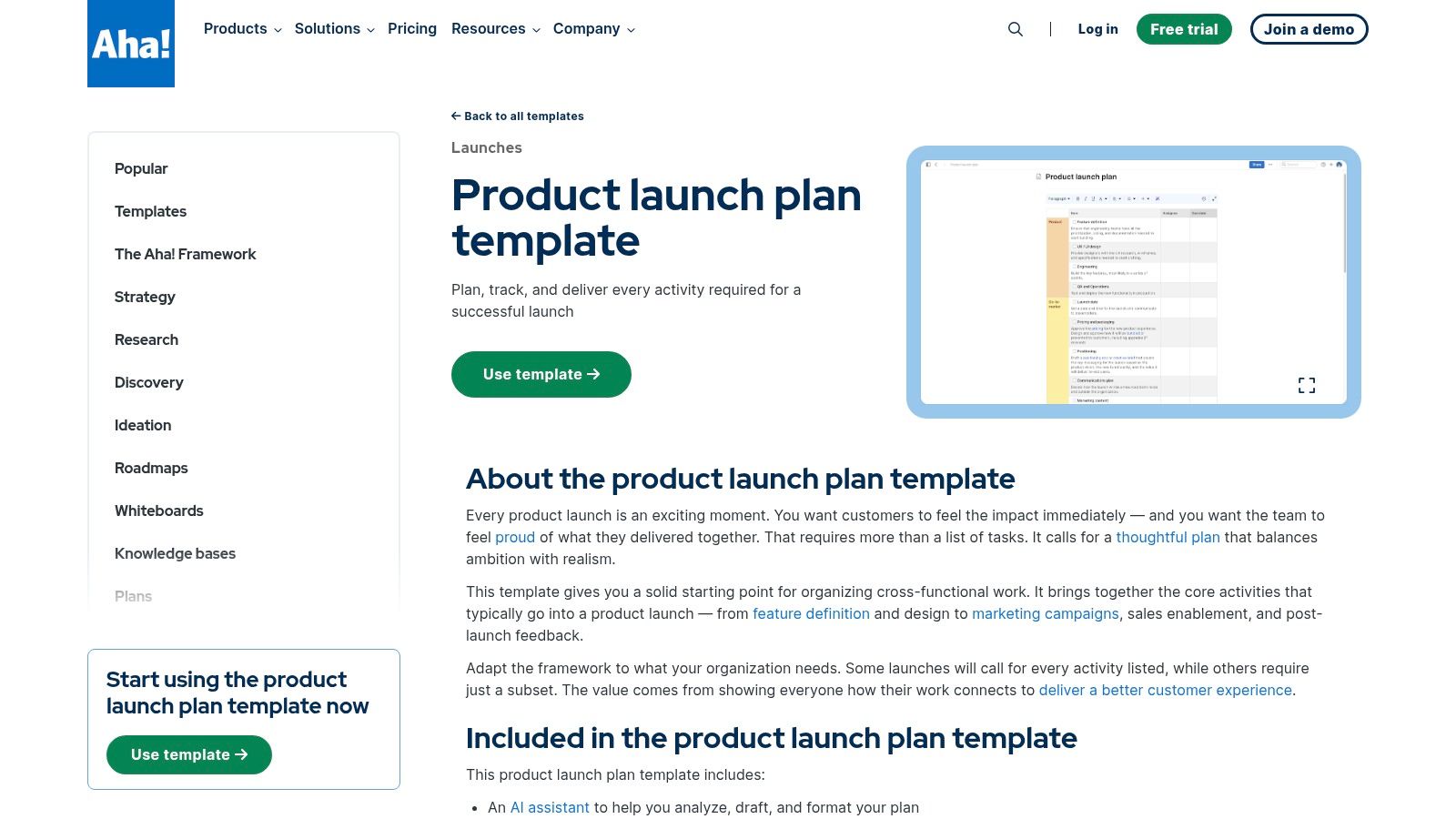
This template excels in environments where product operations are already managed within Aha!, creating a seamless workflow from roadmap to launch. The structure is scalable, allowing teams to edit or remove workstreams to fit anything from a minor feature release to a major product debut. Its clear organization and native integration make it a powerful tool for teams seeking to reduce the risk of overlooking critical cross-functional dependencies.
Key Details & How to Use It
Aha!'s template is best viewed as a professional-grade command center for your launch, connecting strategy directly to execution within a single platform. The predefined workstreams provide a robust starting point that can be customized as needed.
- Best Use Case: Ideal for B2B SaaS companies and enterprise product teams already using or considering the Aha! suite for product roadmapping. Its opinionated structure is perfect for organizations that need a repeatable, scalable launch process.
- Implementation Tip: Use the built-in AI assistant to help draft initial tasks for each workstream. Then, assign owners and set due dates directly within the template to transform it from a static plan into a live project tracker that syncs with your broader product development efforts.
- Access: The template is available within Aha! products, which requires a free 30-day trial to access. Continued use after the trial period requires a paid subscription.
- Limitations: The primary drawback is its dependence on the Aha! platform, making it less suitable for teams not committed to their ecosystem. For very small indie teams or simple launches, the level of detail and structure might be overkill compared to a more straightforward checklist. A solid product launch strategy template is vital, and Aha! provides an integrated way to execute it.
Website: Aha! Product Launch Plan Template
11. ProductPlan
ProductPlan bridges the gap between high-level strategy and tactical launch execution by integrating checklists directly into its roadmapping software. It offers a free, downloadable product launch checklist template, but its real power is unlocked within its platform, where teams can use the Launch Management module. This feature allows product managers to connect specific roadmap features to detailed launch checklists, creating a single source of truth from conception to market release.
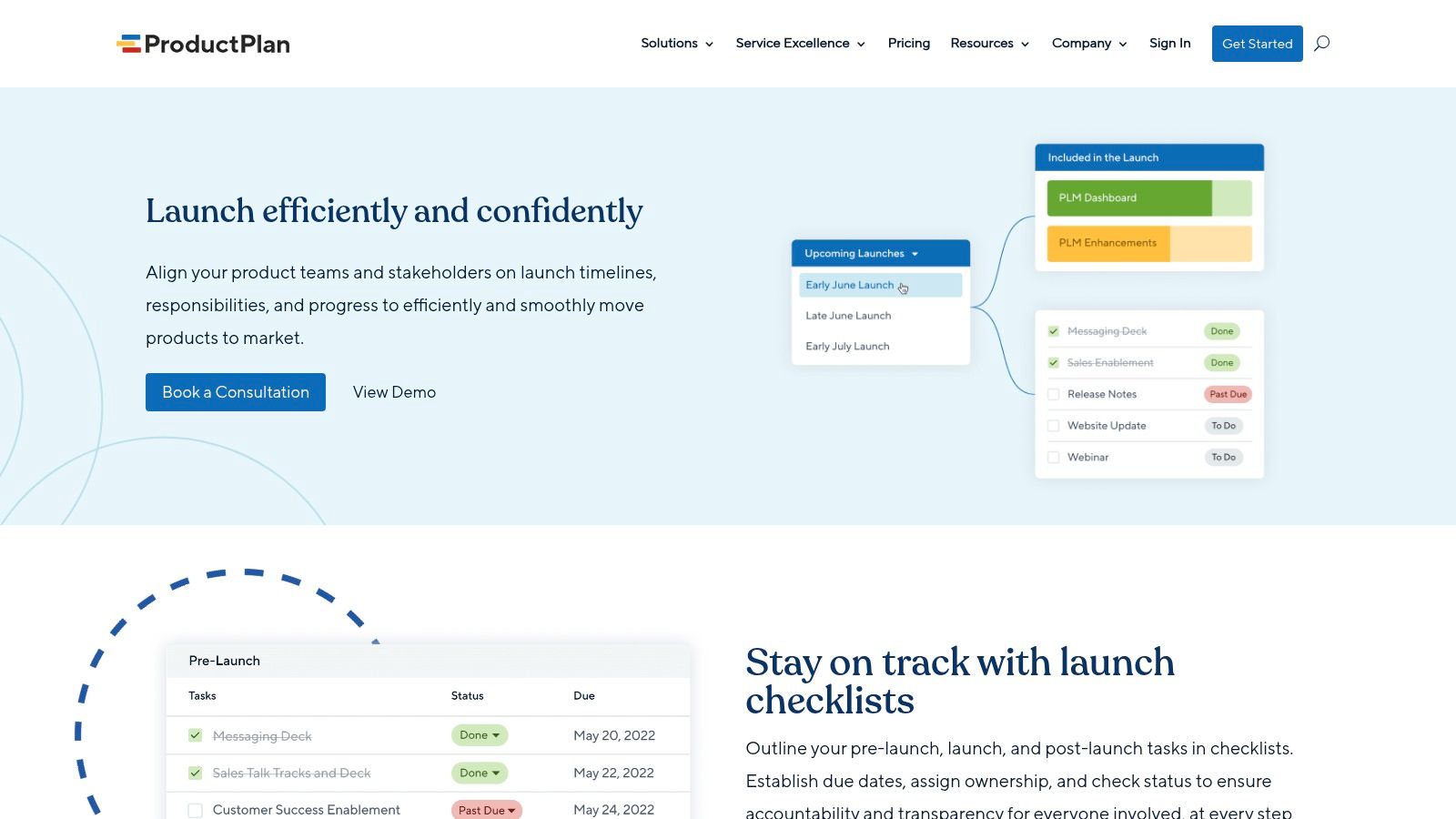
Unlike standalone spreadsheet templates, ProductPlan’s in-app checklists provide dynamic task management with ownership assignments, due dates, and statuses. This tight integration ensures that the strategic context from the roadmap is never lost during the execution phase, offering dashboard visibility for stakeholders and clear indicators for past-due items. It is uniquely purpose-built for product teams, avoiding the noise of generic project management tools.
Key Details & How to Use It
This tool is most effective for organizations already using ProductPlan for roadmapping, as it centralizes all launch-related activities in one place. It excels at keeping cross-functional teams aligned with the product vision throughout the launch process.
- Best Use Case: Perfect for established product teams that manage complex roadmaps and require a direct link between strategic features and their go-to-market execution plans.
- Implementation Tip: Use the downloadable template to structure your initial launch plan. Once finalized, build out the tasks within the Launch Management module and link them to the corresponding feature on your roadmap for seamless tracking and reporting.
- Access: The downloadable checklist is free but requires you to submit contact information. The integrated Launch Management module is a premium feature available only on Professional or Enterprise plans.
- Limitations: The main drawback is that its most powerful features are locked behind higher-tier paid plans. For teams not using ProductPlan for roadmapping, it may feel like overkill compared to simpler, standalone tools. The downloadable resource itself is a static document lacking the collaborative benefits of the live platform.
Website: ProductPlan Launch Management
12. Trello
Trello’s Kanban-style boards provide a highly visual and flexible way to build a custom product launch checklist template from the ground up. Instead of a pre-defined document, Trello allows teams to create columns representing launch stages (e.g., Pre-Launch, Launch Day, Post-Launch) and add cards for each major task. Its simplicity makes it a favorite among small teams and indie makers who need to get organized quickly without a steep learning curve.
The platform's strength is its adaptability. You can use simple checklists within cards for free, or upgrade to Standard/Premium for "Advanced Checklists," which let you assign owners and due dates to individual sub-tasks. This turns a basic to-do list into a more accountable project plan. With a vast gallery of community-made templates and "Power-Ups" for calendars and timelines, you can tailor your board to the specific needs of your launch.
Key Details & How to Use It
Trello excels at visualizing workflow and progress, making it easy to see what’s in progress, what’s coming up, and what’s complete at a glance. It’s less about a formal document and more about a dynamic, collaborative workspace.
- Best Use Case: Excellent for agile teams, indie makers, and startups that prefer a visual, drag-and-drop approach to task management. It is perfect for tracking the real-time progress of launch activities across different team members.
- Implementation Tip: Start by creating columns for each phase: "Strategy & Planning," "Pre-Launch," "Launch Week," and "Post-Launch." Then, create cards for major deliverables like "Finalize Messaging" or "Prepare Press Kit" and add detailed sub-tasks using the checklist feature within each card.
- Access: The core platform is free, which includes basic checklists. Advanced features like assignable checklist items, unlimited Power-Ups, and different board views (Timeline, Calendar) are available in paid tiers.
- Limitations: Trello does not offer a single, official product launch checklist template. Users must build their own board or adapt one from the community template gallery. For teams that need deep reporting, Gantt charts, or complex dependency management out-of-the-box, Trello might feel too simple without significant customization or Power-Ups. A successful launch often requires this kind of granular planning, especially when you are learning how to launch a SaaS product for the first time.
Website: Trello Project Guide
Product Launch Checklist: 12-Tool Comparison
| Tool | Core features | UX / Quality (★) | Value & Pricing (💰) | Best for (👥) | Standout (✨ / 🏆) |
|---|---|---|---|---|---|
| HubSpot | Downloadable Excel/Sheets/PDF templates; positioning, market & GTM prompts | ★★★★ — simple, offline-ready | 💰 Free (lead-gen form) | 👥 Small teams & non-PM users | ✨ Quick starter checklist; clear prompts |
| Asana | Collaborative templates with Timeline/Gantt, Boards, file integrations | ★★★★★ — team collaboration | 💰 Freemium (account req); advanced paid | 👥 Cross-functional teams & PMs | 🏆 Embedded guidance & scalable workflows |
| ClickUp | Custom statuses/fields, automations, multiple views, native checklists | ★★★★ — powerful, steeper learning | 💰 Freemium; paid for advanced automations | 👥 Teams needing granular task management | 🏆 Granular automations & nesting |
| monday.com | Custom boards, automations, Gantt/timeline & workload views | ★★★★ — visual deadline management | 💰 Paid tiers; account req | 👥 Product & marketing teams with complex deps | ✨ Strong visualization of workload |
| Airtable | Linked bases, phases, timelines, flexible fields (DB approach) | ★★★★ — DB power with spreadsheet feel | 💰 Freemium; paid for interfaces/automations | 👥 Makers & teams needing customizable DBs | ✨ Flexible database approach |
| Notion | Database-driven tasks + docs, embeddable assets, multiple views | ★★★★ — quick setup, all-in-one hub | 💰 Freemium; paid for advanced perms | 👥 Solo makers to small teams | 🏆 Single source of truth; easy cross-linking |
| Smartsheet | Downloadable templates (Excel/Sheets/Word/PDF), Gantt-enabled checklists | ★★★ — broad templates but static | 💰 Free downloads; paid Smartsheet platform | 👥 Teams wanting downloadable checklists | ✨ Wide format options |
| Miro | Visual boards/docs, real-time editing, workshop-friendly templates | ★★★★ — visual collaboration | 💰 Freemium; board limits on free plan | 👥 Workshops & cross-functional alignment | 🏆 Visual canvas for workshops & artifacts |
| Atlassian Confluence | Rich page templates, versioning, Jira/product integration | ★★★★ — enterprise docs & alignment | 💰 Paid; best value in Atlassian ecosystem | 👥 Enterprise teams & engineering orgs | 🏆 Enterprise-ready docs + Jira alignment |
| Aha! | Workstream-organized checklists, Whiteboards/Roadmaps, AI assistant | ★★★★ — opinionated PM structure | 💰 Paid (30-day trial) | 👥 Product teams needing structured launches | ✨ Opinionated workstreams; AI drafting |
| ProductPlan | Downloadable checklist + Launch Management tying checklists to roadmaps | ★★★★ — purpose-built launch visibility | 💰 Paid (Pro/Enterprise); lead-gated download | 👥 Roadmap-driven product orgs | 🏆 Purpose-built launch tool linked to roadmaps |
| Trello | Kanban boards, card & advanced checklists, power-ups & templates | ★★★★ — simple & fast setup | 💰 Freemium; advanced features on paid tiers | 👥 Small teams & indie makers | ✨ Quick to adapt; large template ecosystem |
From Checklist to Liftoff: Making Your Launch Plan a Reality
Navigating the complexities of a product launch without a structured plan is like trying to assemble a rocket with a missing blueprint. The comprehensive tools we've explored, from the collaborative canvases of Miro to the robust project management suites of Asana and ClickUp, all serve a singular, critical purpose: to bring order to the chaos. Each tool offers a unique flavor of a product launch checklist template, transforming an abstract goal into a sequence of tangible, achievable tasks. We've seen how a simple Trello board can empower a small, agile team, while a sophisticated platform like Aha! or ProductPlan can align entire product and marketing departments around a shared strategic vision.
The core takeaway is that the "perfect" template doesn't exist in a vacuum. Its value is unlocked only when it is actively adapted to your specific context. The best product launch checklist template is the one that your team will actually use, update, and rally around.
Synthesizing Your Launch Strategy
Your journey from selecting a template to executing a successful launch involves several critical stages of synthesis. First, you must consolidate the diverse activities required for liftoff. This means integrating your go-to-market strategy, technical readiness tasks, content marketing calendar, and PR outreach into a single, cohesive plan. A tool like Notion or Airtable excels here, allowing you to create a customized database that links marketing assets directly to launch phases and assigns ownership with clarity.
Second, you must synthesize the efforts of your team. A product launch is a cross-functional endeavor, requiring seamless collaboration between engineering, marketing, sales, and support. Platforms like monday.com and Smartsheet are designed for this, offering powerful automation and dependency features that ensure a handover from one team to another is smooth, not jarring. The goal is to eliminate silos so that when a developer pushes a final feature, the marketing team is instantly notified to update the website copy and the support team is prepared with the right documentation.
Choosing Your Command Center: A Practical Guide
Selecting the right tool can feel overwhelming, but you can simplify the decision by focusing on three key factors: team size, complexity, and existing workflow.
- For Solo Founders & Small Teams: Simplicity is your ally. A customizable Notion template, a streamlined Trello board, or even a well-organized Google Sheet can provide all the structure you need without unnecessary overhead. These tools are low-cost, easy to learn, and highly adaptable.
- For Growing Startups: As your team and launch complexity grow, you need more power. Asana, ClickUp, and monday.com offer a balanced blend of task management, collaboration features, and reporting. They can handle multi-stage launch plans with dependencies, timelines, and role assignments, providing a central source of truth for a team of 10 to 50 people.
- For Established Companies & Enterprises: Large-scale launches with multiple product lines and global teams demand enterprise-grade solutions. Aha!, ProductPlan, and Atlassian Confluence (paired with Jira) are built for this reality. They connect high-level product strategy and roadmapping directly to the granular tasks of execution, ensuring alignment across vast organizations.
Ultimately, your chosen tool becomes your launch command center. It's where your strategy lives, where progress is tracked, and where your team aligns. Treat it not as a static document but as a dynamic, living guide. Revisit it daily, adapt it when you encounter unexpected roadblocks or opportunities, and use its data to make informed decisions. The templates provide the framework, but your team’s consistent engagement and agile execution are what will truly propel your product to a successful liftoff and ensure it maintains momentum long after the initial launch-day excitement fades.
Once your product is ready and your launch checklist is nearly complete, don't forget one of the most crucial post-launch steps: getting noticed. SubmitMySaas simplifies this by distributing your SaaS product to over 45 directories and platforms, ensuring early visibility and user feedback. Integrate this step into your template by visiting SubmitMySaas to automate your initial market presence and kickstart your growth.