By Outrank
How Do I Market My App Without Wasting Money in 2026
Learn how do i market my app with a step-by-step plan: audience, channels, launch steps and the retention metrics that prove real growth in 2026.
On this page
The most popular app marketing advice is to launch everywhere: post on social media, buy ads, recruit creators, publish search content, and start a referral program. For a small team, that's an expensive way to avoid finding out whether anyone wants to keep using the app.
If you're asking, “How do I market my app without wasting money?”, start with a narrower objective: find a specific group of people, help them reach a useful outcome, and learn which acquisition source brings them back. Skip broad paid promotion until that process works. Your launch should produce evidence, not just a download spike.
Map the Launch Sequence Before You Spend
Define the audience and activation event, launch through a small set of relevant listings, test acquisition channels, then scale the channel that delivers valuable users. Don't reverse that sequence because your store page looks polished.
According to AppsFlyer figures reported by Gaugius's mobile advertising statistics, global app marketing spend reached $109 billion in 2025, comprising $78 billion in user acquisition and $31 billion in remarketing. You're competing with teams that can afford extensive experimentation. Your advantage isn't spending more. It's refusing to pay for acquisition before you know what success looks like.
Use this as an operating plan. The interview counts and user targets are working goals, not industry benchmarks.
Launch sequence by phase
| Phase | Goal | Main actions | Metric to track |
|---|---|---|---|
| Before launch | Audience and activation event defined | Interview 10 target users and instrument key events | Activation event tracked end to end |
| Launch | First 100 users from listings | Store listings, a launch platform, your own site, and personal outreach | Installs and day-1 activation by source |
| Early growth | Two channels with a clear signal | Creator outreach, store listing tests, and search content | Cost per activated user by channel |
| Scale | Repeatable paid acquisition | Paid campaigns with holdout tests | Payback period and day-30 retention |
Give each phase an exit condition
Before launch, the gate is reliable instrumentation. During launch, it's evidence that relevant users can complete the intended action without your constant help. During early growth, it's a repeatable acquisition signal rather than a lucky mention.
Scaling requires both user quality and affordable economics. A channel isn't ready just because it produces more registrations when you increase its budget.
Keep your budget tied to these gates. Before activation is proven, spend your time on interviews, onboarding, listing assets, and direct outreach. For a paid experiment, set a fixed loss limit you can afford without delaying product improvements, then write down the outcome that would justify another test.
Readiness check: If you can't name your activation event in one sentence, you're not ready for paid traffic.
Define Your Audience and the Activation Event
Start with the people already using your app. Their behavior is more useful than an audience persona assembled from assumptions about age, company size, or interests.
If you haven't launched, recruit people who currently solve the problem manually or pay for an alternative. Ask them to show you their workflow, not just tell you whether your idea sounds useful.

Turn user behavior into a focused promise
Name the role and job in a sentence. A churn dashboard might serve solo SaaS founders who need to identify lost subscription revenue in Stripe, rather than small businesses generally. Use our guide to finding your target audience to sharpen the distinction between a broad category and a reachable customer.
Compare plausible segments against actual usage. For a meeting-notes app, separate independent consultants, agency account managers, and internal project leads, then inspect who returns and who abandons setup. Talk to both groups, because a signup source can look promising while attracting people with the wrong problem.
Choose an action that represents delivered value. For an automation app, completing a working workflow is stronger than opening the workflow builder. Look for an action retained users reach early, then check whether users who complete it return before treating it as your activation event.
Make the acquisition promise match the first session. A scheduling app advertised as a way to eliminate booking emails should help someone publish a usable booking page during onboarding. Don't interrupt that task with unrelated profile fields, feature tours, or upgrade prompts.
Attach segment and source information to signups. For an expense app, distinguish freelancers arriving from a tax guide from finance teams arriving through creator outreach. Keep the tags consistent so you can compare like-for-like groups instead of mixing different buying journeys.
Don't confuse a convenient event with a useful event. Email verification is easy to track, but it doesn't establish that someone received value.
The practical test is sharper: who would be disappointed if the app disappeared? If your answer is still anyone who wants to be more productive, your segment is too broad. Identify the person, the recurring task, and the consequence of doing that task badly.
Pick Channels That Fit Your App Type
Choose channels based on how people discover solutions to your problem, not which marketing tactic is fashionable. A developer utility, a reading habit app, and a team finance product shouldn't share an acquisition plan.
Use the comparison as a trade-off map. The timing descriptions are planning expectations, not promised results.
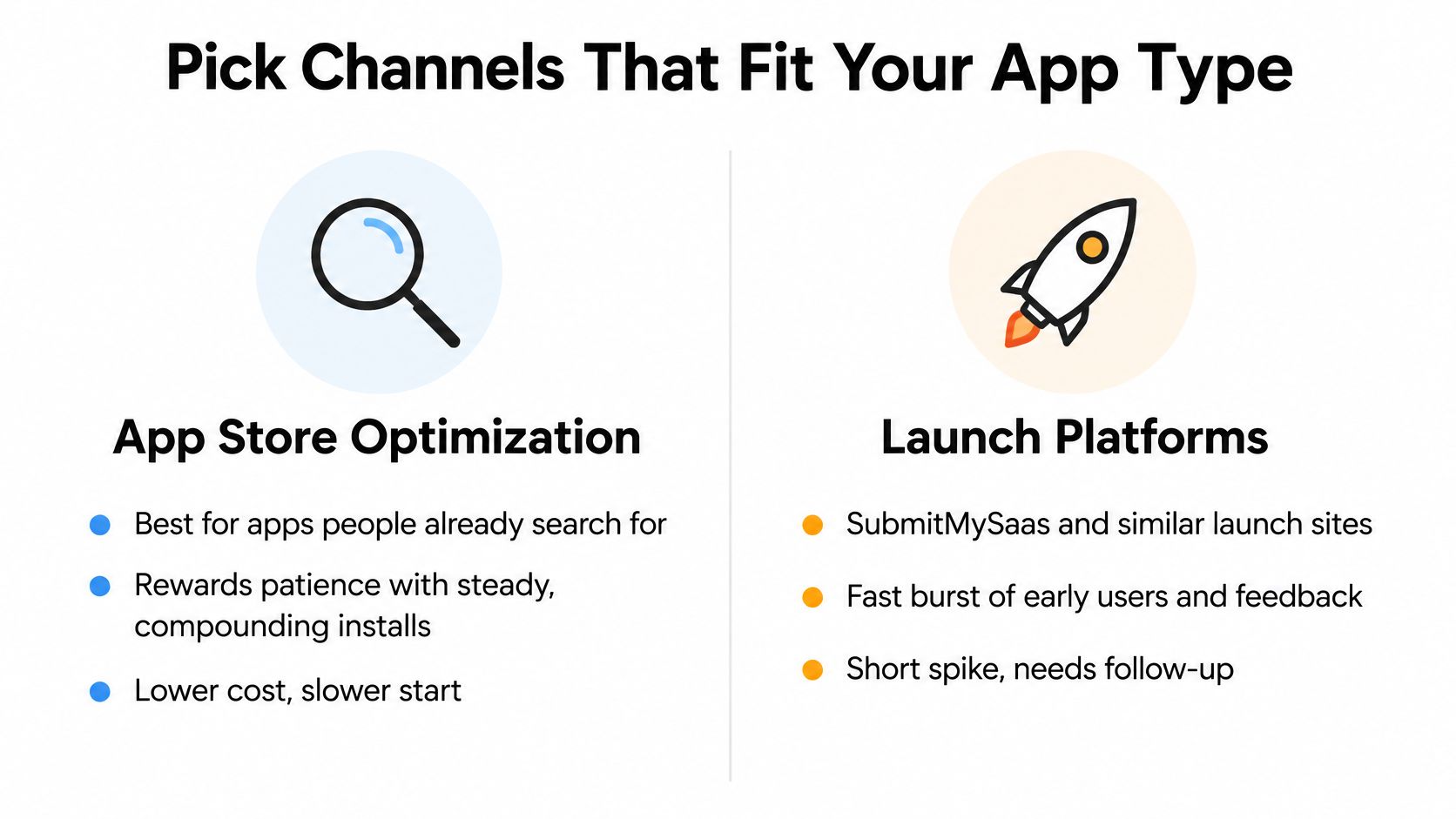
Marketing channels compared for app launches
| Channel | Best for | Cost pattern | First signal |
|---|---|---|---|
| App store optimization | Apps people already search for | Mostly time, little cash | Allow several weeks |
| Launch platforms such as SubmitMySaas | Makers who need early users and a backlink | Advertising at $79 per product for a month, or a free launch | Launch-day response |
| Creator and community outreach | Apps with a clear niche | Time or creator fees | Allow days to a few weeks |
| Search content | Apps that solve a repeatable problem | Writing and editing time | Allow several months |
| Paid user acquisition | Apps with proven activation | Ad spend, highest financial risk | Early response within days, quality takes longer |
| Referrals and lifecycle email | Apps with retained users | Often low marginal cash cost, plus setup time | Evaluate after users experience repeat value |
Match the channel to the buying behavior
App store optimization belongs near the front for searchable utilities. Put the core job in the title and subtitle where the store supports them, test screenshots separately for each store, and review competitor search terms monthly. Show the outcome before showing settings.
Launch platforms suit makers who need a public discovery page and initial feedback. Our monthly advertising option is separate from a product launch, so don't mistake paying for exposure for buying a guaranteed number of customers. Judge either option by the users it helps activate.
Creators and communities work best when someone trusted can demonstrate a specific use case. Join a small number of relevant communities, answer questions first, and mention your app only when it directly solves the problem under discussion.
For a reading habit product, a resource explaining how a reading reminder app works from Quotabl illustrates the kind of problem-led material you can share: explain the workflow rather than posting an unsupported download pitch.
Search content suits recurring questions with clear product relevance. Paid acquisition should wait until onboarding works. Referrals and lifecycle email belong after people have a reason to return and recommend the app.
Pick two channels for your initial testing period. Stop funding a channel that produces no activated users, but don't declare search content ineffective before it has had a realistic chance to attract relevant visitors.
Set Up Measurement Before You Launch
Measure the action that matters before you buy the click. Otherwise, you'll build a dashboard that makes weak acquisition look productive.
Stream's app retention guide cites OneSignal data across 12 app categories, with average retention of 28.29% on day 1, 17.86% on day 7, and 7.88% on day 30. Treat that as a warning about post-install drop-off, not a target your particular app must match. Replace it with your own comparable cohorts as soon as you can.
A weekly business workflow and a daily habit app have different usage rhythms. Define what returning means for your product before interpreting a retention chart.
Build a tracking path you can verify
Google's app campaign guidance recommends meaningful in-app conversion tracking, auto-tagging, relevant deep links, and a coherent optimization signal centered on a selected in-app action. Turn that into a practical setup:
Define the primary event. Choose account activation, subscription start, or a qualified lead, with supporting events that explain progress and failure. Document the exact trigger so your product and marketing dashboards count the same action.
Tag every acquisition route. Use campaign-specific UTM parameters for web destinations, auto-tagging where supported, and relevant deep links for app journeys. Preserve source information through signup where technically possible.
Connect and test the systems. Link product analytics with an attribution provider appropriate to your app, then verify the primary event on a test device. Our comparison of mobile app analytics tools can help you choose a setup without buying unnecessary complexity.
Separate meaningful test variables. Distinguish platform, market, audience, and creative angle, but don't fragment a small budget into campaigns too small to evaluate. Start with the differences most likely to affect the customer's decision.
Protect the learning period. Avoid frequent changes to bids, budgets, targeting, and creative while the platform is learning. Fix broken tracking immediately, but don't rewrite a functioning experiment because an early result feels disappointing.
Use a holdout where practical. Leave a comparable audience or region unexposed and compare business outcomes, acknowledging that small samples and overlapping exposure limit certainty. A time-window comparison is easier to run but more vulnerable to seasonality and other changes.
Read user quality before increasing spend
Review cost per activated user, trial-to-paid conversion, retention, and payback together. Calculate acquisition cost using the full relevant channel cost, including creator fees or listing spend, rather than ad spend alone.
Payback should reflect contribution margin, not just subscription revenue. If a cohort hasn't generated enough history, mark payback as unproven instead of presenting a confident forecast.
A cheaper install is only a better purchase when it leads to an economically useful customer.
Incomplete attribution isn't permission to trust whichever dashboard looks best. Compare attributed outcomes with total signups, paid conversions, and cohort behavior. If users repeatedly stall at the same onboarding step, fix that step and the corresponding reminder before raising the acquisition budget.
Launch and List Your App Step by Step
Treat a listing as a conversion page, not a submission form. Someone should understand the user, the problem, and the next action without opening a feature encyclopedia.
Prepare your assets before selecting a launch date. A launch you can support is more useful than an earlier slot you spend scrambling to fill.
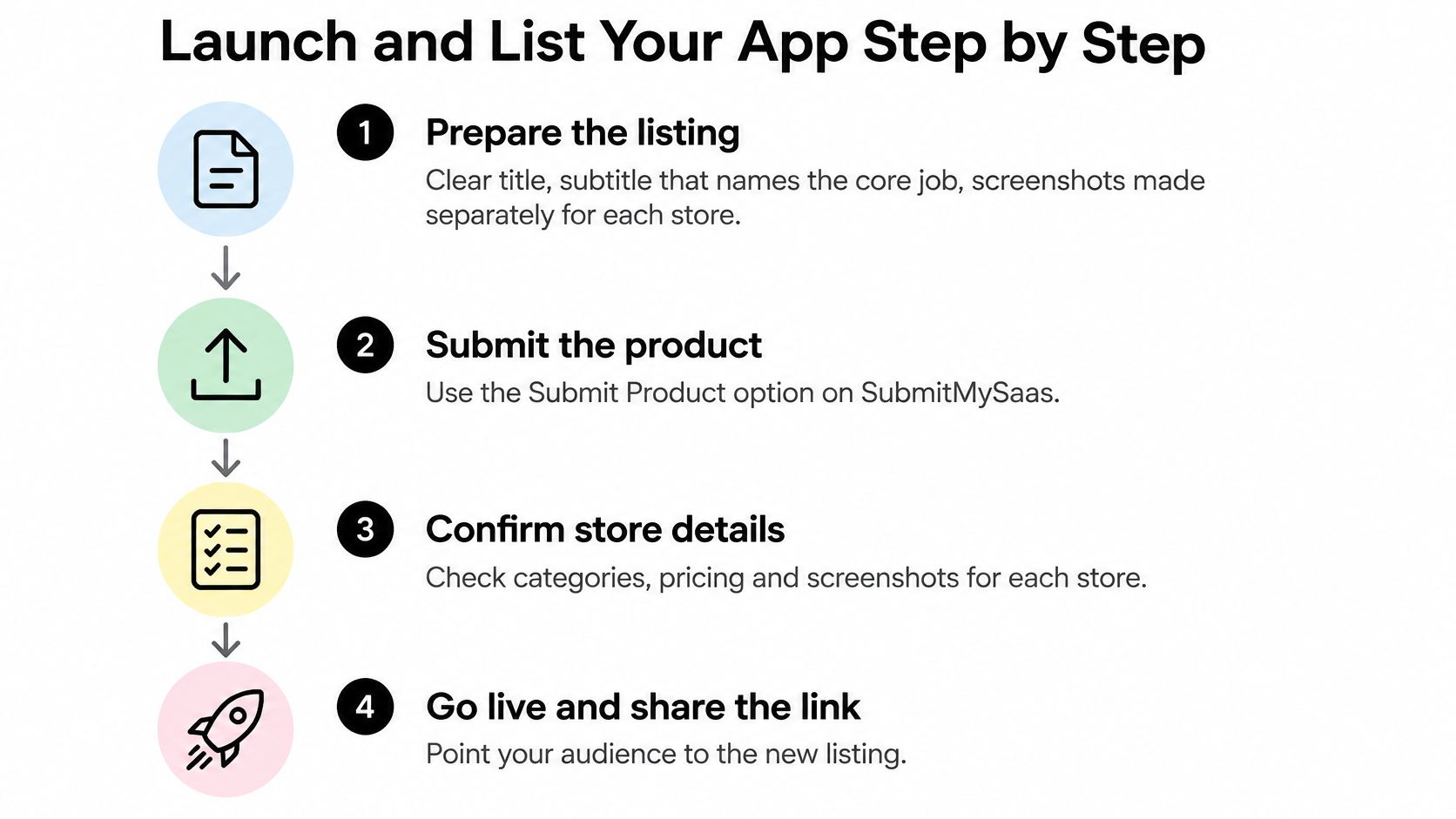
Prepare the page and choose the placement
Build a clear listing package. Write a title people can understand without category jargon, a subtitle naming the core job, and screenshots suited to each store. Check that categories, pricing, destination links, and visible interface details match the live product.
Submit through the Submit Product option on SubmitMySaas. We provide product-launch visibility, feedback, and a high-authority backlink, with a discovery page through the selected launch plan; use our guide to startup directories to assess other relevant destinations rather than submitting everywhere indiscriminately.
Choose a plan based on timing and readiness. Free Launch costs $0 per launch and lets you choose an available Monday with standard placement; it requires a homepage badge linking to us, upvotes on 3 products, and a comment on 1 product to qualify. Premium Launch costs $19 per launch and provides priority placement in an available Monday launch, so choose it for placement rather than assuming it guarantees stronger user quality.
Turn the launch response into product decisions
Invite early users to leave honest comments. Ask what they expected, where they hesitated, and whether they completed the intended task. Don't script praise, reward positive reviews, or confuse coordinated voting with useful customer feedback.
Assign someone to respond during launch. Set a next-day response target and log questions in a shared document with labels for positioning, onboarding, bugs, and missing capabilities. Answer publicly when useful, but move account details and sensitive troubleshooting into a private support channel.
Convert repeated questions into edits before promoting the page again. If readers misunderstand the integration requirement, say it earlier; if they can't see the result, replace a decorative screenshot with a completed workflow. Keep a change log so later campaign results can be interpreted against the page users saw.
Don't launch while nobody on the team can answer questions or repair a broken signup path. The timing decision should account for operational coverage, not just the appeal of a particular date.
Your listing should change after launch. Early comments are inexpensive qualitative research, but they aren't all feature requests you should implement. Prioritize confusion that prevents the right user from understanding or experiencing the app's central benefit.
Run Your First 30-Day Marketing Test
Downloads are where the measurement starts, not where it ends.
Put the work on a calendar so acquisition doesn't crowd out product fixes.

Make a decision each week
Week 1: Finalize the segment, activation definition, and tracking. Proceed only when a test signup produces the expected events.
Week 2: Publish your store listing and launch-platform page, then collect user comments. Use our launch checklist, launch statistics, and plan comparison to organize preparation and record results alongside your product analytics.
Week 3: Test a creator channel or, if activation is already credible, a capped paid campaign. Establish the holdout before exposure and leave the functioning experiment stable.
Use this video as a supplementary launch-planning resource.
Week 4: Review eligible cohorts for day-1 and day-7 retention, activation cost, and observed revenue. Don't report day-30 retention for users who haven't had time to reach it, or claim payback from immature subscription history.
Your month-two choice is go or no-go on scaling: expand the channel producing repeat users at affordable cost, or improve onboarding first. Don't force a winner when the evidence is inconclusive.
SubmitMySaas offers product launch listings, a launch checklist, launch statistics, and a comparison of launch plans to help you prepare and evaluate your release. Visit SubmitMySaas to choose a launch option and put your app in front of potential users, with your activation tracking ready before it goes live.