The 12 Best Free Invoicing Software Options for 2026
Discover the best free invoicing software for your business. Our guide compares 12 top tools for freelancers, startups, and small businesses. Start for free.
Choosing the right invoicing software is crucial for managing cash flow and maintaining professionalism, but it shouldn't drain your budget. Many businesses, especially freelancers and startups, start with manual spreadsheets, only to find them time-consuming, error-prone, and difficult to scale. The solution isn't expensive software; it's finding a powerful free tool that automates the process. This guide cuts through the noise to analyze the best free invoicing software options available today.
We've done the deep-dive research for you. Instead of just listing features, we examine the real-world limitations of each platform's free tier, identify the ideal user, and provide practical insights to help you get paid faster without subscription fees. For small businesses, selecting the right invoice management software for small business is a critical step towards financial stability and faster payments. Our analysis is designed to help you make that choice confidently.
This comprehensive resource compares everything from invoice limits and payment processing fees to client portals and mobile app functionality. Each option includes screenshots and direct links to help you evaluate quickly. We'll show you exactly what you can accomplish with each free plan, from creating professional, branded invoices to setting up automated payment reminders and accepting online payments. Our goal is to help you select a tool that fits your workflow perfectly from day one, so you can spend less time on administration and more time growing your business.
1. Zoho Invoice
Zoho Invoice earns the top spot for its commitment to providing a 100% free, full-featured invoicing solution, making it one of the best free invoicing software options available for freelancers and small businesses. Unlike competitors that often gate crucial features behind paid tiers, Zoho offers a surprisingly robust platform without a price tag or ads.
The platform excels in creating a professional client experience. You can design custom invoice templates, send estimates that clients can approve online, and then convert those estimates into invoices with a single click. A standout feature is the integrated client portal, where customers can view their invoice history, make payments directly via gateways like Stripe and PayPal, and leave feedback.
Key Features & Limitations
| Feature | Details |
|---|---|
| User Access | Limited to 1 user and 1 accountant. |
| Invoice Limit | Up to 1,000 invoices per year. |
| Core Functionality | Time tracking, expense management, customizable templates. |
| Mobile Access | Fully functional iOS and Android apps. |
| Integrations | Connects to major payment gateways and other Zoho apps. |
Who is it Best For?
Zoho Invoice is ideal for service-based freelancers, consultants, and micro-businesses that need a reliable, professional invoicing system without the monthly cost. Its straightforward interface and powerful mobile apps are perfect for users who frequently manage their business on the go. While its "forever free" model is a key draw, it's part of a broader strategy to introduce users to their ecosystem. For a deeper dive into such business models, you can learn more about SaaS pricing strategies.
The primary limitation is the single-user cap, making it unsuitable for teams. Businesses needing advanced accounting features like bank reconciliation or full ledger management will need to upgrade to its sibling product, Zoho Books.
Website: https://www.zoho.com/invoice/
2. Wave
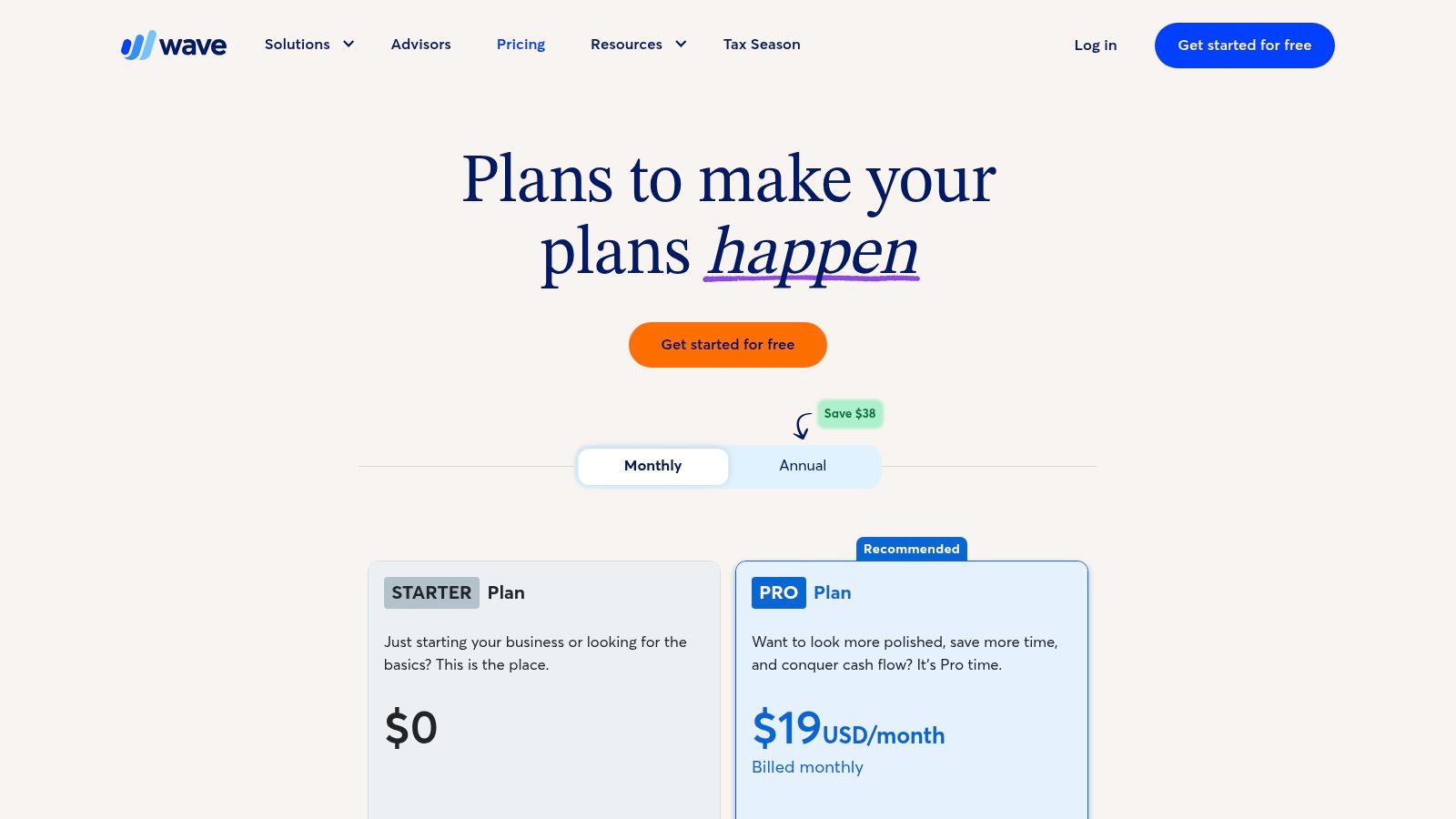
Wave secures a top spot for North American freelancers and solo entrepreneurs by offering a powerful, truly free accounting and invoicing platform. Its core proposition is simple: unlimited invoicing and robust bookkeeping at no software cost, making it an exceptional choice among the best free invoicing software available. Unlike many competitors that limit key features on free tiers, Wave provides a comprehensive suite without asking for a monthly subscription.
The platform is particularly known for its user-friendly integration of invoicing with actual accounting. You can send unlimited customized invoices and estimates, and when clients pay, the transactions are automatically recorded in your books. This seamless connection between billing and bookkeeping simplifies financial management, a significant advantage for users who aren't accounting experts but need to maintain accurate records for tax time.
Key Features & Limitations
| Feature | Details |
|---|---|
| User Access | Unlimited users with customizable permissions. |
| Invoice Limit | Unlimited invoices and estimates. |
| Core Functionality | Integrated accounting, expense tracking, and unlimited bank connections. |
| Mobile Access | Dedicated invoicing and receipt scanning apps for iOS and Android. |
| Integrations | Accepts online payments via Wave Payments (per-transaction fee). |
Who is it Best For?
Wave is ideal for U.S. and Canadian service-based freelancers, consultants, and small business owners who need a complete accounting solution alongside their invoicing tools. Its $0 software cost for core features is a massive draw for those starting out or operating on a lean budget. The ability to manage invoicing, payments, and bookkeeping in one place removes significant administrative friction.
The primary trade-off is its payment processing model; while the software is free, accepting online payments comes with per-transaction fees that can be higher than some competitors. Businesses needing advanced features like automated tax filing or dedicated payroll services will need to opt into Wave's paid add-on products.
Website: https://www.waveapps.com/pricing
3. Square Invoices
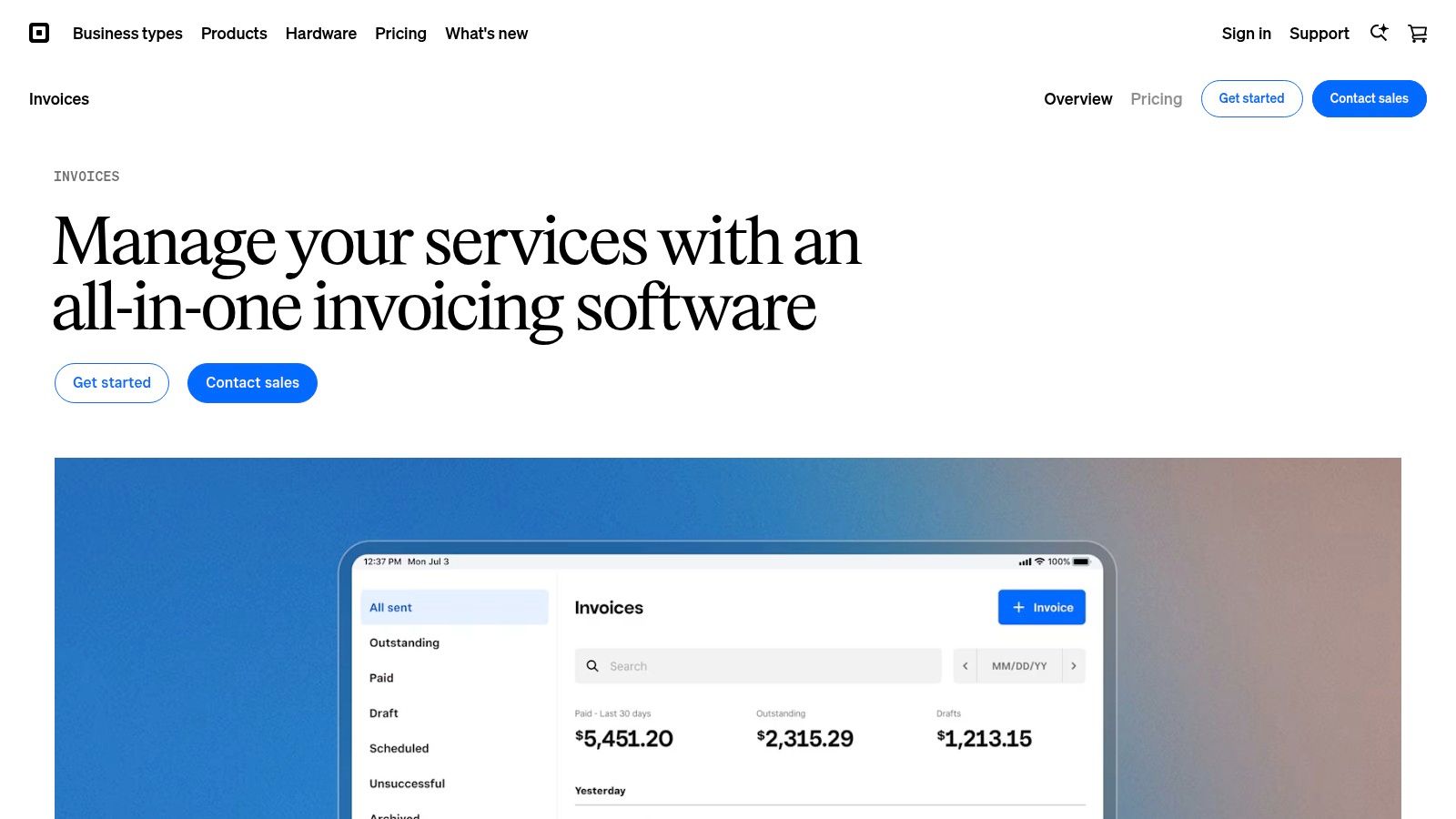
Square Invoices is a powerful choice for businesses already embedded in the Square ecosystem, offering a seamless way to manage both in-person and online payments. Its free plan eliminates monthly subscription fees, making it a contender for the best free invoicing software, especially for product and service-based businesses that value integrated payment processing. You only pay standard transaction fees when a client pays an invoice online.
The platform simplifies billing by allowing you to create and send professional invoices, estimates, and recurring series directly from the Square Dashboard or its highly-rated mobile app. Its biggest strength is unifying your revenue streams. A sale made through a Square point-of-sale (POS) terminal and a payment from an online invoice are all tracked in one place, providing a holistic view of your business finances.
Key Features & Limitations
| Feature | Details |
|---|---|
| Pricing Model | No monthly fee; pay-per-transaction processing fees. |
| Invoice Limit | Unlimited invoices and clients. |
| Core Functionality | Estimates, recurring invoices, automated reminders, project tracking. |
| Mobile Access | Robust iOS and Android apps for invoicing on the go. |
| Integrations | Deeply integrated with Square POS, Appointments, and other Square tools. |
Who is it Best For?
Square Invoices is ideal for retailers, contractors, and service providers who already use or plan to use Square for payment processing. Its pay-as-you-go model is perfect for businesses with fluctuating invoice volumes. The ability to accept card payments, ACH bank transfers, and even Apple Pay or Google Pay directly from an invoice streamlines cash flow significantly. For a closer look at how Square compares to other systems, you can learn more about the best payment processing software.
The main limitation is its pricing structure. While there's no subscription fee, the processing fees can become costly for high-volume or high-value invoices compared to some competitors. Businesses needing more advanced features like custom invoice fields will have to upgrade to the paid Invoices Plus plan.
Website: https://squareup.com/us/en/invoices
4. Stripe Invoicing
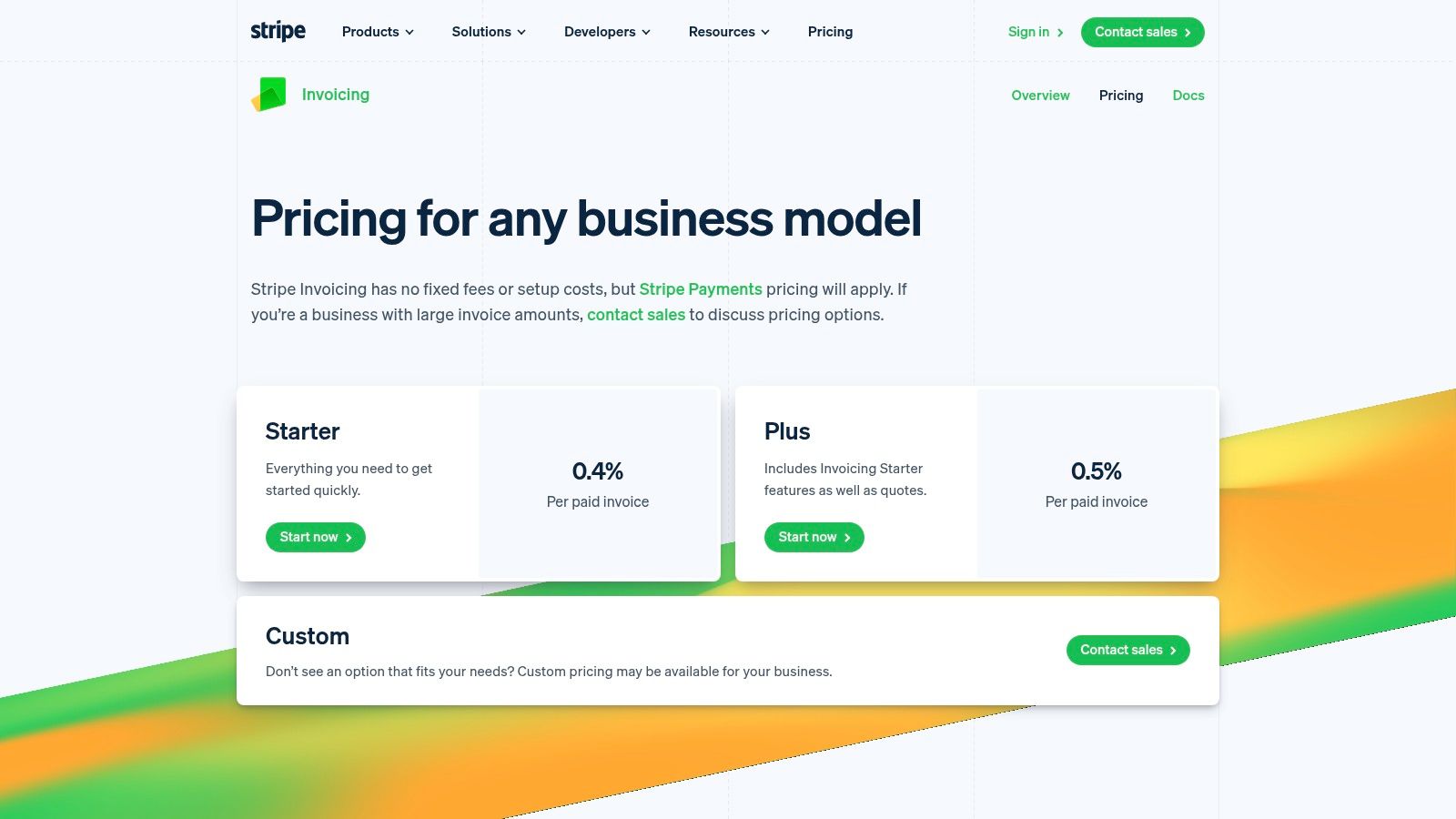
For businesses already integrated into the Stripe ecosystem, Stripe Invoicing stands out as a powerful, native solution. While not "free" in the traditional sense, its pay-per-use model means there are no monthly fees for its Starter plan, making it a compelling option for companies that want to keep their payment processing and invoicing under one roof. It positions itself as one of the best free invoicing software choices by eliminating subscription costs.
The platform is designed for efficiency and automation. It allows you to create and send professional, hosted invoices that clients can pay instantly using Stripe’s global payment infrastructure. A key strength lies in its developer-first approach, with a robust API that allows for deep customization and integration into existing workflows, along with excellent reporting and analytics directly within the Stripe dashboard.
Key Features & Limitations
| Feature | Details |
|---|---|
| Pricing Model | Starter: 0.4% per paid invoice. Plus: 0.5% per paid invoice. Standard payment processing fees also apply. |
| Invoice Limit | Unlimited invoices. |
| Core Functionality | Hosted invoices, customer portal, automated reconciliation, global payment methods. |
| Mobile Access | Managed via the Stripe Dashboard mobile app for iOS and Android. |
| Integrations | Native to the Stripe ecosystem; extensive API for custom connections. |
Who is it Best For?
Stripe Invoicing is the perfect fit for tech-savvy businesses, SaaS companies, and developers already using Stripe for payment processing. Its seamless integration, scalability, and powerful automation capabilities are ideal for businesses that prioritize a streamlined, developer-friendly accounts receivable process. The clear, per-transaction pricing is transparent and scales predictably with growth.
The primary drawback is the cost. While there's no monthly fee for the Starter plan, the percentage fee per paid invoice (on top of standard processing fees) can become significant for businesses with high-volume or high-value invoices. It is also less suited for users who are not comfortable operating within the technical environment of the Stripe platform.
Website: https://stripe.com/invoicing/pricing
5. PayPal Invoicing
PayPal Invoicing leverages its massive, globally trusted payment ecosystem to offer one of the best free invoicing software solutions for businesses already using PayPal for payments. Instead of a monthly subscription, its model is purely transaction-based. You create and send unlimited invoices for free and only pay a standard processing fee when a client pays you, making it an excellent entry point for new businesses.
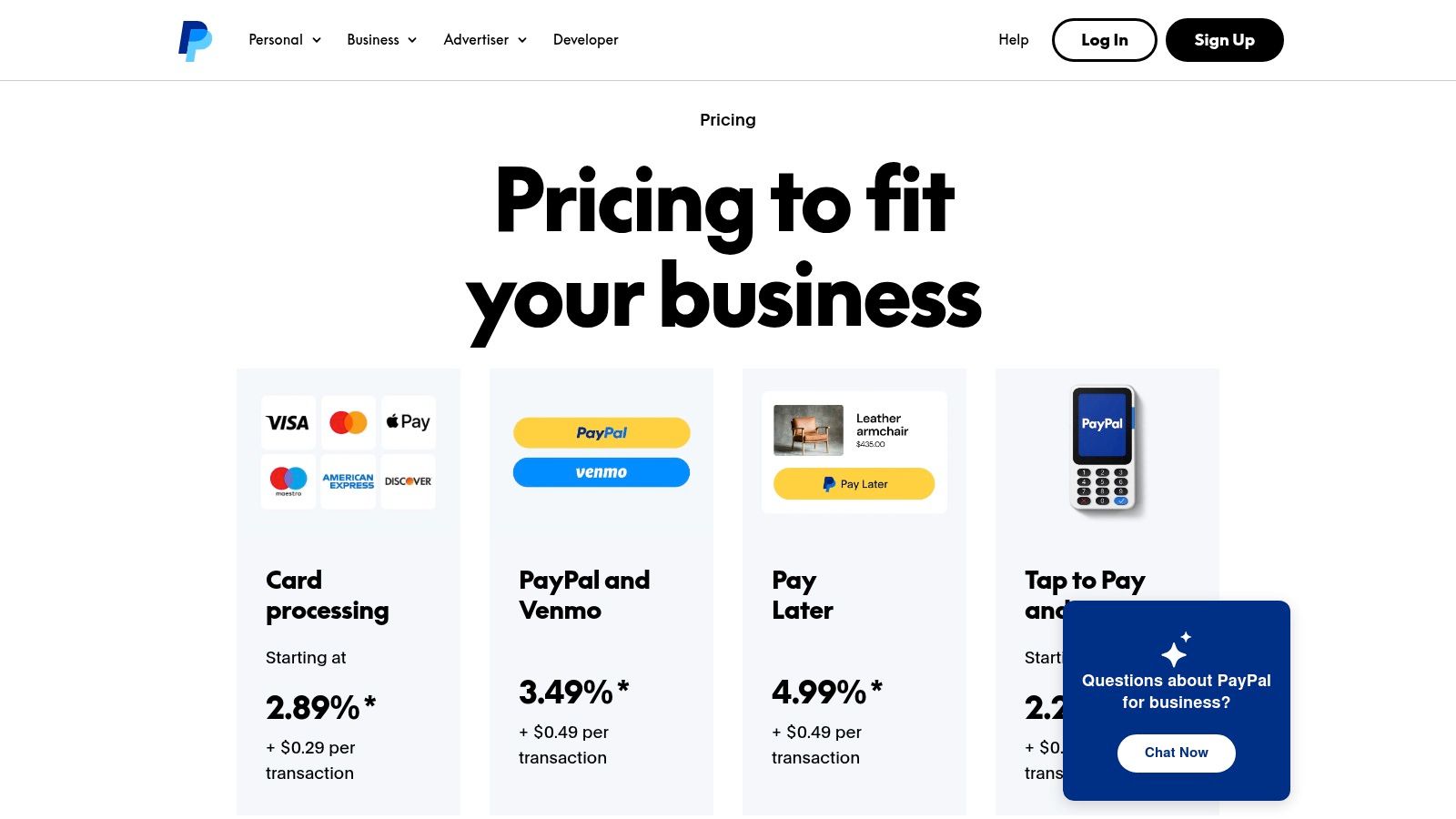
The platform’s greatest strength is its familiarity and convenience for the end customer. Clients see the trusted PayPal checkout button, which can significantly reduce payment friction and improve payment speed. Invoices can be paid via a PayPal balance, Venmo, credit/debit cards, or even "Pay Later" options, all from a single invoice link. Management is simple, with invoice creation and tracking available directly from the PayPal web dashboard or mobile app.
Key Features & Limitations
| Feature | Details |
|---|---|
| User Access | Available to anyone with a PayPal Business account. |
| Invoice Limit | Unlimited invoices. No sending limits. |
| Core Functionality | Customizable templates, invoice tracking, recurring invoices, estimate creation. |
| Mobile Access | Full functionality through the PayPal Business mobile app. |
| Integrations | Natively integrated with the PayPal payment processing system. |
Who is it Best For?
PayPal Invoicing is the perfect fit for freelancers, marketplace sellers, and small service providers who already use or prefer PayPal as their primary payment processor. The seamless integration of invoicing and payment processing simplifies cash flow management immensely. If your clients are familiar with and trust PayPal, this system removes barriers and encourages prompt payment.
The main drawback is that it isn't a full-fledged accounting suite. It lacks deep expense tracking, inventory management, or comprehensive financial reporting. Businesses that require more robust accounting features will find it limiting, and the transaction fees, while competitive, can add up for high-volume businesses compared to software with a flat monthly fee.
Website: https://www.paypal.com/us/business/pricing
6. Invoice Ninja
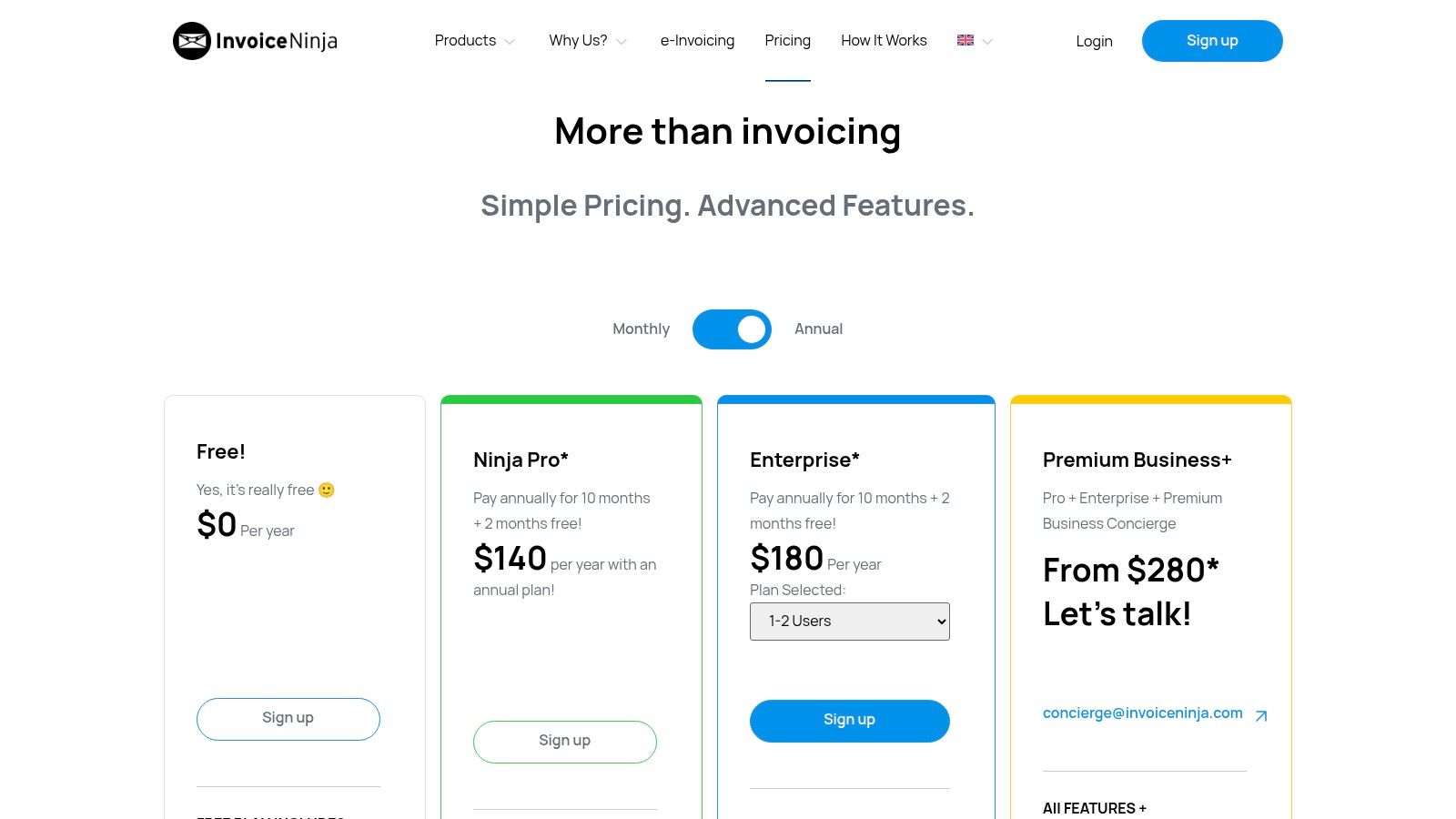
Invoice Ninja secures a strong position on our list due to its powerful free tier and open-source foundation, making it a uniquely flexible choice for freelancers and startups. It offers a generous forever-free plan that covers essential invoicing needs, including unlimited invoices and quotes for a limited number of clients. The platform excels at streamlining the entire accounts-receivable process, from sending quotes to tracking time and accepting payments.
Its open-source roots are a key differentiator, offering tech-savvy users the option to self-host and customize the platform for ultimate control and privacy. The combination of a robust hosted free plan and a self-hosted alternative provides a level of flexibility that is hard to find, solidifying its place as one of the best free invoicing software options for those who value both function and freedom.
Key Features & Limitations
| Feature | Details |
|---|---|
| Client Limit | Up to 20 clients on the free plan. |
| Invoice Limit | Unlimited invoices and quotes. |
| Core Functionality | Time tracking, expense management, quotes, client portal. |
| Payment Gateways | Integrates with over 40 gateways like Stripe, PayPal, and WePay. |
| Customization | Four professional invoice templates available on the free tier. |
Who is it Best For?
Invoice Ninja is perfect for freelancers, developers, and small agencies that need a comprehensive set of features without an initial investment. Its high client limit on the free plan is particularly generous compared to competitors. The platform's clean interface and integrated time-tracking tools make it ideal for service-based professionals who bill by the hour.
The main drawbacks of the free plan are the inclusion of Invoice Ninja branding on all documents and the 20-client cap. Businesses requiring advanced template customization, workflow automation, or the ability to bulk-email invoices will need to subscribe to a paid plan. However, for solo operators just starting, the free offering is remarkably complete.
Website: https://invoiceninja.com/pricing/
7. ZipBooks
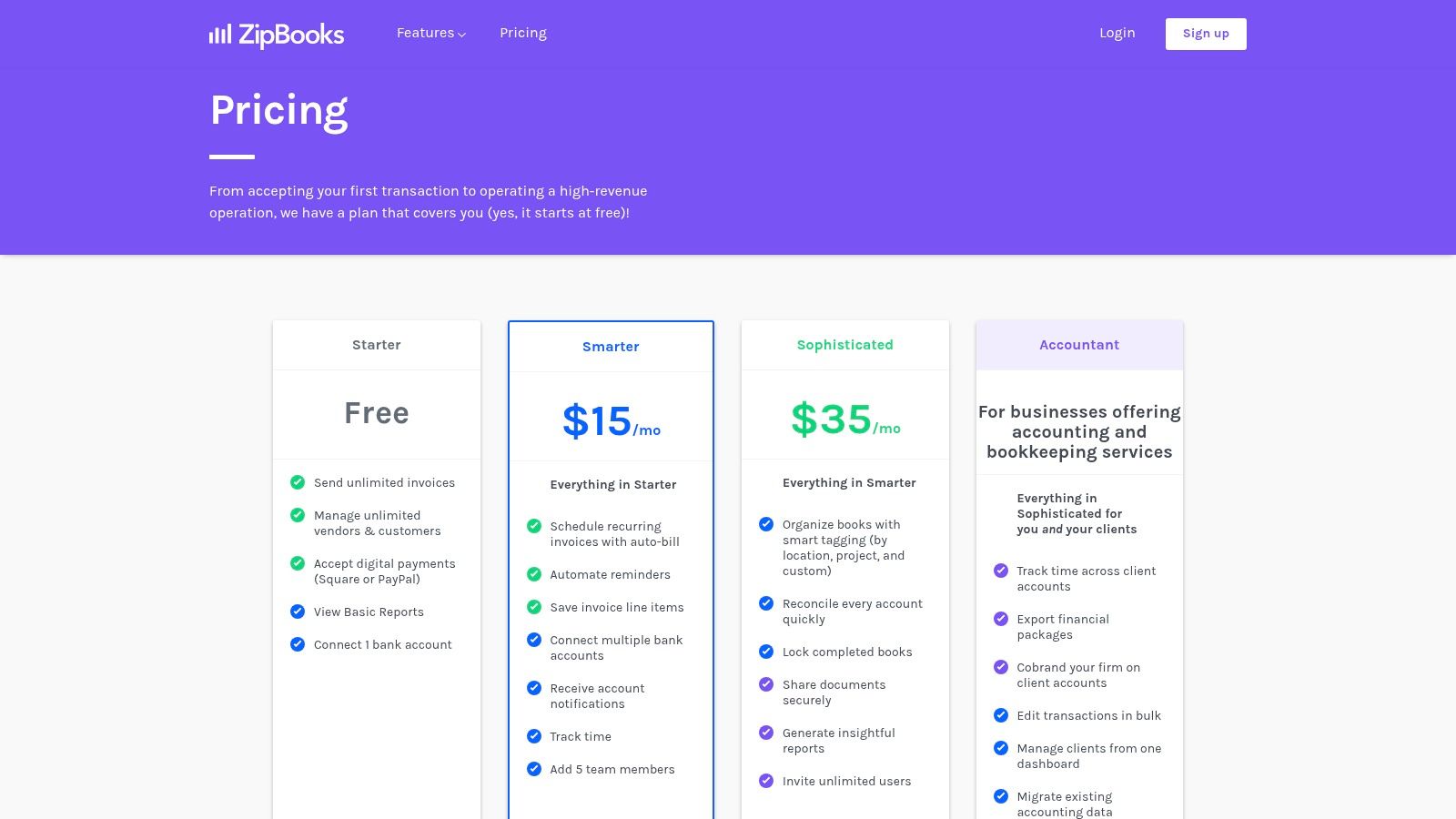
ZipBooks secures its spot by offering a clean, user-friendly accounting interface where unlimited invoicing is a core part of its free "Starter" plan. This makes it a compelling choice among the best free invoicing software for freelancers and service providers who are just starting out and need a simple, no-cost way to bill clients without worrying about hitting an invoice cap.
The platform focuses on simplicity and ease of use, providing a streamlined experience that doesn't overwhelm users with unnecessary features. While it keeps advanced automation for its paid tiers, the free version covers all the essentials needed to create professional invoices, connect a bank account for basic expense tracking, and accept digital payments through integrations with Square and PayPal.
Key Features & Limitations
| Feature | Details |
|---|---|
| User Access | Limited to 1 user. |
| Invoice Limit | Unlimited invoices and customers. |
| Core Functionality | Basic reporting, one bank connection, project tracking. |
| Mobile Access | No dedicated mobile app, but the website is mobile-responsive. |
| Integrations | Accepts payments via Square and PayPal. |
Who is it Best For?
ZipBooks is ideal for solopreneurs, freelancers, and small business owners who prioritize a clean interface and unlimited invoicing without a monthly fee. Its straightforward design makes it incredibly easy to get started, send your first invoice, and begin tracking income. The single bank connection is sufficient for those who keep their business finances simple.
The primary limitation is that many valuable automation features, such as recurring invoices, automated payment reminders, and time tracking, are reserved for paid plans. This means users will have to manually manage follow-ups and repeat billing. As your business grows and requires more sophisticated accounting or team collaboration, you will need to upgrade to a paid tier.
Website: https://zipbooks.com/pricing
8. Invoicely
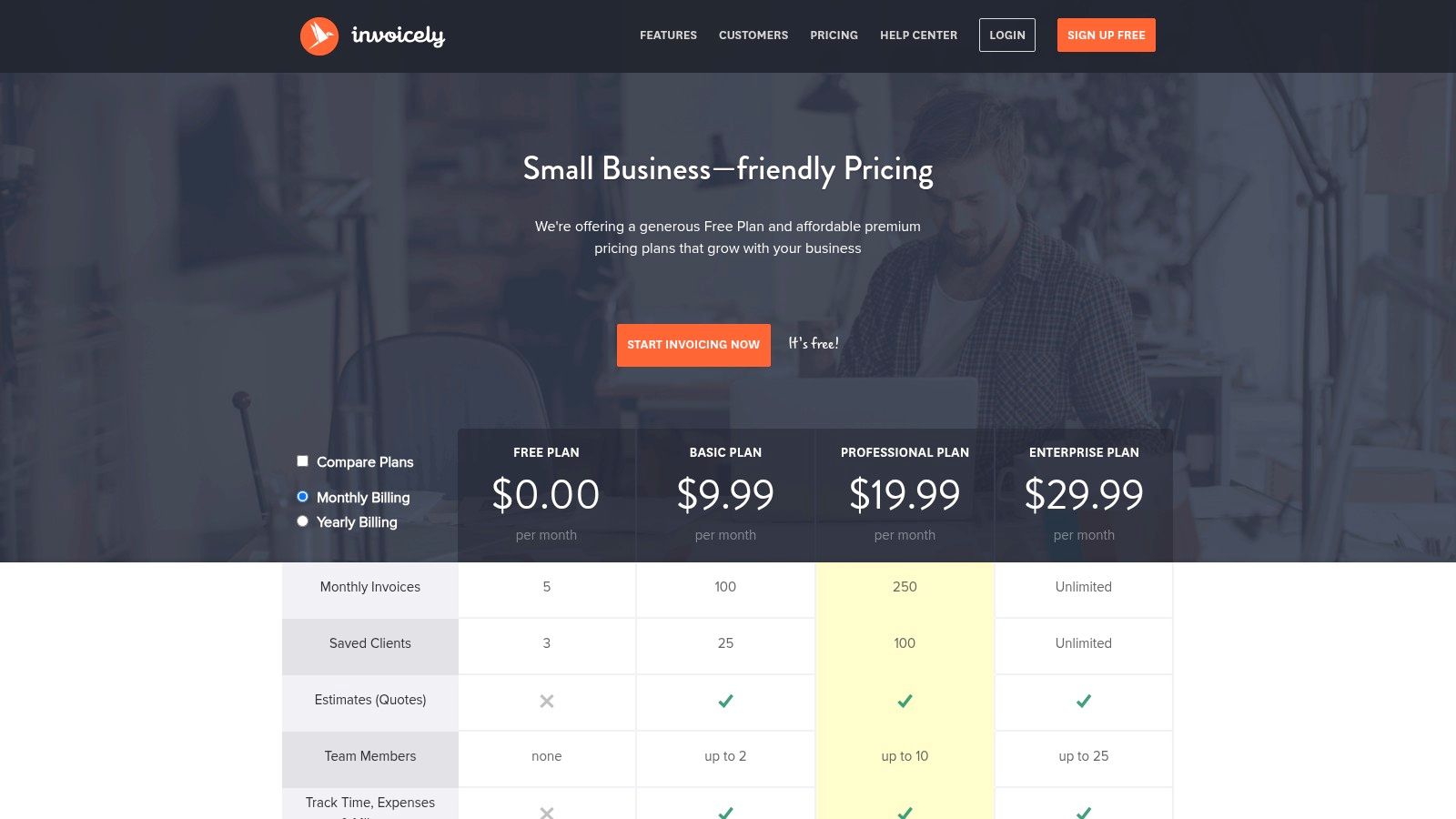
Invoicely positions itself as a straightforward solution for freelancers and small business owners just starting out. Its forever-free plan, while limited, provides a no-cost entry point for managing basic billing needs, making it a contender for the best free invoicing software for those with very low invoice volume. The platform focuses on simplicity, ensuring users can create and send professional-looking invoices quickly without a steep learning curve.
The core appeal of Invoicely lies in its simplicity and clean interface. It allows users on the free plan to send customized invoices, track their status, and accept payments directly through PayPal. This streamlined functionality is perfect for individuals managing a side hustle or a handful of clients who don't yet require advanced features like project management or detailed financial reporting.
Key Features & Limitations
| Feature | Details |
|---|---|
| User Access | Limited to 1 user on the free plan. |
| Invoice Limit | Up to 5 invoices per month. |
| Core Functionality | 3 saved clients, basic invoice customization, PDF generation. |
| Mobile Access | No dedicated mobile app, but the website is mobile-responsive. |
| Integrations | PayPal is the only payment gateway on the free plan. |
Who is it Best For?
Invoicely is the ideal starting point for part-time freelancers, hobbyists, or micro-businesses with a very small and consistent client base. Its extremely tight limits on the free plan mean it’s best suited for users who bill five or fewer times per month. The simple interface and direct PayPal integration make it incredibly easy to learn and deploy for basic billing tasks.
The most significant drawback is the restrictive free plan, which caps users at just five invoices and three clients. As a business grows, an upgrade to one of its affordable paid tiers becomes necessary to access features like time and expense tracking, more payment gateways, and higher invoice limits.
Website: https://invoicely.com/pricing
9. Harvest
Harvest is primarily known as a top-tier time-tracking tool, but its powerful invoicing capabilities make it one of the best free invoicing software choices for professionals who bill by the hour. The platform's core strength lies in its seamless workflow, allowing users to turn tracked hours directly into professional, detailed invoices with just a few clicks. This integration eliminates the need for manual data entry and ensures billing accuracy.
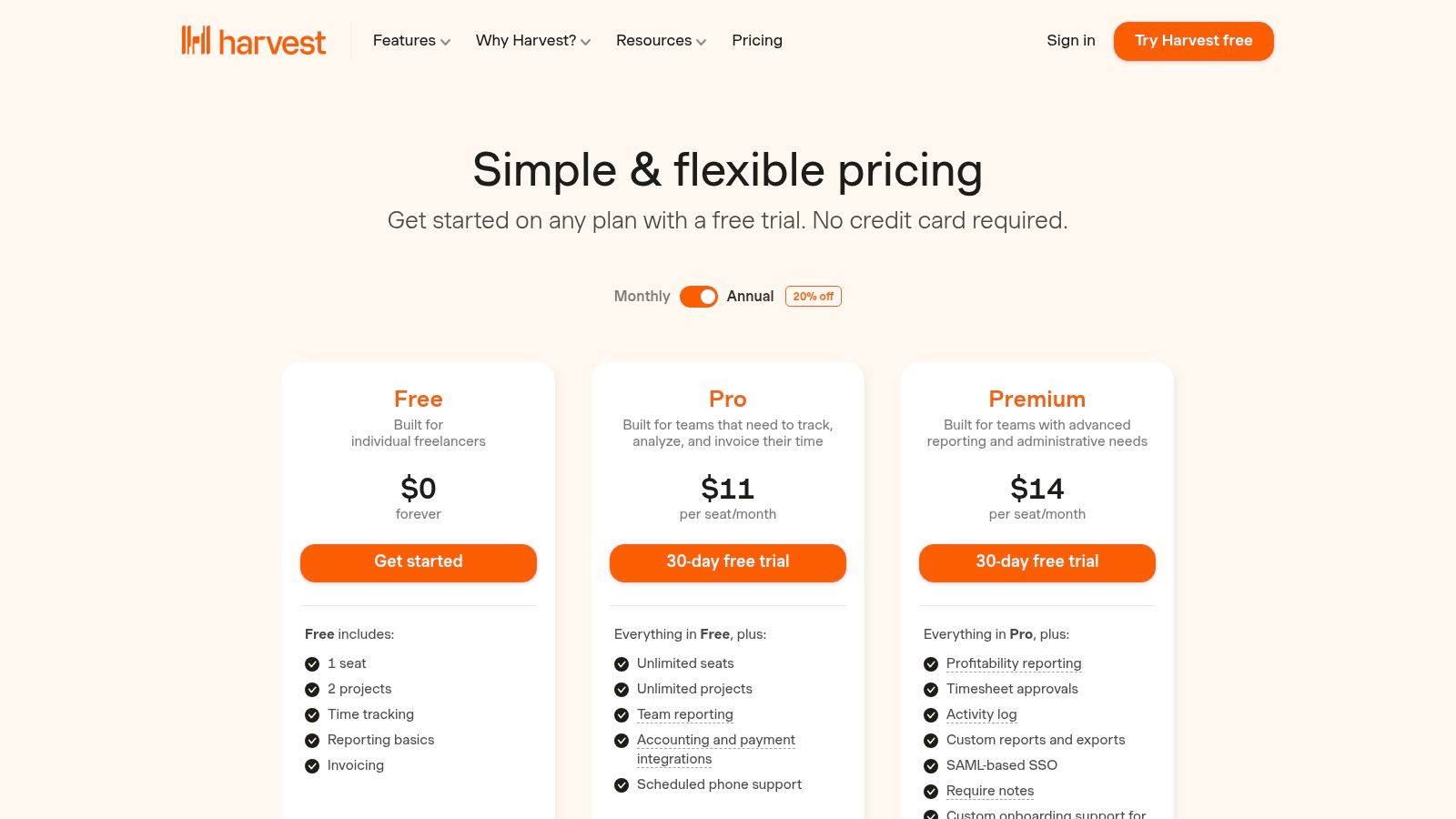
The free plan is tailored for solo users, offering a robust starting point for freelancers and consultants. It allows you to manage clients, track time across different projects, and generate invoices effortlessly. The interface is clean and intuitive, focusing on efficiency and minimizing the administrative burden of getting paid for your work.
Key Features & Limitations
| Feature | Details |
|---|---|
| User Access | Limited to 1 user (seat). |
| Project Limit | Limited to 2 active projects. |
| Core Functionality | Time tracking, expense tracking, invoice generation from time entries. |
| Mobile Access | Comprehensive apps for iOS and Android, plus desktop apps. |
| Integrations | Payment integrations with Stripe are available on the free plan. |
Who is it Best For?
Harvest is the ideal solution for individual consultants, freelancers, and service providers whose revenue is directly tied to billable hours. Its time-to-invoice workflow is unmatched for simplicity and accuracy. If you need a tool that excels at tracking time and converting it into payments without hassle, Harvest is a perfect fit. For a deeper analysis, explore this time tracking software comparison.
The primary limitation of the free plan is the cap of one user and two active projects, which can be restrictive for those juggling multiple clients simultaneously. Growing teams or freelancers with a larger project load will need to upgrade to a paid plan to unlock unlimited projects and additional features like QuickBooks and Xero integrations.
Website: https://www.getharvest.com/pricing
10. Akaunting
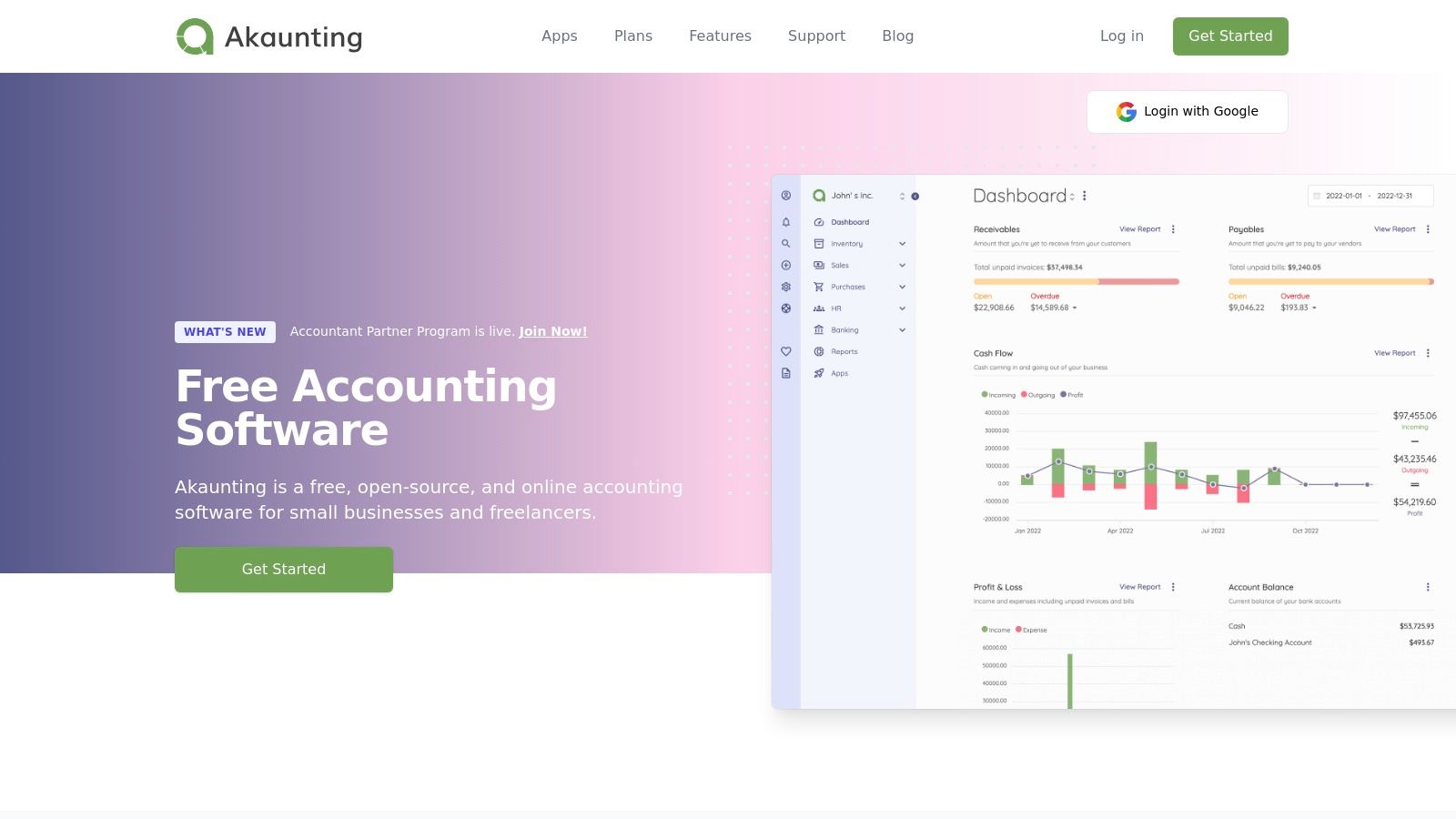
Akaunting offers a unique proposition in the invoicing space by being a fully open-source platform. This makes it a powerful choice for businesses prioritizing data ownership and customization. Users can download and self-host the entire application for free, giving them complete control over their financial data without recurring subscription fees, positioning it as one of the best free invoicing software options for the technically inclined.
The platform provides a comprehensive suite of accounting tools, including invoicing, expense tracking, and a client portal. Its open-source nature means you can modify it to your exact needs, while an app store offers extensions for added functionality, like inventory management or advanced reporting. This flexibility is ideal for businesses with specific workflows that off-the-shelf software can't accommodate.
Key Features & Limitations
| Feature | Details |
|---|---|
| User Access | Unlimited users and roles on the self-hosted version. |
| Invoice Limit | No limit on self-hosted version. |
| Core Functionality | Invoicing, expense tracking, client portal, multi-currency support. |
| Mobile Access | Mobile-friendly web interface; dedicated apps are not the primary focus. |
| Integrations | App store with both free and paid extensions for various services. |
Who is it Best For?
Akaunting is the perfect fit for tech-savvy small businesses, developers, and agencies that require full control over their financial software and data privacy. The self-hosted free version is a major draw for those looking to avoid monthly fees, provided they have the technical expertise to manage their own server.
The main challenge is the technical overhead. Setting up and maintaining the software requires server management skills, which can be a barrier for non-technical users. While the core software is free, some of the more advanced or niche features are only available through paid apps in their marketplace or via their paid cloud-hosted plans.
Website: https://akaunting.com/
11. Hiveage
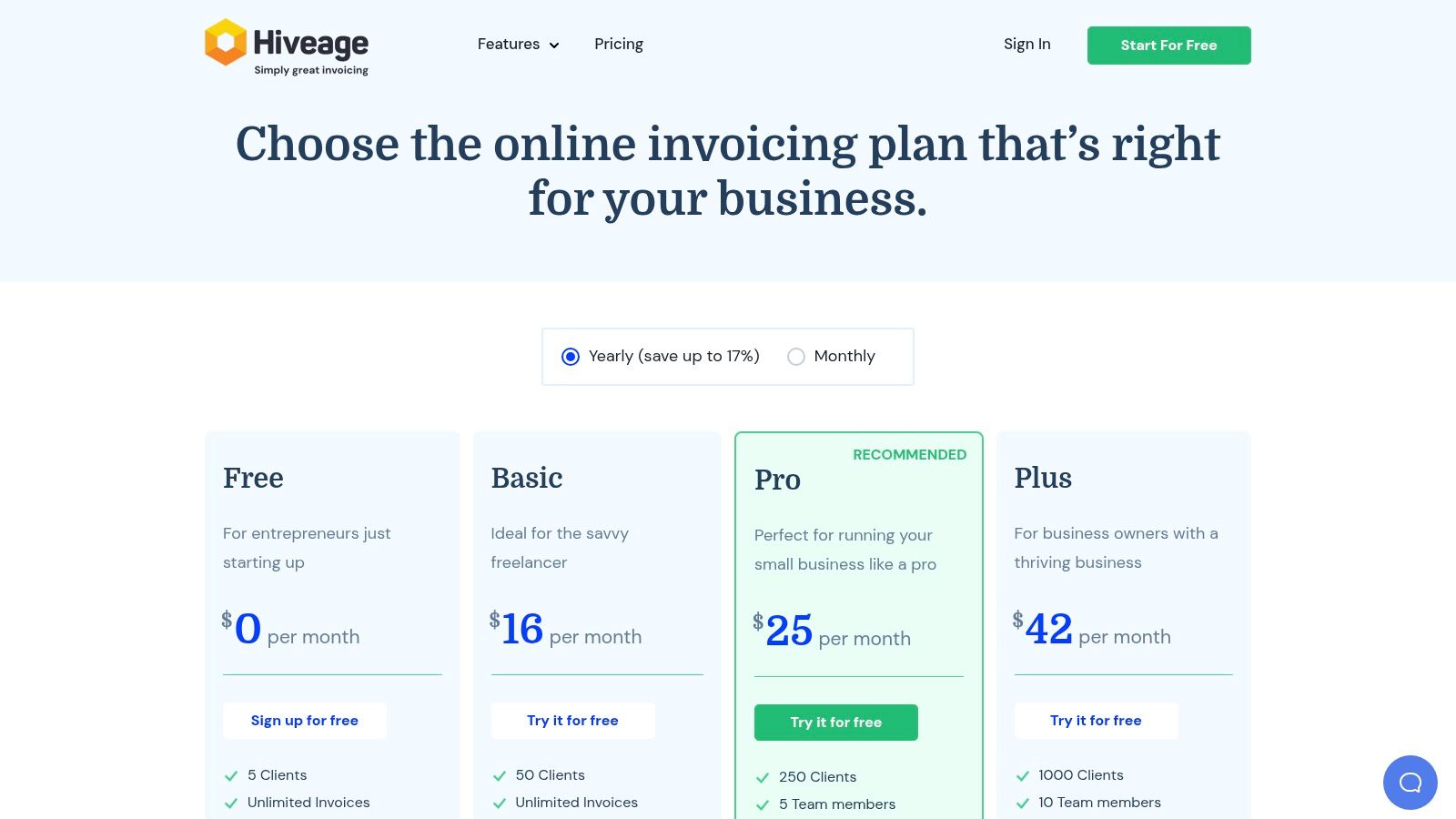
Hiveage offers a streamlined and elegant solution for small businesses and freelancers who manage a select group of clients. Its free plan is particularly compelling, providing unlimited invoicing, estimates, and time and expense tracking for up to five active clients. This makes it a strong contender among the best free invoicing software for those just starting out or working with a small, consistent client base.
The platform's user interface is clean, fast, and intuitive, allowing users to create and send professional-looking invoices in minutes. While the free tier is generous with its core features, it serves as a clear entry point into Hiveage's scalable ecosystem. As your business grows beyond five clients, you can seamlessly upgrade to paid plans that unlock team access, recurring billing, and automated payment reminders.
Key Features & Limitations
| Feature | Details |
|---|---|
| Client Limit | Up to 5 clients on the free plan. |
| Invoice Limit | Unlimited invoices and estimates. |
| Core Functionality | Time tracking, expense logging, multiple payment gateway support. |
| Paid Features | Recurring billing, auto-reminders, and team access require an upgrade. |
| Integrations | Connects to Stripe, PayPal, Braintree, and more. |
Who is it Best For?
Hiveage is perfectly suited for freelancers, consultants, and service-based small businesses that maintain relationships with a handful of key clients. Its simplicity is a major advantage for users who want to manage finances without a steep learning curve. The clear upgrade path also makes it a future-proof choice for businesses anticipating growth.
The primary limitation is the strict five-client cap on the free plan, which will be a non-starter for businesses with a high volume of small, one-off projects. Furthermore, critical automation features like recurring invoices and payment reminders are reserved for paid tiers, meaning free users will need to handle these tasks manually.
Website: https://www.hiveage.com/pricing/
12. G2
While not a direct invoicing tool itself, G2 secures a spot on this list as a critical research hub for finding the best free invoicing software. It is a user-review-driven directory that curates a dedicated ‘Free Billing Software’ category, offering a powerful way to survey the market, discover niche tools, and validate vendor claims with real-world feedback before you commit.
G2’s value lies in its aggregated user reviews and detailed comparison filters. You can sort potential software by user satisfaction ratings, market presence, and specific features to quickly narrow down options that fit your unique workflow. This approach helps you move beyond well-known names to find emerging freemium tools that might offer the perfect feature set for your business, saving significant research time.
Key Features & Limitations
| Feature | Details |
|---|---|
| Tool Discovery | Curated ‘Free Billing Software’ category listing dozens of tools. |
| Validation | User ratings, detailed pros/cons, and real-world feedback. |
| Comparison | Filterable comparisons based on features, satisfaction, and company size. |
| Listing Type | Includes both truly free plans and free trials; verification is needed. |
| Bias | Sponsored placements can appear, so it's wise to review all results. |
Who is it Best For?
G2 is an indispensable resource for any freelancer, startup, or small business owner in the initial research phase. It’s perfect for users who want to conduct due diligence, compare multiple options side-by-side based on user experience, and ensure a tool's promises align with reality before signing up. It acts as a meta-resource for finding your ideal invoicing solution.
The primary limitation is that a "free" tag on G2 can be ambiguous. It often mixes permanently free plans with time-limited free trials, requiring you to click through to each vendor’s site to confirm the exact terms.
Website: https://www.g2.com/categories/billing/free
Top 12 Free Invoicing Tools Comparison
| Product | Core features ✨ | UX / Quality ★ | Price / Value 💰 | Target 👥 | USP / Notes 🏆 |
|---|---|---|---|---|---|
| Zoho Invoice | Custom invoices & estimates, client portal, time tracking, mobile | ★★★★ | 💰 Free forever (limits); paid Zoho upgrades | 👥 Freelancers & microbusinesses | 🏆 Mature ecosystem + strong mobile apps |
| Wave | Unlimited invoices/estimates (Starter), bookkeeping, payments, mobile | ★★★★ | 💰 $0 core software; payment transaction fees | 👥 US freelancers & small biz | 🏆 Integrated bookkeeping with free core tools |
| Square Invoices | One-off/recurring, ACH & card, reminders, POS integration | ★★★★ | 💰 No subscription; standard processing fees | 👥 Merchants using Square / in-person sellers | 🏆 Seamless POS ↔ invoicing workflow |
| Stripe Invoicing | Hosted invoice pages, API, AR automation, global payments | ★★★★★ | 💰 Per-paid-invoice + Stripe processing fees | 👥 Tech-savvy teams & scaling companies | 🏆 Best-in-class developer & automation tools |
| PayPal Invoicing | PayPal/Venmo/ApplePay, easy send/track, web & mobile | ★★★★ | 💰 No monthly fee; per-payment fees vary by method | 👥 Sellers with broad customer familiarity | 🏆 Trusted checkout → higher conversion |
| Invoice Ninja | Quotes, recurring billing, time/expense tracking, client portal (open-source option) | ★★★★ | 💰 Generous free tier; paid & self-host options | 👥 Freelancers & privacy/control seekers | 🏆 Open-source flexibility & self-hosting |
| ZipBooks | Unlimited invoices/customers (Starter), Square/PayPal payments, basic reports | ★★★★ | 💰 Free Starter; paid upgrades for automations | 👥 Small biz wanting clean UI | 🏆 Unlimited invoicing at $0 (uncommon) |
| Invoicely | Forever-free (tight limits), PayPal on free, PDFs, activity tracking | ★★★ | 💰 Free limited plan → low-cost paid tiers | 👥 Side gigs & low-volume billers | 🏆 Very low-cost, easy to start |
| Harvest | Time tracking, invoice from tracked time, reports, apps | ★★★★ | 💰 Free (1 seat, 2 projects); paid team plans | 👥 Solo consultants & time-based billers | 🏆 Tight time → invoice workflow |
| Akaunting | Invoicing, expenses, multi-currency, role permissions, self-host | ★★★★ | 💰 Self-host free; hosted plans/apps paid | 👥 Teams needing data control & multi-currency | 🏆 Full-featured open-source accounting |
| Hiveage | Free up to 5 clients, unlimited invoices/estimates/time/expenses, gateways | ★★★★ | 💰 Free (5 clients); paid for more clients/features | 👥 Small agencies/consultants with few clients | 🏆 Fast, simple interface + easy upgrade path |
| G2 | Curated free-billing category, user reviews, filterable comparisons | ★★★★ | 💰 Free to browse; vendor sponsorships present | 👥 Buyers researching billing/invoicing tools | 🏆 Crowd-sourced reviews & market-wide discovery |
Your Next Step: Streamline Your Billing Today
Navigating the landscape of the best free invoicing software can feel overwhelming, but the journey ends with a significant reward: reclaiming your time and professionalizing your financial operations. We've explored a diverse set of powerful tools, each offering a unique pathway to streamlined billing without impacting your budget. From the robust, all-in-one ecosystem of Zoho Invoice to the accounting-centric approach of Wave, the options are plentiful and potent.
The core takeaway is that "free" no longer means "limited." Modern platforms like Square Invoices and Stripe Invoicing provide access to enterprise-grade payment processing, while open-source solutions like Invoice Ninja and Akaunting offer unparalleled customization for tech-savvy founders. The right choice isn't about finding a single "best" tool, but about identifying the one that best fits your specific operational DNA.
How to Choose Your Perfect Invoicing Partner
Making the final decision requires a moment of introspection about your business needs. Don't get distracted by a long list of features you'll never use. Instead, focus on the critical functions that will have the highest impact on your daily workflow.
Use this checklist to guide your selection:
- For the Solo Operator or Freelancer: Your primary needs are simplicity, speed, and reliability. Look at tools like Wave for its integrated accounting or Zoho Invoice for its generous free tier that supports unlimited clients and invoices. If you’re already using a payment gateway, Stripe or PayPal Invoicing are natural extensions that keep your finances in one place.
- For the Growing Startup or Small Agency: Scalability and integration are key. You need a system that can grow with you. Invoice Ninja's self-hosted option provides ultimate control, while ZipBooks offers a clear upgrade path with more advanced accounting features. Consider Harvest if time tracking is central to your billing process, as its seamless integration is a major workflow enhancement.
- For Businesses with Point-of-Sale Needs: If you interact with customers in person or run an e-commerce store, a platform with integrated POS is non-negotiable. Square Invoices is the undisputed leader here, unifying your online and offline payment streams into a single, cohesive system.
Making the Transition: Implementation Best Practices
Once you've selected your tool, the final step is a smooth implementation. A rushed setup can lead to errors and frustration down the line. Treat this transition as a foundational business upgrade.
Before sending your first invoice, take these critical steps:
- Customize Your Templates: Your invoice is a brand touchpoint. Add your logo, customize the color scheme, and ensure your payment terms, contact information, and business details are clearly and professionally displayed.
- Set Up Payment Integrations: Connect your chosen payment gateway (like Stripe, PayPal, or Square) immediately. The single most effective way to get paid faster is to make it incredibly easy for your clients to pay.
- Import Existing Data: Don't start from a blank slate if you don't have to. Most of these tools offer CSV import for client lists and outstanding invoices. This initial time investment will save you countless hours of manual entry.
- Configure Automated Reminders: This is arguably the most valuable feature of any invoicing software. Set up a polite, automated reminder sequence for overdue payments. This single action removes the awkwardness of chasing payments and dramatically improves your cash flow.
Choosing one of the best free invoicing software options detailed in this guide is a strategic move that pays immediate dividends. It automates a critical but time-consuming task, reduces the potential for human error, and presents a more professional image to your clients. By taking a methodical approach to selection and implementation, you can transform your billing process from a recurring chore into a streamlined, automated engine for your business's financial health.
As you continue to build and optimize your tech stack, staying on top of the latest tools is crucial for growth. Discovering the right software can be a game-changer, and that's where SubmitMySaas comes in. It’s a platform dedicated to helping founders and marketers find new platforms to enhance their operations. Find your next essential tool by exploring the curated directories at SubmitMySaas today.