10 AI Customer Support Tools for Smarter Service
Compare 10 AI customer support tools by features, pricing models, integrations, use cases, pros, cons, and fit for growing support teams.
The most advanced AI agent isn't automatically the right choice for your support team. A platform that can act across chat, email, voice, and internal systems may still be a poor investment if your knowledge base is weak, your CRM can't expose the required data, or the vendor meters every interaction in a way finance can't forecast.
Customer support has moved beyond experimental chatbot projects. Industry roundups report that business adoption grew roughly 4.7 times between 2020 and 2025, while chatbot usage has reached about 60% of B2B companies and 42% of B2C companies. One industry summary of chatbot adoption estimates that 91% of businesses with 50 or more employees use chatbots somewhere in the customer journey.
The buying question is therefore less “Which tool has the best AI?” and more “Which tool can resolve the right volume, in the right channels, inside the stack we already operate?” The reviews below use the same practical lens throughout: core capabilities, best-fit scenarios, pricing meters, integrations, differentiators, limitations, and rollout effort. SubmitMySaas can also help teams discover newer SaaS and AI products while they build an initial shortlist.
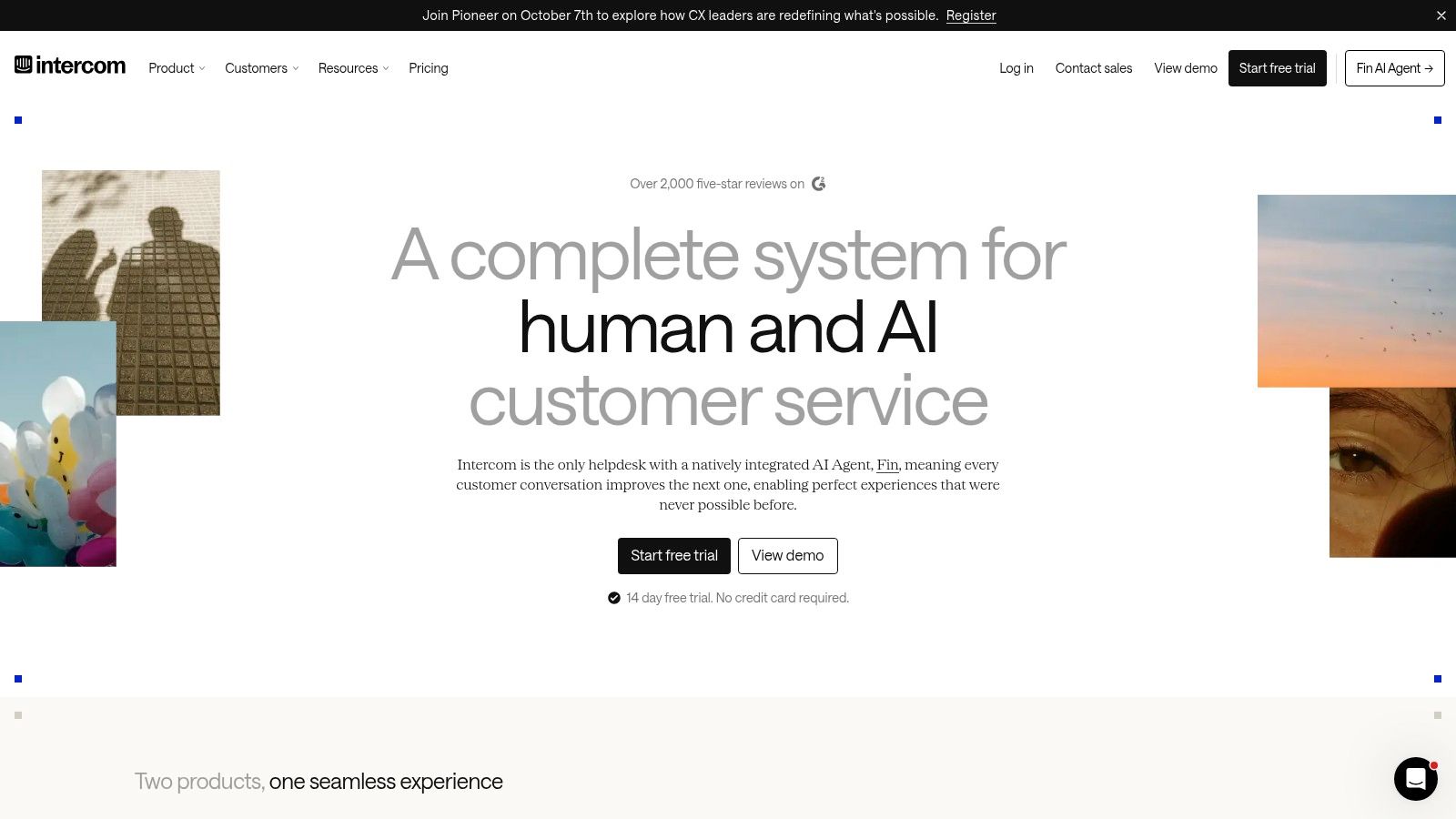
1. Intercom + Fin AI Agent
Intercom + Fin is a strong choice for SaaS teams that want customer-facing automation and human support in the same workspace. Fin can resolve questions inside Intercom's messenger and inbox, while the broader help desk gives agents the context needed when automation hands a conversation over.
The important buying detail is outcome-based billing. Fin's AI usage is tied to resolved conversations, with a cap applied once a conversation is counted. That's easier to model than an open-ended token or action meter, but total spend still depends on resolution volume and the number of human seats supporting the operation.
Best fit and rollout trade-offs
Fin works best when the team already uses Intercom or wants a modern help desk with AI built into the same interface. It can cover chat, email, and other connected channels, while Shopify-specific automations make the platform more relevant to ecommerce teams than a generic inbox alone.
- Pricing reality: AI cost follows resolved conversations, while seats and the underlying help desk create a separate cost layer.
- Integration position: Teams can use Intercom Help Desk or place Fin over another help desk, depending on the deployment.
- Differentiator: Agents and AI work from the same operational inbox, which reduces context switching.
- Limitation: Fin Voice is sales-led and custom-priced, so voice support needs a separate commercial discussion.
Intercom also offers a startup program with free outcomes, which can make early experimentation easier. Teams comparing the broader category can use this guide to evaluate live chat software for websites.
Practical rule: Model cost using resolved conversations, not total inbound contacts. A high escalation rate can make an apparently attractive outcome-based plan less efficient.
2. Zendesk + AI Agents
Zendesk earns its strongest case when ticketing already anchors the support operation. Its AI agents automate resolutions across channels, while the optional Copilot add-on helps human agents with suggested responses, assistance, and content generation.
This makes Zendesk an expansion of an established service suite rather than a standalone chatbot purchase. Existing workflows, reporting, permissions, and integrations increase the value of adding AI. Replacing that foundation solely to obtain automation would introduce migration work without removing the need to configure service processes.
Buying reality depends on the existing stack
Zendesk combines suite or support licensing with AI consumption and optional Copilot costs. The company has announced phased rollout and simplified AI packaging, but buyers still need to separate plan-included capabilities from usage-based AI and account-level add-ons.
The fit is clearest for a Zendesk team moving from scripted bots toward automated resolutions. Broad integrations and enterprise workflow depth support a staged deployment, although usage-based AI and Copilot make forecasting less straightforward than a simple per-seat model. Some add-ons apply across the account rather than to selected agents, which can affect smaller teams with limited automation needs.
A practical evaluation should use representative tickets, including requests that require account lookups or actions in connected systems. Answer quality matters, but completion quality matters more: the AI should close the case without creating a second queue for human follow-up.
Teams comparing help desk platforms can review the best customer support software. Zendesk's AI agent platform is most defensible when the organization already depends heavily on Zendesk and can absorb its layered licensing model.
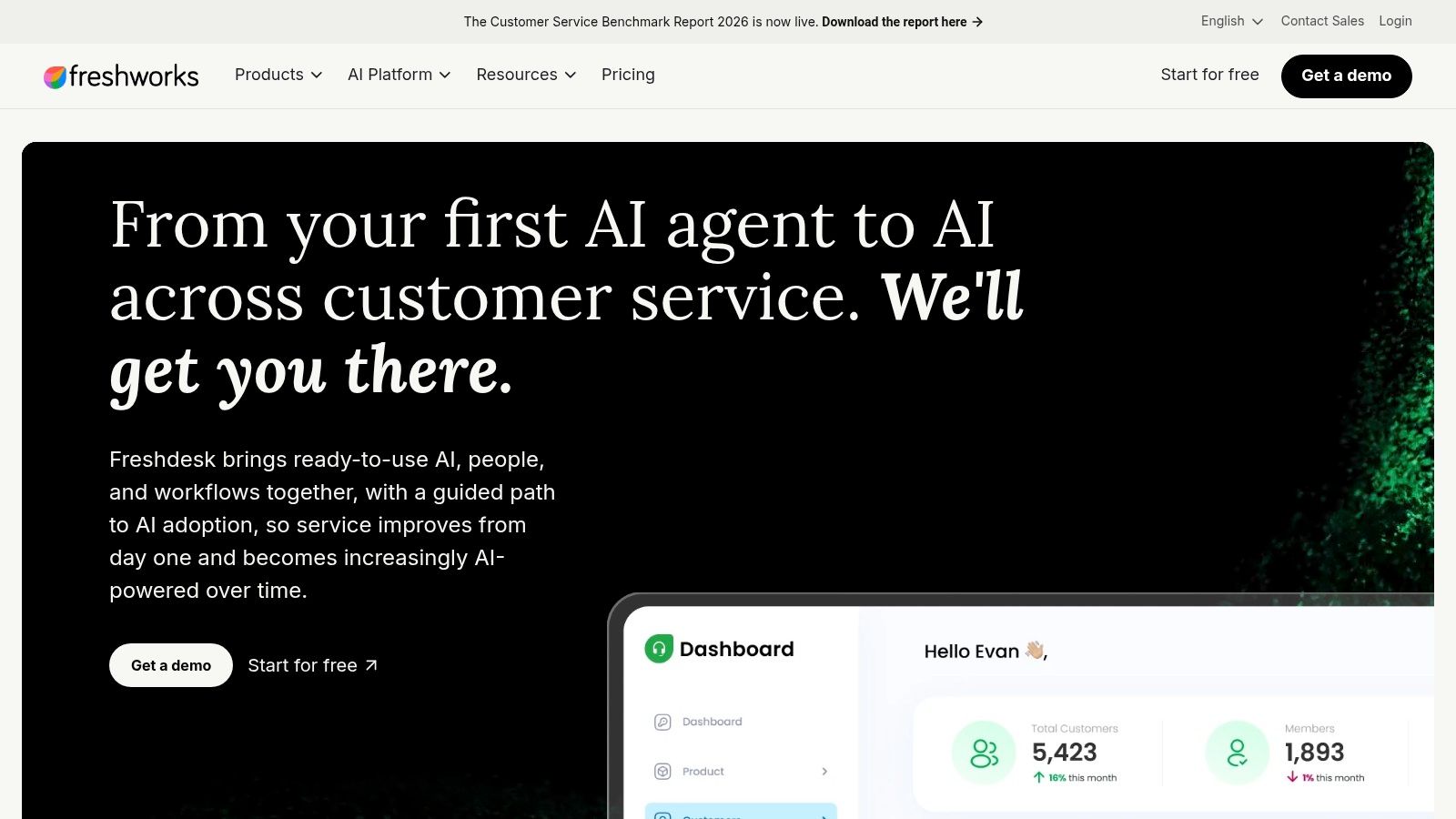
3. Freshdesk + Freddy AI
Freshdesk + Freddy AI fits teams that need more than basic automation but do not want an enterprise service architecture. Freshdesk supplies the help desk, while Freddy supports agents with response generation, insights, conversational analytics, and customer-facing AI agents. The practical question is how those capabilities fit the team's existing workflows and expected ticket volume.
Its commercial model uses separate meters. Freddy Copilot is an agent-assist add-on, while customer-facing AI agents are sold in packs of 1,000 sessions. Copilot therefore offers a more predictable cost per supported agent, whereas the automation bill can rise with inbound demand. Buyers should model both workloads instead of treating AI as one platform-wide line item.
The fit depends on support volume and workflow depth
Freshdesk suits cost-conscious service teams that want omnichannel templates and established onboarding without a large engineering project. Ecommerce and retail templates can reduce configuration work, and the Shopify connection supports order-related workflows inside the support environment. That makes the platform more relevant for commerce operations than for teams seeking highly customized enterprise orchestration.
Best scenario: A growing service team adopting both agent assistance and customer-facing automation.
Pricing reality: Copilot follows an add-on structure, while session packs can accumulate as automated interactions increase.
Integration position: Freshdesk provides a mature help desk with ecommerce and retail-oriented options.
Limitation: Advanced capabilities may require Enterprise or Omni plans, raising the effective platform cost.
Evaluate the purchase in two stages: whether Copilot reduces work per ticket, and whether Freddy resolves enough customer sessions to justify its usage meter. Freshworks' Freddy AI capabilities support a measured rollout, but answer quality will depend on the policies and responses available to retrieve. Compare that foundation with other knowledge base software before implementation.
4. Salesforce Service Cloud + Agentforce
Salesforce Service Cloud with Agentforce is bought for stack fit, not for a quick AI trial. Its strongest case is an organization already using Salesforce for customer data, workflows, permissions, and reporting. Agentforce then places customer-facing and employee-facing agents within that environment, connecting with Service Cloud, Contact Center, Slack, analytics, and enterprise security controls.
The commercial choice affects the operating model. Flex Credits meter actions, while Conversations meter conversations. Some editions and add-ons can also provide unmetered employee agents. A support team with complex actions may evaluate the first model differently from one focused on high-volume customer conversations. Either way, projected usage matters more than comparing headline license prices.
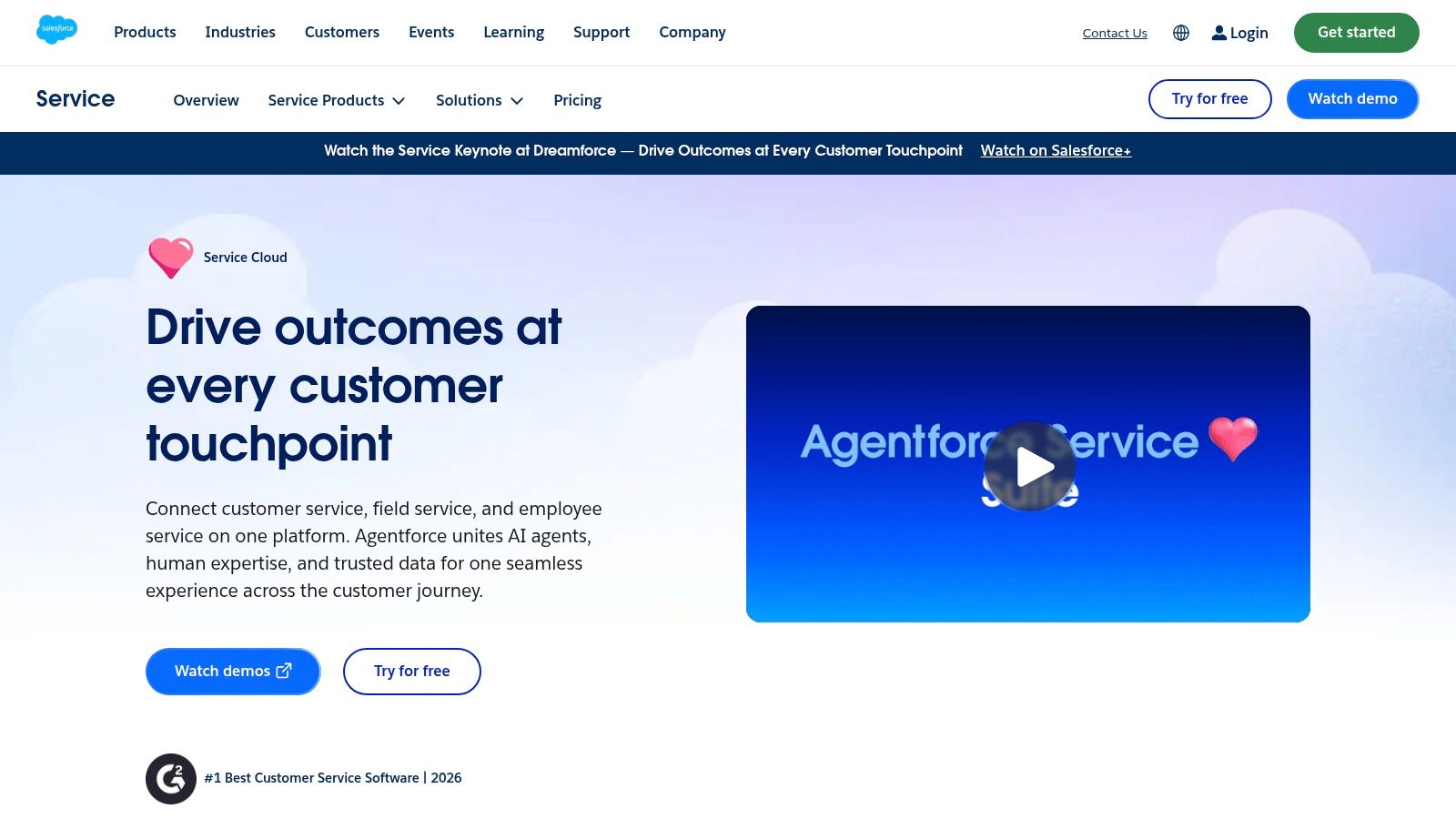
Salesforce Service Cloud + Agentforce fits support operations where AI must retrieve governed CRM data and complete multi-step workflows. It is excessive for a small team seeking FAQ responses and basic routing. Configuration effort increases with the number of Salesforce objects, permission rules, external systems, and approval steps.
A practical evaluation should include three owners: a Salesforce administrator, a service operations lead, and a finance stakeholder. They can test response quality alongside action volume, add-on requirements, and integration work. That review shows whether the platform's consolidation benefits justify its setup burden.
For teams comparing agent platforms, an AI agents directory can surface alternatives. Salesforce's Service Cloud is the better fit when existing-system consolidation matters more than rapid deployment. Implementation teams may also find top AI talent with TekRecruiter.
5. HubSpot Service Hub + Customer Agent
HubSpot Service Hub is built for teams that want service work tied to CRM, marketing, and sales context. Customer Agent works from the knowledge base and service workspace, while AI content help and case summaries support agents on issues automation does not close.
The buying question is not just whether the AI answers well. It is how HubSpot Credits are metered across Customer Agent and other AI features, because one shared pool can blur which workflows are consuming budget unless usage is tracked by feature.
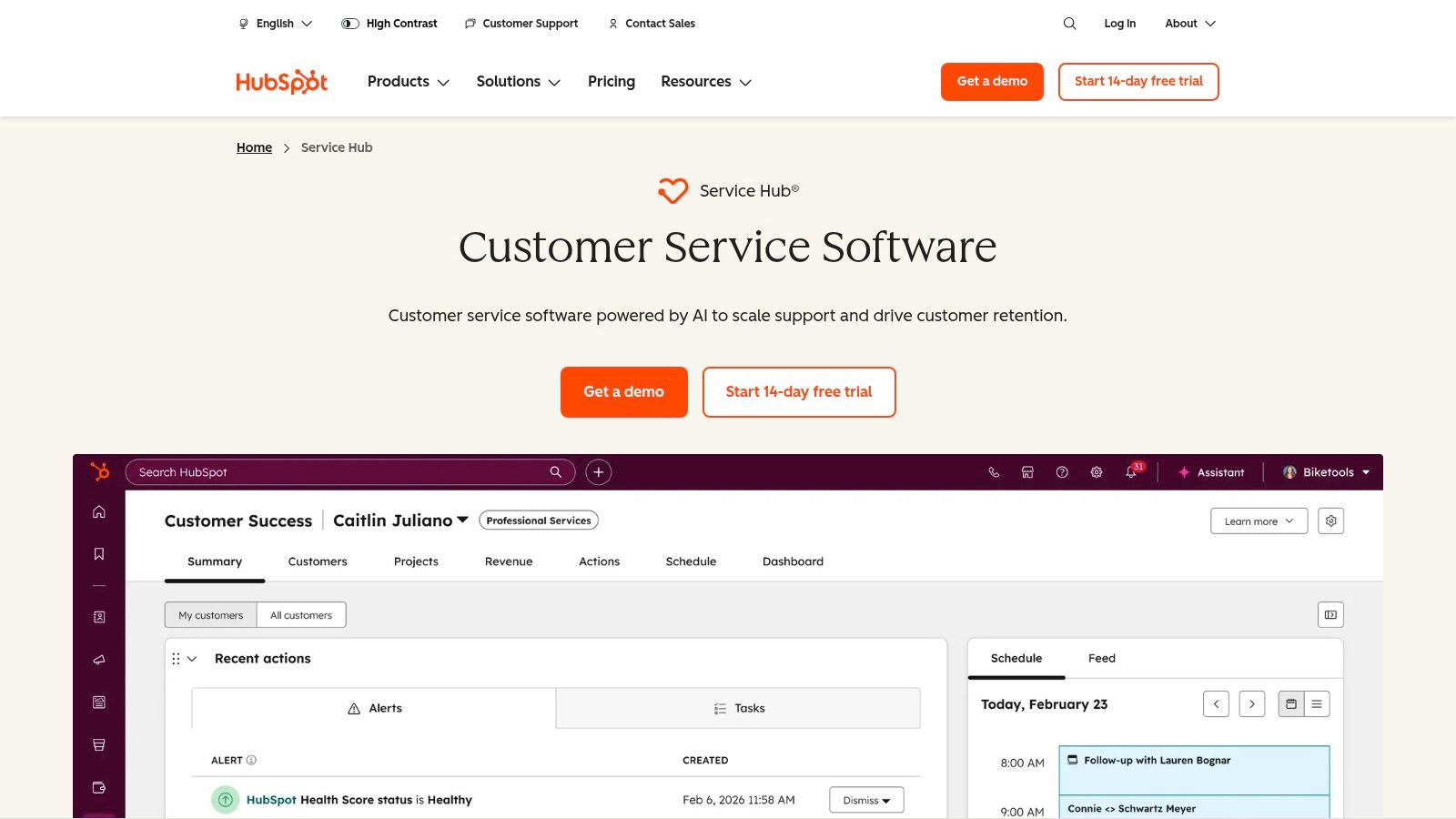
HubSpot fits CRM-led service better than standalone contact-center use. Teams already on HubSpot can work from native customer and company records instead of building a separate sync layer, which lowers rollout friction.
- Best scenario: A HubSpot customer that wants service AI inside the same system of record.
- Entry path: Customer Agent is available with Pro and Enterprise plans, with a qualifying purchase trial that provides unlimited access for 14 days.
- Pricing reality: Seat-based licensing and Credits need to be managed together, especially if more than one team uses AI.
- Limitation: Complex or heavily customized service operations may still need integrations and implementation work.
That shared meter is useful for pilots, but it needs governance once service, marketing, and account teams all draw from it. A team generating content in one area and automating customer conversations in another can consume the same pool, so usage attribution becomes part of operations rather than a procurement detail.
HubSpot's Service Hub is a practical shortlist option for CRM-centered support teams. It also makes sense to compare it with other AI workflow automation tools when service automation reaches into sales or account management.
6. Ada
Ada fits organizations that need customer-facing automation across several channels, not a chatbot bolted onto a single help desk. Its platform covers chat, voice, email, SMS, and social, with Builder playbooks, SOP-driven flows, audit logging, governance controls, and enterprise integrations.
The commercial model is conversation-based, with a resolution-based option also available. That makes the buying question less about headline features and more about how the team expects to pay for volume, outcomes, or both. Public unit rates are not listed, so procurement has to work from the organization's own channel mix and contract terms.
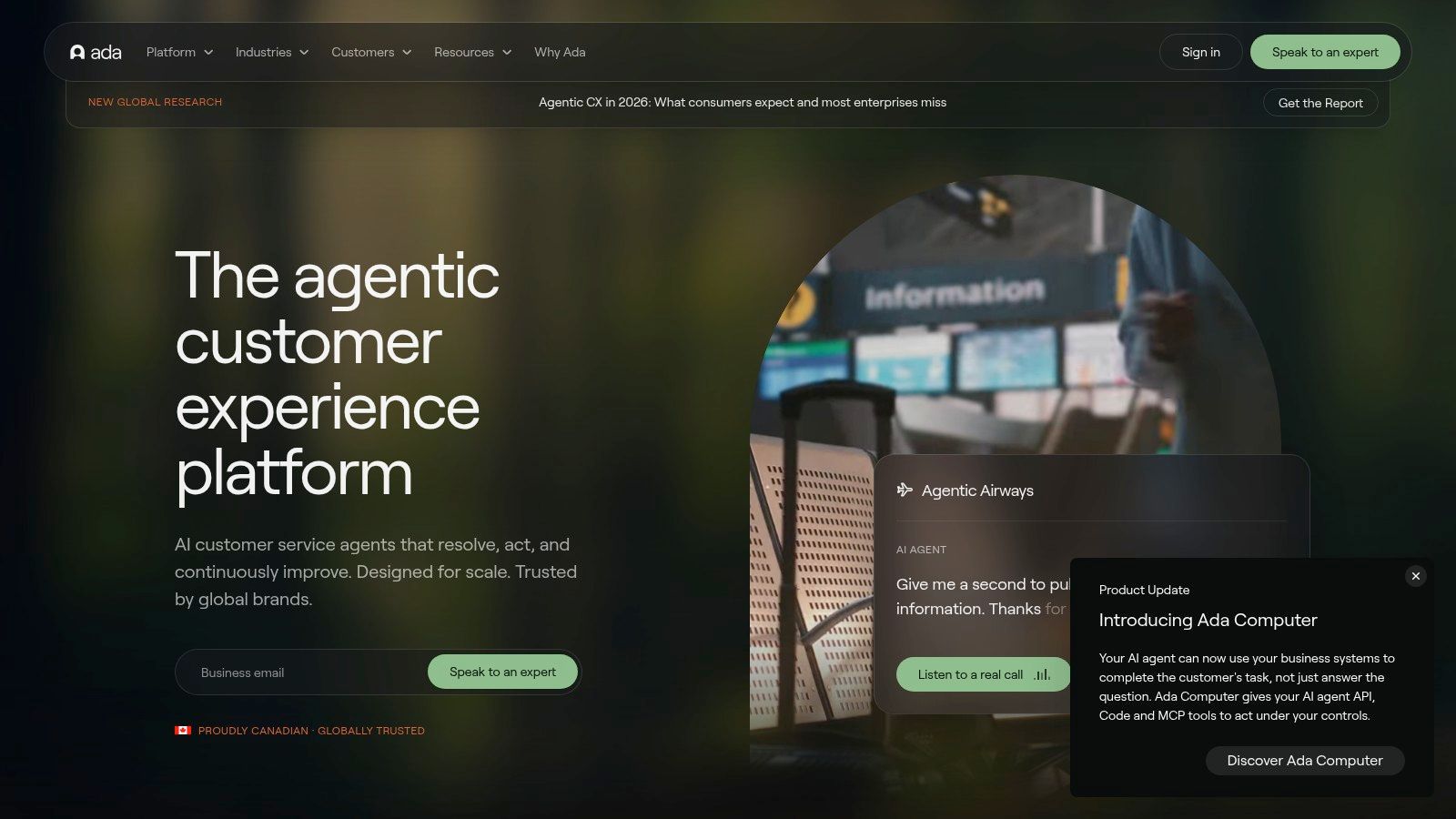
Control is part of the product
Ada's product materials say it supports 60 or more languages and high API limits. That matters for global service teams, but it also adds rollout work. More locales mean more policies, escalation rules, and knowledge sources to review before the system is allowed into production.
- Best scenario: High-volume, multilingual support with formal governance requirements.
- Differentiator: Playbooks, auditability, security, and legal controls are built into the operating model.
- Pricing reality: Contract-based pricing makes proof of value necessary before a wider commitment.
- Implementation effort: Smaller teams may not have the resources to configure and govern the platform well.
For a team that wants a self-serve trial and a basic website widget, Ada is a poor fit. It becomes more interesting when support leaders need one automation layer across channels and want clear control over what the agent can do.
Ada's customer service platform should be evaluated with real transcripts, not only scripted demos. The most useful test is whether escalation preserves customer context and whether administrators can change a policy without an engineering release.
7. Forethought
Forethought is less a simple chatbot layer than an automation stack built around service operations. It combines autonomous AI agents, agent assistance, analytics, and a discovery layer that flags knowledge gaps. It can work across chat, email, voice, and Slack, while Autoflows and custom actions connect the agent to internal processes.
Its buying model mixes platform access fees with outcome-based usage. That matters because the cost structure tracks both access to the system and the amount of work the AI performs. Compared with a flat seat model, it gives a clearer link between automation volume and spend, but it also makes forecasting harder than a basic per-user plan.
Proof-of-value is built into how Forethought is sold. The company emphasizes hands-on evaluations with the customer's own data, which helps expose where production will break from the demo, especially when documentation is uneven or several brands are involved.
A few buying signals stand out:
- Best fit: Mid-market and enterprise support teams that need analytics and autonomous resolution in the same stack.
- Operational edge: Discover can surface knowledge gaps and turn failed conversations into article priorities.
- Stack fit: Multi-brand support and an analytics API suit more complex environments.
- Trade-off: Quote-based pricing and platform fees make it a weaker match for very low-ticket volumes.
That discovery layer changes rollout planning. Knowledge quality is no longer just a starting requirement. Teams can use failed or incomplete conversations to decide what to document next, which ties AI performance to a visible improvement loop. Governance still matters, but the workflow is more practical than a one-time content cleanup.
Forethought's AI support platform should be judged against real transcripts. Test difficult tickets, policy exceptions, and cases that require actions, not only repetitive FAQs.
8. Kustomer by Meta
Kustomer is built around a customer timeline, not a stack of isolated tickets. That matters for support teams that need order history, prior conversations, and channel context before routing a case or deciding whether automation can handle it.
The buying model reflects that operational focus. Kustomer Concierge, Architect workflows, smart routing, automations, and AI evaluations are bundled with safeguards, while voice and WhatsApp follow usage-based pricing. AI pricing is still configuration-dependent and quote-based, so the cost only becomes clear after the team defines channels, workflow depth, and where automation will run.
Context matters more than feature count
The timeline view is the main reason to evaluate Kustomer. It reduces the fragmentation that shows up when a customer moves from chat to messaging to voice, especially in organizations where several teams need the same history to act correctly.
A few buying signals stand out:
- Best scenario: Brands with complex customer journeys and several service channels.
- Governance strength: SSO, SCIM, security controls, compliance features, and AI safeguards support enterprise rollout.
- Metering advantage: Voice and WhatsApp costs can be modeled separately through usage-based pricing.
- Limitation: The strongest return usually requires deployment across multiple channels and use cases.
Implementation effort is the trade-off. Teams have to map identity, data access, routing logic, and channel-specific costs before they can judge the economics. A timeline view helps agents work from shared context, but it does not replace the policies and integrations needed for end-to-end resolution.
Kustomer's customer service CRM fits buyers who care more about context and governance than a fast, narrow rollout. Ask for an interaction-level cost model, not a broad omnichannel estimate.
9. Zoho Desk + Zia
Zoho Desk with Zia suits teams that need a full help desk, self-service, and AI assistance without committing to an enterprise-only platform. Zia covers summarization, answer suggestions, field predictions, agent assistance, and conversational workflows through Zia Agent Studio.
The platform's buying case depends on both stack fit and governance. Teams already using Zoho can keep support close to their existing systems, while BYOK, or bring your own key offers a way to manage model access. Data-center locality options and multilingual knowledge-base capabilities also give administrators more control over regional and organizational requirements.
A practical fit looks like this:
- Best scenario: Value-focused startups, small and medium-sized businesses, or larger teams already invested in Zoho.
- Pricing reality: AI is included on higher tiers, while advanced Zia functions are tied to those tiers and may depend on data-center availability. Regional pricing and currency localization can change the amount shown at checkout.
- Differentiator: BYOK and locality options address data handling and procurement requirements.
- Limitation: Entry plans may exclude the AI capabilities that justify the upgrade.
The main trade-off appears during implementation. Standard knowledge-base and workflow patterns keep deployment effort moderate. Custom actions, external systems, and complex approval logic require technical work, so a lower license cost does not automatically mean a lower total rollout cost.
Zoho Desk with Zia belongs on the shortlist when buyers want to control software spend and model governance within one service operation. Test the exact edition and region before comparing it with other tools, because available AI functions can vary.
10. Gorgias + AI Agent
Gorgias is built for ecommerce and direct-to-consumer support, with particular relevance for Shopify-led operations. Its help desk uses ticket-based pricing, while the AI Agent charges for each resolved interaction across email, chat, and SMS. Higher tiers may include unlimited agents, separating human-seat growth from the allowance for incoming tickets.
That pricing model fits retail operations because buyers can forecast ticket volume and automation separately. The distinction matters: a successfully resolved interaction is different from a reply that merely postpones the next customer message. If automated usage grows faster than expected, unmonitored overages can change the economics quickly.
The ecommerce workflow determines the fit
Gorgias works best when agents need order, shipment, return, and revenue context while handling conversations. Its ecommerce integrations keep support near the storefront, reducing the need to force retail issues into a generic CRM workflow. This focus also limits its appeal outside commerce.
A practical buying test should cover refunds, order changes, and escalation with the brand's own store policies. Generic product questions will not expose the rollout work or workflow gaps that matter.
Best scenario: Shopify and other DTC brands handling high volumes of order-related conversations.
Differentiator: Ecommerce workflows and support-driven revenue reporting sit at the center of the platform.
Pricing reality: Ticket allotments and resolved-interaction charges need to be forecast together. Higher plans can separate agent-seat expansion from ticket capacity, but usage boundaries still require monitoring.
Limitation: Non-retail organizations may find the product too specialized, while retail teams must understand their ticket mix before estimating AI value.
Gorgias's ecommerce help desk merits priority in a retail evaluation when order data and storefront actions matter. The platform is a stronger candidate for teams that want many agents without removing controls on automated usage.
Top 10 AI Customer Support Tools Comparison
| Product | Key features | Experience ★ | Pricing & Value 💰 | Target Audience 👥 | Standout ✨/🏆 |
|---|---|---|---|---|---|
| Intercom + Fin (AI Agent) | In‑product AI agent, inbox-first, Shopify automations, outcome cap | ★★★★☆ | Outcome-based per conversation, seats affect total 💰 | 👥 SaaS & ecommerce support teams | ✨ AI in same inbox, fast to trial; 🏆 clear usage pricing |
| Zendesk + AI Agents (Copilot) | Omnichannel AI agents, Copilot add‑on, rich integrations | ★★★★★ | Add-ons & usage-based; forecasting can be complex 💰 | 👥 Enterprise support organizations | ✨ Extensive ecosystem & enterprise controls; 🏆 depth |
| Freshdesk + Freddy AI | Copilot, conversational analytics, session packs, templates | ★★★★☆ | Predictable Copilot add-on, AI session packs 💰 | 👥 SMBs & cost-conscious teams | ✨ Value-focused onboarding and templates |
| Salesforce Service Cloud + Agentforce | Flex Credits or Conversations, CRM + Slack integrations, security | ★★★★★ | Complex credit/conversation models; best with Salesforce stack 💰 | 👥 Large enterprises on Salesforce | 🏆 Deep CRM integration & enterprise workflows ✨ |
| HubSpot Service Hub + Customer Agent | Customer Agent, Credits model, content assist & summaries | ★★★★☆ | Seat-based + Credits meter; 14‑day trial on qualifying buys 💰 | 👥 Teams using HubSpot CRM | ✨ Unified CRM + simple credits billing |
| Ada (Agentic AI for CX) | Conversation/resolution pricing, builder, governance, 60+ languages | ★★★★☆ | Contract-based; conversation or resolution pricing options 💰 | 👥 High-volume enterprise CX teams | ✨ Governance & multilingual scale; 🏆 built for volume |
| Forethought | Autonomous agents, autoflows, discovery for knowledge gaps, analytics | ★★★★☆ | Outcome-aligned + platform access fees; quote-based 💰 | 👥 Mid-market & enterprise proof-of-value pilots | ✨ Proof-of-value engagements & rich analytics |
| Kustomer (by Meta) | Timeline CRM, concierge workflows, smart routing, security controls | ★★★★☆ | Quote-based; pay-as-you-go telephony/WhatsApp metering 💰 | 👥 Data-driven brands needing unified timelines | ✨ CRM-centric timeline UI & governance |
| Zoho Desk + Zia | Summaries, agent studio, BYOK/data locality, multilingual KB | ★★★☆☆ | Competitive tiers; AI on higher plans, region-pricing varies 💰 | 👥 Startups, SMBs, governance-conscious teams | ✨ BYOK & data-center options for compliance |
| Gorgias + AI Agent | Shopify-first help desk, per-resolved interaction AI, revenue reporting | ★★★★☆ | Per-resolved interaction + ticket-based tiers; transparent guidance 💰 | 👥 Ecommerce & DTC brands | 🏆 Ecommerce-native workflows & revenue attribution ✨ |
Choose by Volume, Stack, and Control
The shortlist should follow your operating model, not a leaderboard. Smaller teams and cost-conscious buyers should start with Freshdesk, Zoho Desk, or HubSpot when one of those products already fits the company's CRM, help desk, or knowledge-base setup. Buying a cheaper AI layer that requires a new system of record can create more work than it removes.
SaaS teams will usually get the cleanest path from Intercom when they want conversational support inside a modern inbox. Ecommerce and DTC brands should put Gorgias near the top when order data, storefront workflows, and support-driven revenue matter. Existing Zendesk customers should test Zendesk AI before considering a replacement, because workflow continuity and agent adoption can outweigh a feature difference.
Salesforce organizations should evaluate Agentforce in the context of their existing data model, permissions, and service workflows. The platform is most compelling when the agent must work with governed Salesforce data and connected business processes. High-volume, governance-heavy deployments should examine Ada, Forethought, and Kustomer, but each requires a more deliberate implementation plan than a self-serve chatbot.
The market data supports a cautious approach. One AI customer service market analysis reports that 88% of contact centers use some form of AI, while only 25% have fully integrated it into daily workflows. Broad adoption doesn't mean operational maturity. The integration layer, escalation design, and measurement system often determine whether automation reduces work or merely moves it elsewhere.
Resolution is the most important counterweight to deflection. A benchmark review of AI customer support software reports an industry-average AI resolution rate of 44.8%, compared with 58.7% for top-quartile systems. It also reports that traditional help-desk add-ons can produce 10% to 25% true resolution, while AI-native platforms can reach 55% to 70% on the same workloads. These figures aren't promises for any individual deployment, but they show why buyers must ask whether the tool completes the job.
Use this evaluation sequence:
- Estimate demand: Separate conversations, sessions, actions, and fully resolved cases. Vendors don't use these terms interchangeably.
- Map the channels: Identify whether the opportunity is chat, email, voice, SMS, WhatsApp, social, or a combination.
- Audit the stack: Confirm CRM, help desk, commerce, identity, payment, and knowledge-base integrations before judging feature depth.
- Inspect the knowledge: Review outdated articles, conflicting policies, missing edge cases, and multilingual gaps.
- Model the meters: Combine seats, conversations, sessions, resolutions, actions, credits, voice usage, and overages in one forecast.
- Run a proof of value: Use representative tickets, including difficult cases that require data retrieval, policy checks, or escalation.
- Define controls: Set approval rules, human handoff criteria, audit requirements, review ownership, and rollback procedures before expanding automation.
Salesforce's 2026 survey of 3,075 service professionals found AI-agent adoption rose from 39% in 2025 to 66% in 2026, and customer satisfaction was the most improved KPI after deployment, ahead of productivity and response-time measures, according to Salesforce's service research. A separate benchmark covering more than 220 million live chat interactions reported that AI agents handled 75.3% of chats, chatbot satisfaction increased by 9.1%, and chatbot-to-agent handoff CSAT reached 92.6%. The lesson is practical: a good escalation path is part of the product, not evidence that the automation failed.
SubmitMySaas is useful after this shortlist is built, especially for discovering emerging SaaS and AI products that may solve a narrower workflow than the larger platforms above. Compare those products using the same standards: real resolution, stack fit, transparent meters, implementation effort, and control over automated actions.
SubmitMySaas helps founders and teams discover modern SaaS, AI, productivity, marketing, and design products through launches, trending lists, and curated roundups. Visit SubmitMySaas to compare emerging tools and find new support products worth testing alongside your shortlist.