The 12 Best Customer Support Software Platforms for Startups in 2026
Discover the 12 best customer support software tools for 2026. We review top helpdesk, AI, and ticketing platforms to help you choose the right solution.
In an increasingly crowded market, customer experience is the ultimate differentiator. The software you choose to manage customer interactions is no longer just a ticketing system; it's the central nervous system of your entire support operation. Making the right choice directly impacts customer satisfaction, agent productivity, and ultimately, your bottom line. An inadequate tool creates friction, while the right one empowers your team to deliver exceptional, scalable service that builds loyalty. This is especially true as teams grow and require more sophisticated tools. When considering your support stack, understanding the benefits of modern cloud-based contact centre solutions can be crucial for scalability and integration.
This guide is designed to cut through the noise. We've compiled a comprehensive list of the best customer support software available, moving beyond generic feature lists to provide a practical resource for founders, startup teams, and product managers. Our goal is to help you select the platform that aligns perfectly with your specific business needs, whether you're a solo developer managing initial user feedback or a growing SaaS company scaling its support function.
Inside, you will find a detailed breakdown of each platform, including:
- Practical use-case scenarios to see how the software works in real-world situations.
- Honest pros and cons based on user feedback and our own analysis.
- Clear pricing information to help you budget effectively.
- Implementation insights and key integration capabilities.
Each entry includes screenshots for a visual preview and direct links to explore further. We've done the heavy lifting so you can make a confident, informed decision and build a support stack that turns customers into advocates.
1. Zendesk
Zendesk is often considered the gold standard in the help desk space, making it a top contender for the best customer support software available. It’s an end-to-end service suite that scales from a two-person startup to a global enterprise, offering a unified agent workspace for managing conversations across email, chat, voice, and social media.
What truly sets Zendesk apart is its maturity and extensive ecosystem. The platform provides robust, enterprise-grade features like advanced workflow automation, service level agreement (SLA) management, and deep analytics. Its marketplace contains over 1,000 apps, ensuring seamless integration with almost any tool in your existing tech stack, from Slack to Salesforce.
Key Details & Considerations
- Best For: Businesses of all sizes, especially those planning for rapid growth and needing a scalable, all-in-one solution. It’s ideal for teams that require deep customization and powerful reporting.
- Pros: Highly scalable and widely adopted, which means plenty of community support and available talent. It also offers powerful analytics and enterprise-level security features.
- Cons: The platform's extensive capabilities come with a steeper learning curve for advanced configurations. Costs can escalate quickly, particularly when adding AI features or more agents to higher-tier plans.
- Pricing: Plans start at $19 per agent/month for foundational support features, with comprehensive suites starting at $55 per agent/month. Optional AI add-ons are available at an additional cost.
Website: https://www.zendesk.com
2. Intercom
Intercom positions itself as a modern, AI-first customer service platform, making a strong case as one of the best customer support software options for product-led companies. It excels at unifying customer communication within a single, powerful messenger, combining a shared inbox, proactive messaging, and integrated product tours. This in-app focus allows support teams to assist users directly within their product or website for a seamless experience.
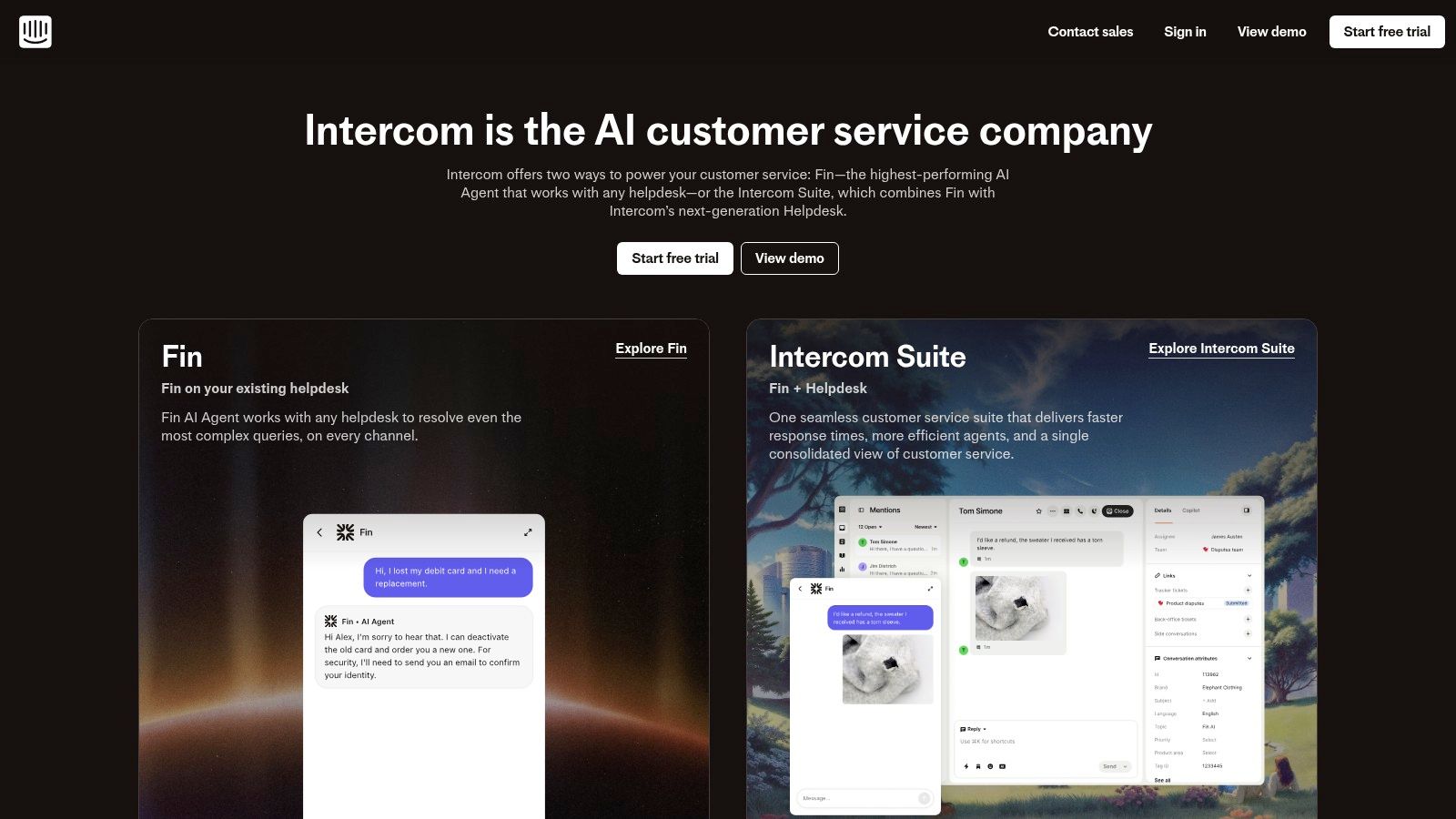
What truly distinguishes Intercom is its practical approach to AI. Its "Fin AI Agent" is priced per resolution, providing a clear and predictable cost model for automation. This, combined with a visual automation builder and an Agent Copilot to assist human agents, creates a powerful system for both efficiency and quality. This focus on contextual, in-app support is why many consider it a top-tier live chat software for websites.
Key Details & Considerations
- Best For: SaaS and product-led businesses that want to provide contextual, in-app support and leverage AI for automated resolutions. It’s ideal for teams prioritizing customer engagement alongside traditional support.
- Pros: Fast to implement for web and mobile app support, and its AI pricing is clearly linked to usage (per resolution), making costs transparent. The user interface is modern and intuitive for agents.
- Cons: The pricing model, which combines agent seats with usage costs, requires careful monitoring to manage expenses. Key features like product tours are sold as add-ons, which can increase the total cost.
- Pricing: Plans start at $39 per seat/month. The AI-powered Fin chatbot is priced at $0.99 per resolution, with various add-ons available for customer engagement and product tours.
Website: https://www.intercom.com
3. Freshdesk (Freshworks)
Freshdesk positions itself as a powerful, user-friendly alternative in the help desk market, making a strong case as one of the best customer support software options for businesses prioritizing value and ease of use. It provides a comprehensive omnichannel suite that unifies email, chat, phone, and social media channels into a single, intuitive agent interface, designed for rapid team adoption.
What makes Freshdesk stand out is its balance of robust functionality and competitive pricing, coupled with its native Freddy AI features. Freddy Copilot assists agents with tasks like ticket summarization and response generation, while Freddy Self-Service bots can deflect common queries. This focus on practical AI and a clean user experience allows even small teams to manage support operations efficiently without extensive training or setup.
Key Details & Considerations
- Best For: Small to mid-sized businesses (SMBs) and enterprises looking for a cost-effective, all-in-one solution with strong AI capabilities and a fast setup process.
- Pros: Very competitive pricing, including a functional free plan and transparent trials. It is quick to set up and offers a broad, integrated feature set out of the box. Its omnichannel approach is a key part of its value, similar to how platforms in our email marketing software comparison integrate multiple functions.
- Cons: Advanced customization and workflow automation capabilities, while good, may not be as deep as some premium competitors. Some key features and Freddy AI sessions are billed as add-ons, which can increase the total cost.
- Pricing: A free plan is available for up to 10 agents. Paid plans start at $15 per agent/month, with the popular Omnichannel Suite plans starting at $29 per agent/month.
Website: https://www.freshworks.com/freshdesk
4. Help Scout
Help Scout is a customer support platform designed for businesses that prioritize a personal, human touch in their communications. It excels as an email-first shared inbox and knowledge base solution, making it a strong candidate for the best customer support software for small to medium-sized businesses and lean SaaS teams that value simplicity and customer-centric design.
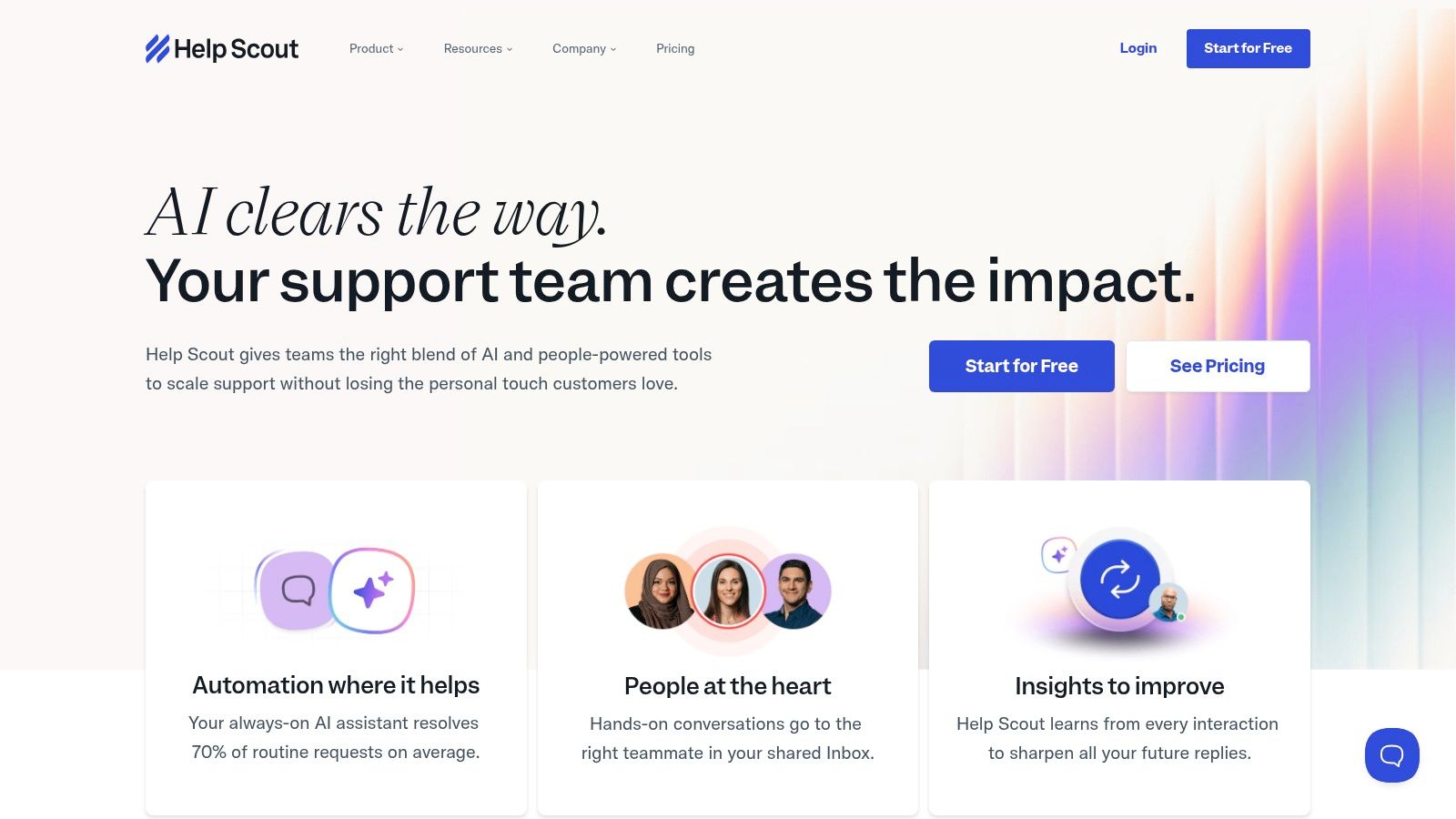
What makes Help Scout stand out is its commitment to a clean, clutter-free user interface that feels like a standard email client, reducing agent training time significantly. Its features are built around collaborative efficiency, including private notes, collision detection to prevent duplicate replies, and powerful workflow automation to handle routine tasks. The focus is on facilitating meaningful conversations rather than just closing tickets.
Key Details & Considerations
- Best For: SMBs, SaaS companies, and non-profits that need a powerful shared inbox and knowledge base without the complexity and cost of an enterprise-level suite. It's perfect for teams focused on delivering high-quality, personalized support.
- Pros: The platform is incredibly intuitive, allowing for fast onboarding. It offers simple, transparent per-user pricing with a generous allowance for light users, and its reporting tools are straightforward yet effective for measuring team performance.
- Cons: Its native omnichannel capabilities are limited; live chat and voice are less integrated compared to all-in-one suite vendors. Some advanced automation and reporting features are gated behind higher-priced plans.
- Pricing: Plans begin at $20 per user/month, offering core features like multiple mailboxes and a knowledge base. The popular Plus plan at $40 per user/month adds advanced workflows and integrations. An AI Answers add-on is available with per-resolution pricing.
Website: https://www.helpscout.com
5. HubSpot Service Hub
HubSpot Service Hub is a powerful choice for businesses already invested in the HubSpot ecosystem. As a component of its all-in-one platform, this customer service software natively integrates with its world-class CRM, providing a complete, 360-degree view of every customer interaction across marketing, sales, and support. This unified approach eliminates data silos and empowers teams to deliver highly personalized and context-aware service.
The platform's strength lies in turning customer service from a cost center into a growth engine. It combines a collaborative help desk, knowledge base tools, customer feedback surveys (NPS, CSAT), and robust automation. Because it shares the same foundation as HubSpot's marketing tools, it excels at connecting support data to the broader customer journey, making it a truly strategic addition to any growth-focused team. For more information on its automation capabilities, you can learn about HubSpot's marketing automation tools.
Key Details & Considerations
- Best For: Companies using or planning to use the HubSpot CRM that want a single source of truth for all customer data and interactions across marketing, sales, and service departments.
- Pros: Seamless integration with HubSpot's CRM provides unparalleled context. It offers an extensive app marketplace and excellent free educational resources through HubSpot Academy. Free view-only seats help keep cross-departmental visibility affordable.
- Cons: The true power is unlocked when used with the full HubSpot suite, making it less ideal as a standalone tool. Mandatory onboarding fees for professional and enterprise tiers can be a significant upfront cost, and per-seat pricing can become expensive as teams grow.
- Pricing: A free plan with basic ticketing and live chat is available. Paid plans start at $45/month for two users, with Professional plans starting at $450/month for five users.
Website: https://www.hubspot.com/products/service
6. Salesforce Service Cloud
As an enterprise-grade CRM powerhouse, Salesforce Service Cloud stands as a monumental option for the best customer support software, particularly for organizations needing deep, native integration with their sales and marketing data. It provides a 360-degree view of the customer, enabling highly personalized service across a multitude of channels, including email, phone, social media, and messaging apps.
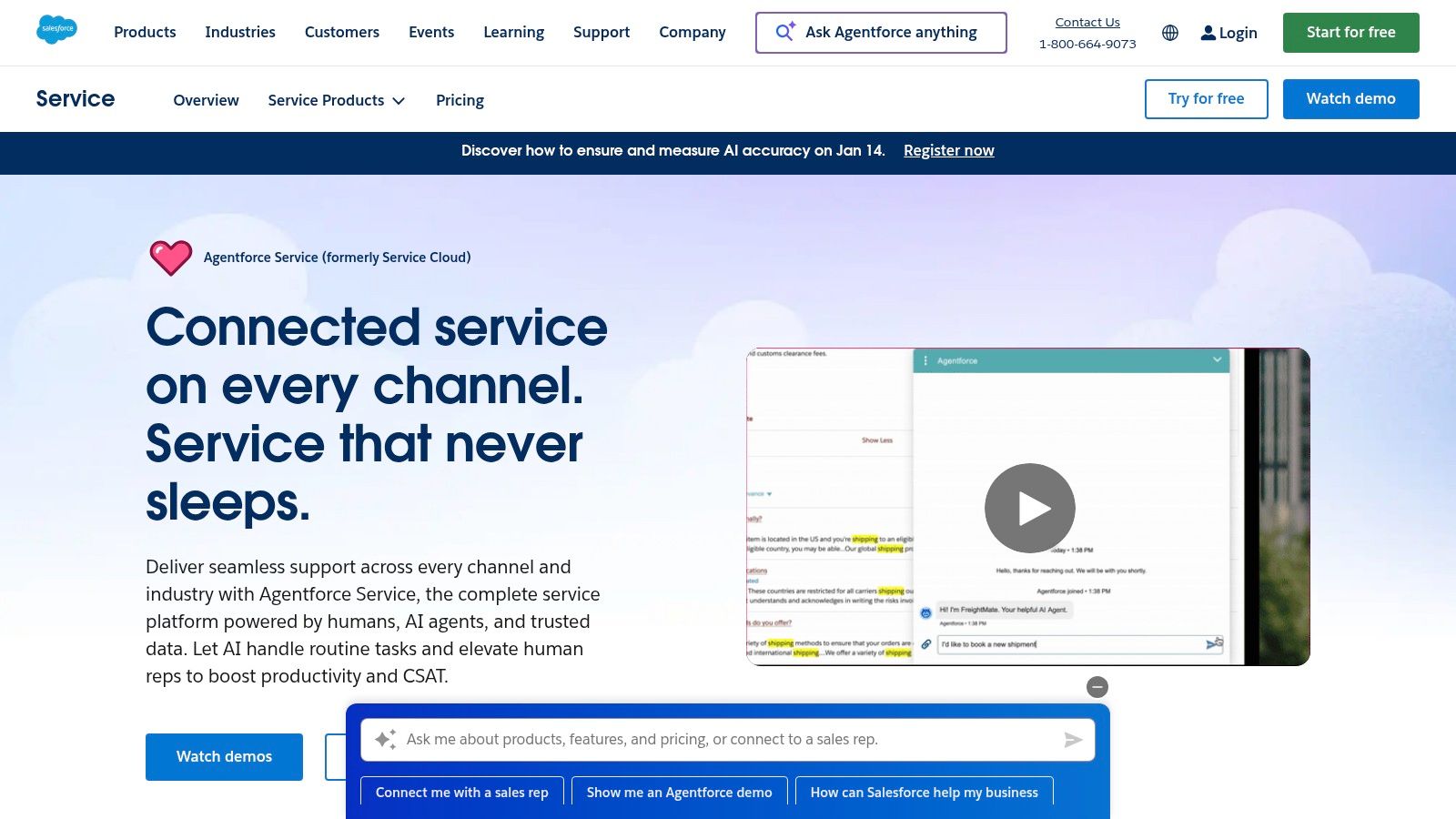
What truly distinguishes Service Cloud is its unparalleled customization and the vast AppExchange ecosystem. The platform can be configured to manage extremely complex service processes, from advanced case routing and field service management to sophisticated AI-powered bots and analytics. Its integration with the broader Salesforce platform means support teams have access to complete customer histories, creating a unified and powerful operational backbone. This makes it a go-to for large, multifaceted companies with intricate support needs.
Key Details & Considerations
- Best For: Large enterprises and complex organizations that are already invested in the Salesforce ecosystem. It’s ideal for businesses requiring extensive customization, powerful automation, and a unified view of the customer across sales, marketing, and service.
- Pros: Almost infinitely configurable to meet complex organizational needs. The AppExchange and broad partner network provide endless integration possibilities. It also offers powerful AI and analytics capabilities natively within the platform.
- Cons: Carries a higher total cost of ownership, often requiring a dedicated Salesforce administrator for setup and maintenance. The pricing structure and packaging can be complex to navigate, making it a significant investment.
- Pricing: Plans start at $25 per user/month for basic case management, with the more comprehensive "Unlimited" plan priced at $300 per user/month. AI and other features are often available as add-ons.
Website: https://www.salesforce.com/service
7. Zoho Desk
Zoho Desk positions itself as the industry's first context-aware help desk, offering a powerful and affordable solution for teams of all sizes. As a key part of the extensive Zoho ecosystem, it provides seamless, native integrations with Zoho CRM and other business apps, making it a strong contender for the best customer support software for companies already invested in the Zoho suite. It offers robust multichannel support, bringing together email, phone, live chat, social media, and web forms into a single, unified interface.
What truly sets Zoho Desk apart is its incredible value proposition, including a generous free plan for up to three agents. It doesn't skimp on features, providing advanced capabilities like workflow automation, SLA management, and even generative AI-powered assistance through its Zia assistant. This combination of affordability and deep functionality makes it an exceptionally strong choice for startups and SMBs looking for an enterprise-level tool without the enterprise price tag.
Key Details & Considerations
- Best For: Small to mid-sized businesses, particularly those using other Zoho products, who need a feature-rich help desk on a budget. The free plan is perfect for startups just getting started.
- Pros: Exceptional value with a robust free tier and affordable paid plans. It offers deep integration with the wider Zoho ecosystem and includes powerful automation and AI features.
- Cons: The user interface and initial setup can feel complex due to the sheer number of features available. Getting the most out of the platform often requires climbing a moderate learning curve.
- Pricing: A forever-free plan is available for up to 3 agents. Paid plans start at a very competitive $7 per agent/month, with more advanced tiers at $20 and $35 per agent/month.
Website: https://www.zoho.com/desk
8. Gorgias
Gorgias is a help desk built from the ground up for ecommerce, making it a powerful contender for the best customer support software for online stores. It centralizes customer conversations from email, live chat, SMS, and social media (including Facebook, Instagram, and TikTok comments/DMs) into one unified view.
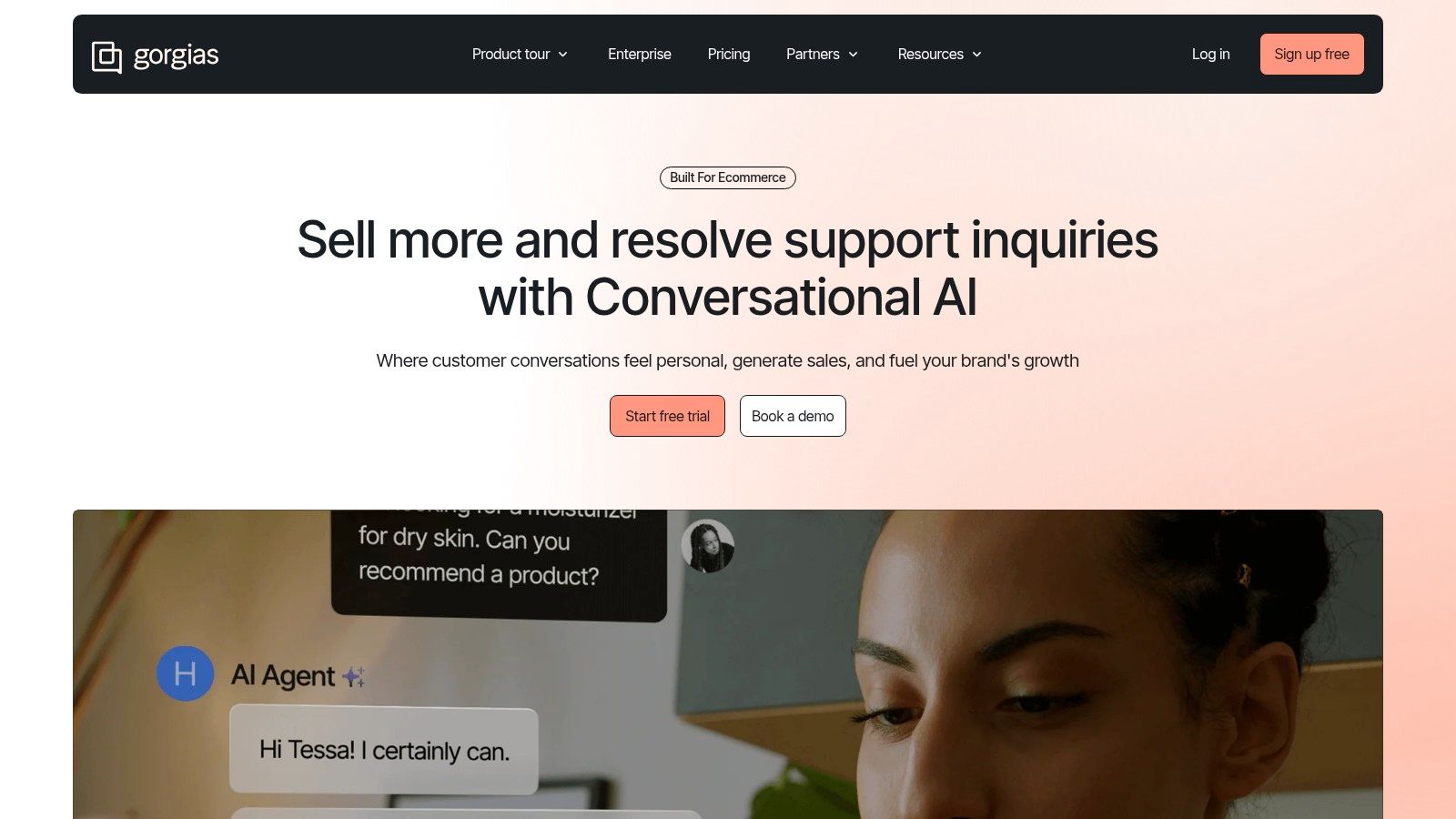
What makes Gorgias truly unique is its deep, native integration with platforms like Shopify, Magento, and BigCommerce. Agents can view customer order history, edit orders, issue refunds, and apply discounts directly from the help desk without switching tabs. This ecommerce-centric approach turns customer service into a revenue-generation channel, as agents have the context needed to upsell and resolve issues efficiently. Its pricing model, based on ticket volume rather than agent seats, also supports this focus.
Key Details & Considerations
- Best For: Ecommerce brands, especially those on Shopify or Shopify Plus, that want to streamline support and leverage it for revenue growth. It’s ideal for teams that need deep commerce platform integrations.
- Pros: Exceptional ecommerce-native workflows and deep Shopify integration save significant agent time. Most plans include unlimited users, which is cost-effective for growing teams.
- Cons: The ticket-based pricing model means costs can spike unpredictably during high-volume periods like sales events. It is less suitable for non-commerce businesses that don't need its specialized features.
- Pricing: Plans start at $50/month for 300 tickets. An optional AI Agent is priced per resolved conversation, and overage fees apply if you exceed your plan's ticket limit.
Website: https://www.gorgias.com
9. Front
Front transforms the traditional inbox into a collaborative customer operations platform, making it a unique contender for the best customer support software. It consolidates all customer conversations from email, SMS, social media, and WhatsApp into shared inboxes, allowing teams to assign, comment on, and resolve issues together without leaving their primary workspace. This approach prevents conversations from getting lost and gives teams complete visibility into customer communication.
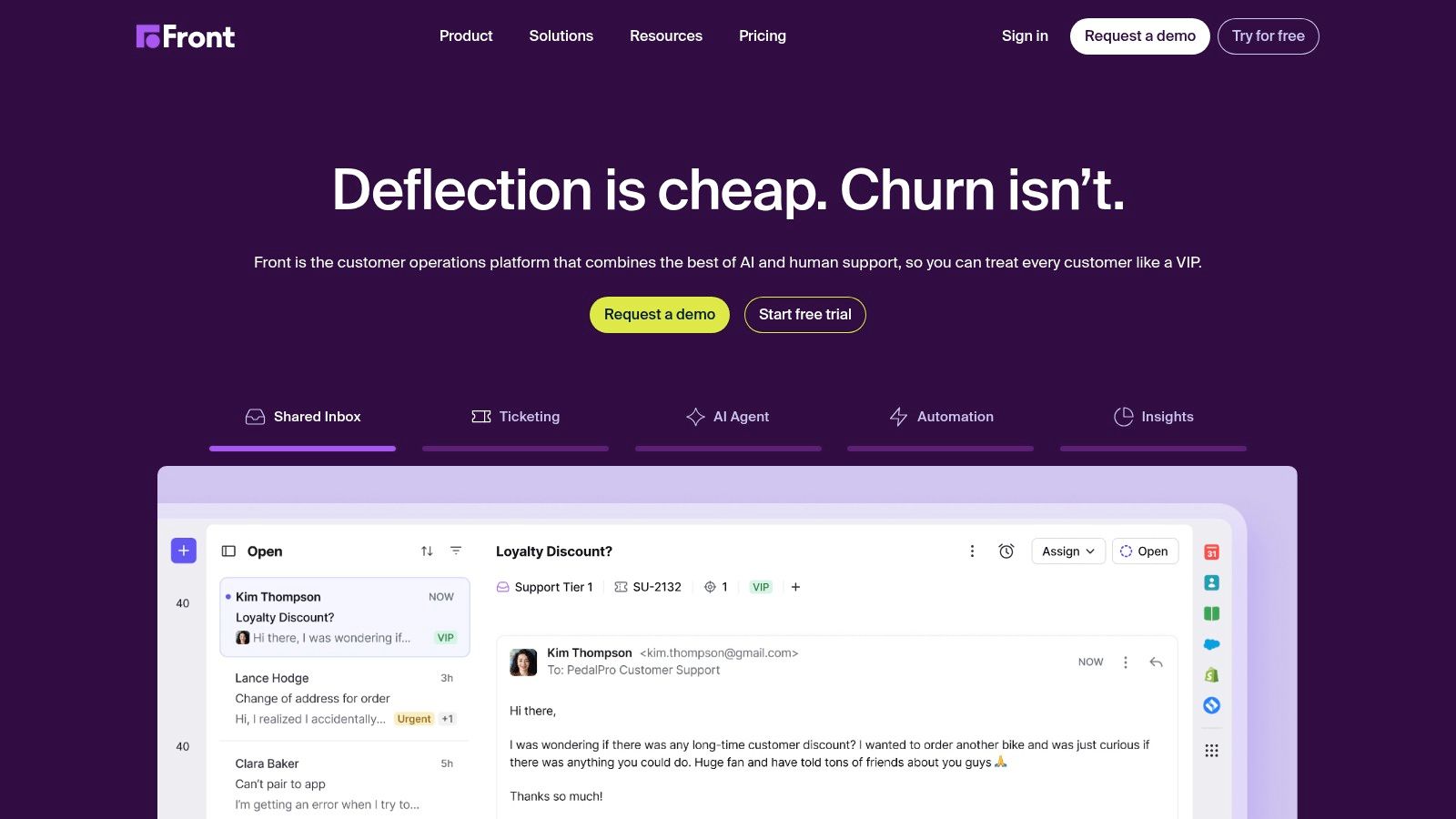
What truly makes Front stand out is its deep focus on internal collaboration layered on top of external communication. Teammates can use internal comments on messages, @mention colleagues to loop them in, and share drafts before replying to customers. This seamless blend of a help desk and a communication hub is ideal for teams that need context and teamwork to deliver high-quality, personal support. Powerful automation rules and integrations with tools like Salesforce and Jira further streamline workflows.
Key Details & Considerations
- Best For: Teams that heavily rely on email and messaging for support and require strong internal collaboration features. It's excellent for businesses aiming to provide a high-touch, personalized customer experience.
- Pros: Outstanding team collaboration and visibility, breaking down silos between departments. It offers flexible tiers that can grow with your team and has a modern, intuitive user interface.
- Cons: Some of its advanced AI features, like Copilot and automated QA, are priced as separate add-ons. The entry-level Starter plan is limited to a single communication channel, which may be restrictive for some businesses.
- Pricing: Plans start at $19 per user/month for the basic Starter plan. More advanced plans with multiple channels and deeper analytics start at $59 and $99 per user/month.
Website: https://front.com
10. ServiceNow Customer Service Management (CSM)
ServiceNow elevates customer service from a simple support function to a strategic, cross-departmental operation, making it a powerful contender for the best customer support software at the enterprise level. Built on the robust Now Platform, it excels at automating complex workflows that connect customer service teams with middle and back-office departments like engineering, finance, or operations to resolve root causes, not just symptoms.
What truly sets ServiceNow CSM apart is its focus on proactive service and operational efficiency. It uses AI-powered tools to identify and address potential issues before they impact customers, and its powerful workflow engine automates tasks across the entire organization. This integrated approach ensures that resolving a customer issue is a coordinated effort, leading to faster, more definitive solutions and preventing future problems.
Key Details & Considerations
- Best For: Large enterprises and complex organizations that need to connect customer service with other business operations. It’s ideal for companies with intricate B2B service needs or regulated industries requiring strong governance and process control.
- Pros: Unmatched enterprise-grade automation and workflow capabilities that span the entire business. The platform offers a very broad ecosystem, strong security, and powerful governance features.
- Cons: Implementation requires significant investment in both cost and effort, often necessitating specialized expertise. The custom-quote licensing model and overall complexity make it less suitable for smaller businesses.
- Pricing: Pricing is entirely quote-based and tailored to specific enterprise needs, reflecting its position as a high-end, custom solution.
Website: https://www.servicenow.com/products/customer-service-management
11. G2 — Customer Service Software Category
While not a software tool itself, G2's Customer Service category is an indispensable resource for anyone researching the best customer support software. It functions as a massive, peer-driven marketplace where you can compare hundreds of tools based on thousands of verified user reviews. This platform offers an unbiased, real-world perspective that marketing materials often can't provide.
What makes G2 uniquely valuable is its rich data and powerful filtering capabilities. You can use its interactive Grid reports to see how solutions stack up on user satisfaction and market presence, then drill down with filters for company size, industry, or specific features. This allows you to quickly move from a broad market overview to a shortlist of vendors that genuinely fit your business needs, all backed by authentic user sentiment.
Key Details & Considerations
- Best For: Teams in the research and selection phase who need to compare options, validate vendor claims, and understand real-world user satisfaction before committing to a platform.
- Pros: Access to a vast library of trusted, verified peer reviews. The comparison grids and advanced filtering tools are excellent for creating a data-driven shortlist of potential solutions.
- Cons: Sponsored placements can sometimes influence visibility at the top of category pages. Pricing information can occasionally be outdated, so it’s crucial to verify costs directly on the vendor's website.
- Pricing: Free to access and browse all reviews, comparisons, and reports.
Website: https://www.g2.com/categories/customer-service
12. Capterra — Customer Service Software Directory
While not a software tool itself, Capterra is an indispensable resource for anyone searching for the best customer support software. As a leading software directory, it provides a comprehensive landscape of available tools, complete with verified user reviews, detailed feature breakdowns, and side-by-side comparison capabilities. This makes the daunting task of researching and shortlisting potential solutions significantly more manageable.
What makes Capterra particularly useful is its robust filtering system and curated buyer’s guides. You can narrow down hundreds of options by features, pricing models, business size, and industry, helping you find a niche tool that fits your exact needs. Its vendor profiles often include screenshots, videos, and direct links to demos, centralizing the initial discovery phase and saving you countless hours of manual research across different vendor websites.
Key Details & Considerations
- Best For: Founders and managers in the initial research phase who need to survey the market, compare features, and create a shortlist of relevant customer support tools.
- Pros: Broad coverage of both well-known and niche software. The filtering system is powerful for creating targeted lists, and verified user reviews provide valuable, real-world insights.
- Cons: Sponsored listings can sometimes get preferential placement, which may influence visibility. Additionally, pricing and feature data may occasionally lag behind a vendor's most recent updates.
- Pricing: Free to use for software buyers. Vendors pay for placement and lead generation.
Website: https://www.capterra.com/customer-service-software/
Top 12 Customer Support Software Comparison
| Product | Core features ✨ | Quality ★ | Price / Value 💰 | Best for 👥 | Standout 🏆 |
|---|---|---|---|---|---|
| Zendesk | ✨ Omnichannel agent workspace, automation, analytics | ★★★★☆ | 💰 Mid→Enterprise; add‑ons increase cost | 👥 Scaling startups → enterprises | 🏆 Large app ecosystem & security |
| Intercom | ✨ In‑app messenger, shared inbox, AI agents, automation | ★★★★☆ | 💰 Usage‑linked AI; seat + usage pricing | 👥 Product‑led SaaS teams | 🏆 AI‑first in‑app engagement |
| Freshdesk (Freshworks) | ✨ Ticketing, omnichannel, Freddy AI, SLAs | ★★★★☆ | 💰 Competitive tiers + free trial | 👥 Small→mid teams on a budget | 🏆 Strong value + quick setup |
| Help Scout | ✨ Email‑first shared inbox, KB, workflows | ★★★★☆ | 💰 Transparent per‑user pricing | 👥 SMBs & lean SaaS teams | 🏆 Simple UX & fast onboarding |
| HubSpot Service Hub | ✨ Help desk + native CRM, automation, surveys | ★★★★☆ | 💰 Free view seats; seat pricing scales | 👥 Teams wanting unified CRM | 🏆 Tight CRM integration & reporting |
| Salesforce Service Cloud | ✨ Case mgmt, contact center, deep automation | ★★★★★ | 💰 High TCO; custom quotes | 👥 Large enterprises with complex ops | 🏆 Highly configurable & partner network |
| Zoho Desk | ✨ Ticketing, multichannel, multilingual, AI | ★★★☆☆ | 💰 Free plan (≤3 users) + low‑cost tiers | 👥 Budget‑conscious small teams | 🏆 Best low‑cost full‑featured option |
| Gorgias | ✨ Unified inbox, Shopify actions, AI automations | ★★★★☆ | 💰 Ticket/volume‑based pricing (overages possible) | 👥 Ecommerce brands (Shopify) | 🏆 Deep Shopify-native workflows & revenue tracking |
| Front | ✨ Shared inboxes, rules/macros, analytics, AI add‑ons | ★★★★☆ | 💰 Flexible tiers; some paid AI add‑ons | 👥 Teams that live in email/messaging | 🏆 Team collaboration & visibility |
| ServiceNow CSM | ✨ Case mgmt, virtual agents, orchestration, WFM | ★★★★★ | 💰 Custom pricing; higher implementation cost | 👥 Enterprise ops & governance | 🏆 Powerful workflows & cross‑dept automation |
| G2 — Customer Service Category | ✨ Verified reviews, rankings, filters, grids | ★★★★☆ | 💰 Free to browse; sponsored placements exist | 👥 Buyers shortlisting tools | 🏆 Scale of peer reviews & category insights |
| Capterra — Customer Service Directory | ✨ Directories, buyer guides, comparisons | ★★★★☆ | 💰 Free browse; sponsored profiles can rank higher | 👥 Buyers researching options | 🏆 Long‑standing buyer guides & filters |
Making Your Final Decision: A Founder's Checklist for Choosing Support Software
We've explored a comprehensive landscape of the best customer support software available today, from enterprise powerhouses like Zendesk and Salesforce Service Cloud to startup-friendly solutions like Help Scout and Intercom. Each tool offers a unique blend of features, pricing models, and strategic advantages tailored to different business needs, whether you're a fast-growing SaaS, a high-volume ecommerce store, or a B2B enterprise.
The key takeaway isn't that one platform is definitively superior to all others. Instead, the "best" choice is the one that aligns most precisely with your specific operational realities, customer expectations, and future growth trajectory. The right software should feel like an extension of your team, not a barrier to providing exceptional service.
Recapping the Core Categories
As you deliberate, remember the distinct categories we covered. For an all-in-one, integrated platform that grows with you, tools like HubSpot Service Hub and Freshdesk provide a powerful, unified ecosystem. If your focus is on proactive, conversational support and marketing automation, Intercom remains a dominant force.
For teams that prioritize a human-centric, collaborative approach, especially those who value shared inboxes and a less transactional feel, Help Scout and Front offer compelling alternatives. Meanwhile, ecommerce brands dealing with high ticket volumes and deep platform integrations will find Gorgias to be an invaluable, purpose-built ally.
A Practical Checklist for Your Evaluation
Before you commit, run your top contenders through this final founder's checklist. This isn't just about features; it's about fit, function, and future-proofing your customer experience.
- Map Your Customer Journey: Where do your customers need help most? Is it during onboarding, post-purchase, or technical troubleshooting? Choose a tool that excels at those specific touchpoints.
- Assess Your Team's Workflow: How does your team currently communicate and resolve issues? A shared inbox model (like Front) is fundamentally different from a traditional ticketing system (like Zendesk). Select a platform that enhances, rather than disrupts, your team's natural workflow.
- Audit Your Tech Stack: List every critical tool your business uses, from your CRM and ecommerce platform to your internal chat app. Check the native integration capabilities of your shortlisted software. Poor integration leads to data silos and inefficient, manual workarounds.
- Forecast Your Scalability Needs: Where will your company be in 18-24 months? The cheap, simple tool that works for a two-person team might buckle under the pressure of 500 tickets a day. Consider the upgrade paths and enterprise-level features you might need down the line.
- Calculate the Total Cost of Ownership (TCO): Look beyond the monthly subscription fee. Factor in potential costs for implementation, training, add-on features (like advanced AI or analytics), and per-agent seat scaling. A platform with a higher initial cost may offer a lower TCO if it includes features you'd otherwise have to purchase separately.
- Run a Real-World Trial: Sign up for free trials with your top two or three choices. Don't just click around; import a small subset of real tickets and have your team work within the platform for a few days. This is the single most effective way to gauge usability and identify potential friction points.
Ultimately, choosing the best customer support software is a strategic investment in your brand's most valuable asset: its relationship with its customers. The right platform will not only help you resolve issues efficiently but also empower you to build lasting loyalty, gather invaluable product feedback, and turn your support function into a powerful engine for growth.
Once you've chosen your software and are ready to grow, getting your SaaS in front of the right audience is the next critical step. SubmitMySaas helps you get listed on over 40 SaaS directories and review sites, putting your product in the path of founders and teams actively searching for new solutions. Visit SubmitMySaas to start your targeted outreach campaign and accelerate your user acquisition.