By Outrank
Remote Work Productivity: What Actually Works in 2026
Remote work productivity depends on focus time, async habits and outcomes, not hours online. Practical steps for setup, routines and metrics.
On this page
Remote work didn't raise output in one major trial, yet people still stayed. In the trial of 1,612 employees reported by PubMed, working from home two days per week produced no significant difference in performance grades or promotions over two years, while reducing quit rates by roughly one-third. That's the reframe for remote work productivity. If you only count visible activity, you'll miss retention, quality and sustainability. The better question isn't whether remote work wins. It's which design fits the task, the worker and the result you need to prove.
Remote Work Productivity Numbers Worth Knowing
Remote work productivity findings from three studies
| Study | Setting | Key result | Caveat for your team |
|---|---|---|---|
| Ctrip call-center trial (2015) | 249 volunteers, nine months | Home workers produced 13% more | About half later returned to the office, partly over promotion worries |
| Hybrid policy trial, Chinese technology company | 1,612 employees, six months plus 24-month follow-up | Performance grades statistically equal; attrition fell from 7.2% to 4.8% | Retention benefit not seen among managers |
| Global Survey of Working Arrangements (2023) | 12,730 people in more than 20 countries | Younger, more educated, and longer-commute workers more often perceived higher productivity at home | Measures perceptions, not controlled output |
What Each Row Lets You Decide
The Ctrip row is your strongest causal signal for standardized work. The Stanford Institute for Economic Policy Research summary of the Ctrip experiment reports that employees assigned to home working produced a 13% performance increase, with roughly 9% from working more minutes per shift and approximately 4% from completing more calls per minute. Fewer breaks and sick days drove the extra minutes. A quieter home environment helped the pace.
Don't copy that 13% into a SaaS forecast. Call output is countable in a way product discovery, design judgment and incident handling aren't. Use the row to justify a test in a role with clear output, short cycles and limited handoffs. Then design for the warning on the right side of the table. If remote staff fear they're invisible when promotions are decided, output gains won't keep them remote, or keep them at all.
The hybrid row points to a different payoff. Performance held steady while fewer people left. For a SaaS team, that matters because a stable engineer or support specialist carries customer history, codebase context and release judgment that a new hire can't replace quickly. I would treat retention as an economic output, not a soft side benefit. Track it beside delivery, and slice the result by role. The manager exception tells you coordination-heavy work may need more shared time, better meeting design, or both.
The global survey row helps you segment, not set targets. Longer commutes and more frequent home working align with stronger perceived productivity, which suggests travel time removed is part of the mechanism. Caregiving, education and age may also shape who benefits.
Treat each result as a hypothesis for your roles. It isn't a benchmark another company's staff owe you.
A practical sequence follows. Pick one standardized workflow for a direct output test, one hybrid team for a performance and retention test, and survey perceived productivity only to find where commute or home setup creates friction. Keep the three answers separate.
How to Build a Focus-Friendly Workspace and Routine
Start with the routine, then fix the room. A good chair won't rescue a day that begins in your inbox and never formally ends.
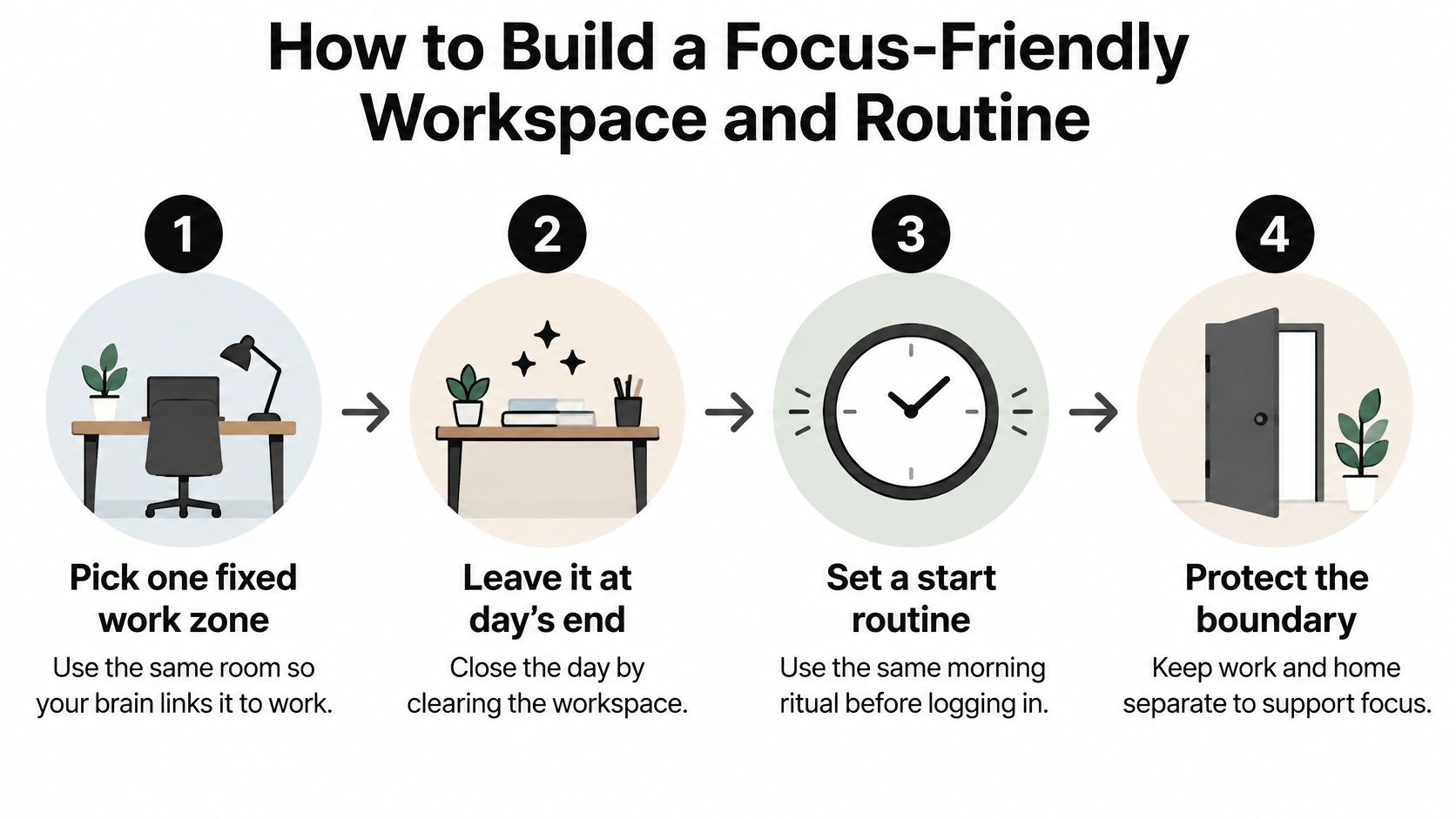
Six Steps That Protect Attention
- Pick one fixed work zone. Sit in the same place each day and leave it when work ends, so the location becomes a cue to start and stop. The common slip is drifting to the sofa with a laptop, which blurs rest and work until neither feels complete. A spare corner beats a perfect office you keep rearranging. A minimalist office set up guide can help you keep only what supports the work within reach.
- Set your body up before fatigue sets your schedule. Place the top of the screen near eye level, about an arm's length away, and keep elbows near 90 degrees. Poor posture often shows up as a vague afternoon slump rather than obvious pain. Don't balance the laptop on your knees and call the resulting fidgeting a concentration problem.
- Control light and sound at the desk. Sit beside a window instead of facing one, so glare doesn't compete with the screen. Use a noise reducing headset when traffic, housemates or building work break your train of thought. The slip is turning music louder all day. That masks noise, but it can also occupy the attention you're trying to protect.
- Open with a ten minute plan. Start at the same time and name three priorities, each written as a finishable outcome. A long to-do list hides the work that matters among errands and replies. Don't open email first. Other people's requests will happily replace your plan before you've made one.
- Put two focus blocks before lunch. Reserve two 90-minute blocks for the hardest priorities, set chat to away and turn notifications off. Keep replies, admin and meetings for later where the job allows. If attention fades between blocks, use recovery strategies for sustained attention as a practical reference for resetting instead of pushing through with more tabs open.
- Shut the day down deliberately. Write tomorrow's first task, note anything waiting on someone else, then close work tools and log off. Skipping this step leaves unfinished threads running through the evening. The next morning starts slower because you must reconstruct context you could've captured in two minutes.
You'll know the setup works when you can name your top three tasks by mid morning and you haven't checked messages during either focus block. If you can't, change the boundary or the start sequence before buying more equipment.
Choose Async-First Communication and Meeting Rules
Which channel and response window to use for each message type
| Message type | Best channel | Response window | Example |
|---|---|---|---|
| Quick question blocking a task | Team chat | Within 2 working hours | Which staging branch should I use for this fix? |
| Decision needing input | Shared document with comments | 24 hours | Comment on the proposed pricing change by Thursday |
| Status update | Project tracker or written update | Read by end of day | Launch checklist with 8 of 10 items done, blocked on legal |
| Complex trade-off discussion | Live meeting, 25 minutes | Scheduled in advance | Choose between two roadmap options for Q3 |
| Urgent production issue | Incident channel, then phone | Immediate | Checkout is failing for EU customers |
Give Every Message One Home
Default to writing. Reserve live time for disagreement, ambiguity and decisions that need rapid trade-offs. Status belongs in the project tracker, where the work already lives. Decisions belong in a shared document with a 24-hour comment window, a named owner and a deadline. Quick blockers go in team chat, but only when waiting would stop a task today.
Urgent incidents need a separate route. Put the alert in a dedicated incident channel, name who's on point, and escalate by phone if nobody acknowledges it. Don't let a production failure compete with lunch photos and routine questions in general chat. The distinction protects both speed and calm. People can mute ordinary channels during focus work because they trust true urgency will reach them another way.
Connect the tools so nobody becomes the integration. Let the tracker post status changes into one team channel. Link the decision document from the relevant ticket. Keep the final decision in the document, not buried in a thread. If you're reviewing your stack, compare your current setup against async communication tools for distributed teams and remove duplicate places where updates can hide.
Make Meetings Earn Their Time
Every meeting invite should state the decision needed, link the pre-read and name the decider. Default to 25 minutes. If no decision or relationship needs live discussion, replace the meeting with a written update or short recording. End by writing the decision, owner and next action where absent teammates can find them.
Say a support lead runs a Monday status meeting. Move it to three written bullets covering shipped work, current blocker and help needed. Keep a live call only for escalation reviews, where tone, customer risk and competing priorities need debate. The team gains a calmer Monday without losing sight of difficult cases.
Every new message should say what response it needs and by when.
That one habit prevents the worst async failure, which is chat treated as a constant interrupt. A question expected within 2 working hours is different from background reading due by Friday. Write the difference down. Managers must model it too, because a leader who pings at night and says no rush still creates rush. Schedule the send, or state clearly that the next working day is fine.
Ready-to-Use Templates for Remote Teams
Copy these formats into your tracker, shared documents and incident channel. Plain text is enough. Consistency matters more than polished formatting because readers learn where to look.
Five Templates to Paste This Week
- Weekly written update. Done, with percent complete. Blocked by, with the named owner and date. Decision needed, with the date it must be made by. Keep it to three lines per item so status stays scannable.
- Decision document. State the question in one sentence. List two or three options with trade-offs, add your recommendation, set the 24-hour comment deadline, and name the decision owner. Close comments by recording the chosen option at the top.
- Meeting agenda. Put the decision needed on the first line. Add the pre-read to the invite, cap the meeting at 25 minutes, and name the decider and note-taker before anyone joins. If there's no decision, question whether the meeting should exist.
- Incident note. Write what's failing, who's on point, the customer impact, and the time of the next update. Update that same note instead of scattering fragments across threads. New responders can then join without asking for a recap.
- Experiment log entry. Record the single change, baseline numbers, the keep or revert rule agreed in advance, and the review date. One change per entry keeps the result interpretable. If you run several changes together, the log becomes a diary rather than evidence.
For teammates who draft updates or review documents away from a desk, a practical guide to tablet productivity offers useful options for mobile capture and review. The tool can change. The fields shouldn't. When every writer uses the same structure, managers spend less time chasing missing owners and dates, and teammates in other time zones can act without waiting for the author to wake up.
Keep templates where the work happens, not in a separate handbook nobody opens. Pin the incident format in the incident channel. Save the agenda as the default meeting doc. Put the weekly update inside the project tracker.
Review the templates after a month. Remove fields nobody uses, and add a field only when its absence caused a real delay.
Keep Remote Teammates Included as You Scale
Default remote habits can narrow who gets to do good work. Fixed core hours can exclude caregivers, camera heavy meetings can disadvantage people with disabilities, and a single headquarters time zone can hand the same teammates late calls every week.
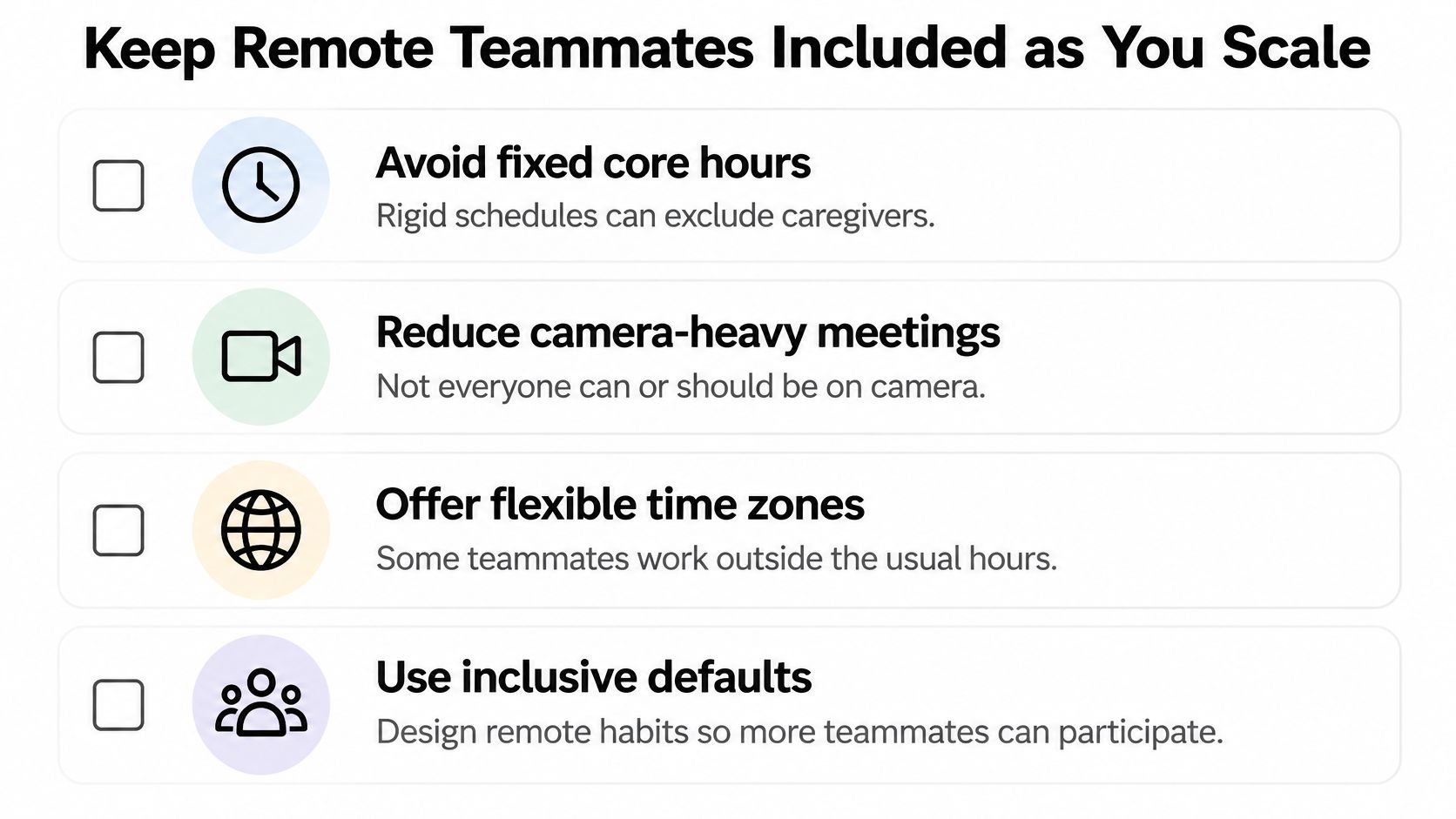
Design for the Person and the Task
Culture changes what a sensible policy looks like. A harmonized survey of college-educated full-time workers across 37 countries found that cultural individualism explained 29% of cross-country variation in working-from-home rates among 14,427 workers. That same research indicates flexibility can broaden participation for parents of young children, caregivers and people with disabilities. A practice imported from one country, function or senior team may misfire elsewhere.
Start by asking what the work requires. Deep individual work often travels well. Rapid coordination, mentoring, negotiation and crisis response may benefit from chosen in-person time or tighter overlap. Don't assign presence by status. Assign it by dependency, learning need and customer risk.
New remote hires need structure they can use without tapping someone on the shoulder. Give them a written first 30 days plan, a named buddy, recorded walk-throughs of core systems and pairing sessions rotated across time zones. Make the first deliverable small and real. Early shipped work builds belonging faster than a week of welcome calls.
Career visibility needs equal care. Share work in writing, present wins in a shared review, and make promotion criteria explicit. A monthly decision log also shows who framed problems, made calls and carried outcomes. Managers should review that record before calibration so quiet, well documented work doesn't lose to whoever talks most in live meetings.
If you're expanding the hiring pool while you redesign these defaults, reviewing the best remote staffing agencies can help you compare support for sourcing across regions. Hiring reach only helps if the operating habits let new teammates participate fully once they arrive.
A Short Test Before Any New Policy
- Who it helps. Name the specific role, schedule or access need.
- Who it could exclude. Check caregivers, disabled teammates and distant time zones.
- What the alternative is. Offer an async route, rotated time or optional collaboration day.
Rotate recurring meeting times, protect focus blocks, and publish decisions in the monthly log. Inclusion isn't an extra ritual after essential tasks. It's whether those tasks remain reachable as the team grows.
Measure and Test Remote Changes
Hours online are easy to count and easy to game. Message volume rewards noise. Meeting attendance proves someone occupied a calendar slot. None of those measures tells you whether customers got a reliable product sooner.
The photo below shows the level you should measure at, planned work and visible outcomes rather than screen presence.
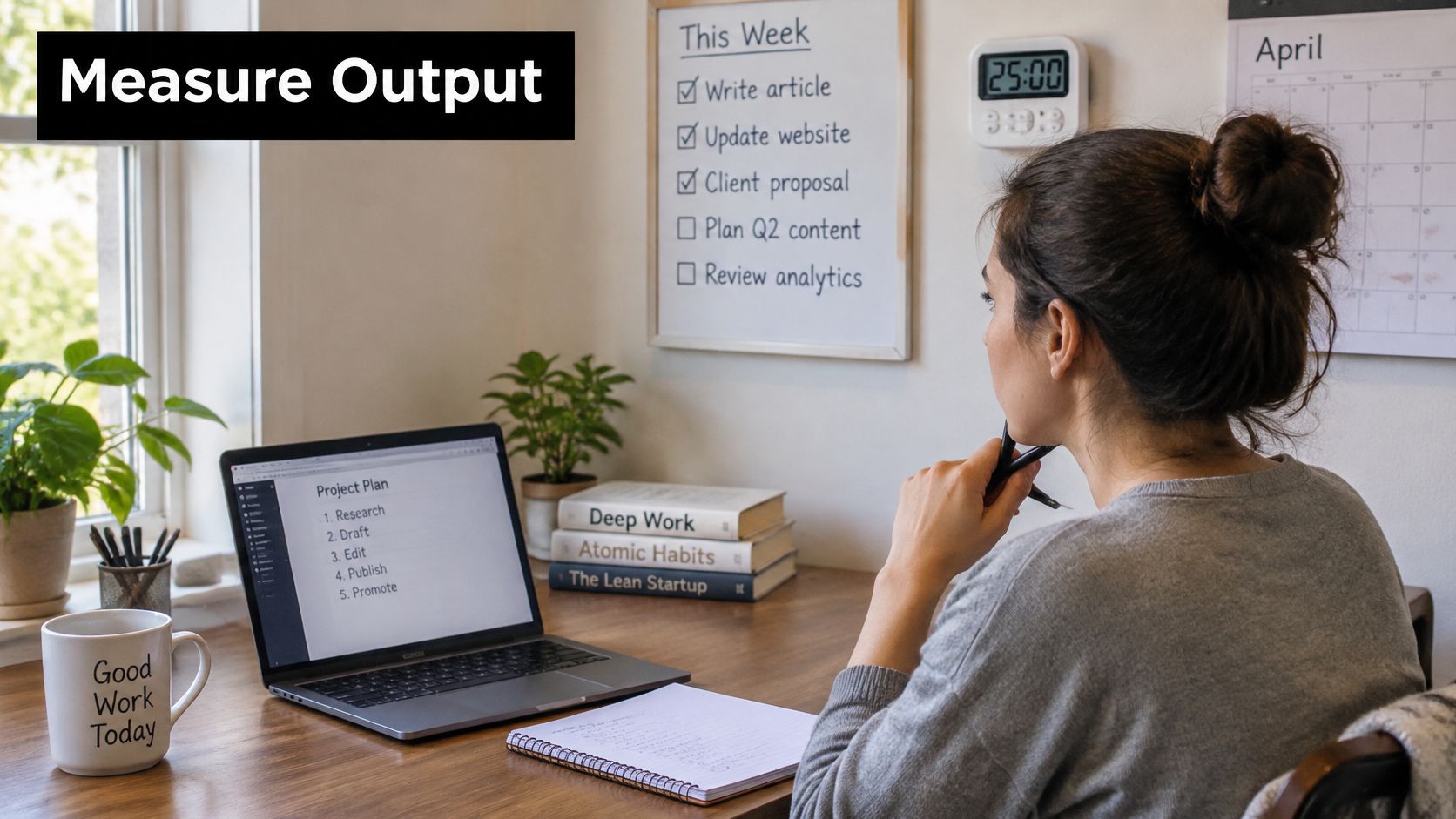
Track Delivery Quality and People Separately
Use three layers. For delivery, track cycle time from start to ship, milestones hit on time and throughput per sprint. For quality, track defect rate, rework and tickets reopened within 30 days. For people, track voluntary attrition, satisfaction pulse results and time to fill open roles. A policy can hold on delivery, improve retention and still deserve adoption.
The method matters as much as the metrics. The randomized hybrid work trial published through PubMed Central used pre-existing managerial performance reviews and observed reviews and promotions for an additional 24 months after a six month trial. It reported outcomes separately and warned against treating hours online or meeting attendance as productivity. Track managers separately too, because coordination roles may respond differently from individual contributors. Tools should support that outcome view, so choose productivity tracker software that reports delivery and quality rather than turning activity into a score.
This short video is useful for checking how your team frames productivity before you set a baseline.
Run a Four Week Test
- Pick one team and one change. Moving status meetings to written updates is a clean first test.
- Record a one week baseline. Capture cycle time, defect count, a three question pulse and open roles.
- Run the change for three weeks. Keep staffing, priorities and other policies as constant as you can.
- Compare in week four. Apply the rule you wrote before the test began.
- Share the result. State what changed, what didn't and what you'll try next.
Keep a change if delivery holds and attrition or satisfaction improves. Revert it if quality drops for two consecutive cycles. Review delivery and quality monthly, retention quarterly and promotions yearly. Don't judge after one noisy week, change two policies at once, or measure screen time because the dashboard makes it convenient.
Decision rule. Remote work productivity improves when shipped value and quality hold while people can sustain the pace and choose to stay.
If you're building a tool that helps distributed SaaS teams plan, communicate or measure outcomes, SubmitMySaas can put your launch in front of founders, makers and early adopters looking for their next useful product. Submit your project for visibility, feedback and a high-authority backlink, then use the response to test whether your product solves a real remote work problem.