Productivity Tracker Software: Features and Pricing 2026
Compare productivity tracker software by features, pricing and privacy limits, with picks for freelancers, agencies and engineering leads.
58% of workers fell below their productivity targets in ActivTrak's 2025 Workforce Utilization Benchmarks report, which covered 304,083 employees across 5,619 organizations, according to UC Today. A tracker that only counts motion will keep reporting that gap. It will not close it.
Productivity tracker software turns hours, app use, or collaboration signals into records you can bill from, staff against, or forecast with. Those records are only as good as the match between the question you have and the signal the tool records, plus whether people trust the numbers enough to stop rewriting them.
A freelancer logging one client and a people-ops lead scoring meeting load are not buying the same product. Judge each option by data reliability and privacy cost, then run a short test before you add seats.
Top Productivity Tracker Software at a Glance
The right shortlist is the tool whose primary job matches yours, whether that is logging billable hours, measuring activity, linking time to project tasks, or reading focus and collaboration.
| Tool | Primary job | Best fit | Pricing model | Main trade-off |
|---|---|---|---|---|
| Toggl Track | Manual timers and reports | Freelancers and small teams | Free tier plus per-user paid plans | Advanced reporting sits behind paid plans |
| Clockify | Timers and timesheets | Budget-conscious teams | Free tier plus paid plans | Admin controls and advanced reports need paid tiers |
| Harvest | Timesheets tied to invoicing | Agencies and consultancies | Free tier plus per-seat plans | Built around billing, weaker for internal-only work |
| Hubstaff | Time tracking with activity monitoring | Remote teams that need payroll links | Per-user subscription | Activity features raise privacy questions |
| ActivTrak | Activity analytics and utilization | Managers measuring team utilization | Per-user subscription, tiered | Measures activity proxies rather than outcomes |
| Everhour | Time tracked inside project tools | Teams working in Asana or Jira | Per-user subscription | Value depends on the connected project tool |
| Timely | Automatic time capture | Professionals with many client calls | Per-user subscription | Auto-captured entries need review to stay accurate |
| Clockwise | Calendar optimisation and focus time | Knowledge-worker teams with meeting overload | Free tier plus paid plans | Works from calendar data, not task output |
| Worklytics | Collaboration and productivity analytics | Engineering and people-ops leaders | Quote-based enterprise pricing | Team-level metrics need broad data-source access |
Read the Pricing model column before the feature list. Timer-first tools often open on a free tier. Activity monitors and analytics platforms are usually quoted per user or under an enterprise contract. Plan names, seat caps, and prices change often, so confirm the current sheet on each vendor's site before you decide.
Practical rule: Choose two or three tools whose primary job matches the question you need answered, then let the accuracy and privacy tests drop the rest.
If you are also scanning adjacent products, our roundup of best productivity tools sits beside this comparison.
What Productivity Trackers Measure and Why Types Differ
Productivity tracker software grew out of timesheets and attendance systems, then widened as work went remote. One 2023 estimate reported that 63% of remote teams used time-tracking software, compared with approximately 43% in 2019, according to a Stealth Agents analysis. That same analysis estimated the global time-tracking software market at approximately $1.57 billion in 2023, with a projected value of $3.3 billion by 2029.
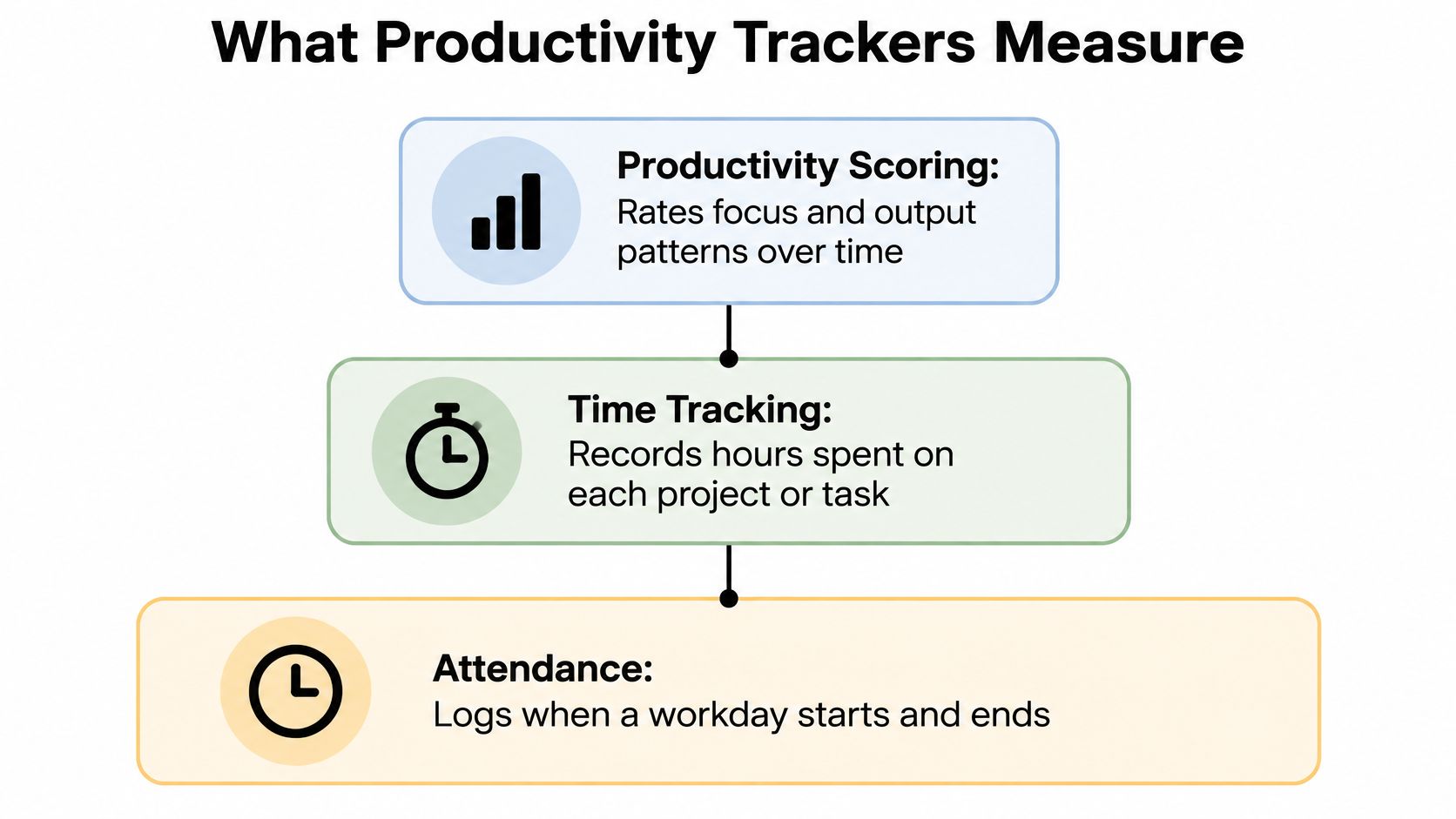
The category splits into four measurement models, and each one misleads in a different place.
Timesheet and billing trackers record logged hours by project and client. Agencies and consultancies buy them. They mislead when hours logged are not the same as work finished.
Activity monitors record active versus idle time and app use. Managers of distributed staff buy them. They mislead when a busy screen hides weak progress.
Project-linked trackers tie time to tasks inside project tools. Teams already running work in PM software buy them. They mislead when accuracy depends on consistent task setup.
Focus and collaboration analytics read meeting load, focus blocks, and collaboration signals. Engineering and people-ops leaders buy them. They mislead when calendar signals miss work done outside meetings.
An activity monitor can paint a busy analyst who is not moving the work. A billing tracker can show hours that were never really worked. The measurement model decides what the data can answer, so match the model to the question before you compare features. Vendor-influenced write-ups tend to claim stronger gains than independent academic findings, which often show short-term compliance rather than lasting quality.
Pros, Cons and Best Use for Each Tracker
Each block below keeps the same order, pro, con, best fit, so you can scan nine tools without rereading a sales page. Confirm current prices on each vendor's site before you commit.
Toggl Track starts a timer fast and keeps reports readable. The free tier covers individuals. Advanced reporting sits behind paid plans. Best for freelancers and small teams.
Clockify offers a generous free tier with timers and timesheets. Admin controls and advanced reports need paid tiers. Best for budget-conscious teams that want a wide door and a paid upgrade later.
Harvest pushes timesheets straight into invoices, which is the point for client work. It is weaker when the work is internal and nobody is billed. Best for agencies and consultancies.
Hubstaff pairs time tracking with activity monitoring and payroll links. Those activity features raise privacy questions you should settle in writing. Best for remote teams that need payroll, not a personal timer.
ActivTrak gives managers utilization analytics across a team. It measures activity proxies rather than finished outcomes. Best for managers who already have a defined utilization question.
Everhour tracks time inside Asana or Jira, so the log sits on the task. Its value collapses if the team does not live in that project tool. Best for teams already working there.
Timely captures time automatically, which helps professionals who jump between client calls. Auto-captured entries still need a human review or the day fills with noise.
Clockwise optimises the calendar and protects focus time. It works from calendar data, not from task output, so a clear calendar is not the same as shipped work.
Worklytics covers collaboration and productivity analytics at team level. Those metrics need broad data-source access, and pricing is quote-based.
Someone tracking a personal job search, rather than team hours, is solving a different problem. Career CRM options for job seekers from DashApply cover application pipelines, which a timesheet will not. For a closer look at timer products alone, see our time tracking software comparison.
What Productivity Tracker Software Costs as Teams Grow
The sticker price rarely predicts the annual bill. Cost follows the pricing model, the seat count, and the features you cannot skip.
Cloud deployment represented 71% of employee monitoring software revenue in 2025, according to Growth Market Reports. That is why nearly every product in this category is sold as a subscription rather than a one-time licence.
Four ways the bill grows
| Pricing model | How cost grows | Hidden costs | Fits |
|---|---|---|---|
| Free tier with paid upgrades | Zero until seat or feature limits are reached | Advanced reports, admin roles, single sign-on | Solo users and small teams testing a tool |
| Per-seat subscription | Linear with headcount | Integration, invoicing or payroll add-ons | Stable teams with predictable headcount |
| Per-seat activity monitoring | Linear, with higher tiers for analytics | Longer data retention, onboarding time | Managers with defined reporting needs |
| Enterprise quote | Negotiated, usually annual | Implementation, security and legal reviews | Large organisations with compliance requirements |
A free tier costs nothing until you hit a seat cap or a locked report. A per-seat plan grows in a straight line: ten users at a flat monthly rate cost ten times one user. Activity-monitoring plans usually step up again when you want longer retention or manager analytics. An enterprise quote is negotiated for the year and often bundles implementation and a security review you would otherwise run yourself.
Hidden line items show up after the demo. Watch for advanced reports, single sign-on, extra admin roles, invoicing or payroll add-ons, integration fees, and the hours your own people spend onboarding.
Copy this before you sign: seats multiplied by the per-user price of the tier that includes the features you require, plus add-ons, times twelve months.
A tutoring centre that bills families by session has a different cost shape again. Scheduling, tutor assignment, and parent invoices often matter more than a generic timer, which is where software for multi-tutor businesses from Tutorbase belongs in the comparison.
How to Test a Tracker's Accuracy Before You Commit
Vendor accuracy claims are thin. A 2024 peer-reviewed analysis of employee-monitoring software found that every product examined offered both time-tracking and productivity-tracking, yet claims about accuracy and fair decisions were weakly substantiated: 53.3% of vendors mentioned accuracy, while only 20.0% claimed monitoring supported fair evaluations, according to the Wiley study. Treat the marketing line as unproven until your own sessions agree with the log.
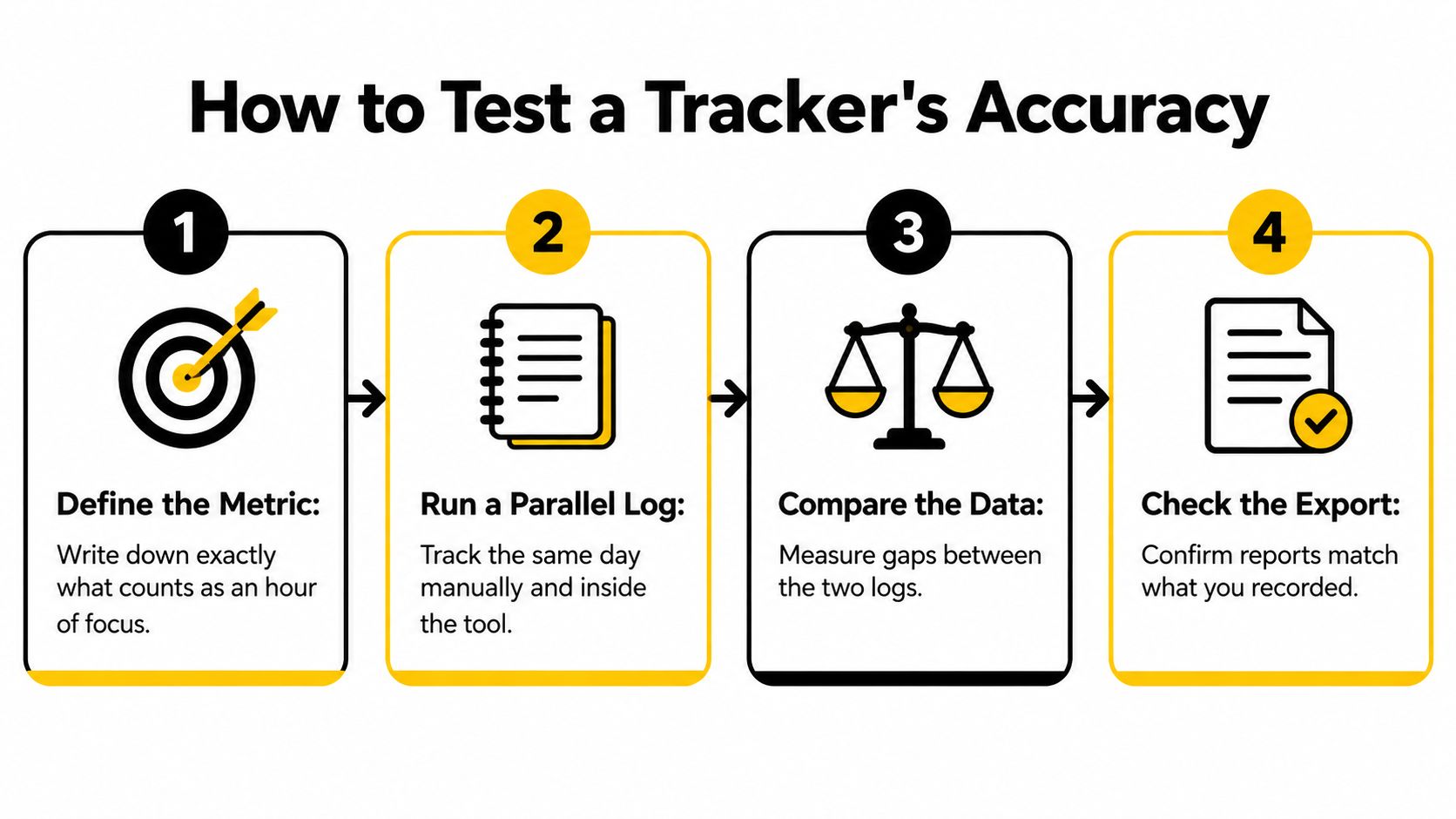
Eight checks over two weeks
- Pick known sessions. Choose three blocks you can time exactly, such as a two-hour writing block. Known ground truth is the only way to score the tool.
- Write the clock on paper. Record true start and stop times outside the software so the tracker cannot be its own witness.
- Run it in parallel. Use the candidate on the same work for two weeks. A single afternoon hides idle bugs and category mistakes.
- Compare session by session. Set your own tolerance before you look, for example logged time within 10% of the paper record. Decide the bar first so a close miss does not get excused.
- Test idle detection. Step away for ten minutes with a timer still running. Confirm the tool marks that gap as idle rather than as work.
- Test category rules. Create two activity classifications and check that known work lands in the right one. A mis-sorted hour will poison every report downstream.
- Export a week. Open the file in the sheet, invoicing tool, or payroll flow you already use. A pretty dashboard that will not export is a dead end.
- Score three things. Rate accuracy, editing effort, and whether the team trusts the numbers. A tool people keep correcting every Friday has already failed.
A tracker that needs heavy manual correction costs more than its subscription. Keep the one that stays inside your tolerance with the least cleanup, and drop the rest before anyone's review depends on it.
Privacy Limits to Check Before Rolling Out Monitoring
More visibility is not a productivity feature. It can be a liability. Recent reporting finds that workplace-monitoring systems can collect location, task completion, communications, and even camera data, and that some programs have shared worker names, email addresses, and other personal data with hundreds of external data brokers and technology companies without clear disclosure, according to AP News.
Remote and hybrid teams often sit under more than one privacy regime. A small founding team may have no lawyer and no security hire to read the vendor's subprocessors. Opaque capture reduces trust, pushes people toward workarounds, and leaves the employer with reputational risk. The privacy test is part of the productivity test.
Controls to verify in writing
| Control | What to verify | Red flag |
|---|---|---|
| Data collected | Exact fields, such as screenshots, keystrokes or location | Vague 'activity data' with no field list |
| Retention and deletion | Deletion windows and who can change them | No deletion option or undefined retention |
| Role-based access | Who sees individual data and raw screenshots | Managers see raw captures by default |
| Off-hours tracking | Whether tracking pauses outside the schedule | Capture runs continuously with no pause |
| Third-party sharing | Named subprocessors and data recipients | Sharing that is not disclosed or cannot be listed |
| Notice and consent | Employee notice and documented consent | Installation without notice |
| Voluntary mode | Self-tracking that the employee controls | Only employer-controlled monitoring is offered |
Ask for the field list, the deletion window, and the pause control before you ask for a demo of the dashboard. If the vendor cannot name who sees raw screenshots, stop. Staff should be able to tell voluntary self-tracking from employer surveillance. If you are drafting the notice that goes with any of this, our guide on how to write a privacy policy covers the disclosure side.
Metrics to Track for Each Role and What to Skip
Hours online are a weak score. A benchmark comparison of tracker architectures found that knowledge workers with at least 3.5 hours of daily focus time tended to report higher productivity, according to Worklytics. In that comparison, Worklytics reported 19 organization-level metrics, and LinearB covered 20 software-development metrics drawn from more than 6.1 million pull requests. A stronger tracker pairs an outcome, such as lead time or pull-request throughput, with focus and interruption, then reports at team level.

Why more metrics backfire
Gartner's 2025 research warns that leaning too hard on quantitative data can omit non-digital labour, encourage gaming, and harm engagement, and that gathering focused contextual information can have almost twice the productivity impact of collecting more metrics across a wider range, according to Gartner. Mentoring, research, and slow high-quality work disappear if the only score is keystrokes or app time.
| Role | Metrics to track | Proxies to skip |
|---|---|---|
| Engineering team | Pull-request throughput, lead time, focus blocks of 3.5 hours or more | Commits per day, keystrokes |
| Agency account manager | Billable hours against estimate, utilisation by client | Total hours logged regardless of output |
| Support or operations | Ticket resolution time, queue backlog | Active app time |
| Sales team | Pipeline movement tied to deal stages | Raw call counts |
| Solo founder | Planned versus actual hours on top three priorities | Daily hour totals |
Skip the proxy when it is easy to inflate without changing the result. An engineer can raise commits per day by splitting work. A salesperson can raise call counts without moving a stage.
If a metric changes behaviour without changing results, drop it. Keep the short list that a manager can explain in one sentence, and add context from the person who did the work before anyone treats the dashboard as a performance verdict.
Choose Your Tracker and Run a Two-Week Trial
There is no single winner. The fit follows the situation.
A solo freelancer or a two-person team with one client should start on a free-tier timer such as Toggl Track or Clockify, and pay only when reporting limits bite. An agency that bills clients should favour Harvest or another billing-linked timesheet, because hours have to match invoices. A remote manager with a defined utilization question can consider ActivTrak, but only after the privacy checklist passes in writing. An engineering lead who wants focus and delivery signals should look at Clockwise or Worklytics and stay at team-level reporting. An enterprise with compliance requirements should expect a quote-based contract and a formal security review, not a self-serve checkout.
If you want to see what else is launching in this neighbourhood, the Top Categories section on SubmitMySaas lists 268 projects under Artificial Intelligence, 268 under SaaS, 191 under Productivity, 112 under Marketing Tools, and 61 under Design Tools.
Start this week
- Shortlist two or three tools from the quick-pick table whose primary job matches yours.
- Run the accuracy test on the same work for two weeks, with a paper record beside the software.
- Send the privacy checklist to the vendor and keep the answers in writing.
- Tell staff what is collected before anyone installs the client, including what is not collected.
A tool that fails the parallel log, or that cannot name its data fields, is more expensive than the one with the higher seat price.
SubmitMySaas is a launch and discovery platform where founders submit SaaS, AI, and productivity products for daily launches, weekly Top Projects, and monthly roundups. If you are shipping productivity tracker software, or you are hunting the next tool in that category, browse what is live and submit your own product on SubmitMySaas. A listed launch puts the product in front of makers, early users, and operators who are already comparing tools like the ones in this guide.