How to Increase Email Open Rates with Proven SaaS Tactics
Discover how to increase email open rates using proven tactics for SaaS. Learn to craft better subject lines, segment audiences, and improve deliverability.
Let's be real: getting someone to open your email boils down to three things. You need a subject line that grabs their attention, content that feels like it was written just for them, and a technical setup that keeps you out of the spam folder. Master those, and you're golden.
Before we dive deep into the specific tactics, let's zoom out. The table below outlines the foundational pillars we'll be building on. Think of this as your cheat sheet for understanding why these strategies work.
Core Strategies for Higher Email Open Rates
| Strategy Pillar | Primary Goal | Example Tactic for a SaaS Launch |
|---|---|---|
| Audience Connection | Build trust and relevance. | Segmenting the waitlist to send a targeted "early access" invite to beta testers. |
| Inbox Presence | Capture attention immediately. | Crafting a subject line that creates urgency, like "Your private beta invite expires in 24 hours." |
| Technical Health | Ensure the email is seen. | Setting up DKIM and SPF records to prove to email providers you're a legitimate sender. |
Each of these pillars is crucial. A great subject line won't matter if your email lands in spam, and perfect deliverability is useless if your message is irrelevant. Now, let's get into the specifics of why this matters so much.
Why Your Email Open Rates Are a Critical SaaS Metric
When you're trying to grow a SaaS product, every single email has a job to do. Your open rate isn't just another number to report in a meeting; it’s the pulse of your audience engagement. A consistently low open rate is a massive red flag that there’s a disconnect between your product and the people you're trying to reach.
The biggest hurdle? Plain old inbox fatigue. The average person gets hit with over 120 emails a day. Yours is just one in a firehose of messages. If the subject line is boring or the sender name doesn't ring a bell, it's getting ignored. The battle for attention is won or lost in a split second.
More Than Just a Number
It's tempting to dismiss the open rate as a vanity metric, but that’s a huge mistake. It’s the first domino. If no one opens your email, you get no clicks. No clicks mean no trial sign-ups, no demo requests, and—you guessed it—no revenue.
For product and SaaS teams, this metric tells a much deeper story. It reveals:
- Message Resonance: Does anyone actually care about that new feature you just shipped?
- Brand Trust: Do people recognize your company name and trust you enough to click?
- List Health: Are you talking to an engaged audience or just shouting into the void?
An unopened email is more than a missed opportunity. It’s a quiet vote of "no confidence" from your subscriber. It tells you the value wasn't clear, the timing was off, or your message just wasn't important enough to win the click.
The Real Reasons Emails Go Unopened
Beyond the chaos of a crowded inbox, a few common missteps are usually to blame. Too many companies send generic, one-size-fits-all email blasts. That feature update you're so excited about? It might be totally irrelevant to a brand-new user who's still trying to figure out the basics. Without smart audience segmentation, you’re just training people to ignore you.
Then there are the technical gremlins that often go unnoticed. Things like a poor sender reputation or missing domain authentication (like SPF and DKIM) can send your carefully crafted emails straight to the spam folder. Your subscribers never even get a chance to see them.
Don't worry. We're going to break down exactly how to diagnose and fix all of this, turning your email program from a frustrating cost center into a reliable growth engine.
Craft Magnetic Subject Lines That Stand Out in a Crowded Inbox
Let's be honest: your subject line is the gatekeeper to your email. It's the first thing anyone sees, and it has about three seconds to convince someone to click open instead of archive or delete. Think about it—the average person gets pummeled with over a hundred emails a day. Yours has to be the one that breaks through the noise.
This isn't about writing clickbait. It’s about creating a genuine connection by speaking directly to your audience's needs and curiosities. A subject line that promises a clear benefit or poses an intriguing question will always outperform a generic one. Forget "Company Newsletter" or "Product Update." Those are basically invitations to be ignored.
Instead, get inside your user's head. What problem are they struggling with right now? Your subject line should be the first signal that you have the answer they're looking for.
The Psychology of a Great Subject Line
To write subject lines that consistently work, you need to understand what makes people tick. These aren't manipulative tricks; they're proven psychological triggers that align your message with what motivates people to act.
- Curiosity: We are naturally wired to fill gaps in our knowledge. A subject line that hints at something interesting without giving it all away creates a little bit of tension—an itch that can only be scratched by opening the email.
- Urgency: This is a classic for a reason. Deadlines or the idea of scarcity ("Last chance," "Ends tonight") create a sense of fear of missing out (FOMO) and prompt people to act now rather than later.
- Personalization: This goes way beyond just dropping in a
[First Name]tag. A truly personalized subject line might reference a user’s past actions, their specific role, or an interest they've shown. It makes the email feel less like a mass broadcast and more like a one-on-one conversation.
Think of your subject line as the headline of a news article. Its only job is to be so compelling that the reader has to see what's next. If it fails, the rest of your brilliant email goes completely unseen.
Practical Formulas for SaaS and Product Teams
Okay, let's move from theory to action. Having a few go-to formulas can be a lifesaver when you're staring at a blank screen. Here are some templates I've seen work time and again for SaaS campaigns.
For a New Feature Launch:
- The "Benefit + Tool" Formula: [Benefit] with our new [Feature Name]
- Example: Automate your entire content workflow with AI Writer
- The "Problem Solver" Formula: Stop [Pain Point] for good
- Example: Stop guessing what your customers want
For a Monthly Newsletter or Roundup:
- The "Curiosity Gap" Formula: The one [Topic] tip that changed everything
- Example: The one SEO mistake that's costing you traffic
- The "Listicle" Formula: [Number] ways to improve [Metric] this week
- Example: 5 ways to improve your user onboarding flow
Of course, the only way to know which formula works best for your audience is to test them. That's where choosing the right email marketing software is so important—you need a tool that makes A/B testing simple and intuitive.
The Power of Emojis and Brevity
In a sea of black and white text, a little color goes a long way. A well-placed emoji can make your email pop, grab attention, and convey an emotion much faster than words ever could.
Believe it or not, subject lines with emojis can boost open rates by as much as 56%. It’s a simple trick that helps you stand out. Think about launching a new feature:
- Without emoji: Launch Your New Feature Today
- With emoji: 🚀 Launch Your New Feature Today
The second one just has more energy, right? It draws the eye and feels more exciting.
A word of caution, though: don't go overboard. One or two relevant emojis work wonders, but a long string of them looks spammy and unprofessional. Always make sure they fit your brand's voice.
Length matters, too. With more than half of all emails now opened on mobile, long subject lines get cut off. I always recommend aiming for under 50 characters. This forces you to be direct and punchy, ensuring your whole message gets across on any screen. It’s a great exercise in clarity that pays off in higher open rates.
Use Smart Segmentation to Send Emails People Actually Want to Read
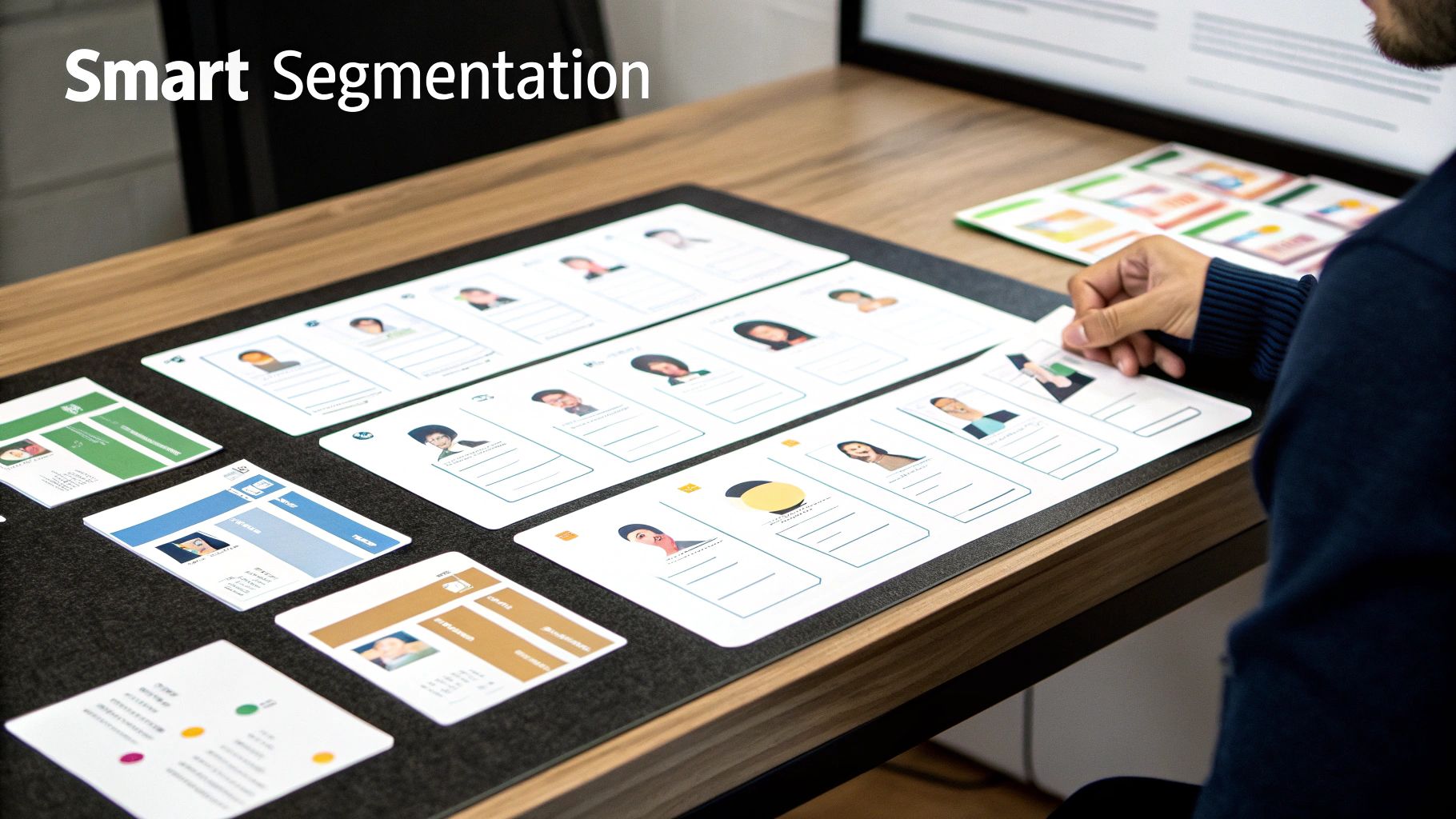
If there’s one lever you can pull for an almost immediate jump in open rates, it's segmentation. Sending a generic email blast to your entire list is like shouting into a crowded room and hoping the right person hears you. It’s time to stop broadcasting and start narrowcasting.
The whole point is to make every email feel like it was written just for that one person. The data doesn't lie: segmented email campaigns see 30% more opens and a whopping 50% more click-throughs compared to a "one-size-fits-all" approach. Why? Because relevance is everything in the inbox. When a subscriber knows your emails speak directly to them, they open them. Simple as that.
Go Beyond Basic Demographics
Moving past simple data points like location or company size is where the real magic happens. The most powerful segments are built around what your users actually do with your product or on your website. This is behavioral segmentation, and for SaaS and product teams, it’s a total game-changer.
Think about the stories your user data is telling you. You can build incredibly specific groups based on their actions, turning vague messages into precise, valuable nudges.
- Feature Adoption: Create one segment for users who’ve tried a key feature and another for those who haven't. The first group gets advanced tips to become power users, while the second gets a case study showing them what they're missing.
- Onboarding Progress: Got users who finished your setup checklist? Great, they're one segment. What about the ones who got stuck on step two? They're another, and each group needs a completely different kind of email.
- Purchase History: Segment customers by their subscription tier (e.g., Free, Pro, Enterprise). A Pro user doesn't need an email trying to sell them on an upgrade from the free plan—it's just noise to them.
This level of detail makes your content not just interesting, but immediately useful. That's how you build a loyal, engaged audience. If you're looking to get more advanced, you can explore some popular segmentation methods that dive even deeper into funnel tactics.
Segmenting by Engagement Level
Let’s be honest: not all subscribers are created equal. Some hang on your every word, while others haven't opened an email in months. Sending them the same message is a recipe for low open rates and a climbing unsubscribe count.
A smarter way is to split your list based on how they interact with you.
- Your Champions: These are your most active fans who open and click regularly. Reward them. Give them exclusive content, early access to new features, or a special discount.
- The Casual Readers: This group opens emails every now and then but isn't fully bought in. Your job is to win them over with your absolute best stuff—think major product updates, jaw-dropping case studies, or high-value guides.
- The At-Risk Group: These folks haven't opened an email in 60-90 days. It's time for a re-engagement campaign. A punchy subject line like, "Is this goodbye?" can often jolt them back. If they still don't bite, it's best to remove them to protect your sender reputation.
Pro-Tip: Sending emails only to your most engaged segments for a few weeks can give your overall sender reputation a serious boost. Email clients like Gmail see that high engagement as a great signal, improving your chances of landing in the primary inbox for all future sends.
Real-World Scenario: Segmenting a Waitlist
Imagine your SaaS is about to launch a new AI-powered analytics feature. Your waitlist has thousands of people, all with different roles and motivations. Instead of one big "It's here!" blast, you get strategic.
- Segment A: The Beta Testers. These are the users who got a sneak peek. You send them a personalized thank you, highlighting how their feedback made the final product even better. This makes them feel valued and part of the journey.
- Segment B: The Power Users. This group includes current customers on your highest subscription tier. They get an email focused on how the new AI feature integrates with the advanced tools they already use to drive more ROI.
- Segment C: The New Leads. These are people who aren't customers yet. Their email needs to hit on the core problem your AI feature solves, with a strong, clear call-to-action to book a demo or start a free trial.
By tailoring the message this way, each group receives an email that resonates with their specific situation. The result? A much higher open rate across the board, which leads to better activation and adoption from day one. Of course, pulling this off requires the right tools. You can find a platform that fits your needs in our guide to the best marketing automation software.
Finding Your Sweet Spot for Send Time and Frequency
Let's get one thing straight right away: there's no universal "best time" to send an email. If you ever read an article that claims Tuesday at 10 AM is the magic hour for everyone, you can safely close that tab. The perfect send time for your audience is buried in their unique habits, time zones, and daily routines.
Your job isn't to find a silver bullet; it's to become a data detective. The clues are sitting right there in your past campaign reports. By digging into what has already worked (and what hasn't), you can uncover the specific windows when your subscribers are most likely to be in their inbox and ready to engage. This is a non-negotiable step if you're serious about increasing your email open rates.
Learning Your Audience's Rhythm
Start by heading straight to your email service provider's analytics dashboard. Pull up your best-performing campaigns and start looking for patterns. Do you see a consistent spike in opens early in the morning? During the typical lunch hour? Or maybe late in the evening after the workday has wound down? These are the breadcrumbs that will lead you to a solid hypothesis.
Once you have that baseline, add some context. Think about who you're emailing. Are they developers who might scan their inbox before the morning stand-up, or marketers who are glued to their email all day long? For a global SaaS, time zones are a massive piece of this puzzle. A 9 AM send from New York is a 6 AM wake-up call in California and a mid-afternoon interruption in London.
The goal is to slide your emails into your subscribers' existing routines, not to interrupt them. A fantastic email sent when someone is too busy to read it is just as useless as a bad email sent at the perfect time.
Why Less Is Often More: The Power of Cadence
Just as important as when you send is how often you send. It's so tempting to believe that more emails create more chances to connect, but that logic almost always backfires. Blasting your list with daily updates is the fastest way to trigger subscriber fatigue, which sends open rates into a nosedive and unsubscribes through the roof.
The real key is to build a predictable, value-driven cadence. A single, high-impact weekly newsletter will always outperform three mediocre emails sent whenever you feel like it. Consistency builds trust and even anticipation. When subscribers know your Tuesday email is always worth their time, they start looking for it.
The data backs this up. Sending emails at a more deliberate frequency, like just two emails per month, can actually produce the highest open rates. This is a game-changer for SaaS founders on platforms like SubmitMySaas who need to nurture leads without annoying their lists of product hunters and investors. In a world where over 370 billion emails are sent every single day, being the one sender who respects the inbox is a massive advantage. You can find more insights about email frequency trends to help you dial in your own strategy.
Building a Simple Testing Framework
Alright, let's turn these ideas into a concrete plan. The only way to know for sure what works for your audience is to test it systematically.
Here’s a simple A/B testing framework:
- Formulate a Hypothesis: Based on your data, make an educated guess. For example: "I believe sending our newsletter at 8 AM on Wednesdays will get more opens than our current 2 PM Tuesday slot."
- Isolate One Variable: This is critical. To test send times, you must keep the subject line and email content identical for both versions. Changing too many things at once means you'll have no idea what actually caused the results.
- Run the Test: Send Version A (your control) to one segment of your list at the old time. Send Version B (your variant) to another, equal-sized segment at the new time. Make sure the segments are randomized.
- Analyze and Iterate: Give it 24-48 hours to collect data, then compare the open rates. If your hypothesis was right, the new time becomes your new standard. If not, it’s back to the drawing board with a new hypothesis.
You can use this exact same framework to test frequency. Try sending a weekly email to one group and a bi-weekly email to another for a month. Keep an eye on both open rates and unsubscribe rates—the winning cadence is the one that keeps engagement high without burning out your list.
A Non-Technical Guide to Email Deliverability
You could have the most amazing subject line and a perfectly segmented list, but it means absolutely nothing if your email lands in the spam folder. Before anyone can even think about opening your message, it has to arrive.
This journey from your server to their screen is called email deliverability, and it’s the unsung hero of high open rates. It’s the foundational work that makes everything else possible.
Think of it like sending a package. If the address is wrong, the postage is missing, or the carrier just doesn't trust you, it’s never going to get there. Email works the same way. Internet Service Providers (ISPs) like Gmail and Outlook are the postal carriers, and they have incredibly strict rules to protect their users from spam. Your job is to prove you're one of the good guys.
Proving You Are Who You Say You Are
First things first: you have to authenticate your domain. I know, it sounds technical, but the concept is simple. It's like showing your ID to prove you're actually allowed to send mail on behalf of your company.
Three key records handle this for you, and your email marketing platform almost certainly has a step-by-step guide to get them set up.
- SPF (Sender Policy Framework): This is just a public list of all the services you’ve authorized to send emails from your domain. It’s like telling Gmail, "Hey, if an email from my domain comes from Mailchimp or SendGrid, it's legit. Anywhere else? Be suspicious."
- DKIM (DomainKeys Identified Mail): This adds a digital signature to your emails—a sort of tamper-proof seal. It confirms that the message wasn't messed with on its way to the recipient.
- DMARC (Domain-based Message Authentication, Reporting & Conformance): This one is the enforcer. It tells ISPs what to do if an email fails the SPF or DKIM checks. You can tell them to quarantine it or reject it outright.
Getting these records in place is a one-time task that builds a massive amount of trust with email providers. It’s one of the highest-leverage things you can do to improve your inbox placement.
Keeping Your Sending Reputation Squeaky Clean
Your sender reputation is basically a credit score for your email address. A good score means your emails get delivered. A bad score sends them straight to spam.
ISPs are always watching how users interact with your messages. High open rates and clicks? Your score goes up. High bounce rates and spam complaints? Your score tanks.
This is where list hygiene becomes non-negotiable. You have to regularly clean your email list to remove subscribers who are no longer active.
Sending emails to a list full of inactive or invalid addresses is one of the fastest ways to destroy your sender reputation. It tells ISPs that you aren't paying attention to engagement, which is a classic spammer behavior.
A simple rule of thumb is to create a segment of users who haven't opened any of your emails in the last 90 days. You can run a re-engagement campaign to try and win them back. If they still don't bite, it's time to let them go. It feels weird to shrink your list, but a smaller, highly engaged audience is far more valuable and ensures better deliverability for everyone who does want to hear from you.
For a deeper dive into maintaining list health, check out our guide on becoming a safe sender.
Avoid Common Spam Filter Triggers
Finally, the words you use matter. Spam filters have become incredibly sophisticated, but they still look for patterns commonly associated with deceptive marketing. While there's no official list of "banned" words, certain phrases are known to cause trouble.
The goal is to avoid sounding like a late-night infomercial.
Words and Phrases to Use with Caution
| Category | Examples to Avoid | A Better Alternative |
|---|---|---|
| Exaggerated Claims | "100% free," "Guaranteed," "Lowest price" | "Start with our free plan," "See the results," "Affordable pricing" |
| False Urgency | "Act now!," "Limited time," "Urgent" | "Offer ends Friday," "3 days left," "Don't miss out" |
| Financial Language | "Extra cash," "No fees," "Get paid" | "Boost your revenue," "Save on costs," "See your ROI" |
The key is to sound natural and provide genuine value. Instead of using hype, focus on clear benefits. By combining strong domain authentication, a clean email list, and thoughtful language, you build a foundation of trust that ensures your emails actually get delivered—giving every message the best possible chance to be opened.
Got Questions About Email Open Rates? We've Got Answers.
Even with a killer strategy, you'll still have questions pop up as you dig into your email performance. That's completely normal. This is where we’ll tackle some of the most common head-scratchers that SaaS founders and product teams run into.
Think of this as your quick-reference guide for the tricky parts of email engagement. Let's get these common questions answered so you can get back to work.
What's a Good Email Open Rate for a SaaS Company, Anyway?
Look, everyone wants a magic number, but it's not that simple. For most SaaS companies, a solid open rate will hover somewhere between 20% and 30%. But here's the thing: you shouldn't get too hung up on that range.
The real win is beating your own numbers. If you're sitting at 15% and you push that to 20%, that’s a huge success! It means what you're doing is working. We've seen highly-engaged lists—especially those using the segmentation tactics we've talked about—easily clear 40%, particularly for big product updates or a really juicy newsletter.
Industry benchmarks are useful, but they're just a signpost, not the destination. Your niche, your audience, and the quality of your list matter way more. Focus on improving your own metrics, month over month.
How Is Apple's Mail Privacy Protection Messing with My Numbers?
Ah, the million-dollar question. Apple's Mail Privacy Protection (MPP) has definitely thrown a wrench in the works. In short, it pre-loads email content on Apple's servers, which automatically fires off the tracking pixel we all use to measure opens.
What does that mean for you? An email can get marked as "opened" even if your subscriber never actually laid eyes on it. This inflates your open rate data, making it a much less reliable metric than it used to be.
The solution is to shift your focus to what really matters: actions. These metrics are your new source of truth:
- Click-Through Rate (CTR): Did your message actually inspire someone to do something? This is your best indicator.
- Reply Rate: If people are hitting "reply," you've struck a nerve. This is a powerful signal of high engagement.
- Conversion Rate: Did the email achieve its ultimate goal? Whether it's a trial signup or a demo request, this is the metric that pays the bills.
Open rates still have a place, especially for A/B testing subject lines, but treat them as a directional clue, not the final verdict on your campaign's success.
Should I Resend Emails to People Who Didn't Open Them?
Yes, but with a big dose of strategy. A smart "resend to non-openers" campaign can give your most important emails a second life. The key word there is smart. Just hitting "send" on the exact same email again is lazy and can do more harm than good.
Here’s how to do it right: wait 2-3 days. This gives people a fair chance to see the original. Then, segment out everyone who didn't open the first one and send them a fresh email with a totally different subject line. You’re not nagging them; you’re giving them a new reason to be curious.
For example, if your first subject line was "New Feature: AI-Powered Analytics," your resend could be something like, "Is your data telling you the whole story?" It reframes the value and might grab the attention of people who scrolled right past the first one.
Just don't overdo it. Keep this tactic in your back pocket for your most important campaigns—a major launch, a can't-miss offer. Use it too often, and you’ll see your unsubscribe rates climb. Used selectively, it’s a powerful tool to boost engagement without burning out your list.
Ready to get your SaaS in front of thousands of early adopters and tech enthusiasts? SubmitMySaas is the launchpad you need. We help you gain immediate traction, build high-quality backlinks, and connect with your first users.