By Outrank
AI Brochure Maker Explained How It Works and How to Use It
Learn what an AI brochure maker is, how it works, key features, workflows, pricing and tips to create and promote brochures that convert.
On this page
You're probably here because the brochure is due before the design system doc is open, sales wants a PDF they can send today, and nobody has time to build six panels from scratch.
That's exactly where an AI brochure maker helps. It gives you a fast first draft when the page is blank. It can suggest structure, generate starter copy, place images, and turn a rough brief into something visible. That matters because brochure creation is no longer a niche design task. It sits inside a broader shift toward AI-assisted visual production, with independent vendor-analysis coverage describing AI brochure creators as a mature category growing at a 17.3% CAGR toward $28.5 billion by 2035 and noting that 89% of AI outputs still require human editing in practice, which is why brochure work is usually a hybrid workflow rather than a fully automated one (independent AI brochure creator analysis).
A good brochure still has to do ordinary, unglamorous jobs well. It has to explain the offer, fit the brand, survive review, and export cleanly enough for print or sharing. That's where many get tripped up. The AI part feels easy. The production part doesn't.
Introduction to AI Brochure Makers Without the Hype
A founder finishes a product update on Tuesday afternoon. By Wednesday morning, they need a one-page PDF for investors, a tri-fold handout for an event, and a digital version for email follow-up. They open a design tool, stare at a template grid, and lose an hour choosing between “modern,” “clean,” and “minimal.”
That's the problem AI brochure makers solve first. They reduce blank-page friction.
But they don't replace judgment. They won't know which proof points are approved by legal, which product screenshot is outdated, or whether your print vendor needs a cleaner export. If you expect one prompt to produce a final brochure that's accurate, on-brand, and print-safe, you'll end up doing rushed cleanup later.
What helps is treating the tool like a drafting partner. You provide the brief. It proposes a structure. You shape it into something your team can use.
What most people need from the tool
For marketers and startup teams, the job usually looks like this:
- Start fast: You need a layout and message direction quickly.
- Stay on brand: The brochure can't look like a random template with your logo pasted on top.
- Export confidently: A polished screen preview isn't enough if the PDF prints poorly.
- Reuse the asset: One brochure often turns into email attachments, booth handouts, sales follow-ups, and downloadable lead magnets.
That last point gets overlooked. A brochure isn't just a design artifact. It's a working sales and marketing asset.
Why the category matters now
Browser-based design tools made brochure creation much more accessible long before the latest AI wave. Mainstream tools like Canva helped move brochure design into simpler web workflows, and if you're comparing the wider ecosystem of new creative software, it helps to browse curated lists of new AI tools for marketers and founders.
Brochures also still matter because digital versions can be measured, shared, and improved. They aren't locked into the old print-only model anymore. That's why the rest of this topic matters so much. Speed is useful, but speed plus production quality is what makes the asset dependable.
What an AI Brochure Maker Is and How It Actually Works
A founder opens a brochure tool with a blank page, a product description, and a print deadline on Friday. The AI can get that page moving fast. It can suggest sections, draft copy, place images, and build a layout in minutes. What it cannot do on its own is decide whether the brochure is accurate, on-brand, and safe to send to a printer.
That distinction matters.
An AI brochure maker works like a junior designer inside a layout app. You hand it the raw ingredients. It gives you a first draft to react to. The draft may look polished on screen, but brochure work is not finished at the screen stage. Real brochure production includes panel order, image resolution, bleed, export settings, and final PDF checks, especially if the file will become a handout, mailer, or event leave-behind.
If you type, “Create a tri-fold brochure for a B2B scheduling tool aimed at clinic managers,” the system usually performs several jobs at once:
- It proposes a structure for the panels.
- It writes starter headlines and body copy.
- It chooses a visual direction based on your prompt.
- It inserts stock images, placeholders, or generated graphics.
- It maps your logo, colors, and fonts if brand settings are available.
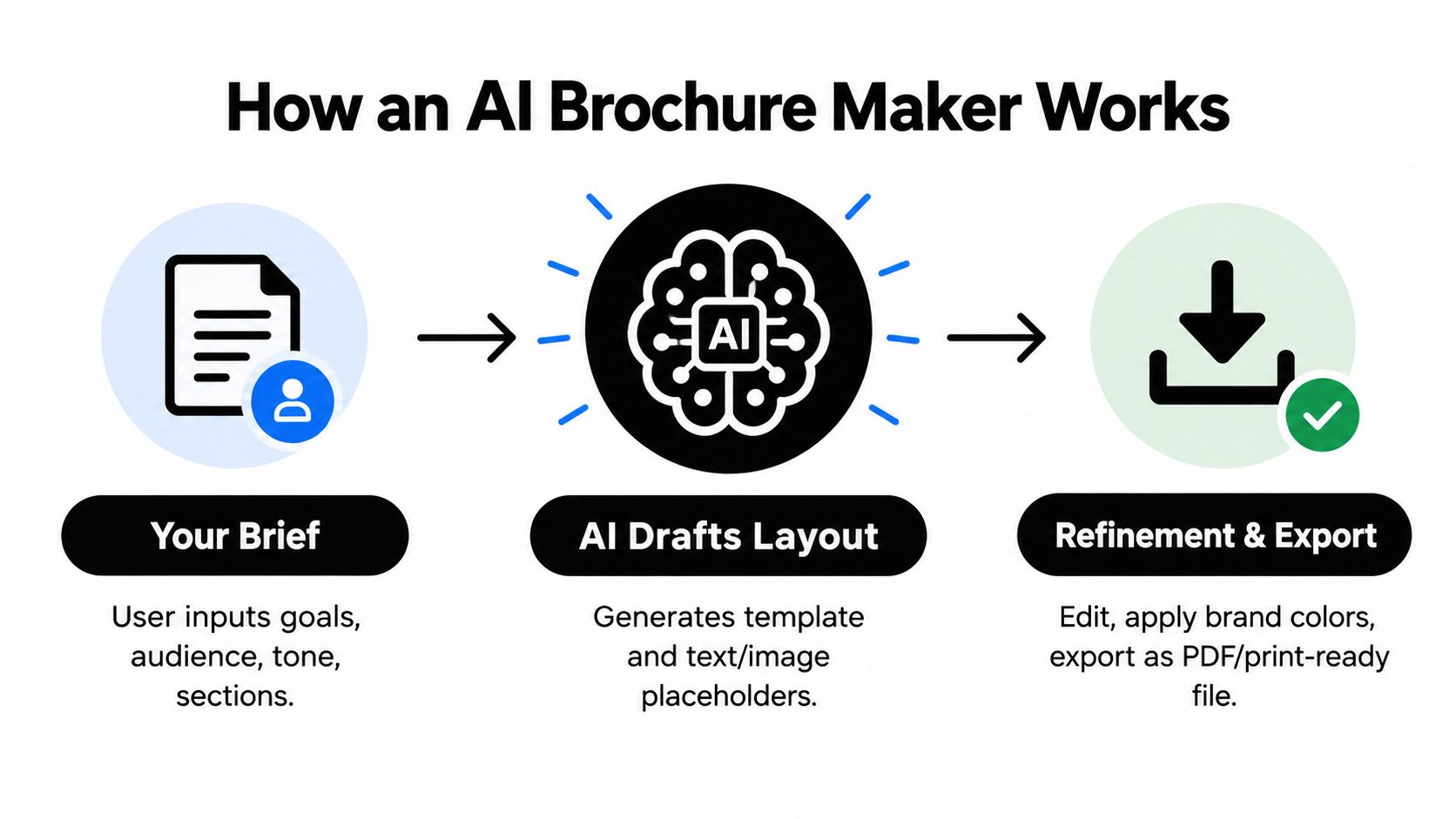
The easiest way to understand the workflow is to separate it into three layers.
First, the AI interprets your brief. It looks for audience, offer, tone, brochure type, and call to action. If your brief is fuzzy, the output will be fuzzy too. “Make a brochure for our startup” gives the tool very little to work with. “Create a one-page brochure for HR leaders at companies with 200 to 1,000 employees, focused on faster onboarding and lower admin time” gives it a direction.
Second, the tool assembles a layout from patterns it already knows. Those patterns come from common brochure formats such as bi-folds, tri-folds, one-pagers, and multi-page booklets. This is why many AI-generated brochures feel familiar. The tool is recombining known structures, not inventing a communication strategy from scratch.
Third, it fills the layout with draft content. Speed helps, but judgment matters most here. AI-written brochure copy often sounds passable at first glance, then weak on a second read. Claims may be too broad. Headlines may sound generic. Product screenshots may be missing. A design lead or marketer still needs to shape the message so each panel earns its space.
A useful mental model is this: AI gets you from blank canvas to rough brochure. Your team gets it from rough brochure to reliable asset.
That handoff is where many articles stop too early. The work often starts after the first draft appears.
For digital-only use, a decent-looking draft may be enough for internal review. For customer-facing and print-ready brochures, you need another layer of checks:
- Brand governance: Does the wording sound like your company, and are approved colors, fonts, and logo treatments being used?
- Message accuracy: Are pricing, features, disclaimers, and proof points current?
- Production setup: Does the document use the correct size, margins, panel folds, and bleed?
- Image quality: Are photos and screenshots high enough resolution for print, not just for screen preview?
- Export QA: Does the final PDF preserve layout, fonts, links, and image quality without introducing surprises?
This human review pattern shows up across creative work. A practical guide to human and AI collaboration in creative workflows helps explain why. AI is strong at draft generation and variation. People still decide what is true, usable, and ready to ship.
One more point gets missed by competitors that only talk about speed. A brochure maker is not just a copy-and-layout generator. It is part of a production chain. If the tool cannot help you control bleed, DPI, export quality, and brand consistency, it may save time at the start and create rework at the end. For founders planning a launch, that matters even more, because the same brochure may support outreach, demos, downloadable assets, and distribution on channels such as SubmitMySaas.
So what is an AI brochure maker, really? It is a fast drafting system with layout intelligence. It helps teams start. It does not remove the need for design judgment, print preparation, or final quality control.
Where AI Brochures Create Real Business Value
A founder finishes a strong product demo. The prospect says, “Can you send something I can share with the team?” A landing page is too broad. A slide deck needs a presenter. A brochure fits because it carries the story on its own, in a format someone can skim in two minutes, save for later, or print for a meeting.

That is where an AI brochure maker earns its keep. It helps teams turn a clear message into a usable asset quickly. Value is not only speed at the draft stage. It is getting from rough copy to something that can survive brand review, export cleanly, and work in print or digital distribution.
Sales leave-behinds and event handouts
Sales teams often need a document that keeps working after the call ends. A brochure does that job well because it packages the problem, solution, proof, and next step into one self-contained piece.
Event teams have a similar need. Booth conversations are short and noisy. A brochure gives visitors a memory aid they can carry away, forward to a colleague, or revisit once they are back at their desk. AI helps by producing a first pass fast, so the team can spend its time improving the message instead of arranging boxes on a page.
Product one-pagers and service overviews
This is usually the fastest win for a small team.
You already have the ingredients. Positioning. Three benefits. A short feature list. One customer proof point. An AI tool can arrange that material into a one-pager structure in minutes. Then the human work starts. Replace soft claims with specific ones. Swap stock visuals for real screenshots. Check whether the layout still reads clearly after legal copy, pricing notes, or disclaimers are added.
That last step matters more than many buyers expect. A brochure is not finished when it looks good on screen. It is finished when the exported file holds together at print size, uses images with enough resolution, and respects brand rules across every panel.
Real estate, hospitality, and visual showcases
Some brochures sell mood before they sell detail. Real estate listings, venue packs, and hospitality brochures rely on pace, photography, and white space in the same way a shop window relies on display. The arrangement guides attention.
AI can help by creating a sensible starting composition. It can place hero images, supporting text, amenity lists, and contact details in a way that feels balanced. Your team still needs to judge whether the photos crop well, whether captions support the image instead of repeating it, and whether the final export keeps that polish in print.
Where the business value gets missed
Many articles stop at “AI saves design time.” That is true, but it is only half the job.
The hidden value appears later, when one brochure needs to become several assets without falling apart. The same source file may need a print-ready PDF for handouts, a lighter digital PDF for email follow-up, a version with clickable links for sales outreach, and a brand-safe asset for a launch listing on SubmitMySaas. If the tool makes those handoffs clumsy, the hours you saved upfront come back as rework.
Interactive brochures add another option. Earlier coverage in this article noted that interactive formats can hold attention longer and get shared more often. That matters when your brochure needs to support product education after the first touch, not just summarize it.
A simple rule helps:
- Use a brochure when the reader needs a compact story they can review without a presenter.
- Use a landing page when the main goal is an immediate action, such as signup or purchase.
- Use a slide deck when someone from your team will guide the conversation live.
A short walkthrough helps if you want to see how marketers frame brochure design in practice.
A good brochure sits between a webpage and a slide deck. It's more structured than a flyer and more self-sufficient than presentation slides.
That middle position is why brochures still matter. They are one of the few formats that can support sales, print, email follow-up, and product launches at the same time, as long as the AI tool helps you carry the work all the way through production instead of stopping at the first attractive mockup.
How to Evaluate an AI Brochure Maker Before You Commit
Most brochure tools look similar in a product demo. They all show attractive templates, quick text generation, and simple exports. The differences appear later, when your team needs to make revisions fast, keep the design on-brand, and deliver a file that works outside the app.
That's why evaluation should be less about “Which one looks coolest?” and more about “Which one fits our actual production workflow?”
Start with the production reality
Many teams buy an AI design tool for speed, then discover they still need careful handling of brochure type, layout, colors, and export settings such as high-resolution PDF, PNG, PowerPoint, plus sizes like A4 and US Letter. That gap matters because AI use in marketing budgets is rising fast. 94% of surveyed marketers allocated AI budgets in 2024, 75% expect to increase spending in 2025, yet 27% of organizations still had limited or no GenAI adoption for marketing campaigns according to coverage discussing brochure-generator workflows and production readiness (AI brochure generator market context).
The practical lesson is simple. Don't evaluate brochure software as a toy prompt engine. Evaluate it as a production tool.
The scorecard to use
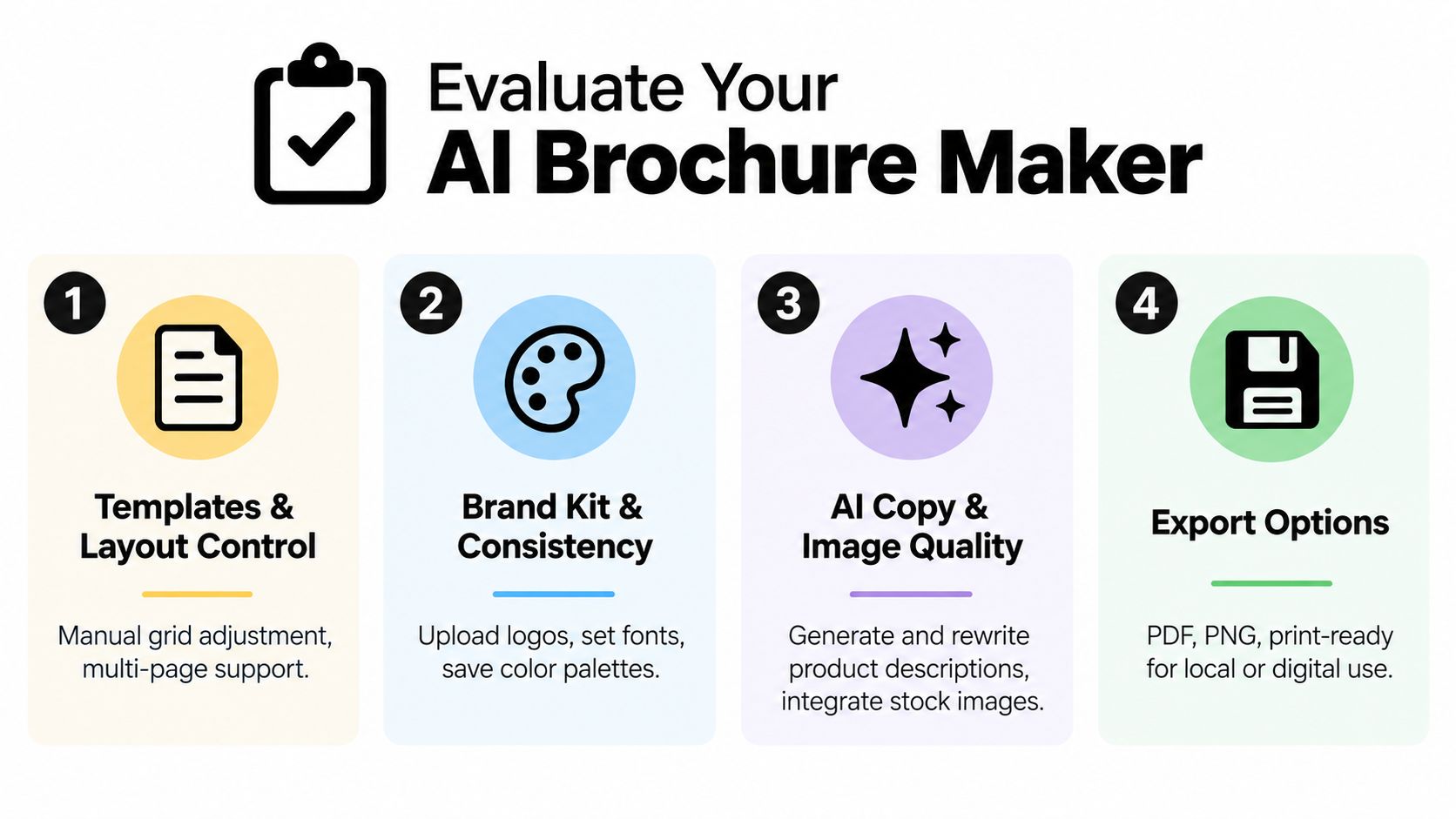
| Evaluation Criteria | What Good Looks Like | Why It Matters |
|---|---|---|
| Templates and layout control | Multiple brochure formats, editable grids, multi-page flexibility | You need structure without getting trapped in a rigid template |
| Brand kit and consistency | Logo upload, saved fonts, color palettes, reusable styles | Brochures fail when every draft looks like a different company made it |
| AI copy and image quality | Clear draft generation, usable rewrites, sensible visual suggestions | Weak first drafts erase the time savings you came for |
| Export options | PDF, PNG, presentation export, size presets, print-friendly settings | Delivery formats shape whether the brochure survives real-world use |
| Collaboration | Comments, shared editing, approval-friendly workflow | Marketing rarely works alone on final assets |
| Pricing fit | Reasonable cost for the number of users and brochure volume you expect | Cheap tools get expensive if your team outgrows them fast |
Questions worth asking in a trial
Don't just make a pretty sample. Stress the workflow.
- Try a real brief: Use an actual product or campaign, not a made-up test case.
- Change the layout late: See how well the design survives revisions.
- Swap brand styles: Upload your real logo, colors, and typography.
- Export in your needed formats: Make sure the output is usable outside the editor.
- Review collaboration friction: Ask who approves, edits, and signs off.
If your team is also comparing adjacent writing and creative apps, it can help to compare AI content tools for founders so you don't evaluate brochure software in isolation from the rest of your content stack.
Don't confuse speed with fit
Some tools are great at making attractive social visuals and weak at handling brochure structure. Others are strong on templated sales collateral but clumsy with copy generation.
That's normal. You're not buying “AI.” You're buying a workflow.
For broader research on adjacent creative software, a curated list of content creation apps for startup teams is a good companion because the best choice often depends on how your brochure tool connects to writing, asset storage, and review.
Creating Your First Brochure Step by Step With Prompts
The easiest way to learn an AI brochure maker is to build two versions of the same idea. One for print. One for digital.
That shows you where the workflow overlaps and where it splits.
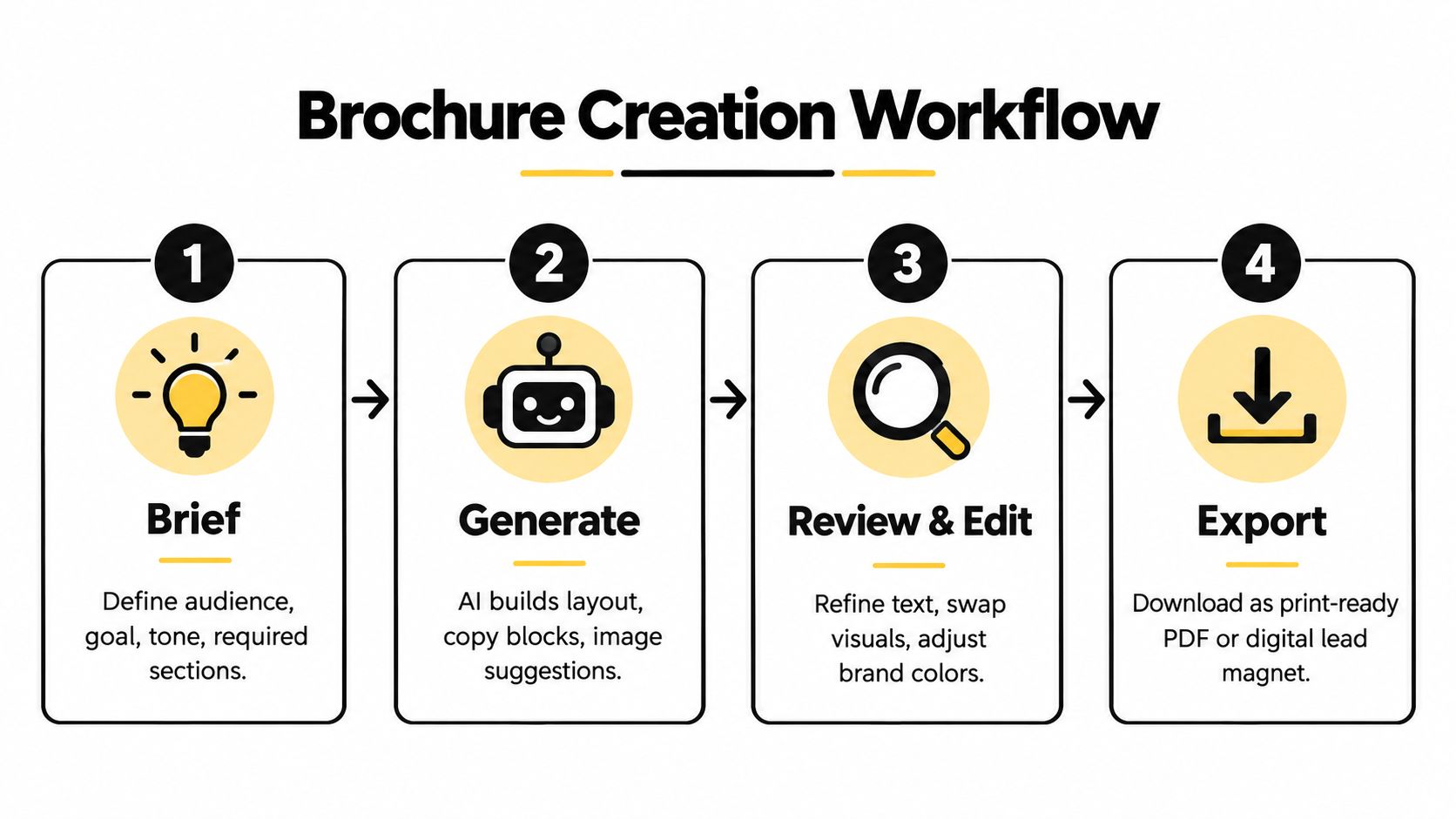
Workflow one for a tri-fold product brochure
Let's say you sell a scheduling tool for clinics and need a tri-fold handout for an industry event.
Start with a brief that answers five basic questions:
- Who is this for?
- What do they care about?
- What action should they take next?
- Which sections must appear?
- What brand cues should the design follow?
A prompt can be simple:
Create a tri-fold brochure for a clinic scheduling software product. Audience is clinic managers at small and midsize practices. Goal is to explain the product clearly and drive demo requests. Tone should be professional and reassuring. Include these sections: cover headline, common scheduling problems, key benefits, feature summary, short product overview, customer support reassurance, and final call to action. Use clean layouts, strong section hierarchy, and room for product screenshots. Brand colors are navy, white, and soft gray.
That should give you a solid draft. Then do the work.
What to edit after generation
Replace any filler language immediately. AI often writes broad claims that sound polished but say very little.
Check these areas in order:
- Headlines first: Make them specific to the audience.
- Then body copy: Replace generic claims with approved language.
- Then visuals: Insert real screenshots, product photos, or brand-approved images.
- Then panel flow: Make sure each fold makes sense in reading order.
“If the brochure still reads like it could belong to any SaaS company, the draft isn't done.”
Workflow two for a digital lead-magnet brochure
Now take the same message and adapt it for download.
Your digital prompt should change slightly:
Create a digital brochure for download as a lead magnet for clinic managers evaluating scheduling software. Audience is researching options independently. Goal is to educate and build trust. Tone should be clear, helpful, and modern. Include a cover page, problem overview, comparison-style benefit section, product walkthrough, implementation overview, FAQ, and CTA to book a demo. Design for screen reading with generous spacing and strong headings.
For digital reading, you can use longer sections, more breathing room, and clickable elements if the tool supports them. You're not constrained by fold panels the same way.
If your copy needs cleanup before it goes into the design tool, a shortlist of AI writing tools for startup content teams can help you tighten headlines and body text before layout.
The print-ready checks people skip
Many AI brochure tutorials stop too early.
A brochure intended for print should export as a print-ready PDF at 300 DPI, because commercial print workflows require 300 DPI at final size and typically depend on CMYK color plus embedded fonts to avoid soft images, color shifts, and font substitution (commercial print file setup guide).
You also need proper bleed and safe area. Practical print specs usually call for 0.125 inch (3 mm) bleed on all sides and a safe zone of roughly 3 to 5 mm inside the trim edge so trimming doesn't clip text or leave white edges, especially on folded brochures (bleed and safe-zone brochure guidance).
Use this quick QA list before export:
- Bleed is included: Background colors and images extend past the trim.
- Safe zone is respected: Text and logos don't sit too close to the edge.
- Images are sharp enough: Don't stretch small web images into print panels.
- Fonts are embedded: Avoid font substitution surprises.
- Color mode is appropriate: Print jobs need more care than screen-only assets.
A brochure can look perfect on your monitor and still fail at the printer. That's why export QA belongs in the creative process, not after it.
Common Pitfalls That Ruin Brochures and How to Avoid Them
The usual brochure failures aren't dramatic. They're small errors that stack up until the finished piece feels cheap, confusing, or risky to share.
The copy looks polished but says the wrong thing
Cause: AI filled gaps with plausible language.
Fix: Treat every claim, feature summary, and headline like draft text until a human verifies it. This matters even more in regulated categories or multi-market campaigns where wording has to match approved messaging.
The design looks fine on screen but prints badly
Cause: The team approved a visual preview, not a production file.
Fix: Check export settings before final sign-off. A brochure for print needs the kind of output and setup covered in the print guidance above, not just a nice-looking PDF thumbnail.
Important text gets trimmed or crowded
Cause: The layout ignored bleed and safe margins.
Fix: Keep key text comfortably inside the trim edge and extend background elements beyond it. Folded brochures are less forgiving than single-page PDFs.
Brand consistency disappears halfway through
Cause: The template drove the design more than the brand system did.
Fix: Lock in fonts, colors, logo usage, and image style early. If the brochure feels generic, simplify the layout and bring the brand elements forward.
The brochure tries to say everything
Cause: Teams confuse brochure content with full website content.
Fix: Give each panel one job. A brochure should guide, not dump information.
Review the brochure in the format your audience will actually use. Print it if it's for print. Send the PDF to your phone if it's for mobile reading. Problems show up fast when you leave the editor.
A short preflight routine solves most of this. Read for accuracy, scan for visual hierarchy, export once for proofing, then review again outside the design tool before approval.
Launching and Promoting Your Brochure Made Asset
A finished brochure sitting in a downloads folder isn't a marketing asset yet. It becomes useful when you place it where buyers, partners, and sales conversations can use it.
Put the brochure into active channels
Host the digital version somewhere easy to share. Attach it to follow-up emails, add it to product pages, and repurpose key panels into social posts or carousel-style snippets. If the brochure explains your offer better than your homepage does, turn its structure into a landing page outline too.
Match the format to the distribution
Print brochures belong at events, meetings, retail counters, and local partnerships. Digital brochures work better in email nurture, lead capture, sales follow-up, and internal sharing.
Daily AI use among marketers is now mainstream, with 60% using AI daily and 84% increasing usage over the past year, while common tasks still cluster around idea generation, draft creation, and headline writing rather than full asset governance. The broader generative AI in marketing market is also projected to grow from USD 4.5 billion in 2025 to about USD 71.4 billion by 2035, which suggests a growing need for workflows that connect creation to scalable distribution (AI in marketing usage and market projection).
That's why promotion matters. The asset isn't done when it's exported. It's done when people can find, read, and share it.
For teams planning the wider rollout, a guide to content distribution channels for digital assets can help map where the brochure should live after design approval.
Use this closing checklist:
- Publish the digital version where sales and marketing can access it fast
- Create print-safe copies for offline handouts
- Repurpose sections into smaller content pieces
- Track engagement if you're using interactive or hosted digital formats
- Refresh regularly when product details, branding, or compliance language changes
If you're launching an AI brochure maker or promoting a brochure-driven product experience, SubmitMySaas gives makers a practical way to get visibility at the moment of release. It helps new tools and campaigns get discovered through launch listings, curated roundups, and reputation-building exposure, so if you want that extra push, visit SubmitMySaas.