Top 12 Gather Town Alternatives for Virtual Events and Offices in 2026
Discover the 12 best Gather Town alternatives for immersive virtual events, remote offices, and online meetups. Compare features, pricing, and use cases now.
Gather Town has carved out a unique niche in the virtual space market, blending 2D pixel art with proximity video chat to create engaging online environments. While it excels at fostering spontaneous interactions and a sense of place, it isn't a one-size-fits-all solution. Your specific needs for a virtual office, a large-scale conference, a classroom, or a simple team social might be better served by one of the many powerful Gather Town alternatives available today.
This guide is designed to help you navigate this growing market and find the perfect platform for your use case. We've moved beyond generic feature lists to provide a comprehensive, comparative analysis of the top contenders. For each alternative, you will find a detailed breakdown covering:
- A quick, scannable summary.
- Standout features and what makes it unique.
- Ideal use cases, from daily stand-ups to global expos.
- A clear overview of pricing tiers.
- Honest pros and cons based on real usage considerations.
- Practical migration and setup tips to get you started quickly.
We will evaluate platforms like SpatialChat, Kumospace, oVice, and Virbela Go, among many others. Our goal is to equip you with the specific insights needed to make an informed decision without sifting through marketing copy. Beyond the platforms listed here, understanding the broader landscape of various remote meeting tools can provide valuable context for choosing the right virtual collaboration software. Let's dive into the best alternatives to find the virtual space that aligns perfectly with your team's culture, event goals, and budget.
1. SpatialChat
SpatialChat excels as a browser-based platform for creating engaging, branded virtual events where natural networking is a priority. It distinguishes itself from other Gather Town alternatives by focusing less on gamification and more on professional, fluid video interactions. Its core strength is spatial audio and video, where your avatar's proximity to others dictates the volume, mimicking real-life conversations in a crowded room. This makes it ideal for conferences, webinars, and large-scale networking sessions.
Key Features & Use Cases
The platform offers a robust set of tools for event organizers. You can quickly build multi-room environments with stages, breakout rooms, and dedicated expo areas using a simple drag-and-drop interface. Event modes allow for structured presentations, while the "always-on" virtual office provides a persistent space for teams. For marketers, the strong branding capabilities and detailed analytics are a significant draw.
Pricing and Access
SpatialChat offers several tiers:
- Free: For small teams up to 5 users.
- Standard: Starts at $39/month for up to 50 users, suitable for smaller events and team socials.
- Pro & Enterprise: Custom pricing for large-scale events (up to 10,000 attendees) with advanced features like dedicated support and API access.
Pros & Cons
| Pros | Cons |
|---|---|
| Excellent for Networking: Spatial audio fosters organic conversations. | Less Gamified: Lacks the 8-bit charm and interactive objects of Gather. |
| Highly Scalable: Supports events with thousands of attendees. | Feature Gating: Key large-event features are on pricey tiers. |
| Strong Organizer Tools: Provides robust controls and analytics. | Virtual Office Fees: Persistent office spaces may incur separate costs. |
Migration & Setup Tips
Founders moving an event to SpatialChat should pre-design their space to match their brand identity. Use the background customization feature to upload sponsor logos or event schedules. For a seamless user experience, create a simple "lobby" room with clear instructions on how to navigate and interact with others before they enter the main event space.
Website: https://www.spatialchat.com/
2. Kumospace
Kumospace is designed as a virtual office that emphasizes persistent presence and drop-in collaboration, making it a strong contender among Gather Town alternatives for remote teams. It uses familiar office floor plans and spatial audio to create an intuitive environment where spontaneous conversations can happen naturally. The platform's strength lies in its ability to replicate the social dynamics of a physical workspace, showing user statuses and locations to encourage organic interaction.
Key Features & Use Cases
The platform is excellent for daily team operations, offering multi-floor spaces with clear presence indicators. Key features include chat history, session recording, and robust access controls for managing guest permissions. For enterprise clients, SSO integration and detailed analytics provide necessary security and oversight. While it excels as a virtual headquarters, its structured environment also supports client meetings, team-building events, and virtual happy hours. Its design makes it a great tool for founders looking to foster team cohesion, a topic some founders explore when looking for platforms beyond typical launch sites, as some have noted on Product Hunt alternatives.
Pricing and Access
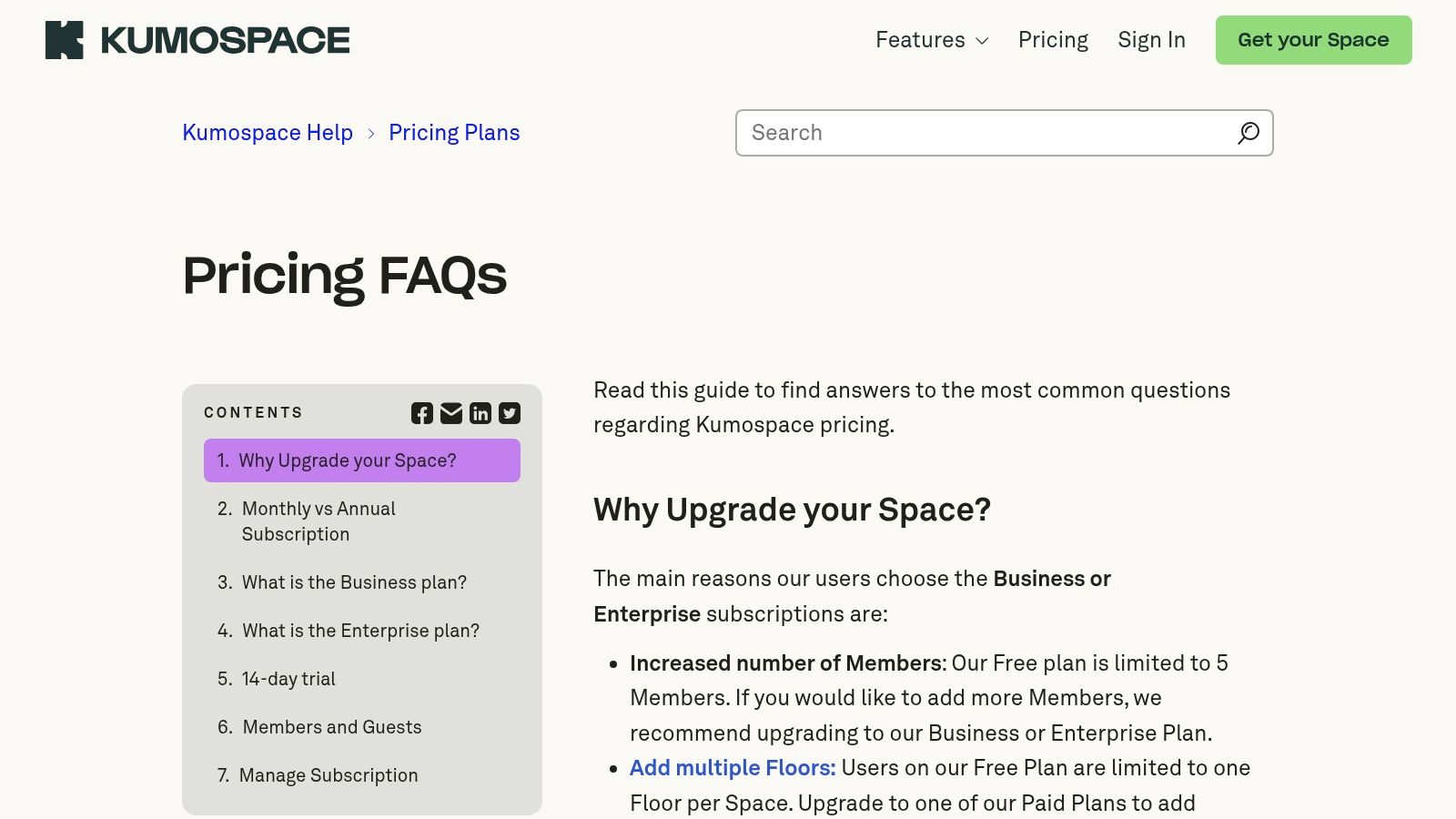
Kumospace offers a straightforward pricing model:
- Free: Suitable for small teams, supporting up to 5 members and 50 concurrent guests.
- Professional: Starts at $20 per member/month, increasing limits and adding features like SSO.
- Enterprise: Custom pricing for large organizations requiring advanced security and dedicated support.
Pros & Cons
| Pros | Cons |
|---|---|
| Intuitive Office Metaphor: Easy for teams to adopt for daily use. | Limited Free Tier: Capped at only 5 internal members. |
| Supports Spontaneity: Encourages drop-in conversations and collaboration. | Event Scaling: Larger events require upgrading or contacting sales. |
| Clear Capacity Limits: Differentiates clearly between members and guests. | Less Gamified: Focus is more on utility than interactive games or quests. |
Migration & Setup Tips
When setting up your Kumospace, assign dedicated "rooms" for different departments or projects to create structure. Use the customizable furniture and branding options to make the space feel like your own. Encourage your team to keep Kumospace open in a browser tab throughout the day to maximize the benefits of presence visibility and enable quick, informal check-ins that replace scheduled meetings.
Website: https://www.kumospace.com/help/pricing-faq?utm_source=openai
3. oVice
oVice is a robust virtual office platform that shines for distributed teams seeking a persistent, secure digital headquarters. While many Gather Town alternatives focus on one-off events, oVice is engineered for daily collaboration, offering customizable map-style spaces that feel like a true office. Its strength lies in its enterprise-grade features and flexible pricing, making it a strong contender for companies, particularly those in the APAC region where it has a significant presence.
Key Features & Use Cases
The platform is designed around the concept of an "always-on" workspace. Teams can choose from various layouts, from open-plan offices to multi-floor buildings, to facilitate both focused work and spontaneous interactions. Key features include SSO integration, detailed usage analytics for administrators, and robust security controls. It is ideal for daily stand-ups, remote co-working, and hosting internal company-wide meetings or town halls.
Pricing and Access
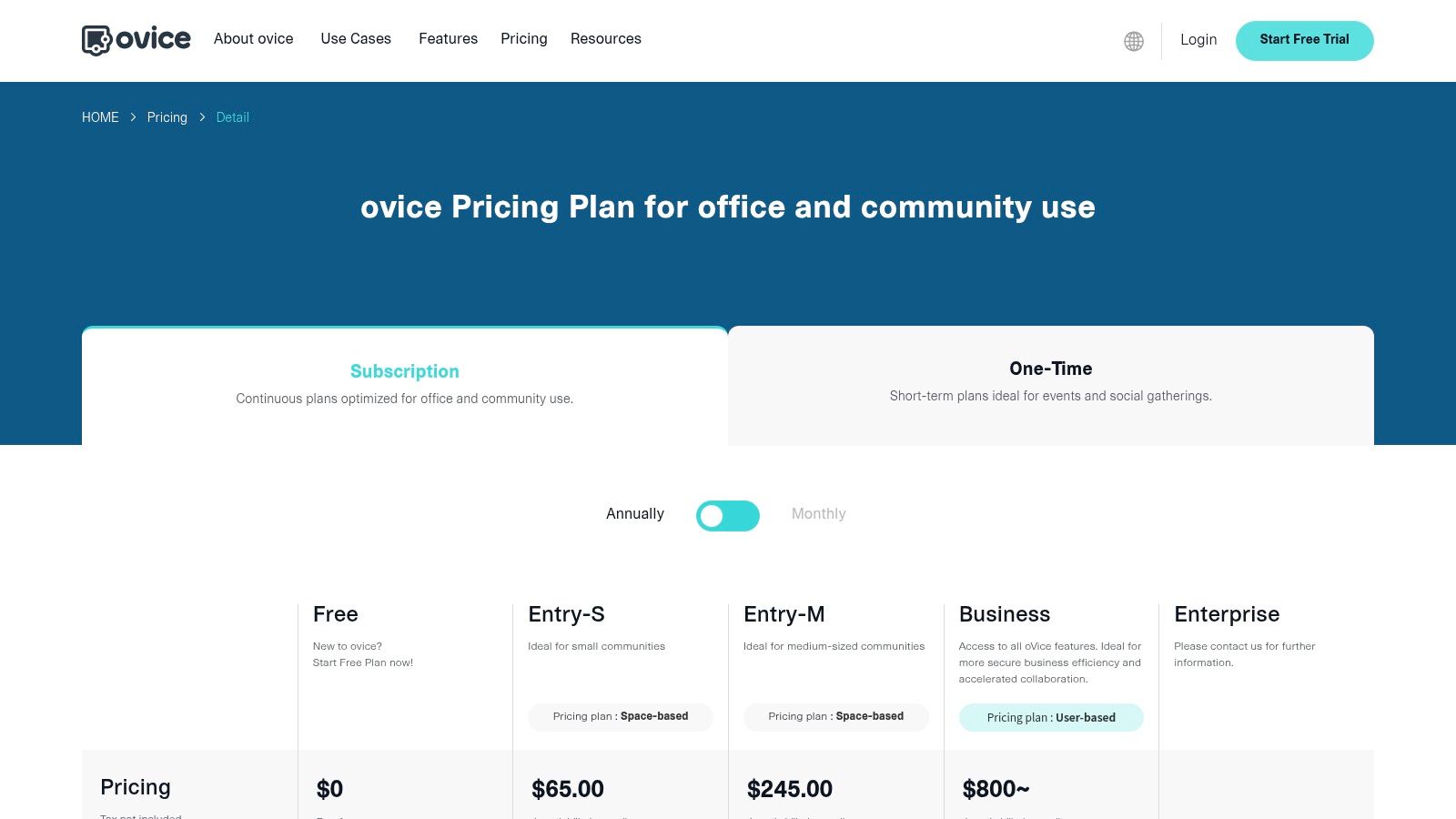
oVice provides a unique dual-pricing model:
- Free: A basic plan for up to 10 users to trial the core features.
- Entry (Space-based): Starts at $50/month for a small space, ideal for teams who need a consistent location regardless of user count.
- Business (User-based) & Enterprise: Per-user pricing with advanced features like SSO and dedicated support, tailored for larger organizations.
Pros & Cons
| Pros | Cons |
|---|---|
| Persistent Virtual HQ: Excellent for building remote company culture. | APAC-First Feel: Some localization and UI elements may feel less native to Western users. |
| Enterprise-Ready: Offers SSO, admin controls, and security features. | Complex Pricing: The dual model (space vs. user) can be confusing. |
| Flexible Layouts: Highly customizable spaces to match team workflows. | Less Gamified: Focus is on professional utility over playful interactions. |
Migration & Setup Tips
When setting up oVice, founders should carefully evaluate the Entry (space-based) versus Business (user-based) plans to see which is more cost-effective for their team size and usage patterns. Designate specific areas within your virtual map for different functions like "quiet work," "collaboration," and "social" to establish clear communication etiquette from day one. Use the announcement features to broadcast important updates across the entire virtual office.
Website: https://www.ovice.com/pricing/detail?utm_source=openai
4. Topia
Topia positions itself as a highly creative and developer-friendly platform for building immersive 2D worlds. Where some Gather Town alternatives focus strictly on office or event structures, Topia offers a canvas for collaborative art projects, virtual campuses, and unique community hubs. It shines with its powerful customization capabilities, allowing users to embed websites, streams, music, and games directly into their environments, fostering rich, interactive experiences.
Key Features & Use Cases
Topia's standout feature is its open API and SDK, empowering developers to create custom interactive elements and integrations. This makes it ideal for tech-savvy founders and creative agencies looking to build bespoke virtual experiences. Common use cases include interactive art galleries, developer conferences with embedded coding sandboxes, and persistent online communities where users co-create the space. Password protection and custom URLs provide essential controls for private events.
Pricing and Access
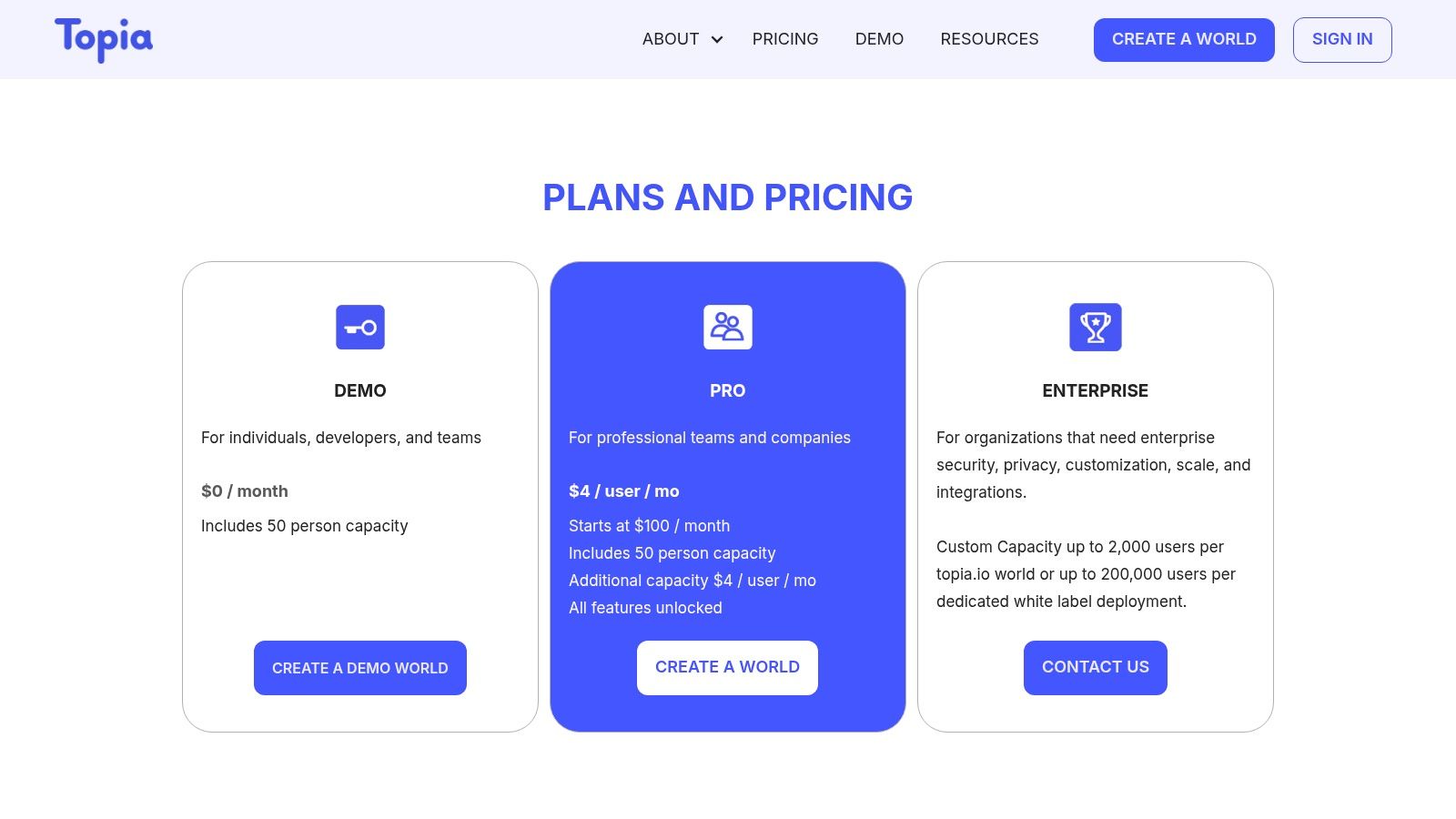
Topia’s pricing is accessible for experimentation and scales up for professional use:
- Free Demo: Supports up to 25 concurrent guests, perfect for small team meetings or testing concepts.
- Pro: Starts at $7/user/month, offering larger capacity, custom assets, and advanced admin controls.
- Enterprise: Custom pricing for large-scale deployments, providing dedicated support, API access, and SSO.
Pros & Cons
| Pros | Cons |
|---|---|
| Highly Customizable: Open API/SDK offers deep integration possibilities. | Niche Appeal: Creative focus may be less suited for traditional corporate office use. |
| Generous Free Tier: The demo is robust enough for small-scale use. | Steeper Learning Curve: Advanced features require some technical know-how. |
| Strong Embedding Tools: Easily integrates external web content and media. | UI Can Be Busy: The interface prioritizes artistic freedom over minimalist design. |
Migration & Setup Tips
Founders moving a community to Topia should leverage its creative strengths. Start by designing a world that reflects your brand’s personality, not just a functional office layout. Use the embed features to create a central "hub" with your company's live social media feeds, a YouTube tutorial playlist, and a link to your Discord server. This transforms the space from a simple meeting room into a dynamic, persistent brand touchpoint.
Website: https://topia.io/p/pricing?utm_source=openai
5. Virbela Go (by Virbela)
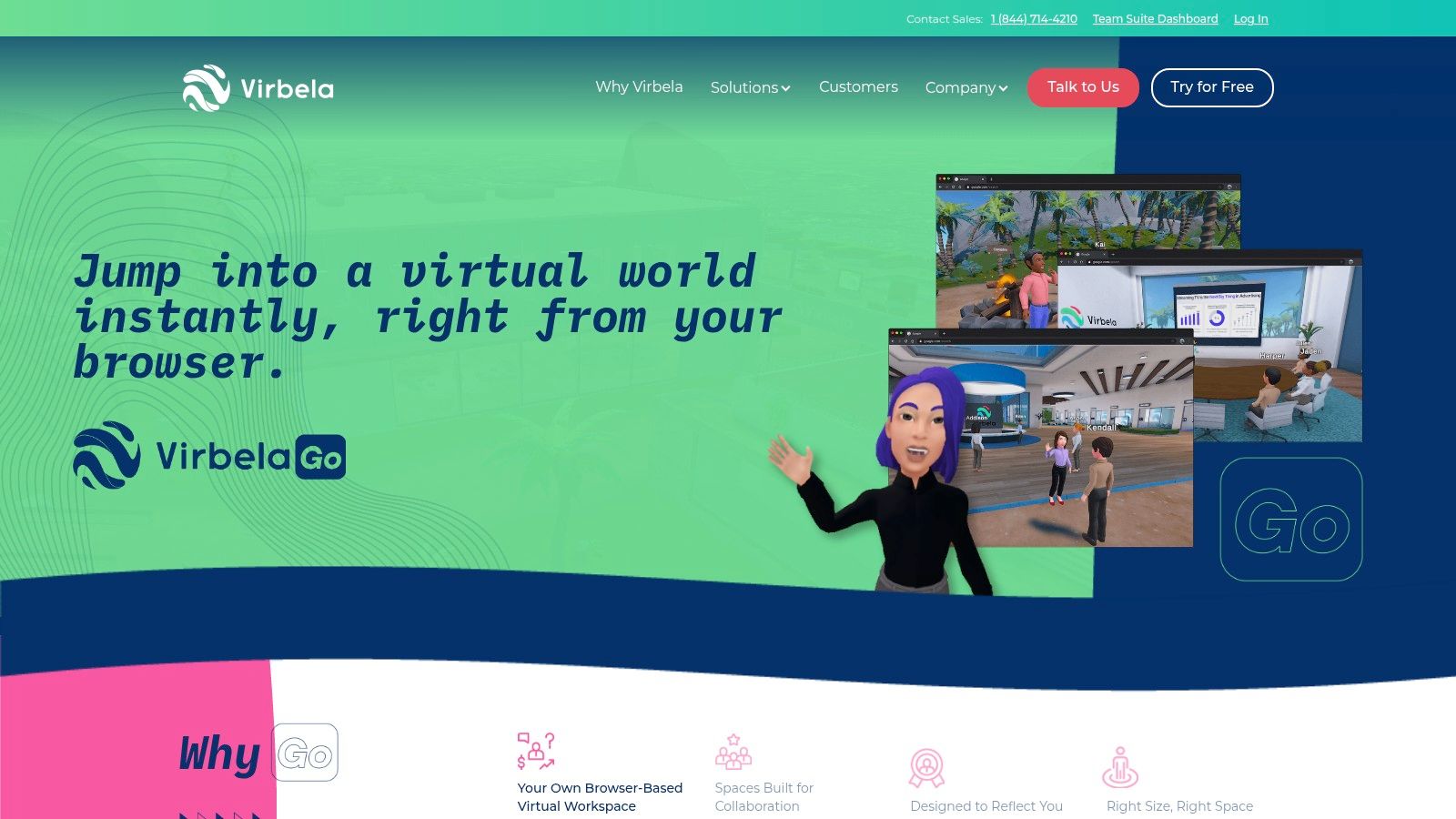
Virbela Go offers a streamlined, zero-install entry into immersive 3D collaboration. As a lighter-weight version of the full Virbela campus, it provides professional virtual environments without the need for extensive setup. It serves as a compelling Gather Town alternative for teams seeking a more polished, corporate 3D aesthetic over 2D pixel art. Its core value lies in providing secure, persistent 3D spaces with spatial audio for meetings, team hubs, and small-scale events, accessible directly from a browser.
Key Features & Use Cases
The platform features multiple pre-built 3D environments equipped with spatial voice, private conversation zones, and screen-sharing capabilities. This makes it ideal for distributed teams needing a dedicated virtual headquarters or for hosting structured client presentations and internal training sessions. Higher tiers unlock admin roles and analytics, giving managers oversight of space usage. The free public campus allows anyone to test the user experience before committing.
Pricing and Access
Virbela Go is priced on a per-user, per-month basis with annual discounts available:
- Team: Starts at $100/month for 10 users, ideal for small teams.
- Team Plus: Starts at $250/month for 25 users, adding more features.
- Enterprise: Custom pricing for larger organizations, offering SSO and advanced support.
Pros & Cons
| Pros | Cons |
|---|---|
| Simple Per-User Pricing: Clear, predictable costs for teams. | Minimum Seat Commitments: Each tier requires a minimum number of users. |
| Browser-Based 3D: No downloads required, increasing accessibility. | Limited Customization: Less branding flexibility compared to full campus offerings. |
| Enterprise-Ready: Offers security features like SSO on higher plans. | Less Gamified: Focus is on professional collaboration, not social games. |
Migration & Setup Tips
Teams migrating to Virbela Go should first use the free public campus to familiarize themselves with the 3D controls and interaction mechanics. When setting up a private space, designate specific areas for different functions, such as a "boardroom" for formal meetings and a "lounge" for informal chats, to create structure. Use the screen-sharing displays to post persistent information like team goals or project dashboards.
Website: https://www.virbela.com/go?utm_source=openai
6. Remo
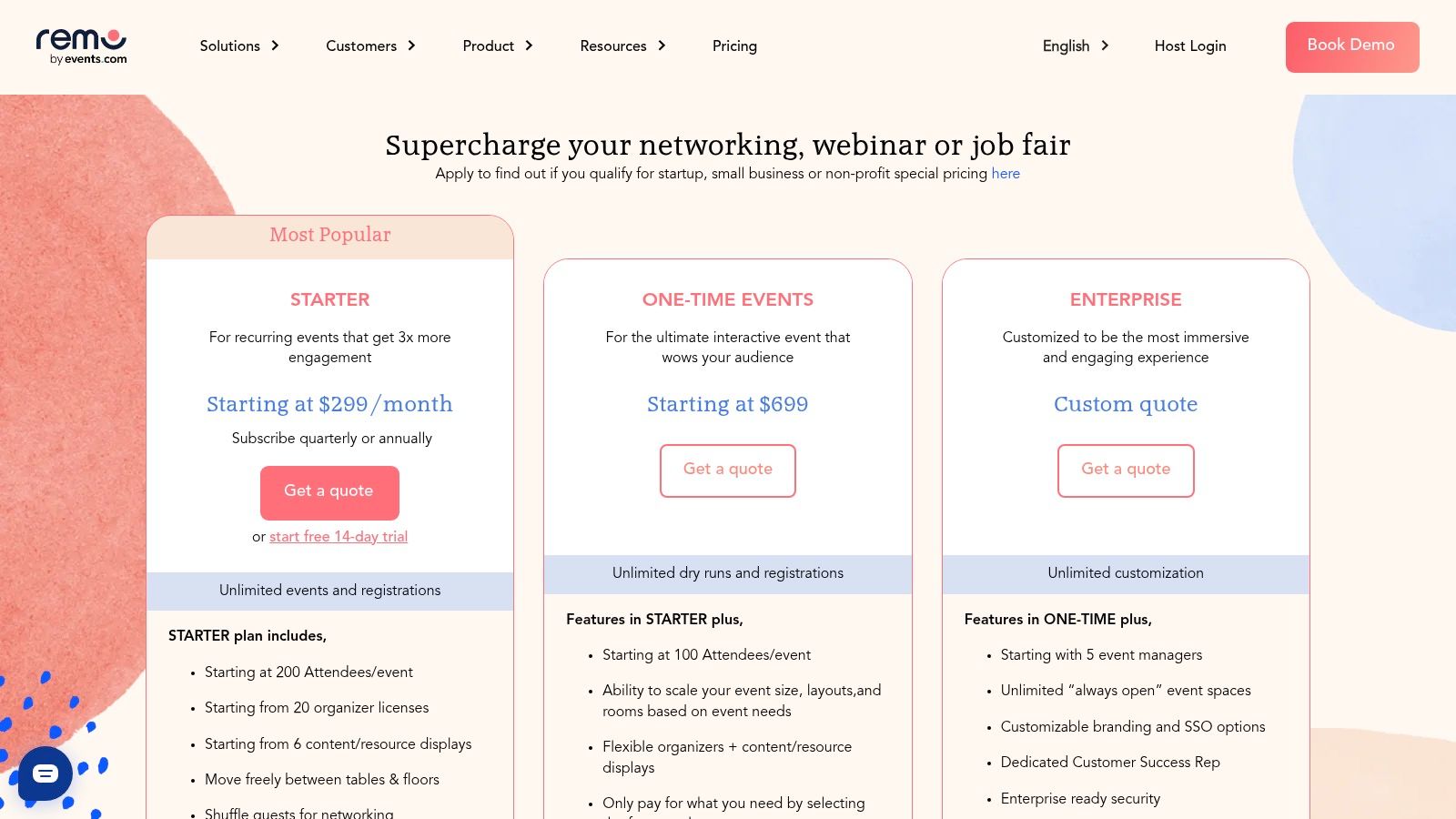
Remo is a sophisticated event platform that excels at creating structured, networking-focused virtual gatherings. Its core concept revolves around virtual tables and floors, allowing attendees to move between small group conversations freely while also having access to a main presentation stage. This makes it one of the strongest Gather Town alternatives for conferences, job fairs, and virtual expos where fostering meaningful connections is just as important as the main content.
Key Features & Use Cases
Remo’s standout feature is its dual-mode environment. In "Conversation Mode," attendees interact in small video chats at virtual tables, perfect for networking. In "Presentation Mode," all attention shifts to a main stage for keynotes or panel discussions. The platform also offers robust organizer tools, including Q&A, polls, analytics, and even built-in ticketing with payment processing. This makes it ideal for paid workshops, large-scale conferences, and virtual recruitment events that require a professional, structured flow. Immersive 2D and 3D floor plans add a polished, branded feel.
Pricing and Access
Remo’s pricing is event-focused and scales with capacity:
- Virtual Office: Plans start around $150/month for persistent team spaces.
- Events: Pricing is tiered based on attendee count and features. Basic plans start around $125/month for small events, with costs scaling up for larger conferences and expos requiring multiple floors and advanced features. Startup and education discounts are available.
Pros & Cons
| Pros | Cons |
|---|---|
| Strong Engagement Features: The table model is excellent for structured networking. | Higher Cost for Scale: Large capacities and custom layouts can be expensive. |
| Built-in Ticketing: Simplifies monetization for paid virtual events. | Learning Curve: The table-to-stage UI may require brief onboarding for new users. |
| Generous Discounts: Offers notable discounts for startups and educational institutions. | Less Playful: Feels more like a professional event tool than a casual social space. |
Migration & Setup Tips
When setting up Remo, event organizers should design floor plans that encourage movement and interaction. Label tables with discussion topics to guide conversations. Leverage the built-in ticketing and registration to streamline the entire event funnel. For a smooth attendee experience, create a short welcome video or a "greeter" table to explain how to switch between tables and engage with the stage, minimizing any initial confusion with the platform's unique layout.
Website: https://remo.co/pricing?utm_source=openai
7. Frame (by Virbela)
Frame (by Virbela) offers a highly accessible, browser-based 3D metaverse for collaborative work, learning, and events. It distinguishes itself from other Gather Town alternatives by leveraging WebXR for immersive experiences without requiring any downloads or powerful hardware. The platform focuses on ease of use and rapid deployment, allowing users to create and customize 3D spaces in minutes, making it ideal for educators, corporate trainers, and teams seeking a more engaging virtual meeting environment.
Key Features & Use Cases
Frame’s feature set is built for interactivity and accessibility. Users can easily integrate webcam feeds, screen shares, and 3D or 360-degree assets into their environment. Key tools like spatial audio, AI-powered NPCs for automated guidance, and live text chat with speech-to-text translation enhance engagement. Its primary use cases are virtual classrooms, corporate workshops, architectural visualizations, and interactive product showrooms where a sense of presence is critical.
Pricing and Access
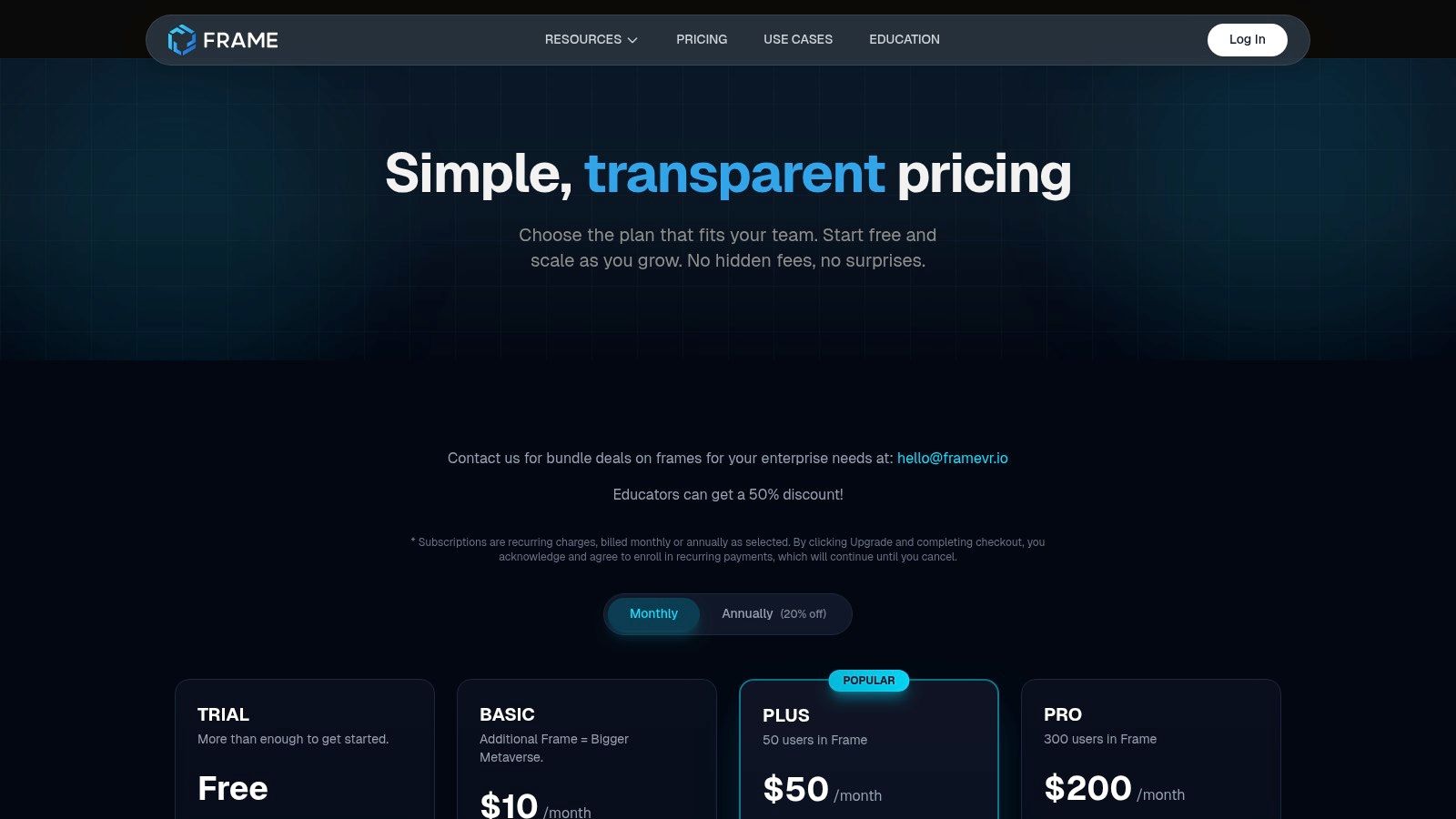
Frame provides a transparent pricing model with clear capacity tiers:
- Free: A generous offering for up to 30 concurrent users, perfect for small classes or team meetings.
- Plus: Starts at $75/month for up to 100 concurrent users with added storage and features.
- Pro & Enterprise: Custom pricing for larger-scale needs, offering advanced branding, analytics, and dedicated support. Education discounts are also available.
Pros & Cons
| Pros | Cons |
|---|---|
| Strong Free Tier: Excellent for piloting and small-scale use cases. | Tiered User Limits: Higher concurrent user counts require paid plans. |
| Transparent Pricing: Predictable costs with clear feature and capacity guidance. | Advanced Branding Gated: Custom domains and full branding are on Pro plans. |
| Highly Accessible: Runs smoothly in-browser on desktop, mobile, and VR. | 3D Learning Curve: Less familiar for users accustomed to 2D pixel art platforms. |
Migration & Setup Tips
When setting up your first Frame, start with one of the pre-built templates to understand the core mechanics before customizing. For educators or trainers, leverage the built-in poll and text-chat features to create interactive sessions. Founders can use the 3D model importer to create a virtual showroom for their product, providing a far more immersive demo experience than a standard video call.
Website: https://learn.framevr.io/pricing?utm_source=openai
8. WorkAdventure
WorkAdventure is an open-source-inspired 2D virtual platform that offers a high degree of customization for persistent offices and one-off events. It stands out among Gather Town alternatives for its technical flexibility, allowing developers to create deeply integrated and unique map-based experiences. The platform uses a similar 2D pixel-art aesthetic but focuses on providing a robust framework for custom integrations, such as bots and interactive APIs. This makes it an excellent choice for tech-savvy teams who want to build a virtual space tailored to their specific workflows.
Key Features & Use Cases
WorkAdventure's core strength is its extensibility. Users can leverage its documented API to script interactions, embed applications, and connect to other services. The platform offers flexible maps and two primary models: a Business plan for always-on virtual offices and an Event plan for temporary gatherings. This dual approach makes it suitable for company-wide meetings, developer conferences, or as a daily co-working hub where custom tools are essential. Detailed analytics and dedicated customer success offerings are available for enterprise clients.
Pricing and Access
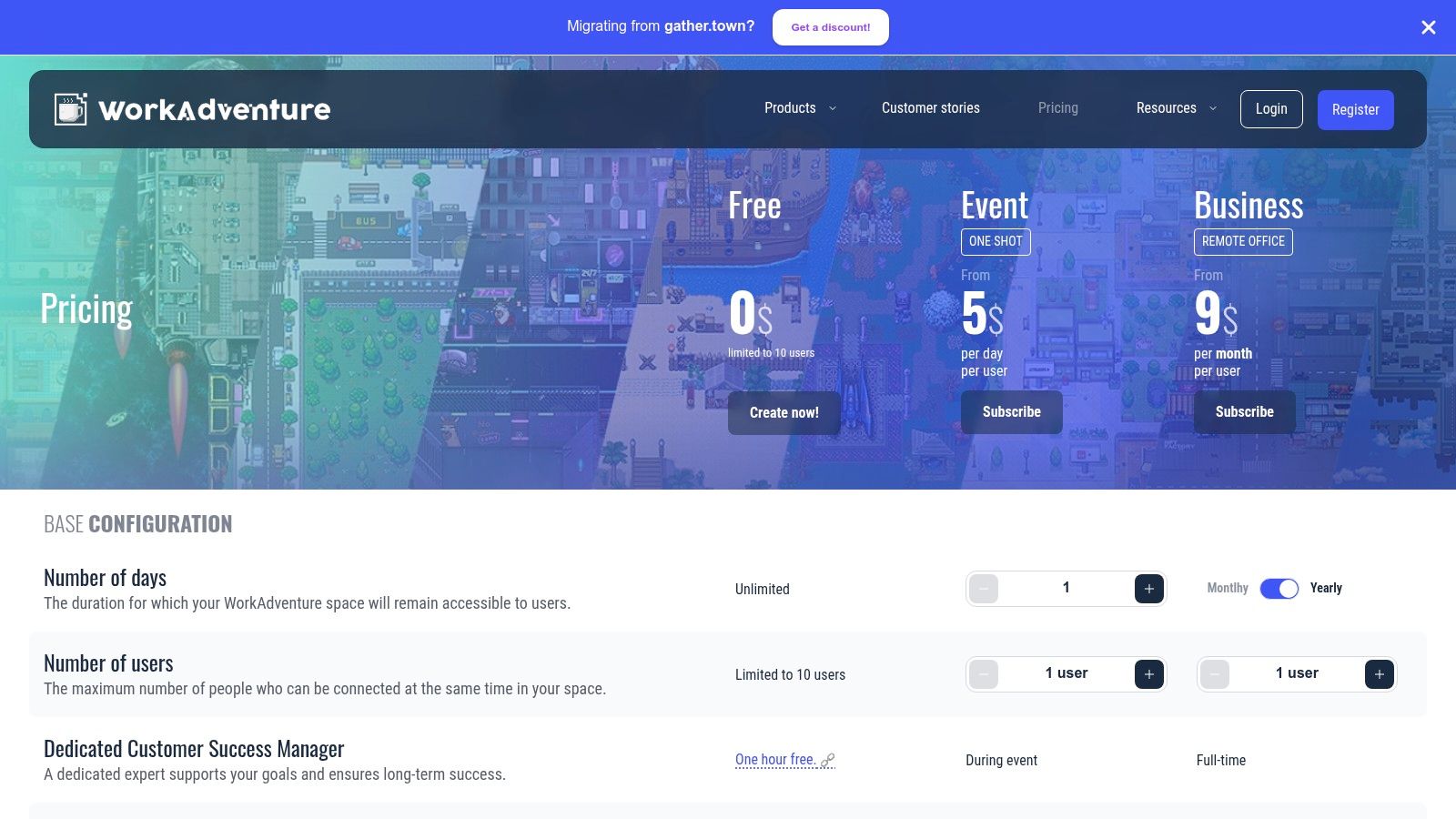
WorkAdventure provides distinct pricing models:
- Free: Supports up to 10 concurrent users, ideal for small teams or testing.
- Business (Per-User): Starts at €7 per user/month for persistent virtual offices.
- Event (Per-Day): Pricing is based on the maximum number of attendees per day, offering a cost-effective solution for temporary events.
Pros & Cons
| Pros | Cons |
|---|---|
| Technical Extensibility: Great for custom maps and bot integrations. | Requires Administrative Effort: DIY customization can be time-consuming. |
| Flexible Pricing: Cost-effective per-day event and per-user office plans. | Low Free Tier Cap: Free plan is limited to only 10 concurrent users. |
| Open-Source Roots: Appeals to developers and technically-minded teams. | Less Out-of-the-Box Polish: May feel less intuitive initially than competitors. |
Migration & Setup Tips
Founders moving to WorkAdventure should leverage its open nature by starting with a pre-existing map from their public library and modifying it. Explore the scripting API early to embed essential tools like your company dashboard or a shared whiteboard directly into the space. For events, use the per-day pricing to run a small-scale test to ensure all custom integrations and user flows are working smoothly before the main event.
Website: https://workadventu.re/pricing/?utm_source=openai
9. Teemyco
Teemyco is a virtual office platform designed specifically for remote and hybrid teams seeking a persistent, "always-on" headquarters. It shines as one of the most focused Gather Town alternatives for small to medium-sized businesses (SMBs) that want to recreate the spontaneous interactions and collaborative energy of a physical office. Instead of focusing on large-scale events, Teemyco provides a stable, intuitive environment with dedicated rooms, presence indicators, and seamless communication tools to foster team culture.
Key Features & Use Cases
The platform is built around core office functions. Features include unlimited video calls, chat, and double screen sharing, making it easy for teams to jump into quick discussions. Integrations with Slack and Google Calendar streamline workflows, while desktop and mobile apps ensure connectivity. For founders, the branded guest experience is a key feature for hosting clients or interviews in a professional, custom space. Its design makes it ideal for daily stand-ups, co-working sessions, and virtual water-cooler moments.
Pricing and Access
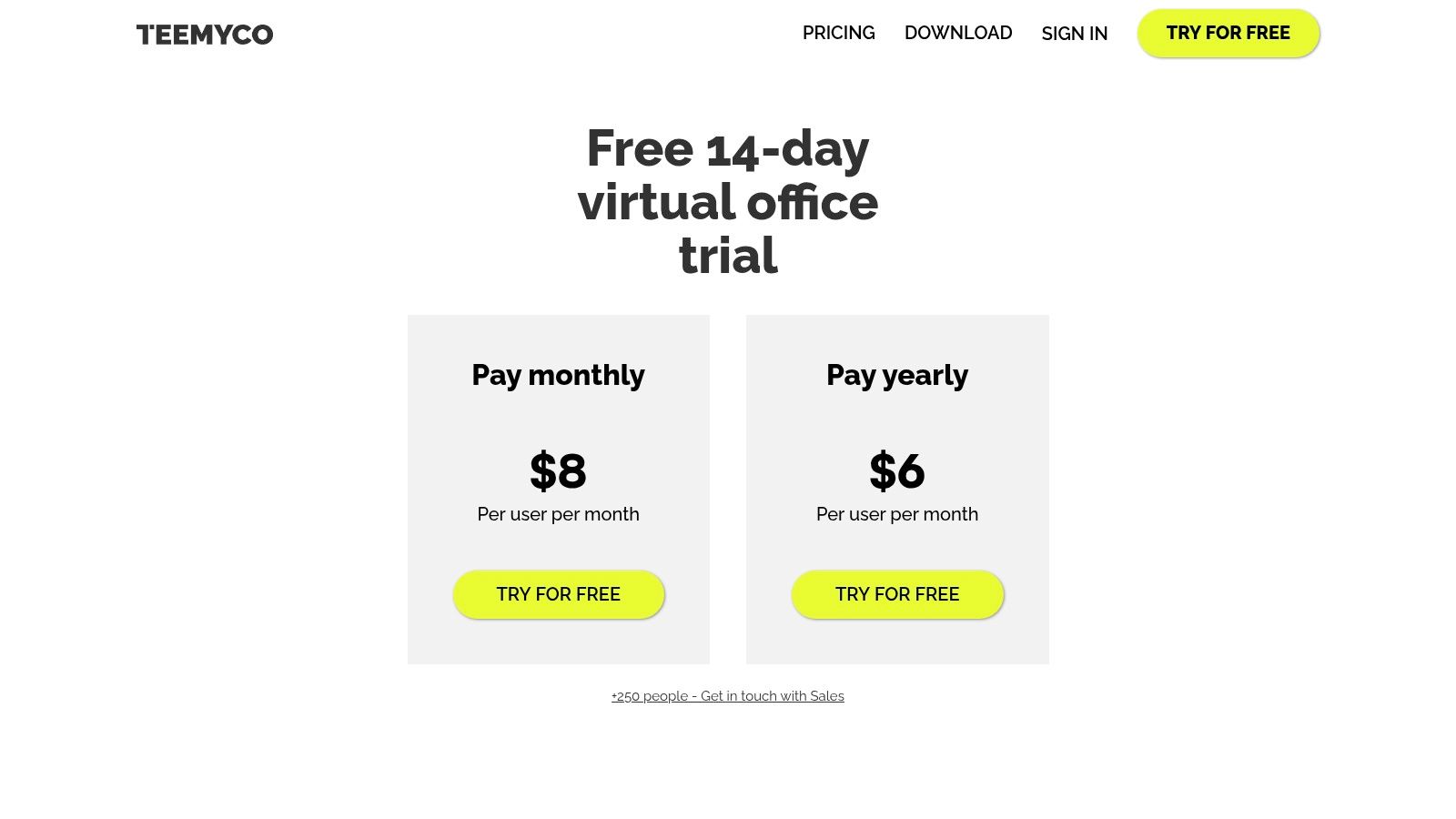
Teemyco’s pricing is straightforward and accessible for growing teams:
- Free Trial: A 14-day trial is available to test the platform.
- Business: Starts at $15 per user/month, offering the core virtual office experience.
- Enterprise: Custom pricing for larger organizations requiring advanced security, custom branding, and dedicated support.
Pros & Cons
| Pros | Cons |
|---|---|
| Simple Setup & Onboarding: Very intuitive for non-technical teams to adopt. | Office-Focused: Not designed for large-scale public events or conferences. |
| Competitive SMB Pricing: Per-user model is accessible for smaller businesses. | Advanced Features Gated: SSO and other governance tools are in Enterprise tier. |
| Excellent for Team Cohesion: Fosters a sense of presence and spontaneous collaboration. | Less Gamification: Lacks the game-like interactive elements found in Gather. |
Migration & Setup Tips
Teams migrating to Teemyco should map their physical office layout or ideal workflow into the virtual space. Create dedicated rooms for specific projects (e.g., "Q4 Marketing Campaign") and social areas ("Coffee Corner") to encourage natural interaction. Integrating your team's Google Calendar is a crucial first step to sync meetings and availability seamlessly. For those exploring different workflows, you can learn more about Teemyco as part of a suite of top productivity tools.
Website: https://www.teemyco.com/platform/price?utm_source=openai
10. Gatherly
Gatherly is a spatial events platform designed to host engaging, networking-heavy virtual gatherings like multi-session conferences, career fairs, and large-scale socials. It stands out among Gather Town alternatives with its focus on structured, manageable events, offering features like multi-floor navigation and dedicated expo booths. The platform is less about persistent virtual offices and more about executing high-impact, temporary events with powerful organizer tools.
Key Features & Use Cases
Gatherly equips event organizers with tools for complex events. Custom maps allow for multi-floor layouts, perfect for separating speaker stages, breakout sessions, and sponsor areas. The broadcast feature enables keynote presentations to all attendees, while detailed post-event analytics provide valuable engagement data. For enterprise clients, "Virtual HUBs" offer an always-on space, and managed event services are available for those needing hands-on support.
Pricing and Access
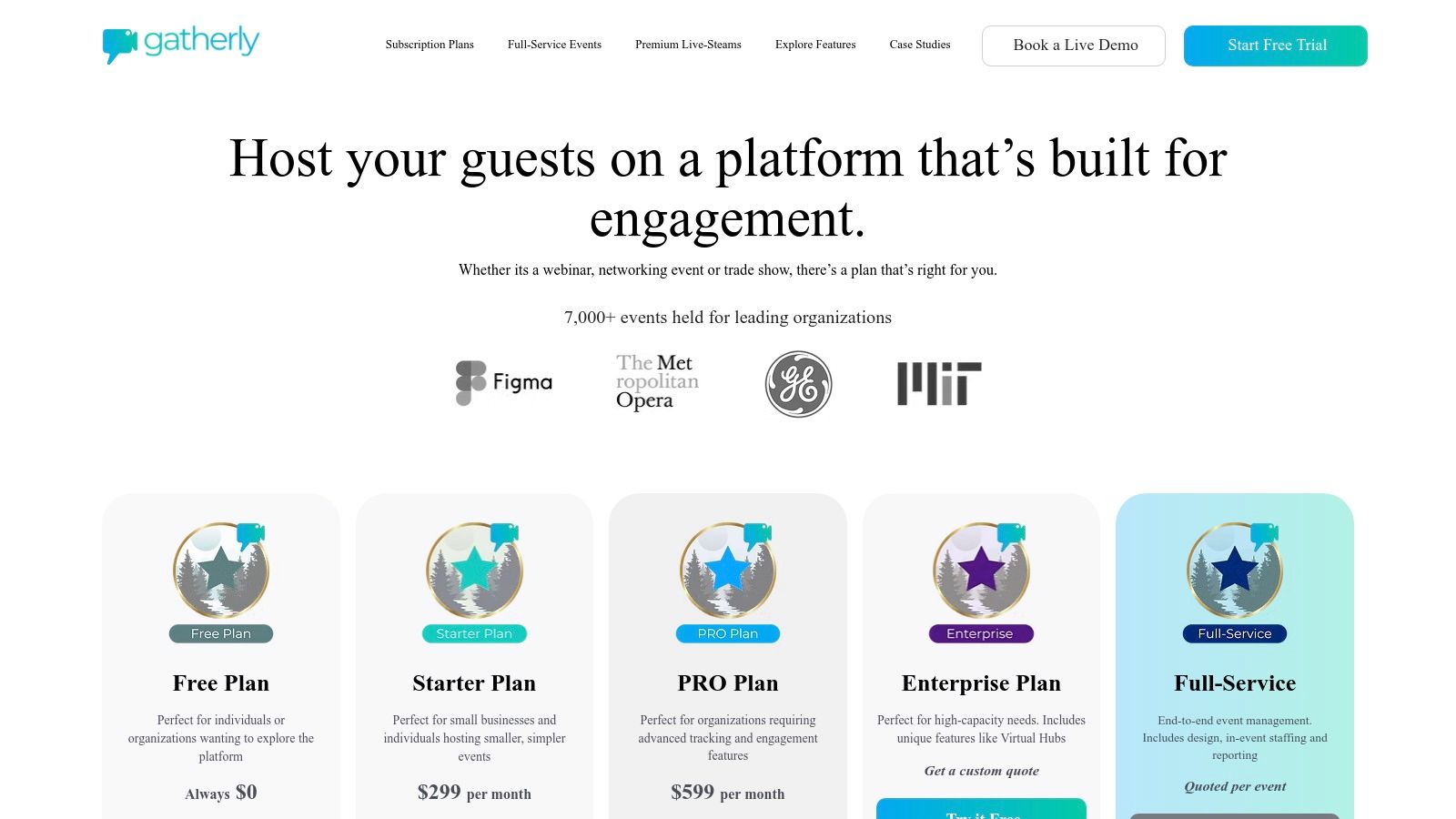
Gatherly's pricing is event-focused with clear tiers:
- Free: Allows up to 10 attendees for 1 hour to test the platform.
- Starter: $29/host/month for up to 25 attendees and 4-hour events.
- Pro & Enterprise: Custom pricing for larger events, offering features like white-labeling, dedicated support, and higher attendee caps.
Pros & Cons
| Pros | Cons |
|---|---|
| Strong for Networking Events: Excels at conferences and career fairs. | Primarily Event-Centric: Less suited for daily, persistent team offices. |
| Clear Monthly Tiers: Easy-to-understand pricing for smaller events. | Add-Ons Required: Longer durations or more attendees often need paid add-ons. |
| Organizer-Focused Tools: Broadcasts and analytics are built for event managers. | Less Gamified: Lacks the interactive, game-like elements of other platforms. |
Migration & Setup Tips
When setting up a conference, plan your multi-floor layout strategically. Use the first floor as a lobby and registration area, dedicate another floor to sponsor expo booths, and use separate floors for different session tracks. Leverage the broadcast feature for opening and closing remarks to ensure every attendee receives key information simultaneously. Pre-event communication is key; send attendees a simple map and guide beforehand.
Website: https://www.gatherly.io/pricing?utm_source=openai
11. RingCentral Events (formerly Hopin Events)
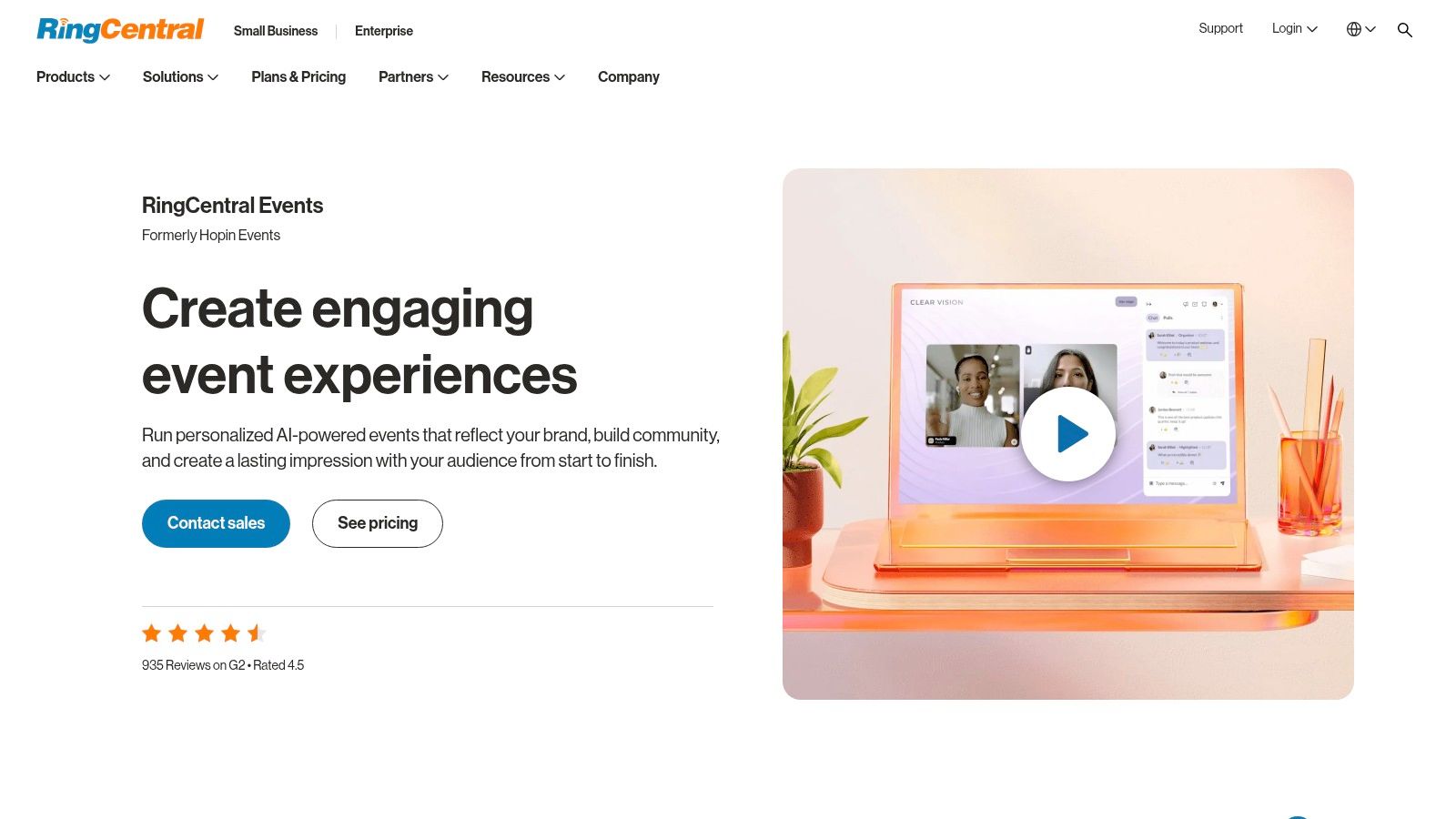
RingCentral Events, the platform formerly known as Hopin Events, is a comprehensive solution designed for professional virtual and hybrid conferences. Unlike the gamified, map-based Gather Town alternatives, it focuses on a structured event experience with dedicated modules for main stage sessions, networking, and exhibitor expos. Backed by a major unified communications provider, it's built for organizations that need a reliable, scalable platform for recurring webinars, internal all-hands, and large-scale industry conferences.
Key Features & Use Cases
The platform excels at managing the entire event lifecycle, from registration and ticketing to live engagement and post-event analytics. Key features include multi-track sessions, virtual expo booths for sponsors, and one-on-one video networking to connect attendees. Its integration within the broader RingCentral ecosystem makes it a strong choice for businesses already using their products for unified communications. It is ideal for formal corporate events where brand control, data, and structure are more important than casual, spontaneous interaction.
Pricing and Access
RingCentral Events is bundled with RingCentral's communications plans:
- RingCentral Video Pro: A free plan that includes basic event hosting.
- RingCentral Video Pro+: Starts at $11.99/user/month and includes events for up to 100 attendees.
- RingCentral One (and above): Custom pricing for larger-scale needs, offering unlimited events and advanced features for corporate and enterprise clients.
Pros & Cons
| Pros | Cons |
|---|---|
| All-in-One Event Management: Covers registration, sessions, expo, and networking. | Not a Spatial Platform: Lacks the 2D map exploration and casual feel of Gather. |
| Predictable Pricing: Clear entry-level pricing for recurring small events. | Attendee Caps on Lower Tiers: The 100-attendee limit requires an upgrade for larger events. |
| Backed by Major Provider: Offers reliability and integration with a larger communications suite. | Less Customizable: The environment is more templatized and less creatively flexible. |
Migration & Setup Tips
When moving a conference to RingCentral Events, focus on structuring your agenda within the platform's modules. Pre-load speaker bios, session details, and sponsor materials into the expo booths well in advance. To encourage engagement, heavily promote the one-on-one networking feature in your pre-event communications, as attendees may not discover it as organically as they would in a spatial environment.
Website: https://www.ringcentral.com/rc-events.html
12. Spatial (spatial.io)
Spatial offers a web-first gateway into the metaverse, focusing on beautifully rendered 3D environments for events, art showcases, and brand activations. As one of the more visually impressive Gather Town alternatives, it moves beyond 2D pixel art to deliver immersive worlds accessible across web browsers, mobile devices, and VR headsets. Its strength lies in providing a creator-friendly platform where users can build persistent, high-fidelity spaces for communities to connect.
Key Features & Use Cases
The platform is built around a per-space subscription model, making it flexible for creators managing multiple projects. Organizers can leverage a large template gallery to quickly launch worlds or build from scratch. Core features include robust hosting, detailed analytics, and the ability to embed spaces on external websites. For enterprise clients, SSO and API integrations provide necessary security and customization, making it suitable for large-scale brand activations and virtual conferences.
Pricing and Access
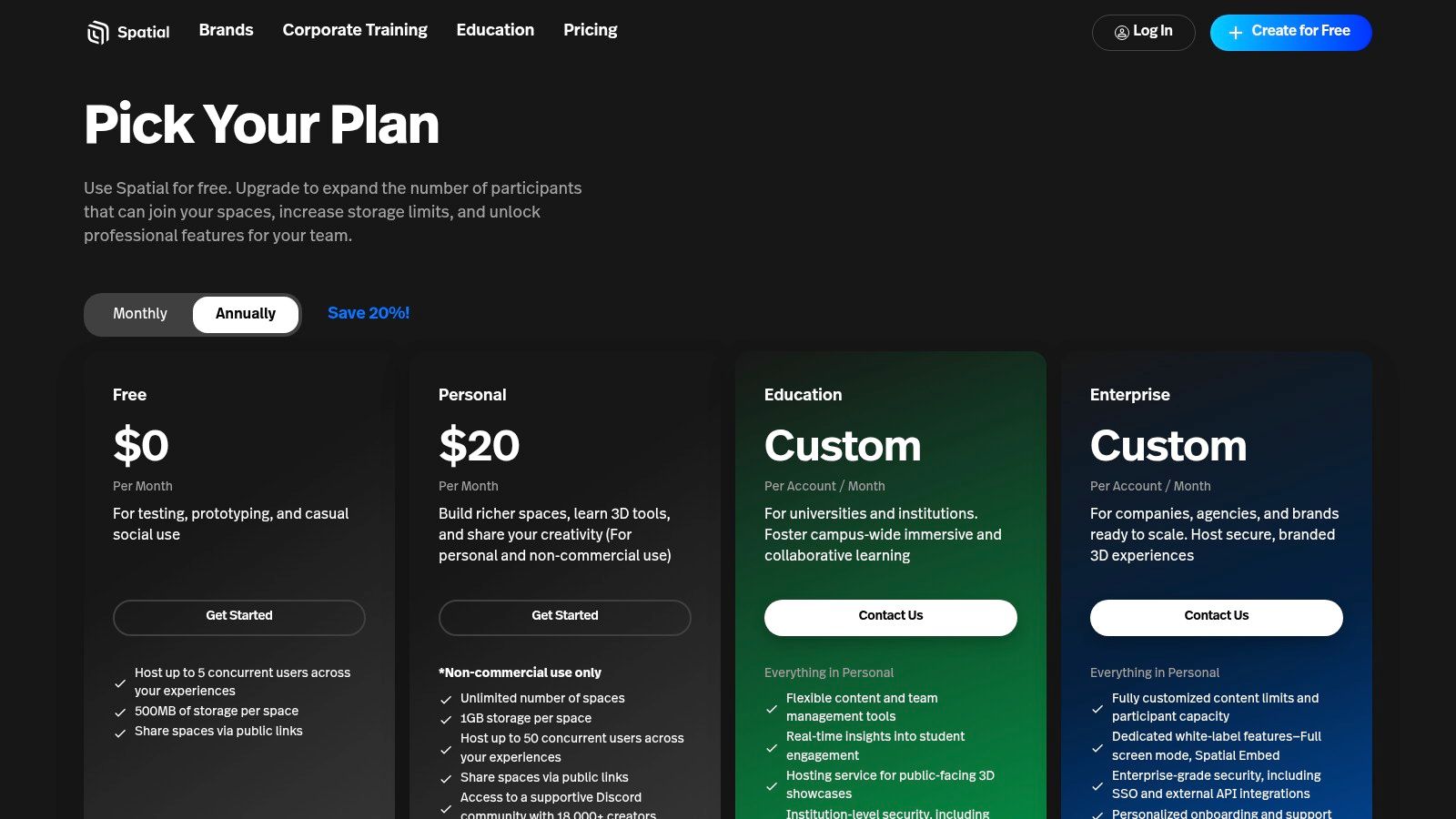
Spatial's pricing is structured per space:
- Free: Allows for one space with limited concurrency and storage, ideal for personal projects.
- Personal/Education: Custom pricing for individuals and educators needing more capacity.
- Enterprise: Custom plans with advanced features like SSO, API access, and dedicated support.
Pros & Cons
| Pros | Cons |
|---|---|
| Excellent Cross-Device Support: Seamless experience on web, mobile, and VR. | Limited Free Tier: Concurrency and storage are restricted on the free plan. |
| Mature Creator Ecosystem: Large template gallery and active creator community. | Paywalled Features: Advanced capabilities are locked behind per-space subscriptions. |
| Flexible Instancing: Scales easily to accommodate larger audiences. | Higher Learning Curve: 3D world-building can be more complex than 2D maps. |
Migration & Setup Tips
Founders launching a brand activation should explore the template gallery first to find a world that aligns with their aesthetic, which can be customized later. Utilize the embedding feature to integrate your Spatial world directly into your company’s landing page for a cohesive user journey. For a deeper look at its capabilities, you can find more information about Spatial on this SaaS tools directory.
Website: https://www.spatial.io/pricing?utm_source=openai
Gather Town Alternatives: 12-Platform Comparison
| Product | Core features ✨ | UX ★ | Value 💰 | Target 👥 | Standout 🏆 |
|---|---|---|---|---|---|
| SpatialChat | ✨ Branded multi-room layouts; spatial audio/video; recording | ★★★★☆ reliable at scale | 💰 Tiered — large-event features higher | 👥 Conferences, webinars, large-scale launches | 🏆 Scales to ~10,000; quick branded events |
| Kumospace | ✨ Floor plans, presence indicators, recording | ★★★★ intuitive office metaphor | 💰 Affordable; free plan (5 members) | 👥 Drop‑in teams, recurring virtual offices | 🏆 Strong drop‑in collaboration UX |
| oVice | ✨ Map-style customizable spaces; SSO on tiers | ★★★☆ APAC-polished, persistent HQ feel | 💰 Flexible (space or user pricing) | 👥 Teams wanting persistent virtual HQs | 🏆 Transparent plan ladder with free tier |
| Topia | ✨ Embeddable worlds; open API/SDK | ★★★★ creative, developer-friendly | 💰 Low entry / free demo available | 👥 Creative events, developer communities | 🏆 Rich developer tooling & embedding |
| Virbela Go | ✨ Zero-install 3D spaces; spatial voice | ★★★☆ lightweight 3D experience | 💰 Per-user pricing with minimums | 👥 Teams wanting simple 3D collaboration | 🏆 Easy 3D trials (public campus) |
| Remo | ✨ Table/floor networking, ticketing builtin | ★★★★ high engagement for networking | 💰 Event-focused: cost rises with scale | 👥 Event organizers, expos, job fairs | 🏆 Built‑in ticketing + table networking |
| Frame (Virbela) | ✨ 3D/360 assets, AI NPCs, speech-to-text | ★★★★ accessible & configurable | 💰 Predictable tiers; free trial | 👥 Workshops, classrooms, pilots | 🏆 Accessibility + AI features for interactivity |
| WorkAdventure | ✨ Map-based 2D, bot integrations, extensible | ★★★☆ DIY/customizable; open-source spirit | 💰 Cost-effective per-day or per-user | 👥 Technical teams & one-off events | 🏆 Highly extensible & customizable maps |
| Teemyco | ✨ Unlimited calls, Slack/calendar integrations | ★★★★ simple onboarding; mobile/desktop apps | 💰 Competitive per-user pricing (annual discounts) | 👥 SMBs needing always-on HQs | 🏆 Easy setup; strong integrations |
| Gatherly | ✨ Multi-floor maps, expo booths, managed services | ★★★★ event-centric UX | 💰 Modular tiers; add-ons for scale | 👥 Networking-heavy conferences & expos | 🏆 Managed event services + expo features |
| RingCentral Events | ✨ Sessions, expo, registration; RingCentral integrations | ★★★☆ enterprise-grade for recurring events | 💰 Predictable entry pricing (small caps) | 👥 Organizations running recurring virtual events | 🏆 Backed by RingCentral UCaaS ecosystem |
| Spatial (spatial.io) | ✨ Web/VR 3D spaces; template gallery; SSO | ★★★★ cross-device, creator-friendly | 💰 Per-space subscriptions; free/paid tiers | 👥 Creators, brands, VR-capable communities | 🏆 Strong creator ecosystem & multi-device support |
Final Thoughts
Navigating the landscape of virtual spaces can feel overwhelming, but as we've explored, the market is rich with powerful Gather Town alternatives, each catering to distinct needs and use cases. The "one-size-fits-all" solution is a myth; the perfect platform for your organization depends entirely on your specific goals, audience, and operational constraints.
Our deep dive into platforms like SpatialChat, Kumospace, Topia, and Virbela Go has illuminated a clear trend: the future of remote interaction is not about replicating the physical office, but enhancing it with digital capabilities. It’s about creating intentional spaces that foster genuine connection, spontaneous collaboration, and memorable events.
Making the Right Choice: A Quick Decision Framework
Choosing your virtual headquarters or event venue is a strategic decision. To simplify your selection process, revisit these core questions that we've touched on throughout this guide:
- What is your primary use case? Are you building a persistent virtual office for a small team (consider Teemyco or WorkAdventure), hosting a large-scale conference (look at Remo or RingCentral Events), or creating an artistic, experiential social event (Topia or Frame might be ideal)?
- What is your budget? Your financial commitment will be a major deciding factor. Open-source options like WorkAdventure offer maximum control for those with technical resources, while premium platforms like Virbela Go provide enterprise-grade security and support for a higher price.
- How important is customization? Do you need a turnkey solution that works out of the box, or does your team want to build a completely unique world from the ground up? Platforms vary wildly from template-based (Kumospace) to highly programmable (Topia).
- What level of immersion are you seeking? Your choice ranges from simple 2D pixel art environments to sophisticated 3D metaverses. Consider your audience's technical comfort and hardware capabilities. A lightweight, browser-based 2D space is often more accessible than a demanding 3D application.
Key Takeaways for Your Team
From our analysis, a few critical insights stand out. First, proximity chat remains the killer feature that differentiates these platforms from standard video conferencing tools like Zoom or Google Meet. The ability to have fluid, spontaneous conversations by simply moving an avatar is the magic ingredient for recreating social dynamics.
Second, integration capabilities are paramount for long-term adoption. A virtual space that seamlessly connects with your existing workflow tools like Slack, Google Calendar, or Notion is more likely to become a daily habit for your team rather than a novelty.
Finally, remember that the tool is only one part of the equation. Successful implementation requires a cultural shift. You must actively champion the platform, design engaging experiences, and set clear expectations for its use. A virtual office, no matter how well-designed, will sit empty without intentional community-building efforts. The virtual event and office landscape is constantly evolving, with new platforms like saucial emerging to offer unique social experiences.
Ultimately, the best Gather Town alternatives are the ones that dissolve into the background, allowing human connection and collaboration to take center stage. By carefully considering your team's unique culture, workflow, and objectives, you can select a platform that not only meets your functional needs but also cultivates a more connected, productive, and engaged remote environment.
Ready to launch your own SaaS product, perhaps even a new virtual space platform? Getting noticed in a crowded market is the biggest challenge. Check out SubmitMySaas to get your new tool in front of early adopters by submitting it to over 100 SaaS directories and startup listings with just one click. Visit SubmitMySaas to accelerate your launch.