Document Collaboration Tools: A 2026 Buyer's Guide
Compare 10 document collaboration tools for SaaS founders and product teams, covering features, use cases, pricing, integrations, and onboarding tips.
Your SaaS product team has a product specification open in one tab, customer feedback buried in a support platform, a launch brief in a shared drive, meeting notes in a workspace app, and technical runbooks somewhere near the engineering backlog. Everyone can collaborate, but nobody can reliably answer which document is current, who owns the next decision, or whether an AI assistant is allowed to process sensitive content.
The best document collaboration tools aren't just the ones with the longest feature lists. The practical choice depends on the document type, your existing ecosystem, permissions, workflow connections, deployment requirements, and how much structure your team can maintain without creating an administration project. This guide organizes the leading options by the collaboration job they perform, from general-purpose editing and living knowledge management to execution-linked documentation, regulated content, and developer workflows.
Pricing tiers, seat models, integrations, and AI availability can change, so confirm current terms during evaluation. Use this guide alongside team collaboration software listed to discover adjacent options, but treat hands-on product fit testing as the deciding step. SubmitMySaas is useful for founders exploring productivity and SaaS products, not a replacement for testing real documents with the people who'll use them.
1. Google Docs for General-Purpose Editing
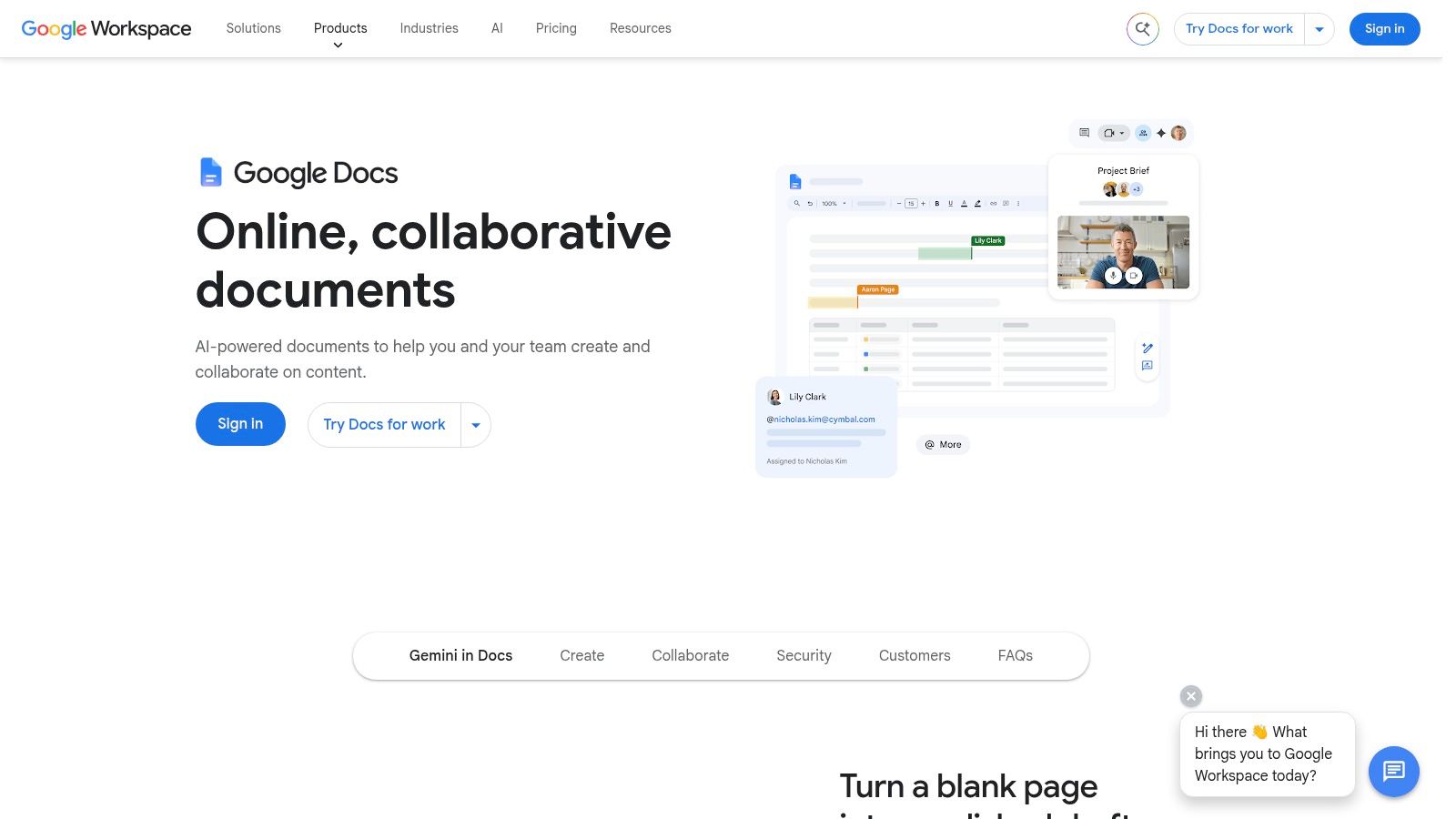
Google Docs remains the easiest starting point for teams that need people to edit the same document without a lengthy rollout. Its browser-based editor connects naturally with Gmail, Drive, Meet, and the wider Google Workspace environment, so external contributors can usually open a link and start working with minimal instruction.
Live cursor presence, comments, @mentions, Suggesting mode, and version history cover the core review cycle. Drive permissions provide a familiar way to control access, while offline editing helps when a contributor can't depend on a continuous connection. Teams can also add Gemini for Workspace features for drafting, summarizing, and rewriting, subject to the selected Workspace plan and current availability.
Where it works and where it stops
Google Docs is particularly strong for product briefs, customer research summaries, meeting notes, and documents shared with clients or partners. Its familiarity reduces onboarding friction, and its accessibility support makes it a practical default for mixed-experience teams.
The trade-off appears when a team wants a structured knowledge base, a polished publishing system, or complex long-form layouts. Docs can store those materials, but it doesn't provide the same native information architecture as a wiki platform, and its formatting remains more basic than desktop publishing software.
Practical rule: Use Google Docs when the document itself is the collaboration unit. Choose another tool when the surrounding knowledge structure matters more than the page.
For a lean remote team, Google Docs pairs well with clear Drive conventions. Define owners, use predictable folder or shared-drive boundaries, and avoid treating every link as automatically appropriate for external sharing. Teams comparing broader remote work tools should test a real review cycle, including comments, suggested edits, guest access, and final export.
2. Microsoft 365 Word and Microsoft Loop for Microsoft-Centered Teams
Microsoft 365 Word is the safer choice for teams whose customers, legal reviewers, or internal administrators already work in Microsoft formats. Word combines mature desktop authoring with web and mobile co-authoring when files live in OneDrive or SharePoint. Track Changes, comments, @mentions, and version management support the formal review patterns that product, sales, legal, and operations teams often share.
Loop adds a different collaboration model. Its workspaces and portable components can move through Teams and Outlook, allowing a task list, table, or planning element to remain connected across Microsoft 365 applications. That makes Loop useful for early planning and cross-functional coordination, while Word remains the better home for a document that needs conventional pagination, tracked review, or broad compatibility.
The governance advantage
Microsoft's strongest differentiator is the surrounding enterprise control plane. Identity management, data-loss prevention, retention, and administrative policies can support teams that need centralized governance rather than a collection of individually managed sharing settings.
That strength introduces setup friction. Loop insertion points and application availability may vary by tenant configuration, and administrators may need to enable or constrain features before users get a consistent experience. Teams should test permissions in the actual Microsoft 365 environment, not in an isolated trial account.
- Best fit: Product organizations already standardized on Teams, Outlook, SharePoint, and OneDrive.
- Adoption risk: Users may understand Word immediately but need guidance on when to use a Loop component, a Loop workspace, or a formal Word document.
- Onboarding need: Establish storage locations, naming conventions, review states, and rules for moving exploratory content into controlled documentation.
The broader async communication tools conversation is relevant here because Word and Loop can support fewer meetings only when teams agree where decisions belong. Without that agreement, Microsoft 365 can become a highly capable collection of overlapping surfaces.
3. Notion for Living Knowledge Management
Notion is built for teams that don't just write documents. They build an internal operating system from pages, databases, templates, linked references, and lightweight publishing. A product team can keep a product requirements document beside a feature database, customer interview notes, decision records, launch checklists, and an internal site without forcing every artifact into a traditional folder hierarchy.
Pages, relational databases, templates, granular permissions, comments, mentions, and page history give teams a flexible foundation. Public publishing can turn selected pages into simple external resources, while Notion's AI capabilities include Agents, meeting notes, and cross-workspace search in beta. Confirm current availability and controls before placing confidential material into an AI-enabled workflow.
Flexibility needs an information architecture
Notion's advantage can become its main liability. A team can create a page for almost anything, but that doesn't mean people will find the right page later. Databases can accumulate inconsistent properties, teams can duplicate templates, and permissions can become difficult to reason about when a workspace grows without ownership.
The best Notion implementations start with a small vocabulary. Decide what counts as a spec, decision record, runbook, meeting note, or evergreen guide. Give each type a template, an owner, a status, and a review expectation. Keep navigation deliberately shallow and make search a supplement to structure, not a substitute for it.
Notion rewards teams that design the workspace before they fill it.
Use Notion when documentation changes continuously and readers need context around the document. It may be less suitable when the team primarily needs conventional office files or when database scale and performance require stronger operational discipline. Founders weighing Obsidian versus Notion should focus less on feature checklists and more on whether the team needs shared workspace governance or individual-first knowledge capture.
4. Superhuman Docs for Execution-Ready Documents
Superhuman Docs, formerly Coda, treats a document as a small application rather than a static page. Text, tables, structured data, interactive elements, automations, and AI views can live together in a collaborative workspace. That model suits teams building launch planners, product playbooks, operating reviews, intake systems, or lightweight internal tools without asking engineering to create every workflow.
Superhuman Databases provide reusable structured information, while connected views can bring the same data into different documents or contexts. The platform also supports AI assistance and connectors involving models such as ChatGPT, Claude, and Cursor. Those connections can be useful, but they increase the need to understand what data flows where and which users can invoke each capability.
A good fit for makers, not every reader
The maker-based billing model can work well when a small group builds documents and workflows for a wider audience. It lets a product operations lead create an interactive launch system while marketers, salespeople, or executives consume and update the relevant parts.
The same model creates a role distinction that requires explanation. Readers need to know which fields they can change, makers need to maintain formulas and automations, and administrators need to prevent mission-critical processes from depending on one person's personal workspace.
- Choose it for: Interactive briefs, operating playbooks, structured intake, and workflow-connected documentation.
- Watch for: Rebranding confusion, changed plan names, and evolving feature packaging.
- Pilot carefully: Rebuild one live process, then test permissions, automation failures, exports, and ownership transfer.
Because Superhuman Docs' offerings evolved during 2026, buyers should confirm current plans directly on the official documentation product page. It also belongs on a founder's productivity tools shortlist, but only after the team confirms that document logic won't become invisible technical debt.
5. Atlassian Confluence for Product and Technical Knowledge
Confluence Cloud is a natural choice when the product team already runs delivery through Jira. It gives specifications, architecture notes, decision records, incident documentation, and runbooks a shared home that can connect directly to the work items engineers already use.
Real-time editing, comments, inline feedback, page permissions, and search across structured and unstructured content support collaborative documentation. Confluence Databases add structured information that can appear across pages, which helps teams organize services, owners, policies, or recurring operational material without abandoning the wiki model.
The Jira connection is the buying argument
A product specification is more useful when its linked Jira epics, decisions, and delivery status remain visible. Confluence can reduce the gap between what the team decided and what the team shipped, particularly when page templates and ownership rules make that relationship explicit.
It isn't the lightest editor. New teams may find the space and page model heavier than Google Docs, and an unmanaged Confluence instance can fill with stale pages, duplicate explanations, and abandoned project areas. Administrators also need to track changes to export behavior and management capabilities as the product evolves.
Keep the wiki useful by assigning ownership to spaces and page families, not just to individual documents.
Use a small page taxonomy from the start. Give specifications, decision records, and runbooks distinct templates. Link Jira work intentionally, archive completed material, and set a review rhythm for operational pages. Teams comparing knowledge base software should prioritize search quality, permissions, and maintenance effort over the number of available macros.
6. ClickUp Docs for Execution-Linked Documentation
ClickUp Docs makes the most sense when documentation must sit beside tasks, goals, whiteboards, dashboards, sprints, and project views. A launch brief can link directly to the tasks it governs. A product requirement can sit near the sprint work that implements it. A retrospective can generate follow-up actions without copying decisions into another system.
Collaborative editing, comments, mentions, publishing, and task linking cover the document basics. ClickUp Brain adds summaries, updates, and workspace-aware answers, although teams should validate how its AI features interact with permissions and the current plan structure.
Consolidation helps until the workspace becomes noisy
ClickUp's strength is consolidation. A lean product team can avoid maintaining separate documentation and project-management systems, which reduces the number of places a contributor must check before acting. The platform is also attractive for teams that want several work-management features in one subscription rather than assembling specialist tools.
The cost is cognitive load. A workspace with many spaces, statuses, custom fields, views, automations, and document types can overwhelm new users. Pricing and packaging have changed over time, and AI add-ons and seat types vary, so current terms need verification before you model total cost.
- For product teams: Link each important decision or requirement to an execution object.
- For administrators: Keep templates narrow and archive unused spaces instead of adding more navigation.
- For onboarding: Teach one path from brief to task to update, rather than explaining every ClickUp feature.
ClickUp Docs works when the organization wants documentation to trigger and reflect action. It works less well when people need a calm, editorial knowledge base without project-management controls surrounding every page.
7. Zoho Writer for Automated Document Operations
Zoho Writer suits teams that produce the same document repeatedly. It combines live co-editing with templates, mail merge, document automation, e-signature connections, and Zia assistance for grammar, style, and plagiarism detection. Customer communications, sales proposals, HR paperwork, and administrative records are stronger use cases than open-ended knowledge management.
Its value appears after approval, not only during drafting. Comments, chat, granular sharing, and guest access support review, while desktop and mobile apps with offline support keep contributors productive outside the browser. Zoho CRM integration can generate documents from customer records, and e-signature capabilities can move an approved file toward completion without sending it through a separate workflow.
Test the operation, not just the editor
A useful pilot starts with one template. Check whether it pulls the correct fields, retains formatting, routes the document for signature, and records an audit trail that an administrator can understand. Also test failed field mappings, permission errors, and incomplete handoffs. Those cases reveal more than a polished co-editing session.
Zoho Writer is easier to justify for organizations already using Zoho CRM or related applications. Google Workspace and Microsoft 365 teams may face more setup work because identity, storage, and administration operate differently from their existing standards. Confirm which capabilities come with the workplace bundle and which require separate plans before comparing subscription costs.
The main adoption questions are practical:
- Best fit: Repeatable documents, CRM-linked content, mail merge, and signature workflows.
- Adoption friction: Contributors may need to learn Writer's document model alongside Zoho's broader administration.
- Governance question: Set clear ownership for templates and permission to initiate automated document creation.
Keep the first rollout narrow. Test guest access, generated output, signature handoff, permissions, and failure recovery before making Writer the system of record. That approach limits migration effort while showing whether automation removes manual work for the team.
8. Box Notes for Regulated Content
Box Notes fits organizations that already use Box as a governed content cloud. It provides real-time editing, comments, and simple content blocks for meeting notes, specifications, project records, and lightweight documentation stored beside controlled files.
Its value comes from the content controls around the editor. Box supports policy-driven sharing, retention controls, and compliance-oriented deployment options, including HIPAA, SOC, and FedRAMP options. Connections with Microsoft 365 and Google Workspace let teams keep familiar editing tools while applying Box's content-management rules. Box AI for Notes can generate, refine, and analyze text. Administrators should confirm regional availability, data handling, and usage allowances before enabling it.
Judge the record lifecycle, not just the notes editor
Box Notes offers less flexibility than a full office suite or rich wiki. Teams needing complex databases, advanced page layouts, or elaborate publishing structures may find it restrictive. For regulated work, that constraint can reduce sprawl: notes and files stay in a controlled environment instead of creating another programmable workspace to govern.
Run the pilot against a real document class. Test internal roles, external collaborators, group membership, and link-sharing policies. Confirm how notes and attachments follow retention rules, then verify that the completed record can enter the required review or archival process. AI needs its own decision: determine whether drafting, summarization, or analysis is allowed for each class of document.
Regulated collaboration is a content-policy problem first and an editing problem second.
Box Notes belongs on the shortlist when compliance, residency, and centralized governance shape the buying decision. Its adoption friction is lower for teams already administering Box, while a small product team seeking informal co-authoring may inherit policy and administration work it does not need. Before rollout, assign ownership for access rules, retention settings, AI approval, and export procedures.
9. ONLYOFFICE Docs for Flexible Deployment
A product team can keep its existing content stack and add office editing where documents already live. ONLYOFFICE Docs supports collaborative documents, spreadsheets, presentations, and forms, with broad compatibility for Microsoft Office formats. Its deployment options include cloud hosting, self-hosted enterprise installations, a developer edition, and an open-source Community edition, giving privacy-focused teams more control over operating location and access.
Fast and Strict co-editing modes serve different review habits. Track changes and versioning support formal approval, while integrations with Nextcloud, ownCloud, Confluence, Jira, SharePoint, and other platforms connect editing to established content environments. That can reduce migration work, although each integration adds configuration and support requirements.
Deployment flexibility comes with operating work
Self-hosting can satisfy privacy, data-residency, and deployment requirements that SaaS-only tools cannot. The trade-off is ownership of infrastructure, upgrades, monitoring, backups, access configuration, and incident response. The editor may fit the workflow, but reliability depends on the team operating it.
Bring the infrastructure owner into the decision early. A product group may prefer the editor yet underestimate the maintenance needed for a document service used across reviews, planning, and customer work. For a lean team, cloud hosting usually reduces setup friction, while self-hosting makes sense only when deployment control justifies the added administration.
Use the pilot to test identity, storage, simultaneous editing, integrations, backups, and recovery. Confirm which mobile and web capabilities require paid editions or licenses, then review support and integration costs alongside editor quality.
ONLYOFFICE Docs fits teams that need Office-format fidelity and deployment control. Choose it for those requirements, not only because it offers another collaborative editor.
10. HackMD for Developer Workflows
An engineer drafting an RFC, incident review, or runbook often needs feedback before the document belongs in a repository. HackMD fits that handoff by centering collaborative Markdown rather than desktop-style page layout. It suits engineers, technical product managers, and contributors who already work with repositories or developer-facing documentation.
The practical workflow is discussion first, source control later. Real-time editing, comments, suggestions, GitHub and GitLab integrations, API access, publishing options, and team workspaces support RFCs, implementation notes, architecture discussions, incident drafts, and public documentation. Enterprise SSO through SAML and LDAP gives larger engineering groups more control over identity and access.
Choose it for developer-facing work
HackMD is quick to adopt for teams comfortable with Markdown. Authors can focus on headings, code examples, links, and review instead of adjusting page layouts. Publishing also supports external contributors or public technical drafts without opening the entire internal workspace.
The trade-off appears when the audience expands. HackMD is not WYSIWYG, so legal, marketing, customer-facing, and other non-technical contributors may need Markdown guidance. Its knowledge-base and wiki features are lighter than Confluence or Notion, which means stable, cross-functional guidance may need a separate home.
Before rollout, decide where each document ends up:
- Use it for: RFCs, technical specifications, runbooks, and repository-adjacent documentation.
- Pair it with: Git workflows when documentation needs code-style review and history.
- Set a boundary: Move durable, broad-audience guidance to a more accessible knowledge base.
HackMD is a specialist choice with low onboarding friction for developers, but governance still matters. Define publishing permissions, repository ownership, retention expectations, and the destination for approved content. Its fit declines when one document must satisfy engineering, legal, marketing, and customers in a tightly controlled visual format.
Top 10 Document Collaboration Tools, Side-by-Side Comparison
| Product | Core features ✨ | UX / Quality ★ | Value / Pricing 💰 | Target audience 👥 | Notable USP 🏆 |
|---|---|---|---|---|---|
| Google Docs (Google Workspace) | Live co-editing, Drive perms, offline, Gemini | ★★★★★ Familiar, accessible | 💰 Free + Workspace paid plans | 👥 General teams & creators | 🏆 Ubiquity & near-zero onboarding |
| Microsoft 365 Word + Loop | Word authoring, Track Changes, Loop components, enterprise DLP | ★★★★☆ Enterprise-grade, polished | 💰 Paid (M365 licensing) | 👥 Enterprises & M365 orgs | 🏆 Deep security/compliance & cross-app Loop |
| Notion | Pages + relational DBs, templates, publishing, AI | ★★★★☆ Highly flexible; can get complex | 💰 Freemium → Team/Enterprise | 👥 Product, ops, knowledge teams | 🏆 Docs + structured data in one workspace |
| Superhuman Docs (formerly Coda) | Docs-as-apps, syncable DBs, automations, embedded AI | ★★★★☆ Maker-focused, powerful | 💰 Maker-based billing; paid tiers | 👥 Makers, PMs, ops building tools | 🏆 Build interactive apps without engineers |
| Atlassian Confluence (Cloud) | Wiki pages, Confluence Databases, Jira integration, permissions | ★★★★☆ Scales well; heavier governance | 💰 Paid Cloud tiers (enterprise pricing) | 👥 Engineering, docs, ops at scale | 🏆 Proven for technical docs + Jira tie-in |
| ClickUp Docs | Collaborative docs, task links, ClickUp Brain AI, publishing | ★★★☆☆ Feature-rich; can be complex | 💰 Bundled plans; strong value for all-in-one | 👥 Teams needing docs + project management | 🏆 Tight docs ↔ execution linkage |
| Zoho Writer | Live editing, automation, mail merge, e-sign, Zia AI | ★★★☆☆ Solid editor; automation-forward | 💰 Lower-cost; Zoho ecosystem bundles | 👥 SMBs, content & ops teams | 🏆 Document automation + native e-sign |
| Box Notes (Box) | Real-time notes, Box AI, governance & retention controls | ★★★☆☆ Secure; simpler editing | 💰 Paid enterprise tiers with compliance options | 👥 Regulated enterprises & security teams | 🏆 Enterprise-grade compliance & governance |
| ONLYOFFICE Docs | Full office suite, MS Office fidelity, cloud or self-hosted | ★★★★☆ Strong fidelity; flexible deployment | 💰 SaaS / Enterprise / Community (free) | 👥 Privacy-focused & IT-managed orgs | 🏆 Self-hosting + MS Office compatibility |
| HackMD | Real-time Markdown, GitHub/GitLab integration, publishing | ★★★★☆ Extremely fast for technical docs | 💰 Freemium → Team/Enterprise plans | 👥 Developers, engineering, open-source | 🏆 Lightweight Markdown + dev workflow integrations |
Make the First Workflow the Test
The right document collaboration tool depends on the work your team repeats, not the product with the most impressive demo. Start by identifying the documents people create most often. For a SaaS product team, that might include product specifications, customer-feedback summaries, launch briefs, decision records, meeting notes, support playbooks, or technical runbooks. The dominant document type usually reveals whether you need an editor, a knowledge system, an execution layer, a governed content cloud, or a developer-first Markdown workflow.
Shortlist from the ecosystem you already operate. Google Docs is easier to adopt when Gmail and Drive already hold the team's work. Microsoft 365 Word and Loop are stronger when identity, Teams, Outlook, SharePoint, and compliance administration already sit in Microsoft 365. Confluence and ClickUp become more attractive when Jira or task execution is central. Box and ONLYOFFICE deserve closer attention when governance or deployment requirements narrow the field. Notion and Superhuman Docs stand out when the team wants flexible, living systems rather than conventional files.
AI needs its own evaluation rather than a checkbox. Confirm which plans include drafting, summarization, search, agents, meeting notes, or AI credits. Then ask where prompts and document content are processed, which administrators can control the feature, whether regional restrictions apply, and whether AI output can be reviewed before it enters a customer-facing or regulated record. Tightening European data-transfer requirements and growing interest in sovereign-cloud deployment make privacy, residency, and policy controls part of the buying decision, especially for multinational teams.
A practical pilot sequence
Run the same workflow through each finalist:
- Define the artifact: Use one real product specification or launch brief with normal contributors, reviewers, links, and attachments.
- Test collaboration: Invite an external reviewer, edit simultaneously, resolve comments, restore an earlier version, and export the final document.
- Test governance: Apply the intended roles, restrict sensitive sections, review audit visibility, and check what happens when an employee leaves.
- Test integration: Link the document to the actual Jira issue, CRM record, repository, task, or file store your team depends on.
- Test onboarding: Give a new contributor the minimum instructions and observe where they hesitate.
Don't import the entire knowledge base before the pilot proves that people can find, update, and retire content. Establish naming conventions, owners, permissions, review dates, and archival rules first. A tool with fewer features often wins because the team can maintain its structure; an advanced workspace fails when nobody owns the structure.
Document collaboration has become a mainstream digital-work layer. One industry dataset reports more than 172,981 companies using document collaboration tools, with Microsoft SharePoint leading at 54.42% market share and 94,128 customers, followed by Citrix ShareFile at 20.75% and Bit.ai at 17.67%, according to 6sense's document collaboration market data. The same dataset identifies the United States as the largest installed base, with 90,007 customers, or 64.47%, while the United Kingdom and Canada account for 9.36% and 5.87% respectively. Treat those figures as market context, not a reason to select a specific vendor.
Adoption accelerated during the remote-work era. Online collaboration platform adoption jumped 322% from May 2019 to May 2020, while overall workforce adoption rose from about 55% in 2019 to 79% in 2021, according to ToolRadar's document collaboration roundup. That source also reports that 99% of remote workers used an average of 4.8 conferencing and document collaboration apps each day, which explains why reducing app sprawl matters as much as adding features. A separate Research and Markets report projects the global document collaboration market will grow from $10.13 billion in 2025 to $11.51 billion in 2026, implying a 13.6% CAGR. The market is expanding, but your team's best choice still comes from a focused pilot with actual documents and actual users.
SubmitMySaas can help founders discover adjacent SaaS, AI, productivity, marketing, and design products, while the final decision should come from the workflow that your team can operate consistently. Use the directory to widen your shortlist, then let permissions, integrations, deployment, governance, and everyday adoption determine the winner.
SubmitMySaas helps founders and product teams discover new SaaS, AI, productivity, marketing, and design tools through daily launches, trending lists, and focused roundups. Visit SubmitMySaas to find adjacent products for your collaboration stack, or submit your own tool for launch-focused discovery and visibility.